

Affiliate links on Android Authority may earn us a commission. Learn more.
I use Google Maps every day, but Apple Maps still does these 4 things better
Google Maps is great, but Apple Maps gets these four things surprisingly right.
By
•
•
•
Dhruv Bhutani / Android Authority
Add Android Authority on Google:
Preferred SourceGoogle Discover
Be it a daily morning commute or a long road trip, most of us spend a surprising amount of time looking at Google Maps even without realizing it. Beyond the usual in-car navigation, it is my go-to when I’m looking for a new coffee shop or just checking transit schedules in a new country. And yet, lately, I find myself popping open Apple Maps more often than I expected.
Apple has spent the last decade rebuilding Maps into a surprisingly capable navigation app. It might not beat Google Maps just yet, as Google still has the edge when it comes to local search and the sheer amount of information available. However, Apple has a few areas where its approach is simply better. Here are the things I prefer about Apple Maps and want Google Maps to copy.
Which Google Maps feature do you think needs an upgrade?
A cleaner, less cluttered interface
Dhruv Bhutani / Android Authority
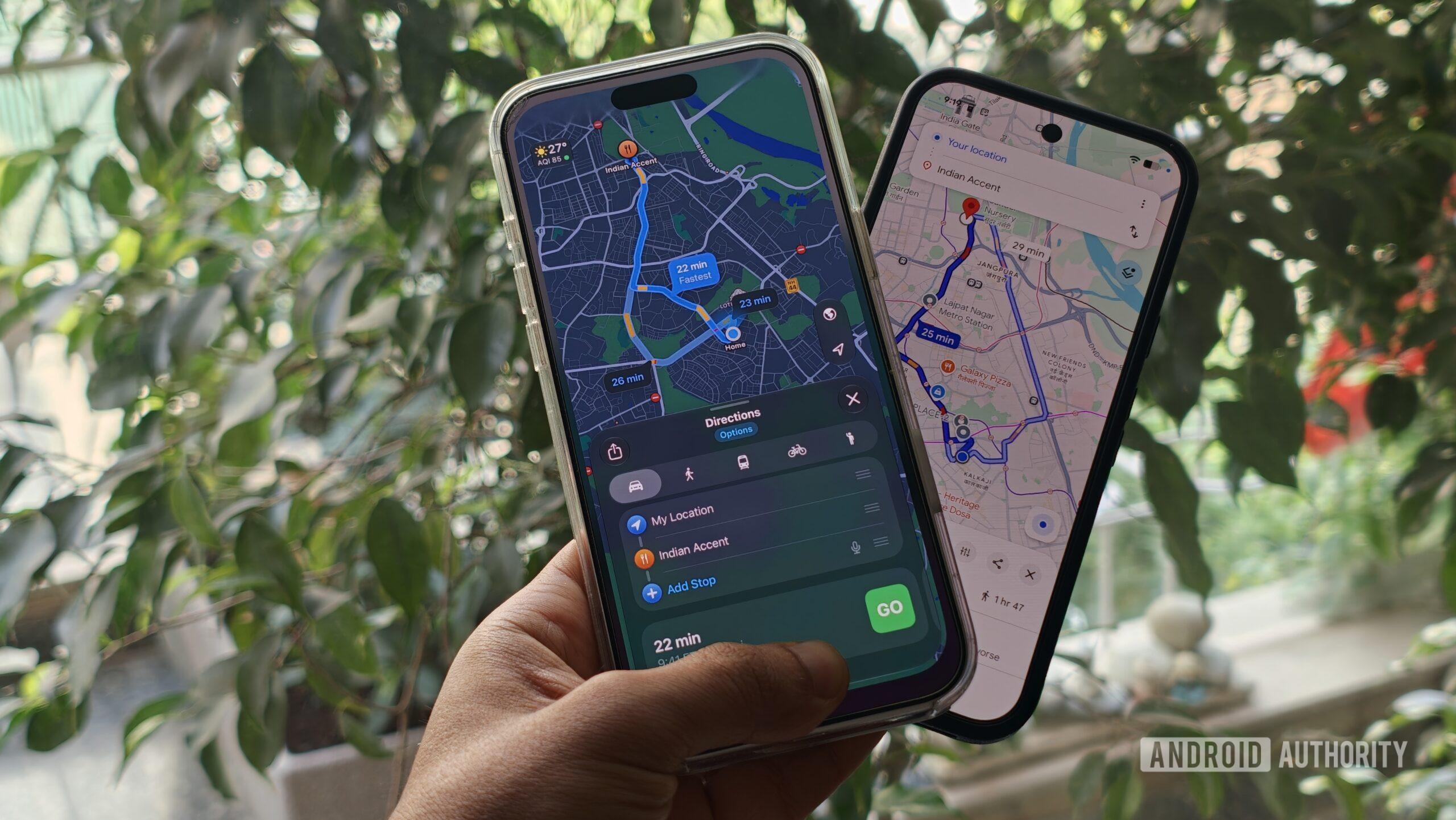
The first thing you’ll notice when you switch over to Apple Maps is just how clean it feels. I might be nitpicking, but compared to Google Maps’ increasingly kitchen sink-style, Apple Maps just feels like a breath of fresh air.
The map is the focus. Streets, traffic, and navigation directions are easy to see without a plethora of information nuggets fighting for my attention. When I’m driving, that’s exactly what I want.
A much cleaner interface that stays out of my way.
Google Maps, meanwhile, has become increasingly tied to Google’s core advertising business. This means ads can show up while you’re browsing, searching, getting directions, or navigating. Promoted businesses can also appear as sponsored pins on the map. I can’t really fault the company, considering it’s a free service. In fact, Apple Maps has started rolling out ads in some markets as well.
But if I’m trying to find a place to eat in an unfamiliar part of town, I don’t want to spend time figuring out which businesses are being promoted to the top. I just want the map to get out of the way and help me get where I’m going. And for now, Apple Maps does a better job of that.
Better hiking and custom route tools
Ryan Haines / Android Authority
As an avid hiker, I’ve noticed that Apple Maps has also become a surprisingly good hiking companion. Apple’s topographic maps show contour lines and trail details, while the app also lets you create your own walking and hiking routes. You can drop points along a path, create a loop or an out-and-back route, and save it for later. Apple also provides elevation information and lets you access saved routes offline.
Apple Maps is a surprisingly great hiking companion.
Google Maps isn’t completely lacking here. Its Terrain layer also shows contour lines and elevation information. The difference is how these features come together in Apple Maps. Google’s implementation is cumbersome to deal with, with elevation data that can be impossible to see and terrain lines that aren’t particularly actionable.
Meanwhile, on Apple Maps, instead of using the map simply to find a trail, I can plan the route, see the elevation, save it, and use it without a connection. Apple also supports thousands of curated hikes in US national parks, with information about their length, elevation, and route type.
That said, there is a catch. A lot of Apple’s hiking and topographic features are limited by region. So this isn’t something every Apple Maps user will get everywhere. In fact, I don’t have access to it in India, and I’ve only ever used it while traveling internationally.
Still, when the features are available, I liked the experience a lot more than I expected.
Apple Watch navigation is genuinely useful
Kaitlyn Cimino / Android Authority
This is probably my favorite Apple Maps feature. I dual-wield Android phones and an iPhone, but my preferred smart watch remains the Apple Watch. So, when I’m walking somewhere unfamiliar, and I don’t want to keep pulling my phone out of my pocket to check whether I should turn left or right, I resort to Apple Maps for one very specific feature.
The haptic integration makes it a cinch to navigate without pulling out your watch.
Apple Maps’ integration with the Apple Watch is utterly brilliant. The watch uses haptic feedback to tell me which direction to take. A left turn is reflected through three quick paired taps on the wrist, while a right turn is a single steady burst of continuous taps. It’s a small quality-of-life feature that makes a big difference when you’re walking around a busy city or a not-so-safe part of the town. I can keep my phone in my pocket and just follow the taps on my wrist.
Google Maps also works on the Apple Watch and provides step-by-step directions and your ETA. But Apple’s integration feels more thoughtful because the haptic patterns themselves tell me which way to turn.
Yes, I’m aware the Pixel Watch has this feature too, but in my experience, the feature hasn’t been available consistently across all Wear OS watches. Or that’s certainly not been my experience, nor have the haptic cues quite been as helpful.
The privacy argument
Megan Ellis / Android Authority
There’s also something to be said for Apple’s approach to privacy. Any location-based app is by definition linked to you and your device, but there are ways to reduce just how much of your data is accessible to the mapping service. Google Maps is exceptionally useful because it has innate knowledge of where you are, where you’ve been, and even what you’re looking for across touch points like Maps, Search, and even the web. Increasingly, I’m not sure I’m comfortable with that level of digital fingerprinting. That’s why Apple’s approach feels a bit more reassuring.
Apple says that much of the information you send to Maps isn’t tied to your Apple account. Even search and navigation activity is passed through rotating identifiers so that it can’t be tied back to your account. This is, obviously, a massive differentiator over Google Maps as far as privacy is concerned.
While it doesn’t make a significant difference in everyday utility, as I gradually transition over to Apple Maps, the added privacy benefits are definitely valuable for me.
Google Maps is still my default
Andy Walker / Android Authority
For all the things I like about Apple Maps, Google Maps is still my go-to app when I’m trying to figure out where to go, or if I’m looking for fresh recommendations around me. The reason for that is simple. For all its data collection and more, Google Maps has shaped itself to be so much more than a navigation app. Google Maps’ enormous database of businesses and local interests makes it more of a local encyclopedia than just a way to get to a destination. It’s going to take a lot of work for Apple to catch up to that.
If I’m in a new town or neighborhood, Google Maps is what I’ll turn to to find a new cafe or a place to grab a bite to eat. The user reviews make it easy to sift through the good, the bad, and the ugly. Knowing opening hours is essential too. I’ve lost count of the number of times I’ve discovered a phenomenal coffee shop only because Google Maps pointed it out to me. Apple Maps can show me businesses too, and perhaps it can match Google Maps in some markets, but it doesn’t have a world database like Google does – yet.
And while discovery is a big reason why I stick with Google Maps, the umpteen ways it lets you navigate is another. Street View is a godsend when trying to navigate complicated routes or unmarked buildings. Being able to visually scout a destination before getting there has its merits, like being able to figure out if you’ll find parking or not.
Apple Maps can’t replace Google Maps for me just yet, but its cleaner, more private experience is hard to ignore.
Elsewhere, Google Maps has been my companion in public transit. It practically held my hand as I went about Japan’s sprawling public transport network. Again, the difference is in the length and breadth of data available. After all, Apple Maps does transit too, but Google’s coverage and accurate, up-to-date information make it the option I reach for.
Put together, it’s easy to see why Apple Maps hasn’t entirely replaced Google Maps for me. Apple Maps has a lot going for it, and I do want Google Maps to pick up a few tricks from the competition. But as far as utility goes, Google Maps remains unmatched in its ability to help you decide where to go and how to get there. And for now, if sheer utility is what you need, there’s no replacing it.
Features
Apple MapsGoogle Maps
Follow
Thank you for being part of our community. Read our Comment Policy before posting.
