Close Menu
MyAppsPlus

    Subscribe to Updates

    Get the latest creative news from FooBar about art, design and business.

    What's Hot

    AI Won’t Fix Collections if You’re Automating the Wrong Collection Strategy

    November 4, 2026

    Snap has more than 30 million paid subscribers across Snapchat+ and other plans

    November 4, 2026

    Promising PS5 console jailbreak won’t work on recent firmware, as Sony combats exploits

    November 4, 2026
    Facebook X (Twitter) Instagram
    Facebook X (Twitter) Instagram
    MyAppsPlusMyAppsPlus
    Wednesday, November 4
    • Home
    • Breaking Tech
    • Apps & Software
    • AI & Automation
    • Android
    • iPhone & iOS
    • More
      • Reviews
      • How-To Guides
      • Deals & Discounts
      • Shop
    MyAppsPlus
    Home»iPhone & iOS»Here’s everything new for Messages in iOS 27
    iPhone & iOS

    Here’s everything new for Messages in iOS 27

    myappsplusBy myappsplusSeptember 20, 2026004 Mins Read
    Share Facebook Twitter Pinterest Copy Link LinkedIn Tumblr Email Telegram WhatsApp
    Follow Us
    Google News Flipboard
    Here’s everything new for Messages in iOS 27
    Share
    Facebook Twitter LinkedIn Pinterest Email Copy Link

    iOS 27 adds new features across many system apps, like Wallet, Calendar, Music, and Maps. Here’s what’s new for the Messages app in iOS 27.

    ’Drawing’ iMessage app
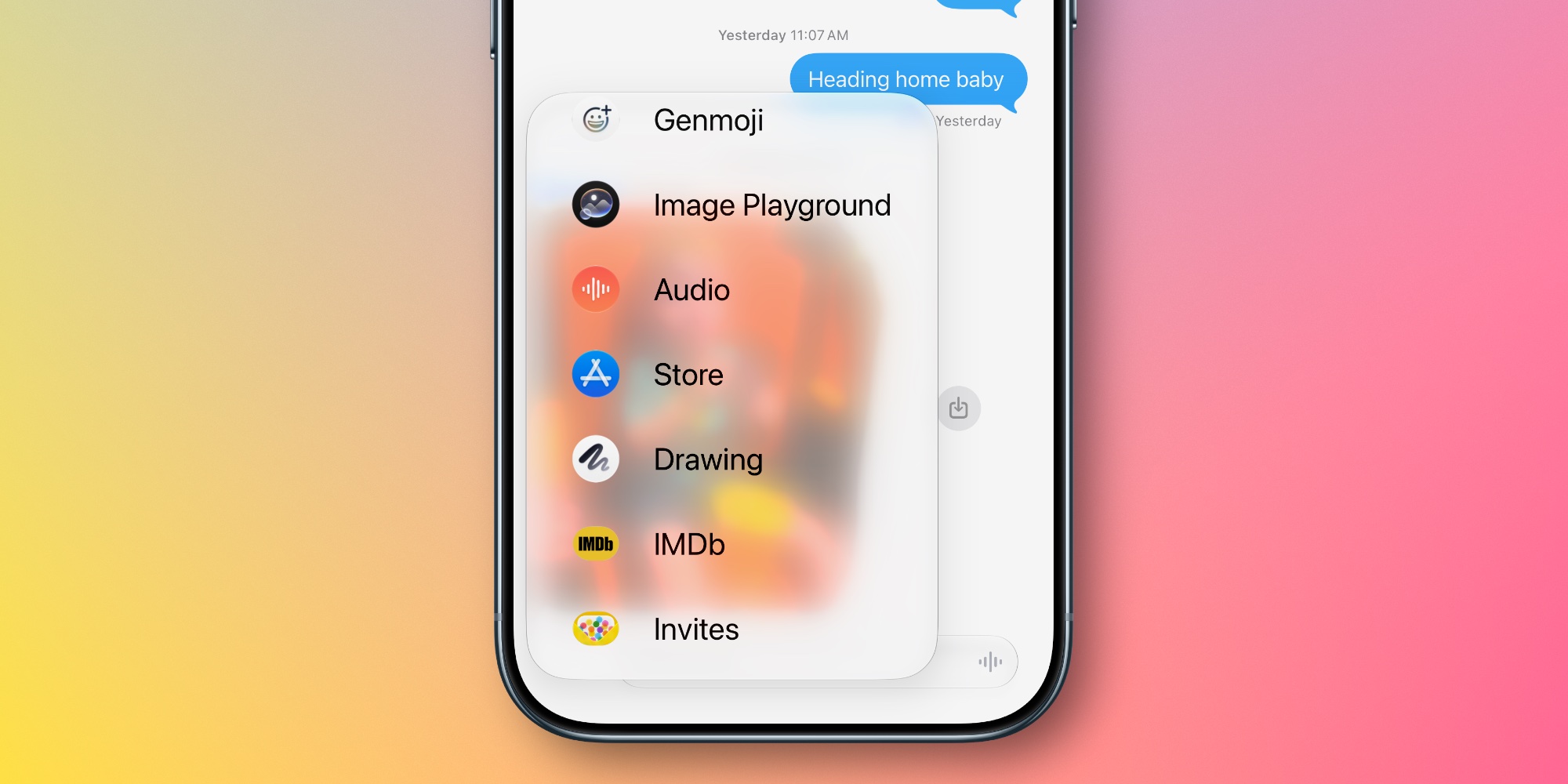

    The Messages app gets a new ‘Drawing’ iMessage app in iOS 27 for sending sketches and handwritten notes.

    In any other year, the new iMessage app might be a curious addition. But ahead of the iPhone Duo, it’s very obvious why the ‘Drawing’ app exists.

    Apple’s latest iMessage app contains the same basic set of Markup tools you’ll find across the Notes app, Preview, and more, letting you send a quick doodle to your friends.

    Any iPhone can use the new app, but it will no doubt prove especially useful on the iPhone Duo with an Apple Pencil.

    RCS messaging upgrades
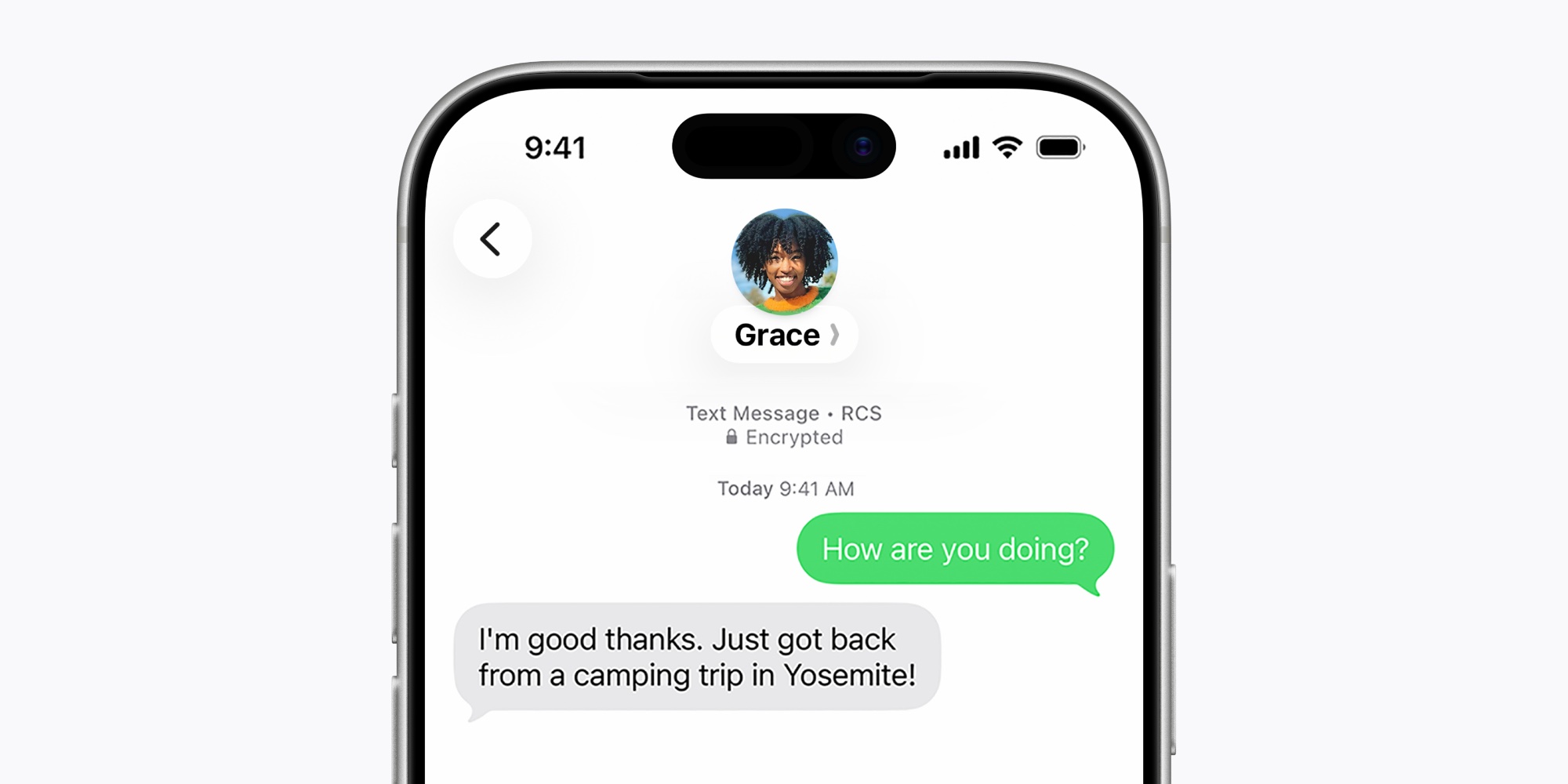

    When messaging with your green bubble friends

    In-line replies are now available, so you can reply to an RCS message just like an iMessage and see the same basic UI.

    Tapback reactions are now properly supported in iOS 27 too. That means Android users won’t see tapbacks appear as annoying “Ryan loved an image” messages. Instead, they’ll just see the heart, thumbs up, or other reaction.

    The RCS 2.7 standard, which both of these changes belong to, also includes the ability to edit and unsend messages. So we may get those RCS upgrades in iOS 27 or a subsequent update too.

    One-tap suggestions
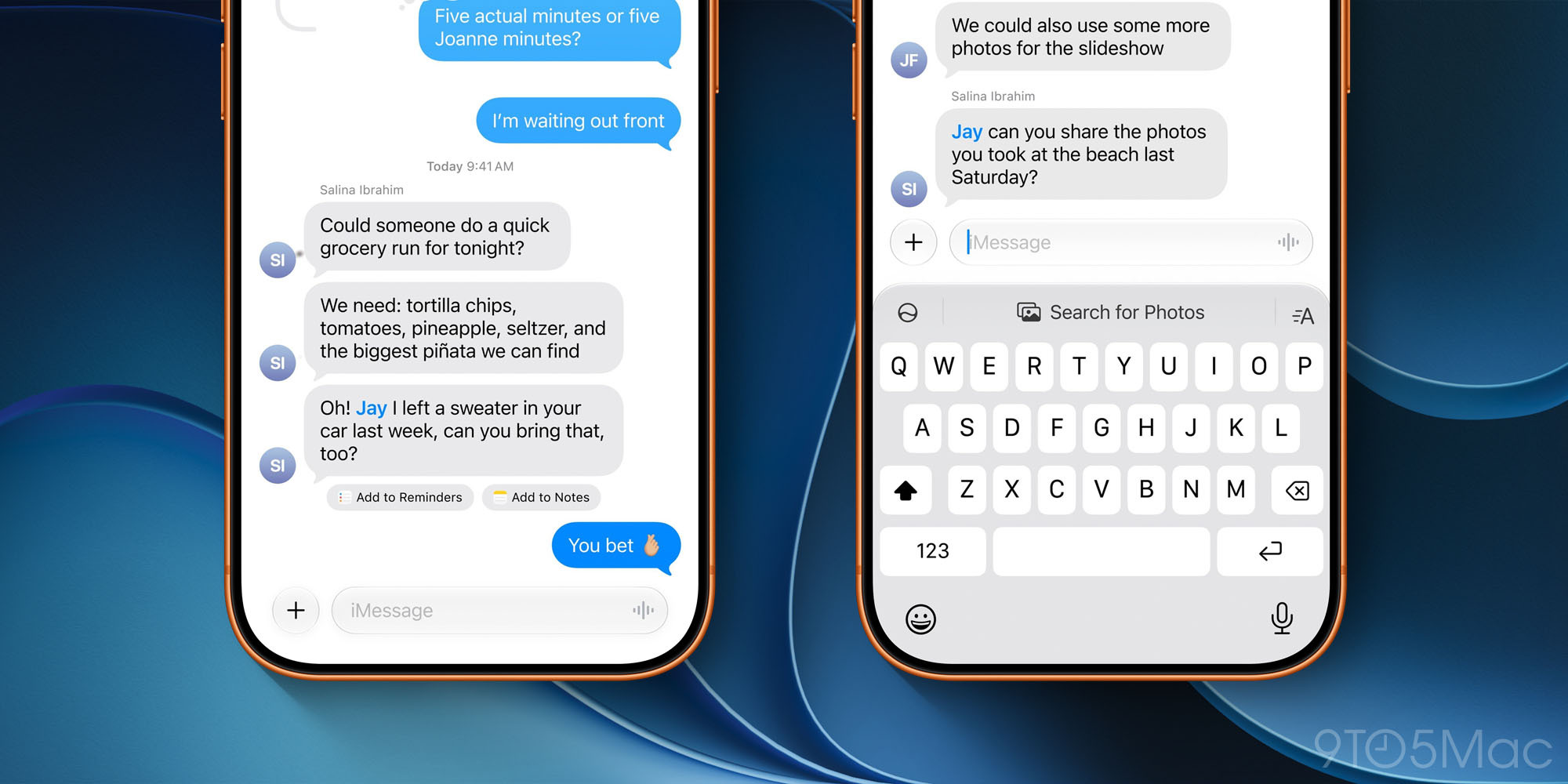

    Apple Intelligence enables new ‘one-tap suggestions’ in the Messages app that can help you get things done or find relevant information to share.

    Messages offers one-tap suggestions based on the context of users’ conversations, making it easier than ever to get things done, such as creating a reminder or a note. For example, if someone asks for photos, Messages can also help users find the right ones, recognizing keywords, locations, and people in their library to find the best options.

    As seen in the image above, these suggestions will sometimes appear right below a message they’re relevant to, and sometimes they’ll appear in the top keyboard row.

    Availability note: Suggestions were available in the iOS 27 beta all summer, but got pulled from the shipping version. Apple says they’ll return in a future update, hopefully very soon.

    Miscellaneous new features and changes

    Here are four more miscellaneous iOS 27 changes in Messages:

    • A new setting lets you optionally disable the audio button that’s normally on the right side of the active message field. Go to Settings ⇾ Apps ⇾ Messages ⇾ Show in Text Field to choose between ‘Record Audio,’ ‘Start Dictation,’ and ‘None.’
    • Consolidated notifications for multiple tapbacks will help keep your alerts from getting out of control.
    • Smart Reply suggestions that appear in the top keyboard row are now informed by a user’s personalized writing style, so they’ll be more useful in iOS 27.
    • For child accounts, Messages will automatically detect and block gore or violent content when it’s found in shared images or videos.

    Performance improvements and refinements

    The idea of bug fixes in a major new OS version may not sound the most exciting. But Apple has done a lot of work to make the Messages app perform better than ever, and the promised refinements sound significant.

    Here’s what Apple says is newly improved in iOS 27:

    • Failed messages automatically retry sending
    • Faster message loading
    • Faster syncing across devices
    • Thumbnails display for offloaded media
    • Find offloaded media in Messages
    • Continuous sending of photos, videos, and texts in Messages
    • Search for conversations by phone number or contact’s nickname

    Which iOS 27 features and changes for Messages are you most excited about? Let us know in the comments.

    *Buy iPhone with 15% discount from Apple refurbished

    Best iPhone accessories

    You’re reading 9to5Mac — experts who break news about Apple and its surrounding ecosystem, day after day. Be sure to check out our homepage for all the latest news, and follow 9to5Mac on Twitter, Facebook, and LinkedIn to stay in the loop. Don’t know where to start? Check out our exclusive stories, reviews, how-tos, and subscribe to our YouTube channel

    everything Heres Messages
    Follow on Google News Follow on Flipboard
    Share. Facebook Twitter Pinterest LinkedIn Tumblr Email Copy Link
    myappsplus
    • Website

    Related Posts

    So You Bought an iPhone 18 Pro. Do You Still Need a Real Camera?

    November 4, 2026

    How ‘Resident Evil’ Director Zach Cregger Uses His iPhone to Make Movies

    November 4, 2026

    Apple Photos keeps getting better, here’s what’s new in iOS 27

    November 4, 2026
    Add A Comment
    Leave A Reply Cancel Reply

    Top Posts

    Cathay Pacific tests Google AI that dramatically cuts airplane contrails — tiny altitude shifts slash environmental impact by 40% in early trials

    September 8, 2026138 Views

    Apple is making Creator Studio an even better deal with new AI features and creative tools

    October 28, 202618 Views

    Liene PixCut S1 Photo Printer and Sticker Cutter Review

    October 31, 202617 Views
    Latest Reviews

    A court ban for smart glasses and AI watermarks: eight tech stories you might have missed

    myappsplusSeptember 5, 2026

    The best Labor Day 2026 laptop deals: Apple, Lenovo, Dell, and more

    myappsplusSeptember 5, 2026

    There are hundreds of luxury mattresses on sale this Labor Day, but this is the only hotel-style hybrid I’d buy

    myappsplusSeptember 5, 2026
    Stay In Touch
    • Facebook
    • YouTube
    • TikTok
    • WhatsApp
    • Twitter
    • Instagram

    Subscribe to Updates

    Get the latest tech news from FooBar about tech, design and biz.

    Most Popular

    Taiwan tech sector should shift to ‘made with Taiwan’ model: Industry leaders

    September 5, 20260 Views

    Amazon drops the new Blink Mini 2K Plus to $21.99 with a 45% discount

    September 5, 20260 Views

    Apple September event preview — all the new products to expect at iPhone 18 Pro launch (and beyond)

    September 5, 20260 Views
    Our Picks

    AI Won’t Fix Collections if You’re Automating the Wrong Collection Strategy

    November 4, 2026

    Snap has more than 30 million paid subscribers across Snapchat+ and other plans

    November 4, 2026

    Promising PS5 console jailbreak won’t work on recent firmware, as Sony combats exploits

    November 4, 2026

    Subscribe to Updates

    Subscribe to our newsletter and get the latest tech news, app updates, AI trends, smartphone reviews, and exclusive deals delivered straight to your inbox.

    Facebook X (Twitter) Instagram Pinterest
    • About Us
    • Get In Touch
    • Disclaimer
    • Privacy Policy
    • Terms & Conditions
    © 2026 MyAppsPlus. All Rights Reserved.

    Type above and press Enter to search. Press Esc to cancel.