
Close Menu
MyAppsPlus

    Subscribe to Updates

    Get the latest creative news from FooBar about art, design and business.

    What's Hot

    Apartment complex responds to AI bot eviction claims involving Raleigh woman

    November 25, 2026

    Change this Roku TV setting to watch movies how they were filmed

    November 25, 2026

    GTA 6 dev says ‘accessibility is considered from the outset’ and making a game for ‘diverse needs enables us to create better games for everyone’ — ‘We create inclusive, intuitive, and immersive experiences for every player’

    November 25, 2026
    Facebook X (Twitter) Instagram
    Facebook X (Twitter) Instagram
    MyAppsPlusMyAppsPlus
    Wednesday, November 25
    • Home
    • Breaking Tech
    • Apps & Software
    • AI & Automation
    • Android
    • iPhone & iOS
    • More
      • Reviews
      • How-To Guides
      • Deals & Discounts
      • Shop
    MyAppsPlus
    Home»Breaking Tech»Change this Roku TV setting to watch movies how they were filmed
    Breaking Tech

    Change this Roku TV setting to watch movies how they were filmed

    myappsplusBy myappsplusNovember 25, 2026002 Mins Read
    Share Facebook Twitter Pinterest Copy Link LinkedIn Tumblr Email Telegram WhatsApp
    Follow Us
    Google News Flipboard
    Change this Roku TV setting to watch movies how they were filmed
    Share
    Facebook Twitter LinkedIn Pinterest Email Copy Link

    You don’t have to leave your TV’s refresh rate at 60fps.

    If you were to travel back in time thirty years and show someone a smart TV from today, their head would likely explode. In addition to the seemingly limitless amount of content one can find and interact with on a modern television, your Roku TV also may have the ability to let you watch movies in a far more compelling way.

    Buried deep in your Roku TV’s settings is a way to alter the refresh rate, and there’s a very specific reason that you might want to do that. Most Roku TVs default to a refresh rate of 60fps. While that’s going to be perfectly fine for some situations, it doesn’t make for the most theatrical viewing experience — for the most part, movies are filmed and projected at 24fps. It’s the standard, and it has defined the way movies look and feel for decades. When you go to the movie theater, you’re watching a 24fps output.

    Roku allows you to alter your TV’s refresh rate to match that, offering something a bit closer to the original intent of those films.

    How to change your TV’s refresh rate to 24fps to achieve a film look
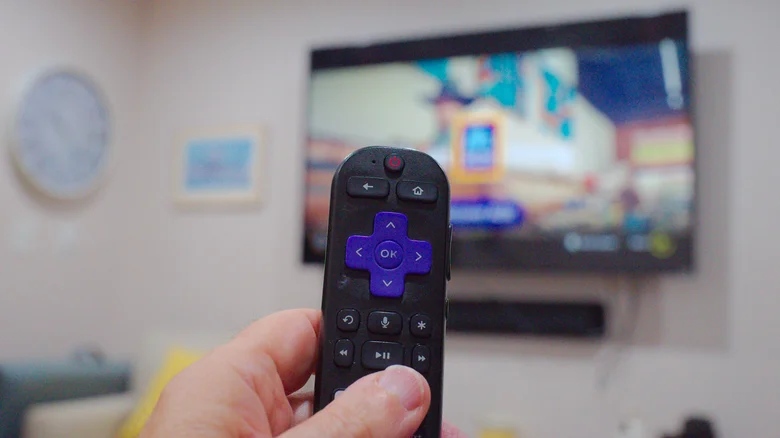
    Close up of a hand holding a Roku TV remote.

    There are a lot of ways to change the overall look and display of your Roku TV, but most of that discourse seems centered around colors and contrast. Those things are important, but if you really want to achieve a “movie look,” then you’ll want to change the refresh rate.

    In your Roku TV, to match this unique look, you’ll need to first go to the main menu. From here, select Settings, and then go into System. In this menu, you’ll find something called Advanced System Settings, which will allow you to access Advanced Display Settings. You want to turn Auto-adjust display refresh rate on.

    It’s a one-click and done solution, as it will self-adjust itself to match the native refresh rate of any movie or TV show you put on. Because films have a native refresh rate of 24fps, your TV will now run them as such. The same goes for TV shows, which may be filmed at 30 or 60fps. It’s a tiny adjustment, but it’s one that will make your viewing experience even better. 

    change Roku setting Streaming this
    Follow on Google News Follow on Flipboard
    Share. Facebook Twitter Pinterest LinkedIn Tumblr Email Copy Link
    myappsplus
    • Website

    Related Posts

    The Verge’s 2026 gift guide for dads

    November 25, 2026

    This reclining AI robot mimics human skin, breathes beside you, and scans your face to build a digital clone — and researchers just tested it in Dubai

    November 25, 2026

    Yale’s Sonnenfeld: Nvidia is a ‘detriment’ to U.S. industrial might — not a champion

    November 25, 2026
    Add A Comment
    Leave A Reply Cancel Reply

    Top Posts

    The pros and cons of using your phone as a mobile hotspot

    November 16, 202648 Views

    UiPath Launches AI Coding Agent, Integrates Claude Code and Codex to Target Development Automation

    November 16, 202646 Views

    Save on your groceries, gas, and holiday shopping with this $15 BJ’s membership (Reg. $60) 

    November 4, 202634 Views
    Latest Reviews

    iPhone price hike ‘better than feared,’ Duo to drive cycle demand

    myappsplusSeptember 11, 2026

    Fairbuds 2 leak gives us an early look at a very different design

    myappsplusSeptember 11, 2026

    Intel says it has already passed a million High-NA EUV wafers – more than the rest of the industry combined

    myappsplusSeptember 11, 2026
    Stay In Touch
    • Facebook
    • YouTube
    • TikTok
    • WhatsApp
    • Twitter
    • Instagram

    Subscribe to Updates

    Get the latest tech news from FooBar about tech, design and biz.

    Most Popular

    Ford CEO hits back at government ‘mistruths’ about China —as its $28K electric truck prepares to take on Slate and Chinese rivals

    September 12, 20260 Views

    Monitoring production agent lifecycle with AWS DevOps Agent and AgentCore Evaluations

    September 12, 20260 Views

    You can still shop these robot vacuums

    September 12, 20260 Views
    Our Picks

    Apartment complex responds to AI bot eviction claims involving Raleigh woman

    November 25, 2026

    Change this Roku TV setting to watch movies how they were filmed

    November 25, 2026

    GTA 6 dev says ‘accessibility is considered from the outset’ and making a game for ‘diverse needs enables us to create better games for everyone’ — ‘We create inclusive, intuitive, and immersive experiences for every player’

    November 25, 2026

    Subscribe to Updates

    Subscribe to our newsletter and get the latest tech news, app updates, AI trends, smartphone reviews, and exclusive deals delivered straight to your inbox.

    Facebook X (Twitter) Instagram Pinterest
    • About Us
    • Get In Touch
    • Disclaimer
    • Privacy Policy
    • Terms & Conditions
    © 2026 MyAppsPlus. All Rights Reserved.

    Type above and press Enter to search. Press Esc to cancel.