

Staying on top of what information your apps can access is always a good idea.
It’s great that we have access to hundreds of thousands of apps on our smartphones, but it’s always worth being mindful of which apps you install. Though <a href="https://myappsplus.com/google-has-fixed-android-auto-issues-on-samsung-galaxy-phones-running-one-ui-9-u/” title=”Google has fixed Android Auto issues on Samsung Galaxy phones running One UI 9 [U]”>Android and iOS have surprisingly effective built-in security measures to detect and block malicious apps, some apps may still pose a risk if they have access to sensitive information or device features. An app requesting permission to access your camera, location, text messages or files doesn’t necessarily mean it’s unsafe, but it’s worth asking why it needs them in the first place — especially if they have little to do with what the app is actually supposed to do.
Reviewing app permissions on your phone every once in a while is therefore a good way to keep your personal data secure, and thankfully, both Android and iOS let you do so fairly easily through their settings menus. If you don’t want an app to access your location in the background, for instance, you can revoke that permission or change it so the app can only access your location when you’re actively using it.
Your device’s camera and location details are especially sensitive, which is why Android and iOS show on-screen indicators when an app is actively using your camera, microphone or accessing location. The iPhone displays a green dot when your camera is in use, an orange dot when an app is listening via the microphone and a blue location icon when an app pings your whereabouts. Android phones use similar status bar icons, and you can swipe down to access the Control Center or the quick settings panel to see which app is accessing these features.
Manage app permissions on iOS
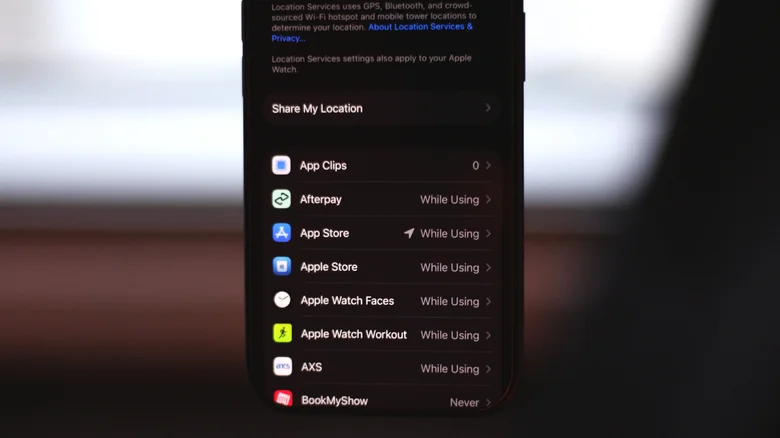
Apple is known for being privacy-oriented, so it’s no surprise that its operating systems have sophisticated privacy and security measures. Both iOS 27 and iPadOS 27 handle app permissions similarly. Any third-party app you install and use for the first time is required to request your permission before it can access information like your contacts, photos, location or microphone. When an app requests location access, you can tap Allow Once if you want to grant it temporarily, or select Allow While Using App if you trust the service.
You can also view and manage app permissions at any time by navigating to Settings > Privacy & Security. This section lists each permission type alongside the number of apps accessing it. For instance, tapping Microphone shows every app on your phone allowed to access it. You can revoke access for any app by turning the toggle off next to its name.
Certain apps like Google Maps or Uber might work optimally only if you’ve granted them the Precise Location permission and have set their location access to Always. You can dial these permissions back on a per-app basis, too. Similarly, when an app requests access to your camera roll, you can set the permission type to Limited Access and select only the photos and videos you want to share.
If you enable App Privacy Report, you can view which apps have accessed your phone’s data and sensors. This section also lets you monitor the network activity for apps so you can see which domains they’re contacting and when.
How to view app permissions on Android
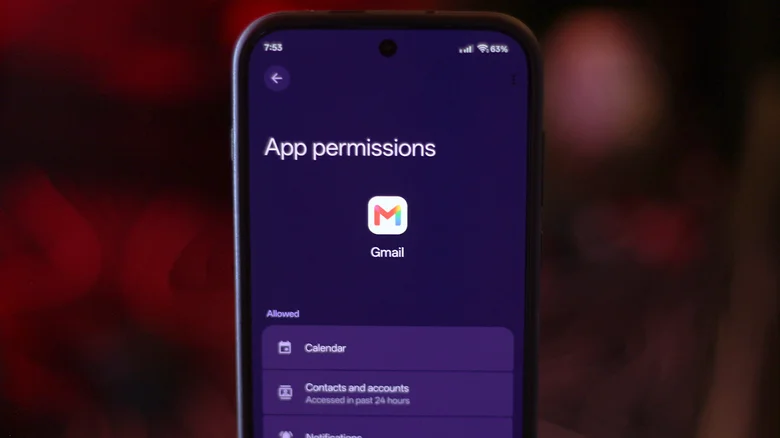
Android’s privacy features have improved considerably over the years, and like iOS, you can view and manage permissions on a per-app basis. While the exact menu labels will vary depending on the manufacturer, you should be able to find detailed information on which apps have access to your camera, microphone, location, contacts and other data very easily.
The easiest way to revoke a specific app’s permissions is to open its App info page. You can get there by long-tapping the app’s icon and selecting the i icon. Alternatively, navigate to Settings > Apps > See all apps and select the app from the list. Tap on Permissions, select a data type and choose Allow or Don’t allow. Some device permissions, like location, let you set the access type to All the time or Allow only while using the app.
Android also offers the Privacy dashboard, which lets you view different permission types and which apps have accessed them in the past 24 hours. Once again, the exact steps to get to this menu will vary. Try looking for this feature in the Security and privacy submenu in the Settings app, or type it into the search box.
Android apps must ask for device permissions when you first launch them, and you can either allow or deny these requests. Both the Play Store and the App Store also list what information an app may request access to, giving you another way to review permissions before installing it.
