Close Menu
MyAppsPlus

    Subscribe to Updates

    Get the latest creative news from FooBar about art, design and business.

    What's Hot

    Ocarina of Time is here, and HORI has new Zelda Switch 2 accessories to match

    November 8, 2026

    The iPhone Duo is my new favourite iPhone but is it for you?

    November 8, 2026

    Why America and Israel must write the rules of the cyber order

    November 8, 2026
    Facebook X (Twitter) Instagram
    Facebook X (Twitter) Instagram
    MyAppsPlusMyAppsPlus
    Sunday, November 8
    • Home
    • Breaking Tech
    • Apps & Software
    • AI & Automation
    • Android
    • iPhone & iOS
    • More
      • Reviews
      • How-To Guides
      • Deals & Discounts
      • Shop
    MyAppsPlus
    Home»Breaking Tech»Your old iPod could be a sleeper flash drive
    Breaking Tech

    Your old iPod could be a sleeper flash drive

    myappsplusBy myappsplusNovember 8, 2026004 Mins Read
    Share Facebook Twitter Pinterest Copy Link LinkedIn Tumblr Email Telegram WhatsApp
    Follow Us
    Google News Flipboard
    Your old iPod could be a sleeper flash drive
    Share
    Facebook Twitter LinkedIn Pinterest Email Copy Link

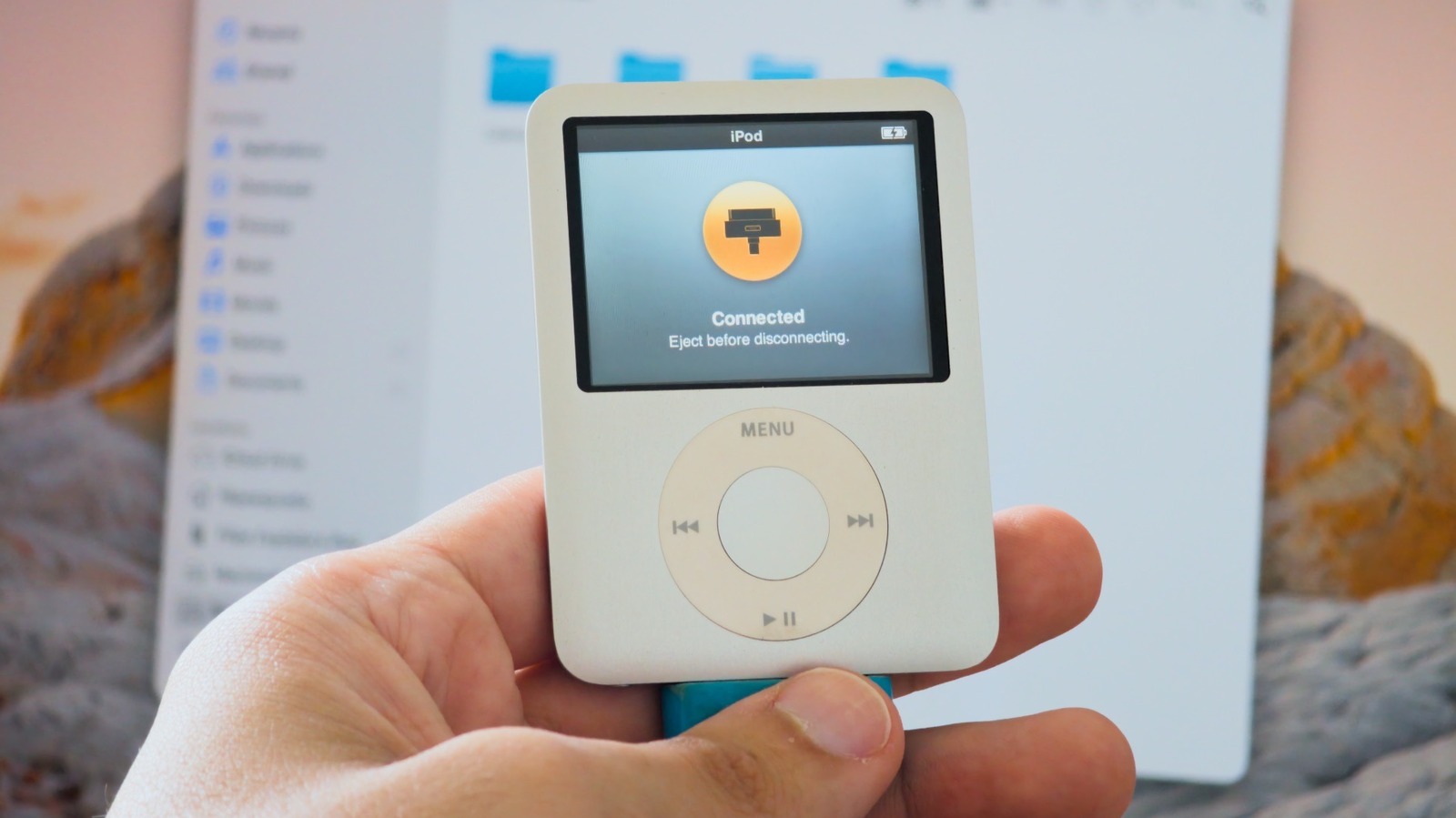
    If you have an old iPod lying around, here’s how you can turn it into a cool flash drive.

    Apple discontinued the iPod lineup years ago, but there are still many people who have one or more lying around — whether because they appreciate the nostalgia of using an MP3 player in the age of streaming or simply forgot them in a drawer. But even if you don’t want to use your iPods to listen to music, they can still have a second life as a cute (and somewhat hidden) way to store files and transfer them between computers, as pre-iOS iPods can function as a basic USB flash drive that works on both Mac and Windows.

    Just don’t rush out to buy an old iPod if you don’t already have one, though. A 32GB USB flash drive usually costs around $10 and offers much more storage than most older iPods, which have less than 20GB of storage — iPod Classic aside. Plus, they’re all limited to USB 2 speeds, so they aren’t great for transferring large files. But if you have an iPod lying around and don’t know what to do with it, this is a good way to reuse it.

    How to turn your iPod into an external drive
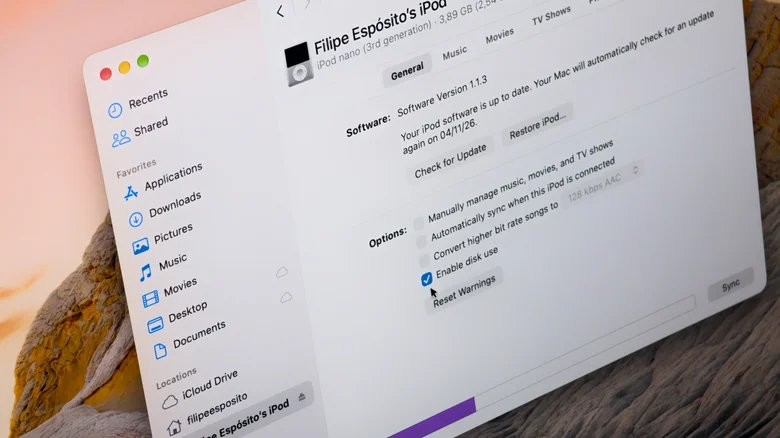
    iPod settings on a Mac with the "Enable Disk Use" option turned on.

    To use your iPod as a flash drive, you first need to enable Disk Use, which is off by default. On a Mac, connect your iPod and look for it in the Finder sidebar. Go to the General tab and then click Enable Disk Use in the options. Before closing the Finder window, click Apply. On Windows, you can use either iTunes or the Apple Devices app to enable this feature — the process is the same.

    Once you enable Disk Use, your iPod will appear in the Finder or File Explorer just like any other USB flash drive or external hard drive. Drag any files you want onto it, and that’s it — they’ll be stored on your iPod. These files won’t be visible on the iPod itself, only on a computer or other devices that can read external drives. Your files will share space with the iPod’s system files and the music already on it, so you won’t have the full storage capacity available to use as a flash drive.

    An iPod set up on a Mac is usually formatted as HFS+, and Windows can’t read that file system without third-party software. For wider compatibility, restore the iPod and set it up using a Windows PC so it uses the FAT32 file system. Macs can read FAT32 just fine, as can smart TVs and other platforms, although it is limited to 4GB per file. Do bear in mind that restoring your iPod will erase everything on it.

    Disk Mode is not the same thing
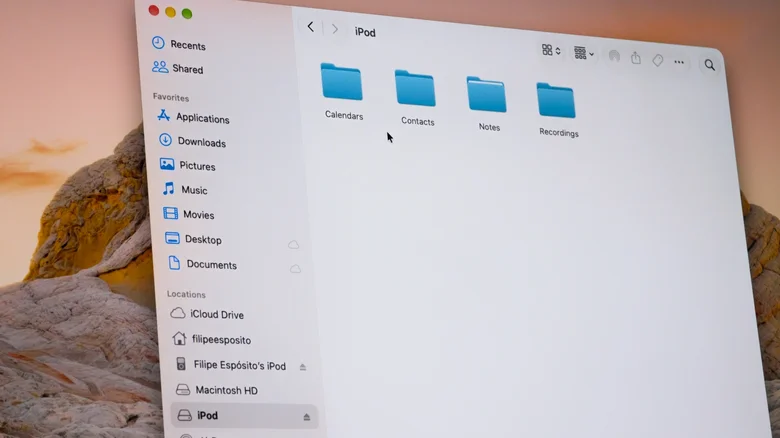
    Finder on a Mac showing the folders inside an iPod's drive.

    Older iPods also have a feature called Disk Mode, which is not the same as Disk Use. Disk Mode is essentially a diagnostic tool and can help when an iPod freezes or doesn’t show up on your computer. On click wheel models, including the iPod classic, iPod mini, iPod with video and nano up to the fifth generation, flip the Hold switch on and off. Then press and hold Menu and the center button for about six seconds until the Apple logo appears. Let go, then immediately hold the center button and Play/Pause until the Disk Mode screen appears. Laying the iPod flat and pressing Play/Pause near the outer edge of the wheel makes it easier to reach.

    Neither Disk Mode nor Disk Use is available on the iPod touch, since it runs iOS instead of the iPod’s older operating system. These features are only available on iPods with a Click Wheel and the 7th generation iPod nano (the one with a touch screen). Also, if you plan to use your iPod as a portable flash drive, be sure to bring a 30-pin cable with you, since you’re not likely to find one in the wild these days. If reusing your old iPod as a flash drive isn’t quite enough, check out the Sprout Pi Mainboard, a crowdfunded project that adds modern features like USB-C, Bluetooth, and even streaming apps to select iPod models.

    Apple could iPod sleeper Your
    Follow on Google News Follow on Flipboard
    Share. Facebook Twitter Pinterest LinkedIn Tumblr Email Copy Link
    myappsplus
    • Website

    Related Posts

    iPhone 20 could roll the Action Button and Camera Control into a single button — and I’m very excited to see if that actually happens

    November 8, 2026

    Your iPhone keyboard hides a list of 4,500 phrases it will never suggest

    November 8, 2026

    Your EV’s battery is big enough to run your house — here’s what stops most people

    November 8, 2026
    Add A Comment
    Leave A Reply Cancel Reply

    Top Posts

    Cathay Pacific tests Google AI that dramatically cuts airplane contrails — tiny altitude shifts slash environmental impact by 40% in early trials

    September 8, 2026138 Views

    Save on your groceries, gas, and holiday shopping with this $15 BJ’s membership (Reg. $60) 

    November 4, 202627 Views

    Apple is making Creator Studio an even better deal with new AI features and creative tools

    October 28, 202619 Views
    Latest Reviews

    Apple facing £2bn UK legal challenge over ATT policy fairness

    myappsplusSeptember 6, 2026

    I tested DLSS 5 in NBA 2K27 on a mid-range gaming laptop — it’s the future of photorealistic graphics, but there’s a catch

    myappsplusSeptember 6, 2026

    The best Labor Day deals to shop now: Save on TVs, Apple devices, and more

    myappsplusSeptember 6, 2026
    Stay In Touch
    • Facebook
    • YouTube
    • TikTok
    • WhatsApp
    • Twitter
    • Instagram

    Subscribe to Updates

    Get the latest tech news from FooBar about tech, design and biz.

    Most Popular

    Shop headphones, TVs, speakers, and more

    September 6, 20260 Views

    Apple’s 2026 AirPods Max 2 now $100 off for Labor Day weekend

    September 6, 20260 Views

    Europe vs American Big Tech

    September 6, 20260 Views
    Our Picks

    Ocarina of Time is here, and HORI has new Zelda Switch 2 accessories to match

    November 8, 2026

    The iPhone Duo is my new favourite iPhone but is it for you?

    November 8, 2026

    Why America and Israel must write the rules of the cyber order

    November 8, 2026

    Subscribe to Updates

    Subscribe to our newsletter and get the latest tech news, app updates, AI trends, smartphone reviews, and exclusive deals delivered straight to your inbox.

    Facebook X (Twitter) Instagram Pinterest
    • About Us
    • Get In Touch
    • Disclaimer
    • Privacy Policy
    • Terms & Conditions
    © 2026 MyAppsPlus. All Rights Reserved.

    Type above and press Enter to search. Press Esc to cancel.