Close Menu
MyAppsPlus

    Subscribe to Updates

    Get the latest creative news from FooBar about art, design and business.

    What's Hot

    November 2026 security patch detailed

    November 4, 2026

    Everything New in the iOS 27.3 Beta

    November 4, 2026

    ServiceNow on-behalf-of token exchange with Bedrock AgentCore Gateway

    November 4, 2026
    Facebook X (Twitter) Instagram
    Facebook X (Twitter) Instagram
    MyAppsPlusMyAppsPlus
    Wednesday, November 4
    • Home
    • Breaking Tech
    • Apps & Software
    • AI & Automation
    • Android
    • iPhone & iOS
    • More
      • Reviews
      • How-To Guides
      • Deals & Discounts
      • Shop
    MyAppsPlus
    Home»Breaking Tech»Your desktop’s front USB ports may be slowing down every device you plug into them
    Breaking Tech

    Your desktop’s front USB ports may be slowing down every device you plug into them

    myappsplusBy myappsplusNovember 4, 2026004 Mins Read
    Share Facebook Twitter Pinterest Copy Link LinkedIn Tumblr Email Telegram WhatsApp
    Follow Us
    Google News Flipboard
    Your desktop’s front USB ports may be slowing down every device you plug into them
    Share
    Facebook Twitter LinkedIn Pinterest Email Copy Link

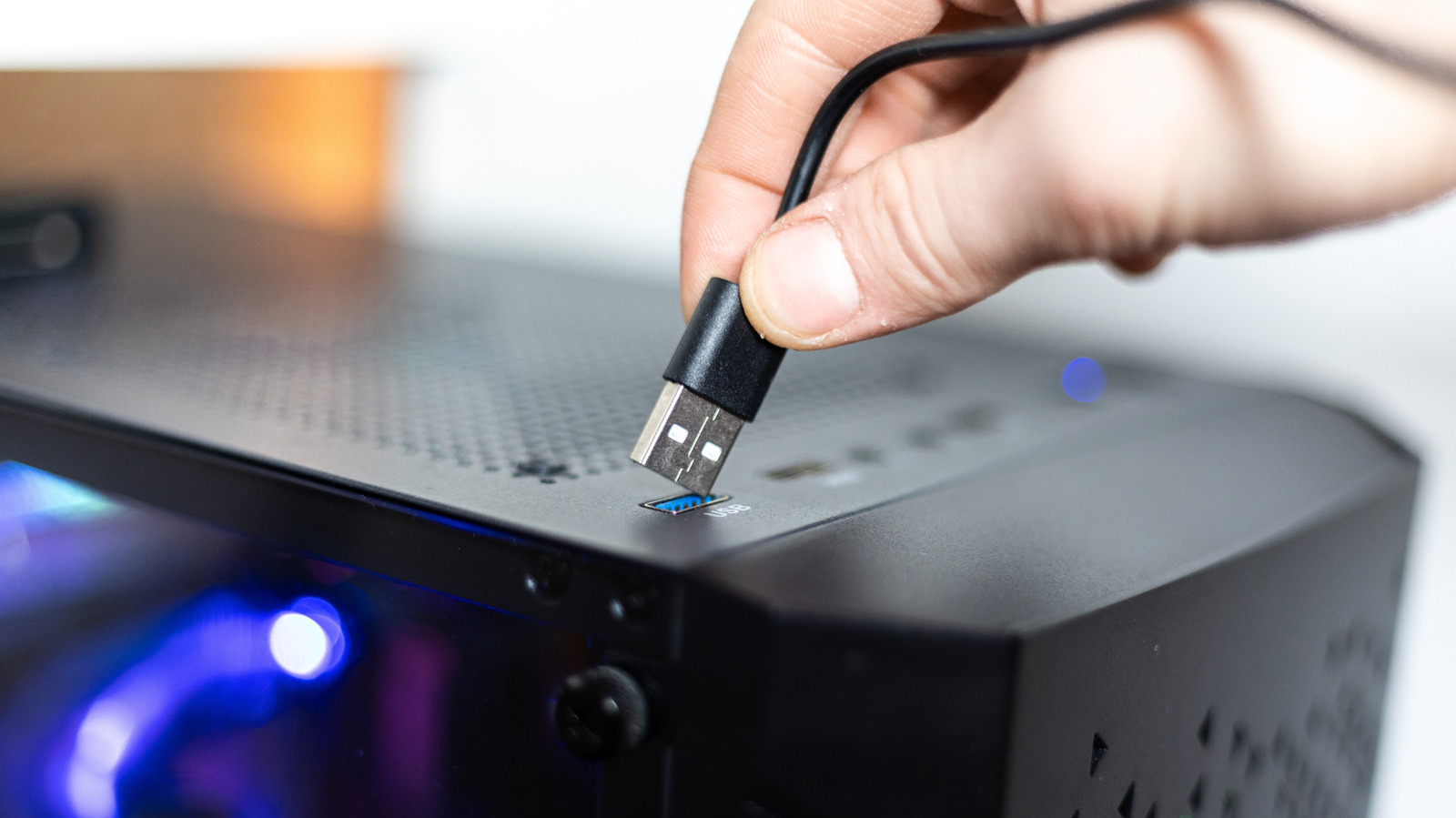
    Having USB ports on the front of your desktop is convenient, but they might cost you power and speed.

    Most desktop computers have USB ports on the front, which is convenient. Instead of reaching around to the back of the case and fumbling for the right port every time you need to connect a device, you can plug in and unplug your accessories in no time. 

    This convenience comes with a catch, though. Depending on what you connect to these ports, you may notice that the external device runs slower than it should: your files will take longer to copy and your phone won’t juice up as quickly. This isn’t a problem with your computer, but rather stems from how front-facing USB ports are engineered in your machine. It’s also not a universal rule, as there are modern PCs with high-end ports on the front.

    In a lot of cases, you probably won’t realize the difference. But if you do notice it, there’s a reason why the front ports of your computer are a little bit slower.

    Why front USB ports can be slower than the ones on the back
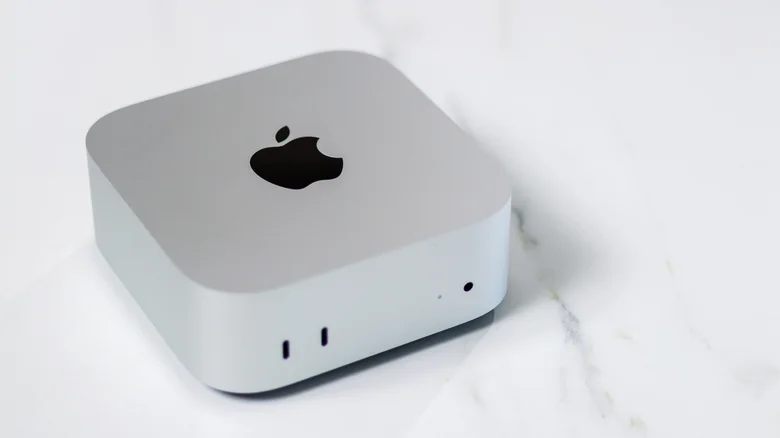
    Apple's Mac mini with two front-facing USB-C ports.

    To understand this issue, we need to take a closer look at USB specifications and how motherboards are built. The USB ports on the back of your computer are usually soldered directly to the motherboard, so power and data travel a shorter path over them. Front ports, on the other hand, are connectedal layer in this connection results in signal loss, even if minimal

    Also, most high-end motherboards have more headers for USB ports, which means you can have multiple ports running at higher speeds. But front-panel ports are a different story; in many cases, they share a single connector, which means speed and power are split among all the ports on the front of your PC case. That’s all in addition to manufacturers often using slower USB standards for at least some of the front ports.

    Take the ASUS ROG Maximus Z790 Hero motherboard as an example — its rear has two 40 Gbps Thunderbolt 4 ports, as well as six 10 Gbps USB 3.2 Gen 2 ports and four more 5 Gbps USB 3.2 Gen 1 ports. While the front panel does have one USB 3.2 Gen 2×2 (theoretically 20 Gbps) port, it also has four USB 3.2 Gen 1 (5 Gbps) ports powered by two headers. That means the available speed is split among the connected devices as a shared pool. On some boards, if you connect two external SSDs to the front at the same time, they will share the same 5 Gbps data transfer rate.

    Even Macs have these limitations. The current baseline Mac mini with the M6 chip has two USB-C ports on the front that offer speeds of up to 10 Gbps. But on the back, it has Thunderbolt 4 ports that reach speeds of up to 40 Gbps. The same applies to the latest Mac Studio, with the base model featuring two 10 Gbps USB-C ports on the front and Thunderbolt ports only on the back. The front USB ports are useful, but slower.

    What to plug into the front and back of your desktop
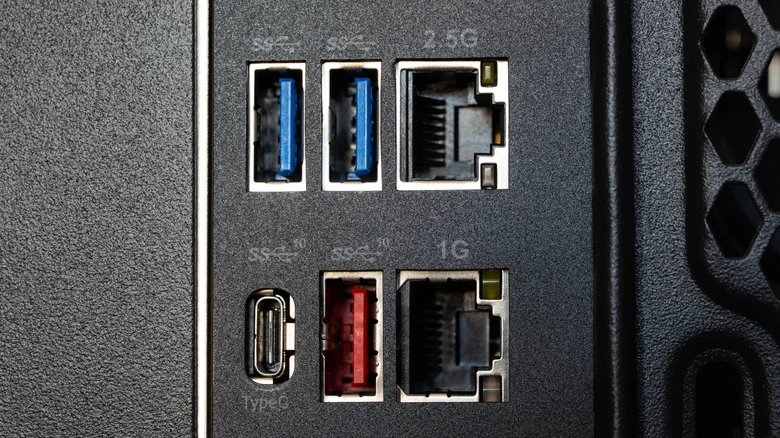
    The back of a desktop computer with multiple USB-A, USB-C and Ethernet ports.

    Whether this difference in power and speed will actually affect your peripherals depends on what you’re using and what you need. For common devices like a mouse, keyboard or headphones, the ports on the front of your computer handle them just fine. These devices use very little power and don’t require high speeds to run. Even a regular USB flash drive is fine to use with them if you don’t plan on transferring huge amounts of data or constantly reading and writing.

    Choose the rear ports when you’re connecting bandwidth-intensive or latency-sensitive peripherals, such as external SSDs, capture cards or VR headsets. Plugging these into high-speed ports will definitely make a difference, and some of them may not even work on slower ports. It’s definitely worth checking the specs of your motherboard or computer to see the exact speeds of each USB port so you’ll know which one to plug each accessory into. Symbols or colors can give you a hint, but they aren’t always consistent.

    Computing desktops front ports Your
    Follow on Google News Follow on Flipboard
    Share. Facebook Twitter Pinterest LinkedIn Tumblr Email Copy Link
    myappsplus
    • Website

    Related Posts

    Your Apple Watch has 2 new controversial listening features – but you have to opt in

    November 4, 2026

    Want an iPhone Duo for the holidays? Apple’s latest stock update isn’t reassuring

    November 4, 2026

    Your phone’s apps could have more permissions than they need – here’s how to check

    November 4, 2026
    Add A Comment
    Leave A Reply Cancel Reply

    Top Posts

    Cathay Pacific tests Google AI that dramatically cuts airplane contrails — tiny altitude shifts slash environmental impact by 40% in early trials

    September 8, 2026138 Views

    Liene PixCut S1 Photo Printer and Sticker Cutter Review

    October 31, 202617 Views

    Apple is making Creator Studio an even better deal with new AI features and creative tools

    October 28, 202617 Views
    Latest Reviews

    OpenAI warns about how good Astra model is at cracking cybersecurity, releases it anyway because it took ‘years of research and big bets’

    myappsplusSeptember 4, 2026

    Hands-on with Baseus’ tiny PicoGo Pro – a sleek 100W smart display charger for your new Dark Cherry iPhone 18 Pro [Deal]

    myappsplusSeptember 4, 2026

    Judge blocks X rival from using Twitter name, but allows ‘Tweet’ for now

    myappsplusSeptember 4, 2026
    Stay In Touch
    • Facebook
    • YouTube
    • TikTok
    • WhatsApp
    • Twitter
    • Instagram

    Subscribe to Updates

    Get the latest tech news from FooBar about tech, design and biz.

    Most Popular

    This week’s Apple deals for Labor Day: AirPods Pro 3, Studio Display, AirTag 2, Mac mini, more from $5.50

    September 4, 20260 Views

    Beatbot’s Labor Day Sale drops 2026 Sora 70 5-in-1 robotic pool cleaner to $1,099 ($400 off), more from $339

    September 4, 20260 Views

    iPhone Ultra, iPhone 18 Pro, and More: Apple’s September 9 Event Preview

    September 4, 20260 Views
    Our Picks

    November 2026 security patch detailed

    November 4, 2026

    Everything New in the iOS 27.3 Beta

    November 4, 2026

    ServiceNow on-behalf-of token exchange with Bedrock AgentCore Gateway

    November 4, 2026

    Subscribe to Updates

    Subscribe to our newsletter and get the latest tech news, app updates, AI trends, smartphone reviews, and exclusive deals delivered straight to your inbox.

    Facebook X (Twitter) Instagram Pinterest
    • About Us
    • Get In Touch
    • Disclaimer
    • Privacy Policy
    • Terms & Conditions
    © 2026 MyAppsPlus. All Rights Reserved.

    Type above and press Enter to search. Press Esc to cancel.