Close Menu
MyAppsPlus

    Subscribe to Updates

    Get the latest creative news from FooBar about art, design and business.

    What's Hot

    Honolulu summit focuses on building AI-ready workforce for Hawaiʻi

    November 7, 2026

    Retail World of Warcraft is one lonely treadmill; fortunately, Classic and Forever remind us that it doesn’t have to be.

    November 7, 2026

    You can easily keep your home network running during a power outage — here’s how

    November 7, 2026
    Facebook X (Twitter) Instagram
    Facebook X (Twitter) Instagram
    MyAppsPlusMyAppsPlus
    Saturday, November 7
    • Home
    • Breaking Tech
    • Apps & Software
    • AI & Automation
    • Android
    • iPhone & iOS
    • More
      • Reviews
      • How-To Guides
      • Deals & Discounts
      • Shop
    MyAppsPlus
    Home»Breaking Tech»You can easily keep your home network running during a power outage — here’s how
    Breaking Tech

    You can easily keep your home network running during a power outage — here’s how

    myappsplusBy myappsplusNovember 7, 2026003 Mins Read
    Share Facebook Twitter Pinterest Copy Link LinkedIn Tumblr Email Telegram WhatsApp
    Follow Us
    Google News Flipboard
    You can easily keep your home network running during a power outage — here’s how
    Share
    Facebook Twitter LinkedIn Pinterest Email Copy Link

    Stay online when the power goes out with the right backup hardware and a little planning.

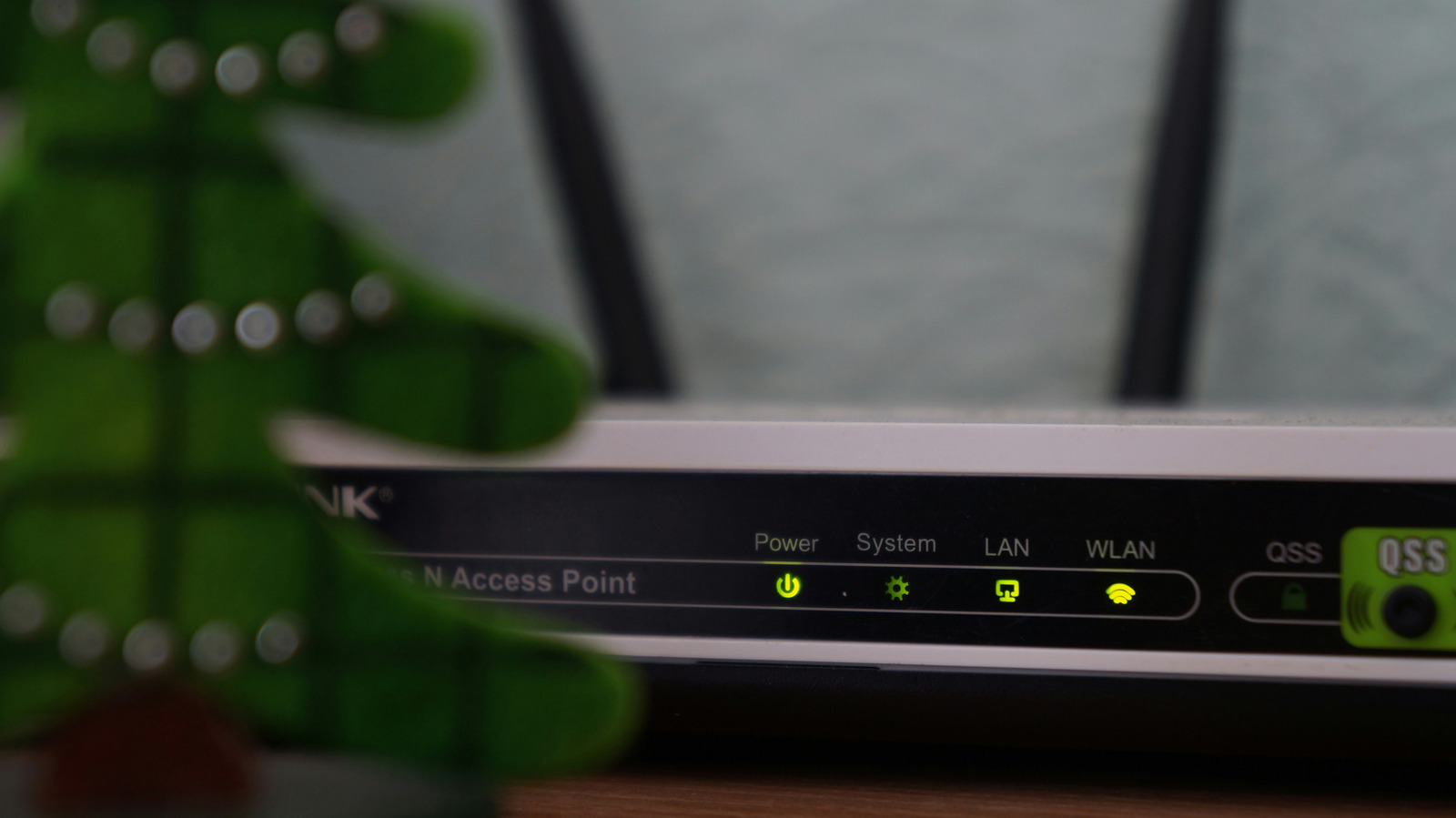
    If your power goes out, your laptop’s battery will keep it up and running. It’s a convenience that’s not afforded to every electronic in your home. For example, networking gear, like a Wi-Fi mesh system or, more importantly, your router, will go dead silent in the event of an outage.  

    If you’re on, say, an important video call for work, losing your connection could make for a rude interruption. It’s even worse if you’re mid-game, about to score that critical victory and secure bragging rights. Fortunately, there’s an easy way to prevent interruptions in the event of a complete power outage.

    Know your networking gear

    The first step to keeping your network running in a power outage is a quick checkup on your networking equipment. If any of the devices between the wall jack and your laptop lose power, your connection goes with them. So, you’ll want to understand that chain if you don’t already. For cable internet, that means a modem and router, or a single gateway device that handles both.

    If you have fiber internet, you’ll have a router and an optical network terminal (ONT), or the box where the fiber line enters your home. Some providers install a battery backup on the ONT, although these are usually aimed at phone lines, not necessarily your internet connection. So check with your internet provider if you aren’t sure.

    Keep in mind that if your fiber ONT and router are in different rooms, you’ll need two separate backup power units (or one with a long extension cord).

    Invest in an uninterruptible power supply
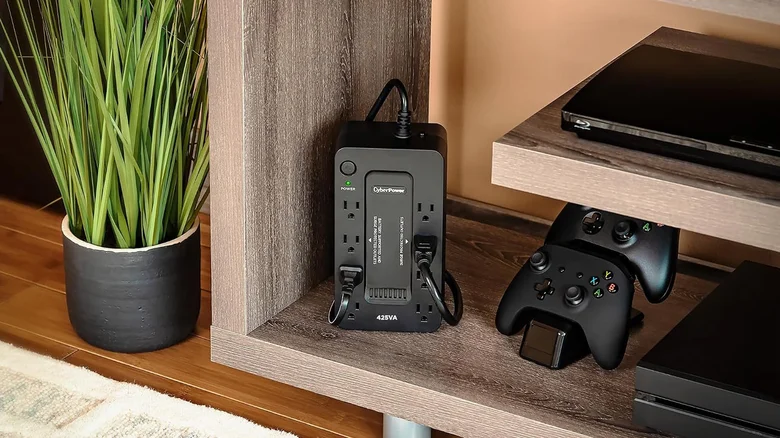
    A UPS device inside an entertainment center, next to a gaming console.

    An uninterruptible power supply (UPS) is the best way to keep your internet up and running during a power outage. These devices sit between the power outlet and your networking gear, automatically switching to battery when your home’s power goes out.

    Like most products, they come in a range of prices. A modest one that can keep a router running for an hour or longer costs well under $100. More expensive models can last longer and even handle more power-hungry devices, like a PC.

    It’s worth doing a quick test run. Unplug the UPS from the wall when nobody at home is using the internet, and make sure everything stays online. If it does, you’re ready for the next outage.

    Inverters: BYOB (bring your own batteries)
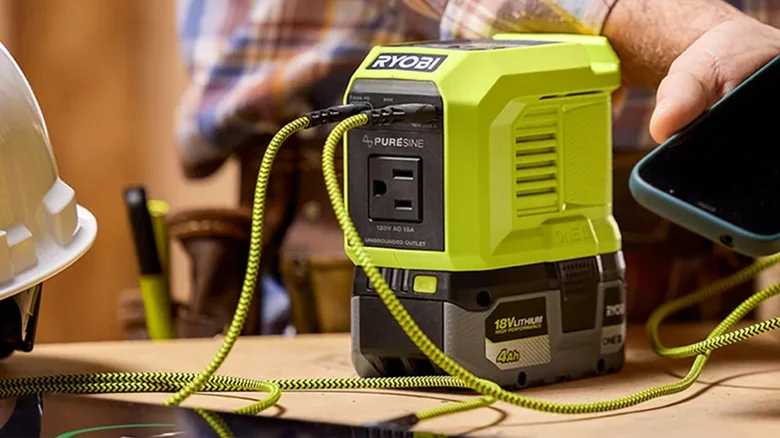
    A Riyobi power inverter with several cables plugged into it.

    If you already own removable batteries for things like power tools and cordless vacuums, there’s a cheaper option. You can buy small inverters compatible with your battery brand, whether it’s DeWalt, Milwaukee or Ryobi.

    There is a big downside. Unlike a UPS, inverters don’t switch your networking gear over to battery power automatically, so you’ll need to plug in the networking gear when the power goes out and wait for your equipment to restart. But on the positive side, inverters do let you swap batteries in and out if you get stuck in a longer outage.

    As long as you supply the batteries, you can find inverters for as little as $30 for third-party models.

    Best practices for network stability

    With a backup powerices working. However, whichever backup power option you use, plug in only your networking equipment; this isn’t the place for your TV or game console

    And of course, this advice only applies to power outages where your internet provider’s connection stays up. Your best option for a complete internet outage is your phone’s mobile hotspot or a mobile hotspot device.

    Computing easily Home keep Your
    Follow on Google News Follow on Flipboard
    Share. Facebook Twitter Pinterest LinkedIn Tumblr Email Copy Link
    myappsplus
    • Website

    Related Posts

    Parents want safer phones for kids. These companies are answering the call.

    November 7, 2026

    How to watch videos on Apple CarPlay while parked

    November 7, 2026

    5 iPhone security settings you should change to protect your data

    November 7, 2026
    Add A Comment
    Leave A Reply Cancel Reply

    Top Posts

    Cathay Pacific tests Google AI that dramatically cuts airplane contrails — tiny altitude shifts slash environmental impact by 40% in early trials

    September 8, 2026138 Views

    Save on your groceries, gas, and holiday shopping with this $15 BJ’s membership (Reg. $60) 

    November 4, 202627 Views

    Apple is making Creator Studio an even better deal with new AI features and creative tools

    October 28, 202619 Views
    Latest Reviews

    iPhone Duo?

    myappsplusSeptember 5, 2026

    From eating the elderly to selling kids, Afterworld gives you the freedom to do terrible things in the post-apocalypse — ‘We shouldn’t judge the player’ says director

    myappsplusSeptember 5, 2026

    This Dell 16 laptop is ideal for university, especially at the lowest price we’ve seen

    myappsplusSeptember 5, 2026
    Stay In Touch
    • Facebook
    • YouTube
    • TikTok
    • WhatsApp
    • Twitter
    • Instagram

    Subscribe to Updates

    Get the latest tech news from FooBar about tech, design and biz.

    Most Popular

    iPhone Duo?

    September 5, 20260 Views

    From eating the elderly to selling kids, Afterworld gives you the freedom to do terrible things in the post-apocalypse — ‘We shouldn’t judge the player’ says director

    September 5, 20260 Views

    I just went hands-on with the Odyss N1 — a sleek AI necklace that automatically tracks everything you eat

    September 5, 20260 Views
    Our Picks

    Honolulu summit focuses on building AI-ready workforce for Hawaiʻi

    November 7, 2026

    Retail World of Warcraft is one lonely treadmill; fortunately, Classic and Forever remind us that it doesn’t have to be.

    November 7, 2026

    You can easily keep your home network running during a power outage — here’s how

    November 7, 2026

    Subscribe to Updates

    Subscribe to our newsletter and get the latest tech news, app updates, AI trends, smartphone reviews, and exclusive deals delivered straight to your inbox.

    Facebook X (Twitter) Instagram Pinterest
    • About Us
    • Get In Touch
    • Disclaimer
    • Privacy Policy
    • Terms & Conditions
    © 2026 MyAppsPlus. All Rights Reserved.

    Type above and press Enter to search. Press Esc to cancel.