Close Menu
MyAppsPlus

    Subscribe to Updates

    Get the latest creative news from FooBar about art, design and business.

    What's Hot

    This could be the cheapest BE5000 Wi-Fi 7 access point, offering 2.5GbE, free lifetime cloud management, and an impressive five-year warranty

    November 7, 2026

    How to watch videos on Apple CarPlay while parked

    November 7, 2026

    I watched every movie in Netflix’s Top 10 right now — These are the only 3 actually worth streaming (Nov. 7–8)

    November 7, 2026
    Facebook X (Twitter) Instagram
    Facebook X (Twitter) Instagram
    MyAppsPlusMyAppsPlus
    Saturday, November 7
    • Home
    • Breaking Tech
    • Apps & Software
    • AI & Automation
    • Android
    • iPhone & iOS
    • More
      • Reviews
      • How-To Guides
      • Deals & Discounts
      • Shop
    MyAppsPlus
    Home»Breaking Tech»How to watch videos on Apple CarPlay while parked
    Breaking Tech

    How to watch videos on Apple CarPlay while parked

    myappsplusBy myappsplusNovember 7, 2026013 Mins Read
    Share Facebook Twitter Pinterest Copy Link LinkedIn Tumblr Email Telegram WhatsApp
    Follow Us
    Google News Flipboard
    How to watch videos on Apple CarPlay while parked
    Share
    Facebook Twitter LinkedIn Pinterest Email Copy Link

    It’s straightforward enough, but requires the right apps (and a compatible car).

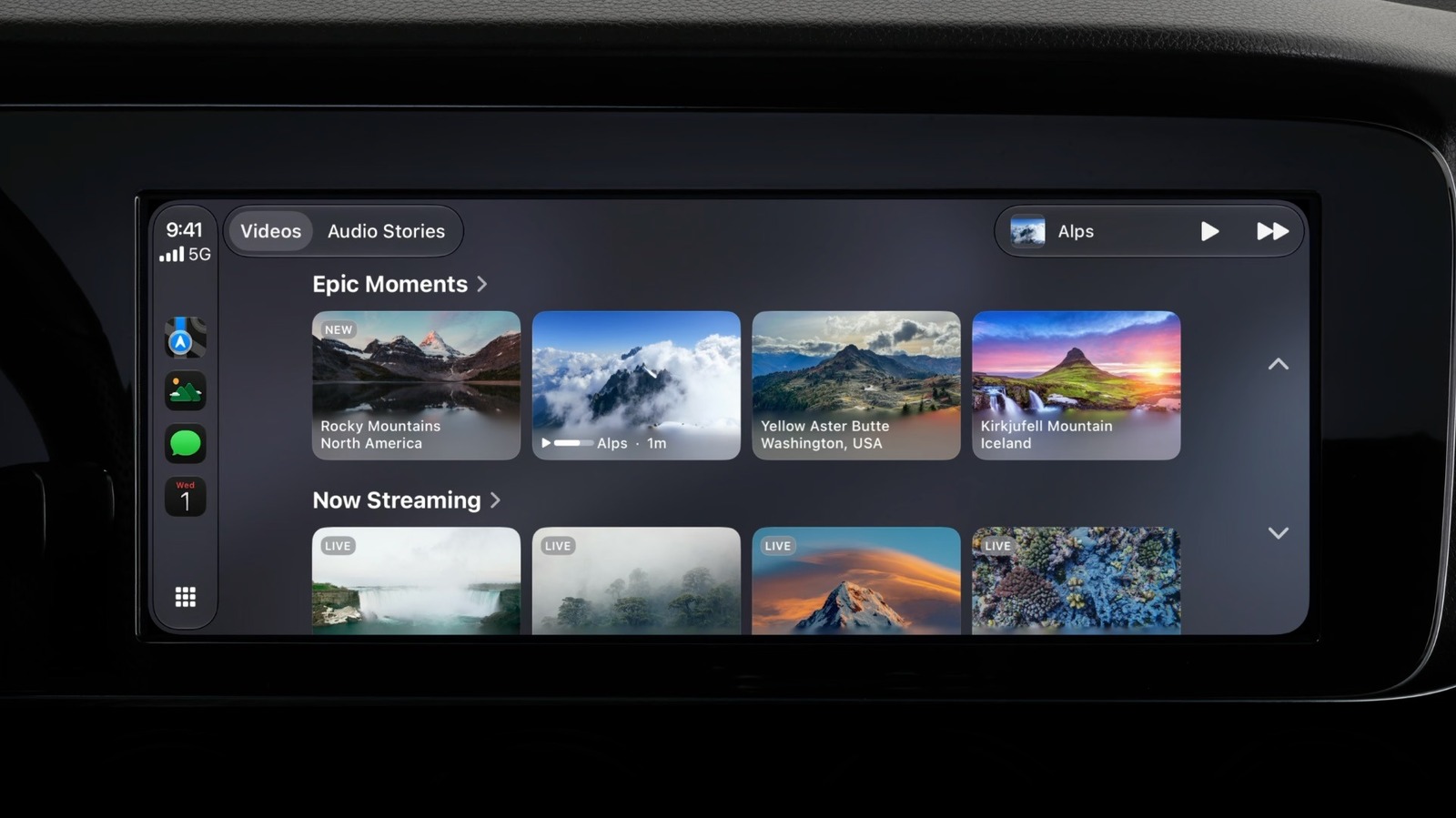
    CarPlay brings your iPhone apps right to your car’s dashboard. However, not every app gets a CarPlay version — it’s mostly limited to audio, messaging and navigation apps. But with iOS 27, users can finally watch videos on CarPlay when they’re parked. But watching videos on CarPlay has certain limitations, and it’s not just about running the latest iOS.

    For one, not all video apps support CarPlay right now. Even if they do, the feature only works in vehicles with “video-in-car” technology, which helps CarPlay detect when the car is stopped. The bad news is that even Apple doesn’t have a list of vehicles compatible with video apps on CarPlay, so you’ll have to find out for yourself whether yours is. Still, if you’re lucky enough to have a compatible vehicle, here’s how to watch videos on CarPlay.

    Watching videos on CarPlay with AirPlay and apps
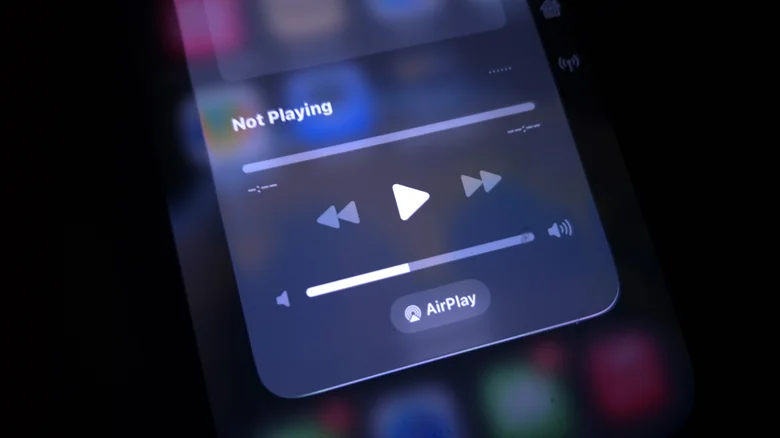
    The iOS Now Playing menu in Control Center showing the AirPlay button.

    Right now, few video apps are compatible with CarPlay. Some of the most popular ones, like YouTube or Netflix, don’t support it natively yet. If you have a compatible video app on your iPhone, you’ll see it on CarPlay’s Home Screen. In that case, just open the app to browse the video catalog. There’s no need to find the video on your iPhone or stream it via AirPlay. When you start driving, CarPlay automatically switches to audio-only mode, so you can keep listening to the rest of a podcast, for example.

    Luckily, CarPlay also supports AirPlay, so you can stream a video from your iPhone or iPad to your car’s dashboard even if an app doesn’t work with CarPlay just yet. With your iPhone connected to CarPlay, open an AirPlay-compatible app (like YouTube) and start playing a video. Then, look for the AirPlay button and choose CarPlay from the list. You should then see the video on your car’s dashboard, with playback controls on both your iPhone and CarPlay. To bring the video back to your iPhone, tap the AirPlay button again and deselect your car. Also, make sure your car is parked; otherwise, it won’t play the video.

    Why video playback might not be available in your car
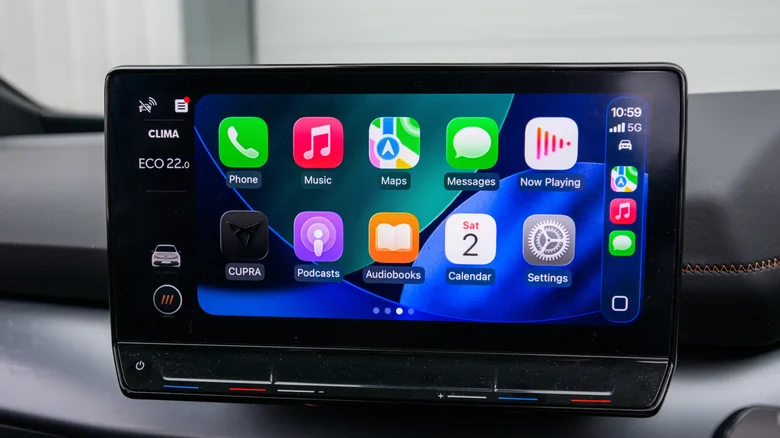
    The CarPlay Home Screen showing some of Apple's apps.

    If you’ve tried the steps above and still can’t watch videos in your car with CarPlay, it’s most likely because your car doesn’t support it. Automakers need to add support for video apps, and many older car dashboards don’t support it and probably never will. Apple requires CarPlay screens to be at least 1,920 x 1,080 pixels to play video. CarPlay systems also need to support the HEVC codec and at least 4GB of memory, which older systems may lack.

    You’ll also need up-to-date software. AirPlay to CarPlay requires iOS 26.4 or later, while native video apps are only available on iOS 27. If you haven’t updated, open your iPhone’s Settings and go to General, then Software Update to check whether any updates are available. iOS 27 is available for the iPhone 11 and later, so your iPhone most likely supports it.

    If your car isn’t compatible with CarPlay video, brands like Carlinkit and Ottocast sell Android-based “AI boxes” for your car’s dashboard. These let you install Netflix, YouTube or pretty much any other video app without jailbreaking your iPhone. Be aware that these workarounds will also bypass the restrictions that limit video playback to when the vehicle is parked, and that watching video on the road can be distracting.

    Apple CarPlay videos Watch while
    Follow on Google News Follow on Flipboard
    Share. Facebook Twitter Pinterest LinkedIn Tumblr Email Copy Link
    myappsplus
    • Website

    Related Posts

    5 iPhone security settings you should change to protect your data

    November 7, 2026

    How to watch France vs Fiji: FREE live streams, TV channels and kick-off time for Nations Championship 2026 game

    November 7, 2026

    The UV-tracking Gem made me rethink how sunlight affects my health, not just my appearance

    November 7, 2026
    Add A Comment
    Leave A Reply Cancel Reply

    Top Posts

    Cathay Pacific tests Google AI that dramatically cuts airplane contrails — tiny altitude shifts slash environmental impact by 40% in early trials

    September 8, 2026138 Views

    Save on your groceries, gas, and holiday shopping with this $15 BJ’s membership (Reg. $60) 

    November 4, 202627 Views

    Apple is making Creator Studio an even better deal with new AI features and creative tools

    October 28, 202619 Views
    Latest Reviews

    iPhone Duo?

    myappsplusSeptember 5, 2026

    From eating the elderly to selling kids, Afterworld gives you the freedom to do terrible things in the post-apocalypse — ‘We shouldn’t judge the player’ says director

    myappsplusSeptember 5, 2026

    This Dell 16 laptop is ideal for university, especially at the lowest price we’ve seen

    myappsplusSeptember 5, 2026
    Stay In Touch
    • Facebook
    • YouTube
    • TikTok
    • WhatsApp
    • Twitter
    • Instagram

    Subscribe to Updates

    Get the latest tech news from FooBar about tech, design and biz.

    Most Popular

    iPhone Duo?

    September 5, 20260 Views

    From eating the elderly to selling kids, Afterworld gives you the freedom to do terrible things in the post-apocalypse — ‘We shouldn’t judge the player’ says director

    September 5, 20260 Views

    I just went hands-on with the Odyss N1 — a sleek AI necklace that automatically tracks everything you eat

    September 5, 20260 Views
    Our Picks

    This could be the cheapest BE5000 Wi-Fi 7 access point, offering 2.5GbE, free lifetime cloud management, and an impressive five-year warranty

    November 7, 2026

    How to watch videos on Apple CarPlay while parked

    November 7, 2026

    I watched every movie in Netflix’s Top 10 right now — These are the only 3 actually worth streaming (Nov. 7–8)

    November 7, 2026

    Subscribe to Updates

    Subscribe to our newsletter and get the latest tech news, app updates, AI trends, smartphone reviews, and exclusive deals delivered straight to your inbox.

    Facebook X (Twitter) Instagram Pinterest
    • About Us
    • Get In Touch
    • Disclaimer
    • Privacy Policy
    • Terms & Conditions
    © 2026 MyAppsPlus. All Rights Reserved.

    Type above and press Enter to search. Press Esc to cancel.