
Close Menu
MyAppsPlus

    Subscribe to Updates

    Get the latest creative news from FooBar about art, design and business.

    What's Hot

    DoorDash will pay $131.5 million for missing and miscalculated NYC delivery worker wages

    September 23, 2026

    New Mac Mini Has Two Storage Downsides, Including Unremovable SSD

    September 23, 2026

    Will Trump’s AI rebrand to ‘super intelligence’ catch on?

    September 23, 2026
    Facebook X (Twitter) Instagram
    Facebook X (Twitter) Instagram
    MyAppsPlusMyAppsPlus
    Wednesday, September 23
    • Home
    • Breaking Tech
    • Apps & Software
    • AI & Automation
    • Android
    • iPhone & iOS
    • More
      • Reviews
      • How-To Guides
      • Deals & Discounts
      • Shop
    MyAppsPlus
    Home»Breaking Tech»Why are some songs grayed out on Apple Music (And how to fix it)
    Breaking Tech

    Why are some songs grayed out on Apple Music (And how to fix it)

    myappsplusBy myappsplusSeptember 23, 2026004 Mins Read
    Share Facebook Twitter Pinterest Copy Link LinkedIn Tumblr Email Telegram WhatsApp
    Follow Us
    Google News Flipboard
    Why are some songs grayed out on Apple Music (And how to fix it)
    Share
    Facebook Twitter LinkedIn Pinterest Email Copy Link

    Here’s what to do if some of your favorite songs are suddenly unavailable.

    There’s nothing better than listening to your favorite album, which is why it’s so unsettling when tracks stop playing on your Apple device. And when you take a look at the track listing, you may find some of your tracks are grayed out. What’s happening?

    Often this is because your device is offline. Typically, you’ll regain access once you get online again.

    Licensing is another common cause. The music industry is built around a territorial licensing system, with labels owning different rights and then selling them or staggering release schedules –- sometimes even on AI-generated tracks.

    This territorial licensing model means artists or labels sometimes remove tracks from Apple Music’s catalog, or don’t make them available in a specific region at all. When that happens, the song will not be available and will appear grayed out. There is nothing you or Apple can do about that.

    How to check if it is a licensing problem

    To check if a track’s licensing has been revoked, open Apple Music/iTunes, click Songs in the sidebar, right-click the column headers, (where it says Name), and check the box for Cloud Status, which shows:

    • No Longer Available: Track likely removed by artist or label
    • Exclamation mark (!): A local sync issue
    • Waiting: Sync is incomplete

    There are other causes that the following guide will help you address. 

    Technical problems and how to solve them
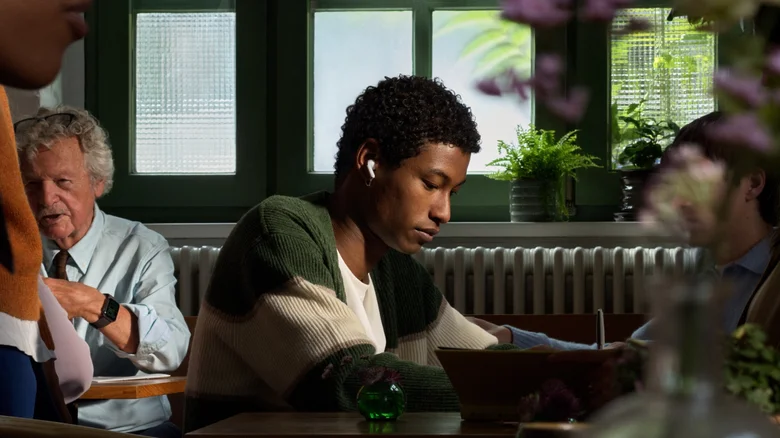
    A fashionable young man listening to music on his AirPods.

    If your tracks are still grayed out and you’ve verified that it’s not a licensing issue, here are some other things you can try.

    Switch it off and on again

    I always recommend a full restart of your device. That’s as easy as switching your Mac or PC off and on again, or running a force reset on your iPad or iPhone. Turning things off and switching them on again solves a lot of consumer tech problems.

    Delete and redownload the track

    Select the track, delete it and then search for it in Apple Music and download it again. If the track is unavailable, it has probably been removed from the platform.

    Check for sync errors

    The Music app may have developed a glitch; let’s fix it:

    • iPhone or iPad: Open Settings > Apps > Music and switch Sync Library off. Wait 30 seconds, turn it on again and open Apple Music.
    • Mac: Open Apple Music, choose Settings > General in the menu bar, and uncheck the Sync Library item. Wait a few seconds, then turn it on again.
    • Windows: Click the gear or profile icon, choose Settings and then select the General tab at the top of that window. Find Sync Library, turn it off, click OK and re-enable it after a few seconds.

    How to solve content and Apple account problems

    A woman running and listening to music on her AirPods.

    Still having trouble? The issue could run deeper than your phone’s settings. Here’s how to see whether it’s a problem with your Apple account.

    Content Restrictions

    To protect minors, Apple Music’s Content Restrictions feature prevents playback of explicit-tagged tracks. Override this in Settings > Content Restrictions in Apple Music on Windows, or in System Settings > Content & Privacy on Apple devices. Just set it to allow explicit content.

    Check your Apple Account

    Another reason music sometimes seems to disappear is because songs were purchased using a different Apple account than the one you are currently using. You’ll regain access once you log out of your current account and log in with the correct one.

    Reset your Apple Account

    As a last resort, you can try signing out of your Apple account on your device in Settings > Apple Account > Media & Purchases and tapping the Sign Out button before signing in again. 

    Apple apps Entertainment Smartphones Tablets
    Follow on Google News Follow on Flipboard
    Share. Facebook Twitter Pinterest LinkedIn Tumblr Email Copy Link
    myappsplus
    • Website

    Related Posts

    DoorDash will pay $131.5 million for missing and miscalculated NYC delivery worker wages

    September 23, 2026

    Apple TV’s ‘Brothers’ is a delightful Matthew McConaughey and Woody Harrelson reunion — so why am I disappointed?

    September 23, 2026

    “We’re already fighting yesterday’s battle”: Greece’s prime minister gets candid about AI

    September 23, 2026
    Add A Comment
    Leave A Reply Cancel Reply

    Top Posts

    This tiny AI box could save me from upgrading my perfectly good laptop

    September 6, 20263 Views

    New Target ad delivers look at upcoming deals in one of Nintendo’s ‘largest promotions ever’

    September 13, 20262 Views

    Top 10 Best React Native App Development Companies in 2026

    September 12, 20262 Views
    Latest Reviews

    $500 off MacBook, AirPads Pro 3, Max 2 $120 off, AirTag 2, more from $13

    myappsplusAugust 21, 2026

    The $225 Pebble Time 2 is a refreshingly fun smartwatch

    myappsplusAugust 21, 2026

    No driver, no problem — devs use Claude AI to craft native macOS tool for an ‘obscure’ Windows-only printer

    myappsplusAugust 21, 2026
    Stay In Touch
    • Facebook
    • YouTube
    • TikTok
    • WhatsApp
    • Twitter
    • Instagram

    Subscribe to Updates

    Get the latest tech news from FooBar about tech, design and biz.

    Most Popular

    $500 off MacBook, AirPads Pro 3, Max 2 $120 off, AirTag 2, more from $13

    August 21, 20260 Views

    The $225 Pebble Time 2 is a refreshingly fun smartwatch

    August 21, 20260 Views

    No driver, no problem — devs use Claude AI to craft native macOS tool for an ‘obscure’ Windows-only printer

    August 21, 20260 Views
    Our Picks

    DoorDash will pay $131.5 million for missing and miscalculated NYC delivery worker wages

    September 23, 2026

    New Mac Mini Has Two Storage Downsides, Including Unremovable SSD

    September 23, 2026

    Will Trump’s AI rebrand to ‘super intelligence’ catch on?

    September 23, 2026

    Subscribe to Updates

    Subscribe to our newsletter and get the latest tech news, app updates, AI trends, smartphone reviews, and exclusive deals delivered straight to your inbox.

    Facebook X (Twitter) Instagram Pinterest
    • About Us
    • Get In Touch
    • Disclaimer
    • Privacy Policy
    • Terms & Conditions
    © 2026 MyAppsPlus. All Rights Reserved.

    Type above and press Enter to search. Press Esc to cancel.