

PreviousHow to Build a Digital Workplace That Employees Can Actually Trust
AI in Game Development: Everything From Faster Video Generation to Dynamic NPCs
Previous
CategoryGame Development
DateSeptember 25, 2026
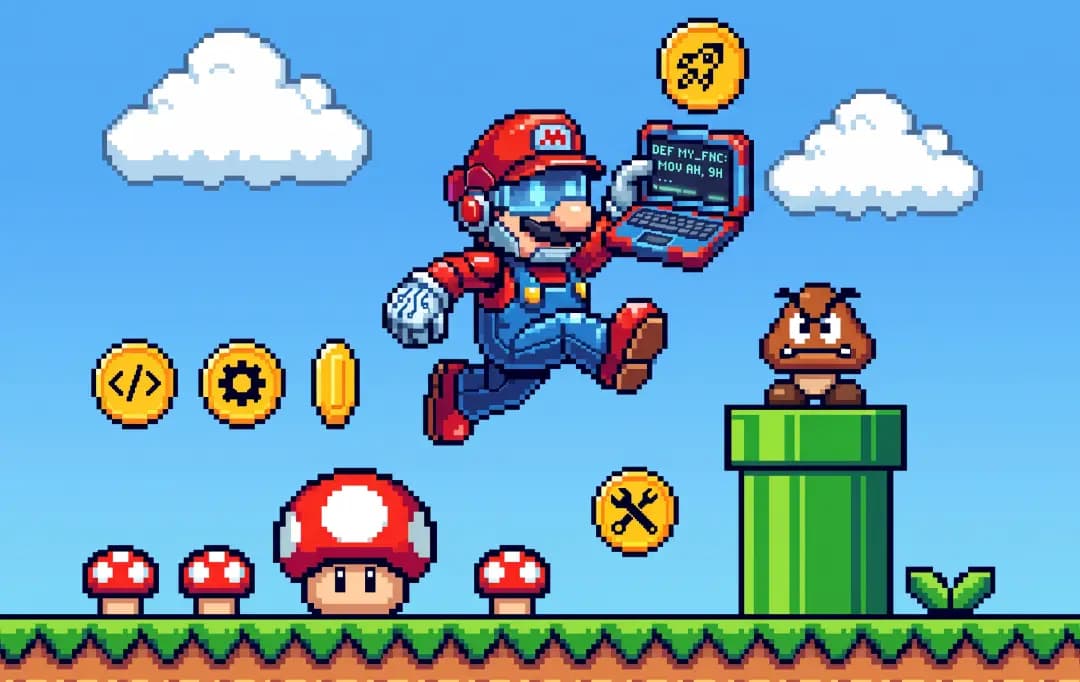
From generating game assets to powering dynamic NPCs, learn where AI fits into modern game development and what it means for developers.
The median game project timeline fell from 91 hours to 21 hours between 2022 to 2025. AI-assisted coding tools are now used by 62% of surveyed studios. That’s a shipped result, not a projection.
This AI in game development guide breaks down where AI is doing that kind of measurable work across a production pipeline: prototyping, coding, art and asset generation, QA, localization, and marketing.
We will also cover where it isn’t pulling its weight yet, stage by stage and tool by tool, so you can decide what’s worth adopting for your own build.
Game Development: Before AI vs. Now
The fundamentals of game development have not changed in what it produces. It’s changed in how long each of them takes to get right and who’s doing the first pass. Earlier, designing and approving a prototype involved weeks of manual scripting.
Now, that same first pass often happens in days, with a developer editing and refining rather than starting from a blank file.
Unity’s 2026 Game Development Report captures the scale of that shift directly: median project development time dropped from 91 hours to 21 hours between January 2022 and December 2025, and 62% of surveyed studios now use AI for back-end coding assistance.
| Basis | Before AI | Now |
|---|---|---|
| Prototyping | Weeks of manual scripting before a mechanic could be playtested | A rough, playable version comes together in days; developers iterate on it rather than build it from zero |
| Coding | Every function, every system hand-written from scratch | Boilerplate and repetitive functions are AI-drafted; developers focus on logic, structure, and edge cases |
| Asset Creation | Concept art, textures, and animation done entirely by artists | AI generates first-pass variations and drafts; artists select, refine, and finalize |
| QA & Localization | Manual playtesting and translation for every build and language | AI flags likely bugs and produces first-pass translations; humans verify before release |
| Team Structure | Larger teams needed to cover every discipline | Smaller teams cover a comparable scope by offloading repetitive first drafts |
What AI Is Changing in Game Development
Research, code, and back-end tooling get automated readily with artificial intelligence. However, anything player-facing still goes through a person. The pattern across every studio adopting AI is similar; the closer a task sits to what a player actually sees and interacts with, the less willing teams are to hand it over. Here’s what AI in games has actually changed:
1. Ideation and pre-production
This is the heaviest use case by a wide margin. Teams lean on generative AI to pull reference, explore mechanics, and draft pitch documents before a project is even greenlit. It’s low-risk because nothing here ships directly; it’s a starting point for a conversation the team was already going to have.
2. Prototyping
Once a direction is picked, fewer studios hand the actual build over to AI. It’s used to speed up early experimentation, but a person is still the one assembling the playable version. The gap between “explore an idea” and “build the thing” is where human ownership kicks back in.
3. Coding assistance
Writing boilerplate, catching bugs, and speeding up implementation of systems a developer has already designed is one of the more routine uses. It’s common enough to be unremarkable, but the output is still reviewed and owned by a developer rather than shipped untouched.
4. Asset generation and procedural content
This is where adoption gets noticeably more cautious. Concept art, textures, and generated levels are the parts of the pipeline most visible to players, and studios are more careful here; output quality and IP questions are harder to resolve than with code or research tasks.
5. Player-facing features
Dynamic NPC dialogue, adaptive difficulty, and similar systems that players directly interact with see the least AI use of any category. Most studios still treat this as experimental territory rather than something ready for production.
6. Marketing, trailers, and devlogs
Getting a finished build in front of players is a separate problem from making it, and one where AI has quietly become standard for small teams without a dedicated video editor. An AI video generator can turn a script or gameplay capture into a trailer or dev log update in one pass, which matters most for solo devs and indie studios running marketing on no budget.
Types of AI in Video Game Development
AI in game app development isn’t a single technology; it’s a combination of multiple technologies that simplify different stages of development. Here are the key types:
1. Procedural generation
This is algorithm-driven content creation: levels, maps, item drops, or entire worlds built from rules rather than hand-placed by a designer. It’s been part of game development long before the current wave of generative AI in game development, powering everything from roguelike dungeons to open-world terrain.
Newer AI models make procedural systems more context-aware, so generated content fits the game’s tone instead of feeling random.
2. NPC and behavioral AI
This governs how non-player characters move, react, and make decisions; pathfinding; combat behavior; and enemy tactics that adapt to how a player plays.
It’s distinct from generative AI because it’s rules- and model-driven behavior, not content creation. The NPC doesn’t say something new; it decides what to do next based on the current game state.
3. Generative AI for content creation
This is what most people mean when they say AI in gaming: models that produce art, dialogue lines, music, or code from a prompt. It’s the category getting the most attention and the most scrutiny, because its output is often the first thing a player sees or hears, and because it raises real questions about training data and originality that the other types mostly avoid.
4. Machine learning for player analytics and personalization
This type doesn’t touch content at all, it studies player behavior to inform decisions elsewhere, like matchmaking, difficulty tuning, or which offers show up in a live-ops store. It runs in the background, and the players will mostly not even know it’s there.
5. Computer vision and motion capture
Used mainly in animation pipelines, this type interprets visual data, cleaning up motion-capture footage, generating in-between animation frames, or tracking facial expressions for character performance. It sits closer to a production tool than a creative decision-maker, speeding up a process that used to require frame-by-frame manual work.
6. Natural language processing for dialogue and narrative
This covers systems that understand or generate conversational text, branching dialogue trees that respond to player input, translation and localization, or narrative drafts a writer edits rather than authors from scratch.
It’s a subset of generative AI but specific enough to call out on its own, since dialogue systems have their own quality bar: a bad line breaks immersion in a way a slightly-off texture usually doesn’t.
7. Adaptive and dynamic difficulty systems
This type adjusts a game’s challenge in real time based on how a player is performing, rather than sticking to fixed difficulty settings chosen at the start. It overlaps with player analytics but acts directly on gameplay rather than just informing a business decision.
This makes it one of the more player-facing uses of AI that’s actually seen wide, largely uncontroversial adoption.
Tools for AI Game Development
Picking the right tool depends entirely on which stage of the pipeline you’re trying to speed up, a code assistant and a trailer generator solve completely different problems.
| Category | Example Tools | What It Does |
|---|---|---|
| Code and engine-level assistance | GitHub Copilot, Unity AI | Suggests boilerplate, catches errors, and speeds up implementing systems already designed |
| Art and asset generation | Scenario, Meshy | Generates concept art, textures, and 3D drafts for artists to refine |
| NPC behavior and dialogue | Inworld AI, NVIDIA ACE | Powers dynamic NPC conversation and behavior beyond fixed dialogue trees |
| No-code prototyping | Rosebud AI | Turns a described concept into a playable prototype without writing code |
| QA and playtesting | Automated testing bots | Runs large numbers of simulated playthroughs to catch bugs before human QA |
| Marketing, trailers, devlogs | CapCut’s Seedance AI video generator | Turns a script or gameplay capture into an edited trailer or devlog with voiceover and pacing handled |
AI Applications in Game Development with Real Examples
Beyond the broader categories, a few AI applications in the gaming industry have become common enough. Here are a few applications backed by a real example of a studio actually using it:
1. Automated bug detection and playtesting
AI-driven bots can run thousands of simulated playthroughs of a build, flagging collision errors, physics glitches, or soft-locks that a human QA team would take far longer to find by hand.
Electronic Arts has used this approach on its sports titles, running reinforcement-learning bots through FIFA and Madden builds to catch bugs and balance issues across huge numbers of simulated matches before human testers ever touch the build.
2. Facial animation and performance capture cleanup
Motion and facial capture footage are used to require animators to manually clean up jitter, fix tracking errors, and hand-key transitions between takes. For instance, Ninja Theory used AI-driven facial capture and rendering technology (built with Epic and 3Lateral) on Hellblade II.
It was used to process real-time facial performances with far less manual animator cleanup than the original Hellblade required.
3. Voice generation for scale localization
Recording full voiceover in every target language is expensive and slow, especially for games with a lot of incidental NPC dialogue.
Ubisoft has used AI voice tools internally through its research division to help generate and localize secondary dialogue. This reduced a studio’s voice budget, which goes toward lines that aren’t lead-character critical.
4. Environment and concept art ideation
Before a final piece of concept art is painted, teams need to explore a lot of visual directions quickly. Epic Games has confirmed, in an official Unreal Engine video, that its Fortnite art teams now feed human-drawn sketches and hand-blocked 3D scenes into generative AI tools to produce multiple stylistic and lighting variations before an artist commits to a final pass.
The studio has described this workflow as skipping ahead in the timeline so artists can spend more time refining the design rather than generating the first draft.
5. Adaptive audio and music scoring
Static soundtracks loop the same way regardless of what’s happening on screen. Red Dead Redemption 2’s score shifts based on player action and location in real time rather than looping a fixed set of pre-composed tracks, but that system was rules-based and hand-composed, built well before generative AI entered game audio.
What’s changed since is that engines like Unity, paired with middleware like Wwise and newer generative AI audio tools, now let smaller teams build similarly reactive scores without RDR2’s studio-sized composition budget.
6. Live-ops content generation
Games run as ongoing services need a steady stream of seasonal events, cosmetic variations, and limited-time content. Epic Games has confirmed it now uses generative AI tools to help produce Fortnite skins and environments, a practice that became public after Chapter 7’s AI-assisted cosmetics drew fan criticism in 2026.
This frees up design time for the handful of events each season that need genuinely new mechanics, though the backlash is a reminder that player-facing AI content still carries real reputational risk.
What Game Studios Can Gain From Using AI in Game Development
For a studio deciding whether AI is worth adopting, the answer isn’t “everything gets better.” It’s a specific set of gains that show up most in production speed, cost control, and reach, not in creative quality. Here’s what gaming development studios can gain:
1. Faster time from concept to playable build
The biggest practical gain is compressing the gap between an idea and something a team can actually test. Instead of committing weeks of scripting before a mechanic can be evaluated, a rough version exists almost immediately. This changes how many ideas a studio can afford to try before picking one to commit to.
2. Lower cost per iteration
Every dead end used to carry a real cost; it could be art, code, or design hours spent on something the team eventually cut.
AI compresses that cost for early passes, which means a studio can afford to explore and discard more directions before locking in the one that’s actually worth full production investment.
3. Smaller teams can compete on scope
A small studio no longer needs a full roster covering every discipline to produce a game with real scope. AI tooling covers enough of the repetitive first-draft work, boilerplate code, first-pass art, and rough localization that a smaller team can spend its limited hours on design decisions, polish, and taste.
4. More consistent QA coverage
Manual playtesting has always had a coverage problem; testers can’t reasonably explore every path through a large game before launch. AI-driven testing tools can run far more permutations than a human team could in the same time.
AI tools in game development can catch edge-case bugs that would otherwise surface after release, when they’re far more expensive and visible to fix.
5. Reach into markets that used to be cost-prohibitive
Localizing a game into a dozen languages, or producing region-specific marketing content, used to be a budget decision reserved for bigger titles.
AI-assisted translation and content generation make secondary-market localization realistic for smaller studios, opening up player bases that previously weren’t worth the cost of entry.
Future Trends for AI in Game Development
Adoption today is mostly about speed, for faster prototypes, faster code or faster first drafts. What comes next is less about speed and more about where AI sits in the pipeline, how much studios have to disclose about using it, and who’s actually checking the output before it ships.
1. Engine Deep Dive
AI will soon stop being a separate tool bolted onto a project and will become part of the engine itself. It can be used for performance optimization, rendering decisions, and asset pipelines the editor manages automatically.
AI engines increasingly handle those steps natively, tightening the loop between an idea and a working build.
2. Transparency Standards
Disclosing where and how AI is used will stop being a special callout and becomes a standard part of shipping a game, the same way a credits list or age rating is now. As platforms and players get more used to seeing this information, provenance documentation will become a routine step built into the pipeline from day one.
3. Player Experience
Right now, AI-driven content is often noticeably different from hand-crafted work: a slightly off animation, a dialogue line that doesn’t quite land.
That gap will narrow over time, not because AI suddenly gets creative judgment, but because the tooling and the human review layered on top of it both will keep improving.
4. Helping Smaller Teams
Capabilities that used to require a full studio roster, animation cleanup, localization, and first-pass art become accessible to a two- or three-person team.
This doesn’t mean small teams start out-producing large ones; it means the baseline scope a small team can realistically attempt keeps rising, narrowing the gap rather than closing it.
5. Prioritizing Human Review
As more of the repetitive work gets automated, the studios with the strongest review process will take the lead. Human judgment doesn’t get replaced by any of these trends; it becomes the actual differentiator, since the parts of a game that make it good are still decided by a person.
Conclusion
The real question isn’t whether to use AI in game development; most studios already do, somewhere in the pipeline. It’s which parts of your process are repetitive enough to hand off and which parts are the reason players choose your game over the next one.
AI works well where a task has a clear right answer; a bug either exists or it doesn’t. It works less well where the task depends on taste, whether a level is actually fun, or whether a line of dialogue feels human.
So, you need to blur that line and pay for it either way: automate the judgment calls and the game feels hollow; refuse to automate the repetitive work and a small team burns its limited hours on tasks that never needed a person.
If you need to get real value from AI in game development, do not focus on using AI more; remember to be specific about where it belongs.
Frequently Asked Questions
Arpit is a dreamer, wanderer, and tech nerd who loves to jot down tech musings and updates. With a knack for crafting compelling narratives, Arpit has a sharp specialization in everything: from Predictive Analytics to Game Development, along with artificial intelligence (AI), Cloud Computing, IoT, and let’s not forget SaaS, healthcare, and more. Arpit crafts content that’s as strategic as it is compelling. With a Logician’s mind, he is always chasing sunrises and tech advancements while secretly preparing for the robot uprising.
What Is Cloud Mobile Management and Why Are Businesses Moving Device Control to the Cloud?
When Memory Becomes a Release Metric: Preparing Android Apps for Google Play’s New Limits
In-House AI Strategy Vs. External AI Consulting: Which Delivers Higher ROI?
Uncover executable insights, extensive research, and expert opinions in one place.
