Close Menu
MyAppsPlus

    Subscribe to Updates

    Get the latest creative news from FooBar about art, design and business.

    What's Hot

    Dbrand’s MNML Pixel 11 Pro cases are simply good, and that’s the point [Gallery]

    September 12, 2026

    Apple @ Work: The three prongs of software updates in the AI era

    September 12, 2026

    Deepfakes are wrecking influencers’ credibility, one fake ad at a time

    September 12, 2026
    Facebook X (Twitter) Instagram
    Facebook X (Twitter) Instagram
    MyAppsPlusMyAppsPlus
    Saturday, September 12
    • Home
    • Breaking Tech
    • Apps & Software
    • AI & Automation
    • Android
    • iPhone & iOS
    • More
      • Reviews
      • How-To Guides
      • Deals & Discounts
      • Shop
    MyAppsPlus
    Home»Breaking Tech»How to split bills and customize passes in Apple Wallet with iOS 27 Update
    Breaking Tech

    How to split bills and customize passes in Apple Wallet with iOS 27 Update

    myappsplusBy myappsplusSeptember 7, 2026004 Mins Read
    Share Facebook Twitter Pinterest Copy Link LinkedIn Tumblr Email Telegram WhatsApp
    Follow Us
    Google News Flipboard
    How to split bills and customize passes in Apple Wallet with iOS 27 Update
    Share
    Facebook Twitter LinkedIn Pinterest Email Copy Link

    Visual Intelligence will make splitting the check a bit easier.

    The upcoming iOS 27 update will deliver some much-needed optimization and system refinements to the iPhone — along with a more practical way to settle a group meal. For those who prefer contributing to the collective gastronomic experience instead of carrying the entire bill, Visual Intelligence will read receipts, split the bill and send out Apple Cash requests to the group. Thankfully, this new feature isn’t buried in the settings menu. Instead, it works with Visual Intelligence and the iPhone’s camera to recognize a receipt.

    It’s not a universal bill-splitting tool, however. iPhone users must set up Apple Cash to receive and send money through Wallet. You’ll also need a compatible iPhone running iOS 27, an itemized receipt that the camera can read and contacts who can receive and send an Apple Cash request.

    iOS 27 will also include a separate tool for Apple Wallet passes, also using Visual Intelligence. As with receipts, the camera identifies a compatible physical pass (boarding passes, loyalty cards, tickets, etc.) and adds it to Wallet. Overall, it’s a nifty little upgrade, especially for those already using their iPhones as a debit/credit card. All you need to do is set it up through the Control Center and start splitting bills.

    How to split a bill with Apple Cash

    Visual Intelligence is basically your camera with Siri floating around in the background. It’s a separate icon that you can add to your Control Center for quick access when you need to identify something or scan a receipt. Swipe down from the top right corner of your iPhone screen to open Control Center. Touch and hold an empty area, then tap Add a Control when prompted. Search for and add Visual Intelligence. Once set up, you can swipe down to access Visual Intelligence anytime you need it.

    When you’re ready to split a bill, just do the following:

    1. Place an itemized receipt on a flat, well-lit surface.

    2. Open Control Center and tap Visual Intelligence.

    3. Point the camera at the receipt and let the iPhone scan it.

    4. Tap the centered yellow Split Bill with Apple Cash button when it appears.

    5. Choose the contacts included in the split.

    6. Review the items and amounts before sending the Apple Cash requests.

    Visual Intelligence is designed to parse the receipt so the entire group can account for individual items instead of coming up with an even split. You can always double-check the taxes, tips, discounts or any shared appetizers before you request payment, especially if the receipt includes any service charges or promotions.

    How to add passes with Visual Intelligence
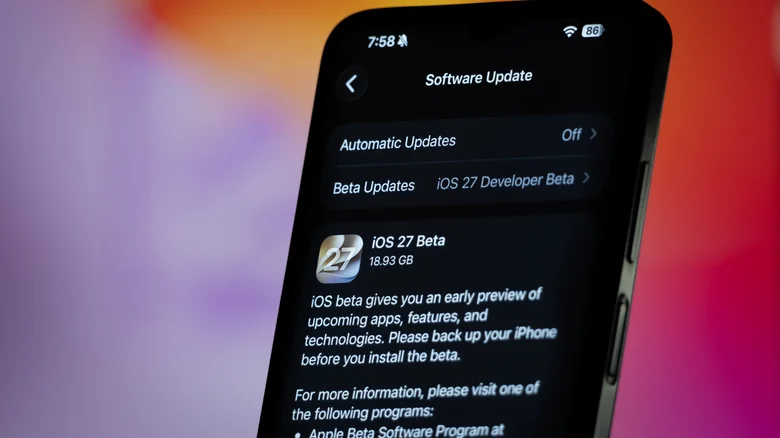
    Close-up view of an iPhone ready to update to iOS 27 Developer Beta.

    The same Visual Intelligence control will scan a physical pass and add it to Apple Wallet. For the most part, anything that works with Apple Wallet will generally come with QR codes or Apple Wallet logos. However, not everything does, but Visual Intelligence may do the job in a pinch.

    Open the Control Center, tap Visual Intelligence and point your camera at the pass. If iOS 27 recognizes it as compatible, follow the on-screen prompt to add it to Wallet. Of course, this process may vary by issuer, and some passes will still require adding through the airline, venue or retailer app instead.

    You can organize the cards and passes already in your wallet by touching and holding one, then dragging it into place until it’s tailored to your preferences. Until some point in the fall, Visual Intelligence and split bill pay are only available in iOS27 Public or Developer Beta. Even when iOS 27 is officially released, it’s still a relatively new feature —  using the issuer’s official “Add to Apple Wallet” link or process may yield more dependable results. For now, Visual Intelligence is a great fallback option for compatible physical passes.

    Apple bills customize passes split
    Follow on Google News Follow on Flipboard
    Share. Facebook Twitter Pinterest LinkedIn Tumblr Email Copy Link
    myappsplus
    • Website

    Related Posts

    Apple @ Work: The three prongs of software updates in the AI era

    September 12, 2026

    IBC2026: Riedel Technology powers record-breaking Esports World Cup production in Paris

    September 12, 2026

    How Google Maps knows when a business is packed

    September 12, 2026
    Add A Comment
    Leave A Reply Cancel Reply

    Top Posts

    The 6 AI-free Linux distros I recommend most

    August 19, 20263 Views

    AI, automation, robot dogs ensure on-site nuclear safety

    September 7, 20262 Views

    This tiny AI box could save me from upgrading my perfectly good laptop

    September 6, 20262 Views
    Latest Reviews

    Apple Wallet driver’s licenses are coming to North Carolina, but there’s a catch

    myappsplusAugust 18, 2026

    3 Japanese AI Stocks Turning Automation Spending Into Real Revenue

    myappsplusAugust 18, 2026

    Apple: DOJ’s latest challenge in antitrust case ‘fails at every level’

    myappsplusAugust 18, 2026
    Stay In Touch
    • Facebook
    • YouTube
    • TikTok
    • WhatsApp
    • Twitter
    • Instagram

    Subscribe to Updates

    Get the latest tech news from FooBar about tech, design and biz.

    Most Popular

    Apple Wallet driver’s licenses are coming to North Carolina, but there’s a catch

    August 18, 20260 Views

    3 Japanese AI Stocks Turning Automation Spending Into Real Revenue

    August 18, 20260 Views

    Apple: DOJ’s latest challenge in antitrust case ‘fails at every level’

    August 18, 20260 Views
    Our Picks

    Dbrand’s MNML Pixel 11 Pro cases are simply good, and that’s the point [Gallery]

    September 12, 2026

    Apple @ Work: The three prongs of software updates in the AI era

    September 12, 2026

    Deepfakes are wrecking influencers’ credibility, one fake ad at a time

    September 12, 2026

    Subscribe to Updates

    Subscribe to our newsletter and get the latest tech news, app updates, AI trends, smartphone reviews, and exclusive deals delivered straight to your inbox.

    Facebook X (Twitter) Instagram Pinterest
    • About Us
    • Get In Touch
    • Disclaimer
    • Privacy Policy
    • Terms & Conditions
    © 2026 MyAppsPlus. All Rights Reserved.

    Type above and press Enter to search. Press Esc to cancel.