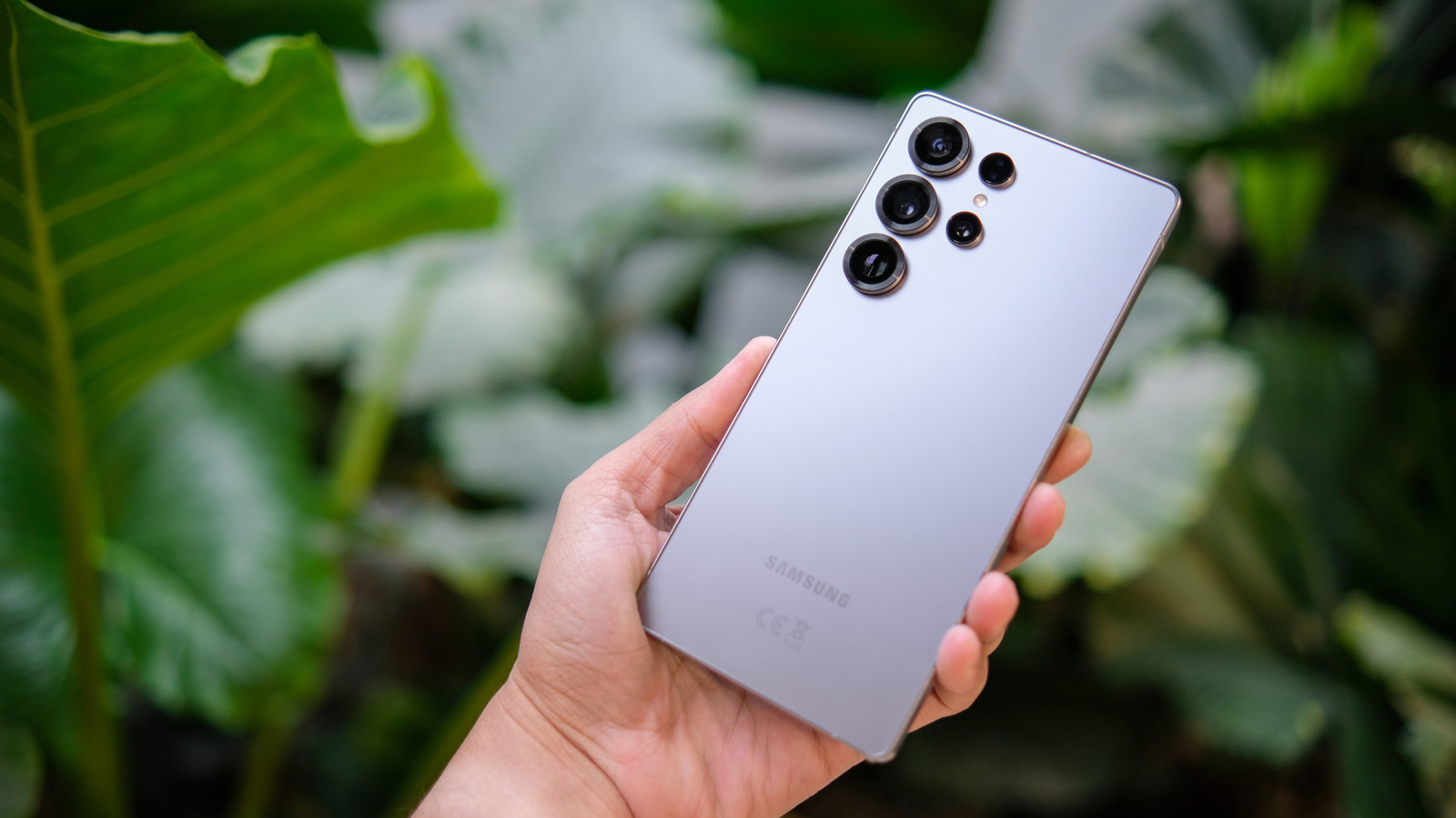
Close Menu
MyAppsPlus

    Subscribe to Updates

    Get the latest creative news from FooBar about art, design and business.

    What's Hot

    Enable AI agents to pay for AWS Marketplace x402 products with Amazon Bedrock AgentCore payments

    November 22, 2026

    How to watch The Witch Farm for free — stream supernatural drama from anywhere

    November 22, 2026

    Ring video doorbells and cameras are great holiday gifts, now up to 60% off

    November 22, 2026
    Facebook X (Twitter) Instagram
    Facebook X (Twitter) Instagram
    MyAppsPlusMyAppsPlus
    Sunday, November 22
    • Home
    • Breaking Tech
    • Apps & Software
    • AI & Automation
    • Android
    • iPhone & iOS
    • More
      • Reviews
      • How-To Guides
      • Deals & Discounts
      • Shop
    MyAppsPlus
    Home»Breaking Tech»What the little clock icon at the top of your Samsung phone means
    Breaking Tech

    What the little clock icon at the top of your Samsung phone means

    myappsplusBy myappsplusNovember 22, 2026004 Mins Read
    Share Facebook Twitter Pinterest Copy Link LinkedIn Tumblr Email Telegram WhatsApp
    Follow Us
    Google News Flipboard
    What the little clock icon at the top of your Samsung phone means
    Share
    Facebook Twitter LinkedIn Pinterest Email Copy Link

    Three different icons can pass for a clock on your Galaxy phone, and each one has an easy fix.

    You’re fiddling on your phone and that bar at the top of your screen is peppered with various icons. There’s your battery level, the Wi-Fi icon, the signal bars — but what’s that tiny clock doing there?

    There are tons of icons that can show up in your Android status bar, so what exactly does that clock represent? Is there something wrong with your phone? Well, the good news is that it’s rarely a cause for concern, unless you’re terrified of waking up bright and early (which we get). Depending on the exact shape, the clock icon usually points to one of a few straightforward explanations, each with an easy fix. There’s a good chance that the icon shows you have an active alarm set up.

    Let’s dive deeper into what the clock icon means, how to get rid of it and which other symbols might be causing similar confusion on your Galaxy device.

    What does the clock icon mean?
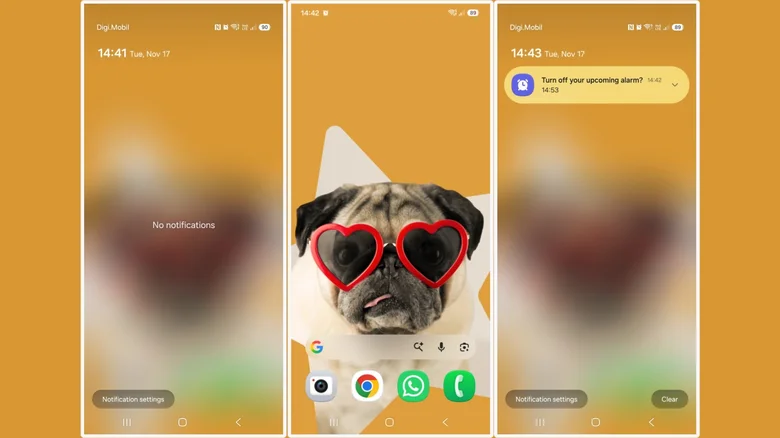
    Three screenshots showcasing the alarm clock icon on a Samsung phone.

    The most likely reason you’re seeing a clock icon on your screen is that you set an alarm on your phone. Specifically, you’ve done this through Samsung’s Clock app and not some other tool. You’ll find the clock right next to the Wi-Fi signal when the entire Quick Settings panel is expanded. 

    When the alarm is 30, 15 or five minutes away from ringing, as per the clock settings, the clock icon becomes visible whenever you check your phone, moving to the left of the screen next to the time. In my testing, however, it also popped up at the 20- and 10-minute markers. When you swipe down the notifications panel, you’ll even notice a message asking if you want to turn off the upcoming alarm. If you dismiss the notification, the clock icon only remains visible next to the Wi-Fi signal, going back to the original view. The icon shows up again as the alarm time approaches.

    The only way to make the clock icon go away completely is to disable any active alarms. You’ll have to go to the Clock app on your Samsung phone, tap the Alarm tab at the bottom and toggle off or delete any alarms you have set up. Once that’s done, the icon immediately vanishes from the status bar.

    What about the square-shaped clock?
    Samsung One UI update icon on orange background.

    Not every clock-shaped icon is an alarm you forgot you set up, however. If you see a rounded square with a small clock inside, it means your phone has a new software update available. You’ve probably had your phone pester you about that update and you’ve ignored it time and time again, so now it’s a simple symbol in your status bar. The only way to dismiss this one once and for all is to actually install that update — sorry to break it to you, but you’ll have to let the phone do its thing for a few minutes.

    Go to Settings and scroll down to Software update. Select Check for updates to install the latest version of One UI. One UI 9 is currently rolling out to more and more Samsung Galaxy phones, so you’re likely due for that update anyway. For some older phones, One UI 9 is the final major update.

    The third clock-looking option
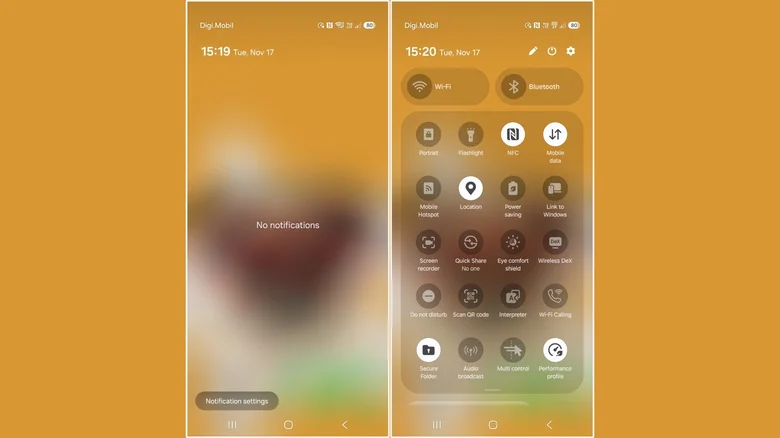
    Two screenshots of the Light performance profile symbol on a Samsung phone.

    These two are not the only clock-looking symbols you can find in the bar on a Samsung phone. There’s another one that gets mistaken for a clock: the Light performance profile indicator. This one is found exclusively on newer Samsung flagship models, such as the Galaxy Z Flip 4 and later, Galaxy Z Fold 4 and later, and Galaxy S23 and later models. This icon looks more like a speedometer than a clock and also features a small white leaf.

    The Light performance mode is designed to reduce power consumption. It will do this by lowering the phone’s processing speed, which in turn helps extend battery life. It’s a great tool to use when you’re scrolling through social media or watching videos. If you start a game, the mode is automatically disabled so you can enjoy all that your phone can actually do. 

    If you don’t know how the Light performance mode got turned on, you probably touched the icon in the Quick Settings panel by mistake. Just swipe down from the top of the screen and look for the tile and tap it again. Whatever icon you were looking at, you should now know how to get rid of it.

    Clock little Samsung Smartphones What
    Follow on Google News Follow on Flipboard
    Share. Facebook Twitter Pinterest LinkedIn Tumblr Email Copy Link
    myappsplus
    • Website

    Related Posts

    Why data centers are at the center of the Big Tech backlash

    November 22, 2026

    Samsung Galaxy Watch Ultra 2 vs Watch 9: When is it right to spend more?

    November 22, 2026

    How to use auto drive in GTA 6? What does it do? Does it work with boats in the video game? All questions answered

    November 22, 2026
    Add A Comment
    Leave A Reply Cancel Reply

    Top Posts

    The pros and cons of using your phone as a mobile hotspot

    November 16, 202647 Views

    UiPath Launches AI Coding Agent, Integrates Claude Code and Codex to Target Development Automation

    November 16, 202646 Views

    Save on your groceries, gas, and holiday shopping with this $15 BJ’s membership (Reg. $60) 

    November 4, 202633 Views
    Latest Reviews

    Grant-funded physics research uses AI to explore deep within the Earth

    myappsplusSeptember 11, 2026

    Anthropic caught scientists using Claude to further biological weapon research

    myappsplusSeptember 11, 2026

    September 10, 2026 – AirPods 5, iPhone price increases

    myappsplusSeptember 11, 2026
    Stay In Touch
    • Facebook
    • YouTube
    • TikTok
    • WhatsApp
    • Twitter
    • Instagram

    Subscribe to Updates

    Get the latest tech news from FooBar about tech, design and biz.

    Most Popular

    Anthropic blocks ‘malicious use’ of AI that could develop biological weapons

    September 11, 20260 Views

    Tired of watching the same old action movies? I’ve got 3 picks on Prime Video you probably haven’t seen

    September 11, 20260 Views

    Reduce inference cold starts on Amazon SageMaker HyperPod with model caching

    September 11, 20260 Views
    Our Picks

    Enable AI agents to pay for AWS Marketplace x402 products with Amazon Bedrock AgentCore payments

    November 22, 2026

    How to watch The Witch Farm for free — stream supernatural drama from anywhere

    November 22, 2026

    Ring video doorbells and cameras are great holiday gifts, now up to 60% off

    November 22, 2026

    Subscribe to Updates

    Subscribe to our newsletter and get the latest tech news, app updates, AI trends, smartphone reviews, and exclusive deals delivered straight to your inbox.

    Facebook X (Twitter) Instagram Pinterest
    • About Us
    • Get In Touch
    • Disclaimer
    • Privacy Policy
    • Terms & Conditions
    © 2026 MyAppsPlus. All Rights Reserved.

    Type above and press Enter to search. Press Esc to cancel.