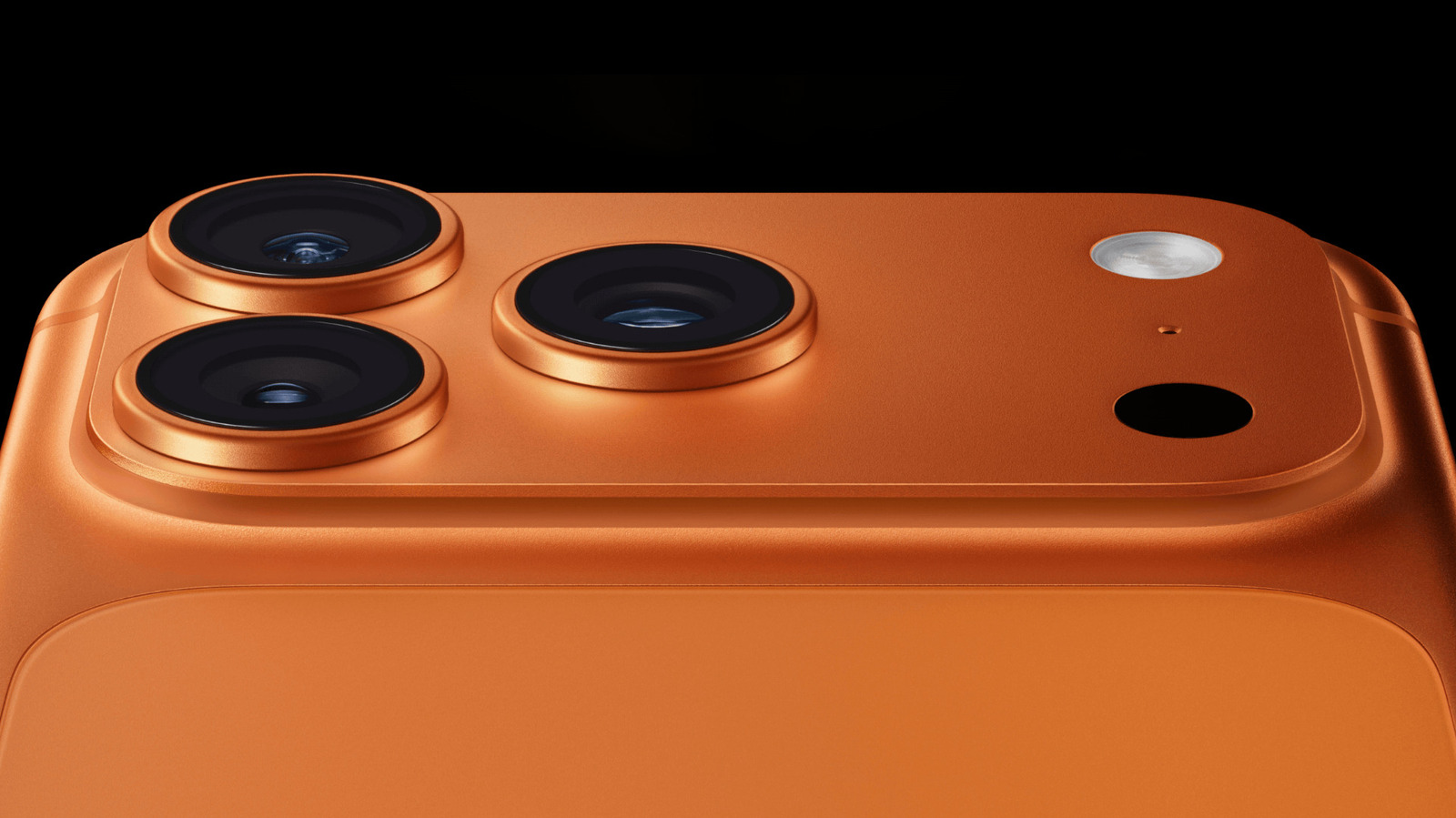
Close Menu
MyAppsPlus

    Subscribe to Updates

    Get the latest creative news from FooBar about art, design and business.

    What's Hot

    I’ve never wanted a phone as much as the iPhone Duo, but at $2,000, I just can’t go there — and I’m left wondering who’s going to buy Apple’s remarkable-looking foldable

    September 12, 2026

    “Not even Secretlab’s Titan Evo has these”: I’ve never tested a gaming chair with features like this Boulies model — and it beats key rivals on price, too

    September 12, 2026

    Apple on wide Android foldables beating iPhone Duo; ‘they got the aspect ratio’

    September 12, 2026
    Facebook X (Twitter) Instagram
    Facebook X (Twitter) Instagram
    MyAppsPlusMyAppsPlus
    Saturday, September 12
    • Home
    • Breaking Tech
    • Apps & Software
    • AI & Automation
    • Android
    • iPhone & iOS
    • More
      • Reviews
      • How-To Guides
      • Deals & Discounts
      • Shop
    MyAppsPlus
    Home»Breaking Tech»What is the purpose of LiDAR on your iPhone and how do you use it?
    Breaking Tech

    What is the purpose of LiDAR on your iPhone and how do you use it?

    myappsplusBy myappsplusSeptember 8, 2026004 Mins Read
    Share Facebook Twitter Pinterest Copy Link LinkedIn Tumblr Email Telegram WhatsApp
    Follow Us
    Google News Flipboard
    What is the purpose of LiDAR on your iPhone and how do you use it?
    Share
    Facebook Twitter LinkedIn Pinterest Email Copy Link

    The LiDAR sensor on certain iPhone models is easy to miss, but it has some cool uses.

    That small dark circle near the rear cameras on certain iPhone Pro models isn’t another camera. It’s the LiDAR scanner, a sensor that helps your iPhone figure out how far away nearby surfaces and objects are.

    You won’t find a dedicated LiDAR app or a toggle for it in Settings. Instead, iOS features and compatible apps use the scanner when they need depth information. That might be for measuring an object, understanding the shape of a room or detecting something nearby.

    What does the LiDAR scanner on an iPhone do?
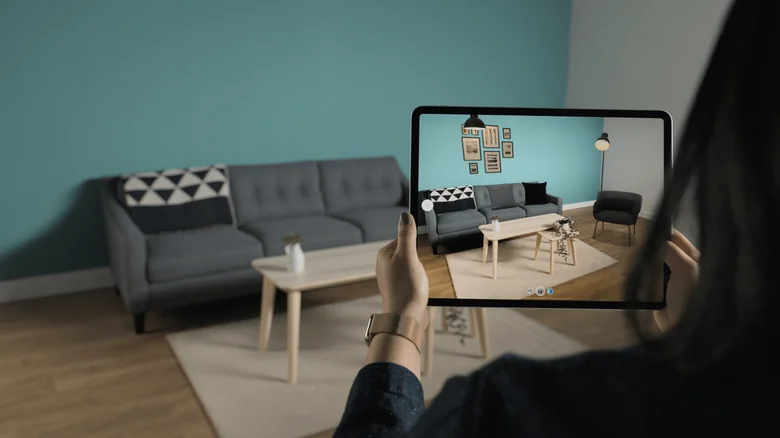
    Person using a tablet to scan a living room with augmented reality room-mapping software.

    LiDAR stands for “light detection and ranging.” The sensor sends out invisible pulses of light and measures how long they take to return after hitting nearby surfaces. Those measurements give your iPhone information about the distance and shape of objects in front of it.

    A useful way to think about it is that the cameras show the iPhone what a scene looks like, while LiDAR adds information about how far away items are. ARKit, Apple’s augmented reality (AR) framework, can use those readings to create a rough 3D mesh of the physical environment. This helps compatible augmented reality apps understand the position of floors, walls and other surfaces.

    And apps are able to put that information to practical use. Apple’s RoomPlan framework, for example, combines camera and LiDAR readings to identify walls, windows, doors, furniture and other room features while creating a 3D model of an interior space.

    LiDAR can assist the camera as well. On supported Pro models, this sensor is used for features including Night mode portraits and faster autofocus in low light.

    Which iPhones have LiDAR?

    Apple introduced the LiDAR Scanner with the iPhone 12 Pro and iPhone 12 Pro Max in 2020. It has remained a Pro-exclusive feature since then, appearing on every Pro and Pro Max generation through the iPhone 17 Pro and iPhone 17 Pro Max.

    Apple has kept LiDAR off its non-Pro iPhones. So if you have a standard iPhone, mini, Plus, Air or any other model, your phone can’t take advantage of what it offers. If you’re not sure which iPhone you own, go to Settings > General > About and check the model name.

    Outside of the iPhone, every iPad Pro since the fourth-gen lineup in March 2020 has featured a LiDAR sensor. It performs the same function on the tablet.

    How to use LiDAR on an iPhone
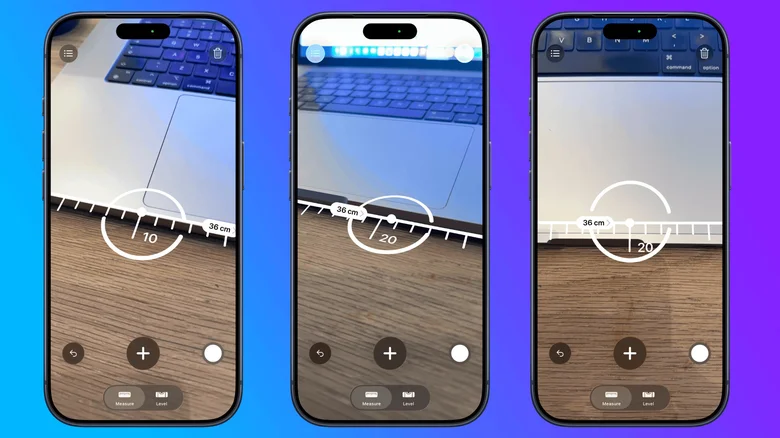
    Three iPhone screenshots showing the Measure app measuring the width of a laptop.

    The easiest built-in way to experiment with depth-assisted measuring is the Measure app. Measure isn’t exclusive to LiDAR-equipped iPhones; Apple also includes it on base iPhone models that lack the sensor.

    To take a manual measurement, open Measure and slowly point the camera around the nearby area. Align the dot in the center of the screen with the starting point and tap the Plus/Add button. Move the iPhone to the other end of the object, then tap Plus/Add again. Apple notes that measurements are approximate, so this is better for quick estimates than work where an exact dimension matters.

    On supported Pro models with the LiDAR sensor, Measure offers extra features such as automatic edge guides and Ruler view. It can measure a person’s height when they are fully visible in the camera view.

    For more elaborate uses, you’ll need an app built to take advantage of the sensor. Apps using Apple’s RoomPlan framework can scan interior spaces and produce 3D room models, while AR apps can use LiDAR depth data to place virtual objects more accurately in the physical environment. You don’t need to switch the scanner on; supported apps will call on it when required.

    LiDAR also has an accessibility role. On iPhones with the sensor, Detection Mode in the Magnifier app can detect nearby people, doors and furniture, then provide information through sounds, speech or haptic feedback. That said, Apple warns that Detection Mode shouldn’t be relied on for navigation or in situations where an inaccurate result could cause harm.

    Apple LiDAR purpose What Your
    Follow on Google News Follow on Flipboard
    Share. Facebook Twitter Pinterest LinkedIn Tumblr Email Copy Link
    myappsplus
    • Website

    Related Posts

    Apple on wide Android foldables beating iPhone Duo; ‘they got the aspect ratio’

    September 12, 2026

    How to share your iPhone’s location for just as long as you need

    September 12, 2026

    Internet Accuses Apple of Photoshop in iPhone Duo Ads

    September 12, 2026
    Add A Comment
    Leave A Reply Cancel Reply

    Top Posts

    The 6 AI-free Linux distros I recommend most

    August 19, 20263 Views

    AI, automation, robot dogs ensure on-site nuclear safety

    September 7, 20262 Views

    This tiny AI box could save me from upgrading my perfectly good laptop

    September 6, 20262 Views
    Latest Reviews

    Apple Wallet driver’s licenses are coming to North Carolina, but there’s a catch

    myappsplusAugust 18, 2026

    3 Japanese AI Stocks Turning Automation Spending Into Real Revenue

    myappsplusAugust 18, 2026

    Apple: DOJ’s latest challenge in antitrust case ‘fails at every level’

    myappsplusAugust 18, 2026
    Stay In Touch
    • Facebook
    • YouTube
    • TikTok
    • WhatsApp
    • Twitter
    • Instagram

    Subscribe to Updates

    Get the latest tech news from FooBar about tech, design and biz.

    Most Popular

    Apple Wallet driver’s licenses are coming to North Carolina, but there’s a catch

    August 18, 20260 Views

    3 Japanese AI Stocks Turning Automation Spending Into Real Revenue

    August 18, 20260 Views

    Apple: DOJ’s latest challenge in antitrust case ‘fails at every level’

    August 18, 20260 Views
    Our Picks

    I’ve never wanted a phone as much as the iPhone Duo, but at $2,000, I just can’t go there — and I’m left wondering who’s going to buy Apple’s remarkable-looking foldable

    September 12, 2026

    “Not even Secretlab’s Titan Evo has these”: I’ve never tested a gaming chair with features like this Boulies model — and it beats key rivals on price, too

    September 12, 2026

    Apple on wide Android foldables beating iPhone Duo; ‘they got the aspect ratio’

    September 12, 2026

    Subscribe to Updates

    Subscribe to our newsletter and get the latest tech news, app updates, AI trends, smartphone reviews, and exclusive deals delivered straight to your inbox.

    Facebook X (Twitter) Instagram Pinterest
    • About Us
    • Get In Touch
    • Disclaimer
    • Privacy Policy
    • Terms & Conditions
    © 2026 MyAppsPlus. All Rights Reserved.

    Type above and press Enter to search. Press Esc to cancel.