

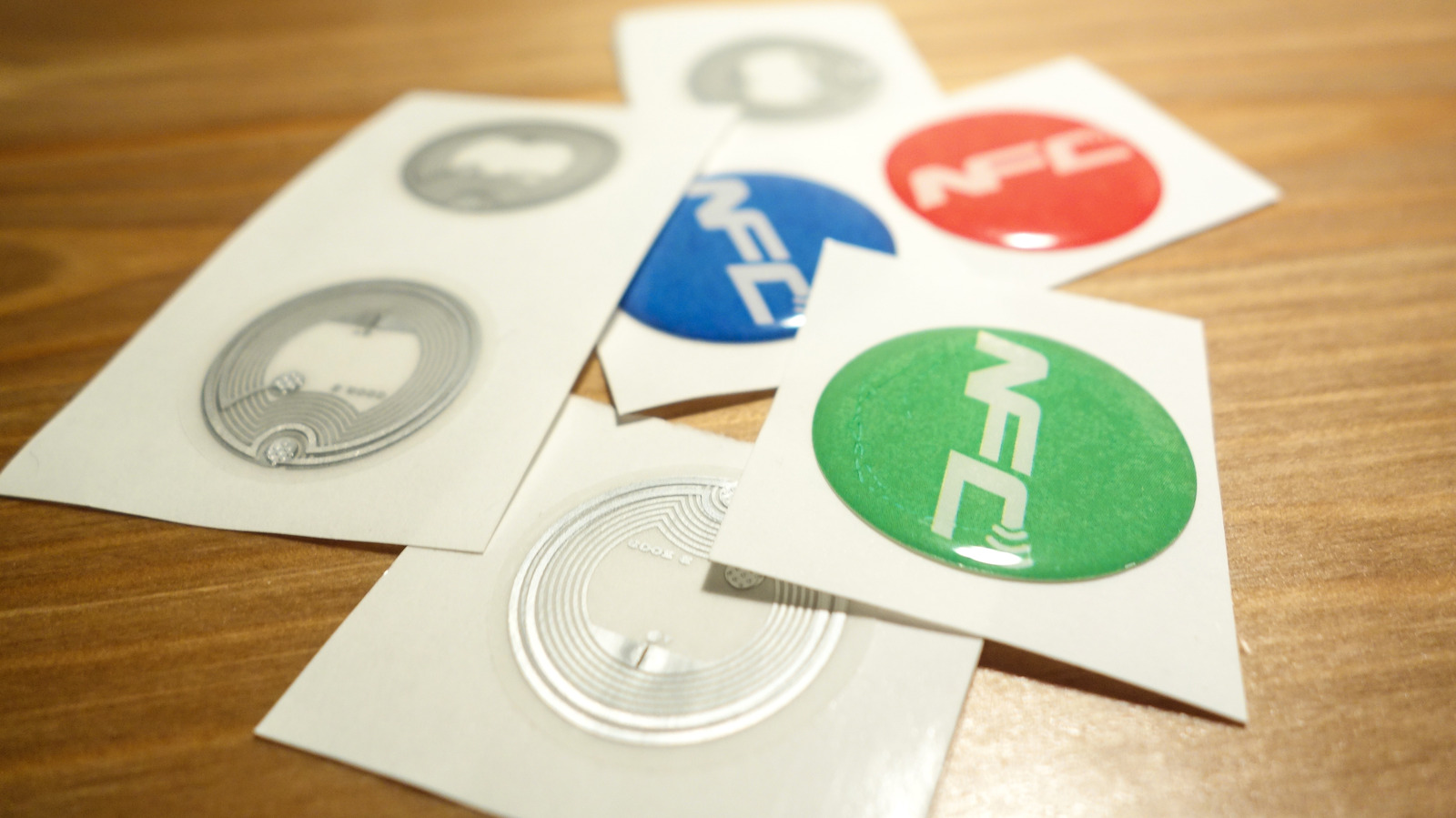
Some people think they’re just thin AirTags, but they’re not.
If you’ve stayed at a hotel in the past five years, chances are you’ve noticed that room keys have changed. Some of them are now credit-card-sized pieces of wood that somehow communicate with the door, while other hotels also allow you to use your phone to unlock the door. Some allow both. This is all thanks to NFC, which is like the slick and cool child of RFID technology (the tech used in pet microchips, among other things).
NFC works at a much shorter range than RFID, which actually makes it more secure, and it can talk both ways, which is the reason your phone can now act as the key. The NFC tags themselves are now so thin and cheap to produce that you can purchase a pack of several dozen NFC stickers for just a few dollars.
But what exactly is an NFC tag, what is it good for, and should you be careful with it?
How does an NFC tag work without a battery or power source?
NFC stands for near-field communication, and much like Bluetooth or Wi-Fi, it is a wireless radio standard that allows different devices to exchange information with each other, just like RFID. Both technologies use radio waves to send out information, but depending on the type, RFID signals can be read from up to hundreds of feet away. NFC only works over very short distances under an inch, which makes it perfect for tapping a credit card on a reader.
An NFC tag is just a tiny chip with a little bit of memory and an antenna. It has no battery, so it draws power from whatever reads it through magnetic induction, the same technology that charges your phone wirelessly. When the tag gets close enough to a reader, the reader energizes the tag and pulls the data from it in a blink.
What NFC tags are used for, and where you’ll find them
<img src="https://www.engadget.com/img/gallery/what-is-an-nfc-tag-and-how-does-one-work/what-nfc-tags-are-used-for-and-where-youll-find-them-1794428647.webp" alt="An NFC-enabled sign encouraging customers to tap in order to review this restaurant on Google.” loading=”lazy”>
Because NFC tags are so cheap and simple, they are often used to store simple little commands that can be executed automatically. Many smart-home owners use them as physical switches — tapping your phone over a sticker next to the exit can run an entire “leaving the house” scenario where the lights turn off, the blinds close, and the alarm is turned on. Restaurants might stick little NFC stickers on the tables that automatically allow the customers to connect to the Wi-Fi and open the menu on their phones.
The low cost of NFC tags and the fact that they can be placed anywhere so easily make them useful in a wide variety of use cases. They can be found on posters, business cards, ski lift passes and elevators. You scan them with your NFC-enabled phone, and it sends a command to open a webpage or activate a feature on your phone.
In the case of tap-to-pay, transit gates and hotel room keys, the opposite happens. Your phone functions as the NFC tag, and once it gets close enough to the reader, it then activates and sends the information stored on it. Apple only opened the iPhone’s NFC chip to third-party developers with iOS 18.1, so apps beyond Apple Wallet can now do this too.
Is an NFC tag a tracker, and should NFC be on?
An NFC tag cannot track you. Some people think it is just a thin version of an Apple AirTag, but the two are very different. An Apple AirTag has its own battery, and it sends out a Bluetooth signal that nearby Apple devices can pick up and report back to the owner. An NFC tag has no battery, cannot send a signal on its own and can only activate when it’s almost touching the reader. So a sticker slipped into your luggage or onto your jacket can’t tell anyone where you are.
Should NFC be on? Most people tend to leave it on since it uses very little power and only activates at very close range. It also won’t hand over your card details to a stranger brushing past your pocket; both Apple and Android phones need you to unlock your phone in order to activate the NFC capabilities, with the exception of Express Mode for transit cards, which skips the check on purpose so you can get through a gate faster.
If you want to turn off NFC anyway, on Android you can switch NFC off in Settings, under Connections or Connected devices, depending on the brand. On an iPhone, it’s a different story: NFC on iPhone XS and newer is always on and can’t be turned off.
