Close Menu
MyAppsPlus

    Subscribe to Updates

    Get the latest creative news from FooBar about art, design and business.

    What's Hot

    Meta rolling out audio upgrades, turn-by-turn navigation for Ray-Ban smart glasses

    October 5, 2026

    You can unlock a Googlebook’s bootloader, Magisk support in the works

    October 5, 2026

    Apple rolls out the third developer betas of iOS 27.2 and more

    October 5, 2026
    Facebook X (Twitter) Instagram
    Facebook X (Twitter) Instagram
    MyAppsPlusMyAppsPlus
    Monday, October 5
    • Home
    • Breaking Tech
    • Apps & Software
    • AI & Automation
    • Android
    • iPhone & iOS
    • More
      • Reviews
      • How-To Guides
      • Deals & Discounts
      • Shop
    MyAppsPlus
    Home»iPhone & iOS»Upgrade to Apple Watch Series 12 or Ultra 4? Here’s how to get the most out of it
    iPhone & iOS

    Upgrade to Apple Watch Series 12 or Ultra 4? Here’s how to get the most out of it

    myappsplusBy myappsplusOctober 5, 2026004 Mins Read
    Share Facebook Twitter Pinterest Copy Link LinkedIn Tumblr Email Telegram WhatsApp
    Follow Us
    Google News Flipboard
    Upgrade to Apple Watch Series 12 or Ultra 4? Here’s how to get the most out of it
    Share
    Facebook Twitter LinkedIn Pinterest Email Copy Link

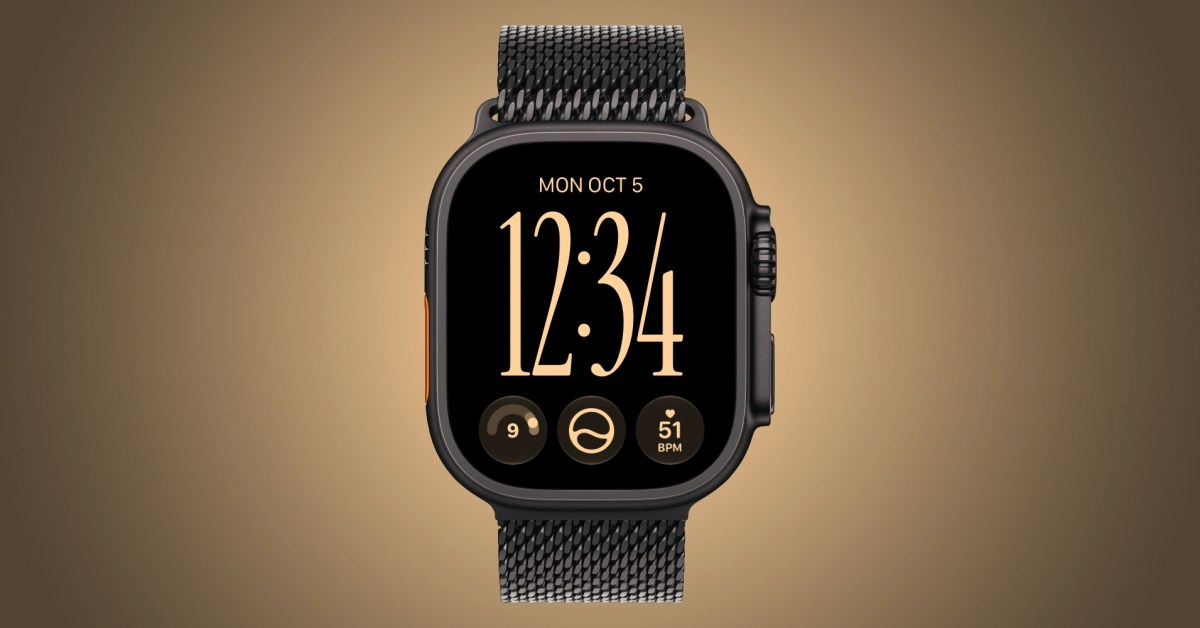
    Upgrade to a new Apple Watch Series 12 or Ultra 4? Apple Watch Series 12 and Ultra 4 bring upgraded performance and new health sensing features.

    Still, they can feel like the same watch in day-to-day use unless you know where to look for the changes. From new health complications to automatic Shazam recognition, a few setup changes can help you get more out of your upgrade. Here’s what to try.

    Refresh your watch face

    Start by adding exclusive new complication options only supported on the new Apple Watch models. Series 12 and Ultra 4 can display your live heart rate, steps count, and readiness score on your watch face.

    You can add these complications to your favorite watch face to unlock new insight into your health and fitness.

    For me,live heart rate datahas been an essential new complication, using a single slot with better data compared to the old wide slot with less current data. Step tracking has also been a big motivatorfor getting activity logged earlier in the day.
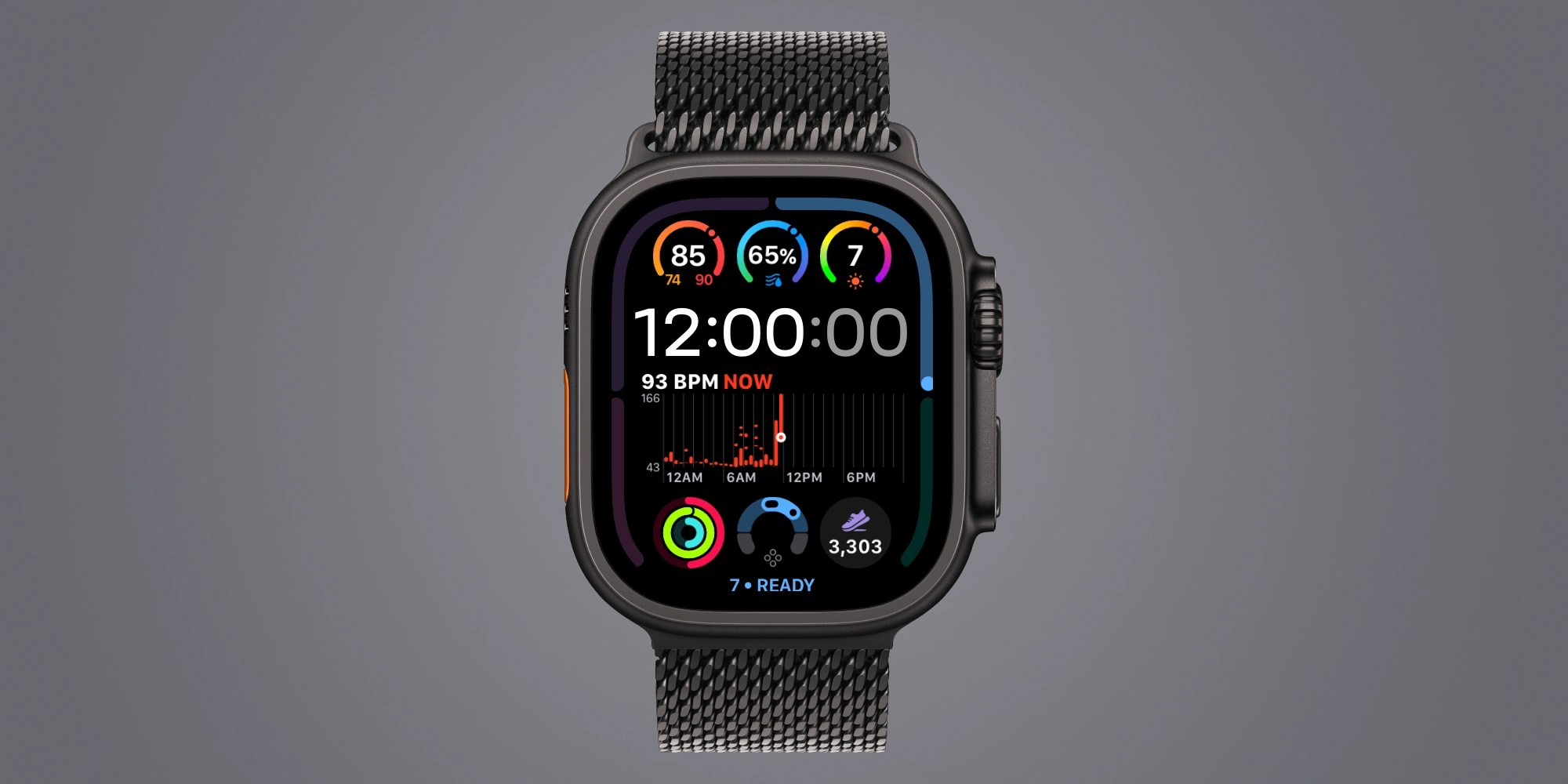

    And since readiness score can change throughout the day based on your vitals and activity, displaying readiness on your watch face can be a great tip.

    And while it’s off by default, you can enable quick switching between watch faces with a swipe at Settings > Clock > Swipe to Switch Watch Face.

    Turn on automatic Shazam

    Your new Watch can identify music around you without a request to Siri or a tap on Shazam.

    On Apple Watch, open Settings → Smart Stack and enable Music Detection. When you open the Smart Stack, Music Recognition can show the song title and artist.

    It’s a small setup change with an obvious payoff the next time something unfamiliar plays at a restaurant or coffee shop.

    Try Siri Modular

    Siri Modular comes to every Apple Watch running watchOS 27, although Series 12 and Ultra 4 have more complication options.
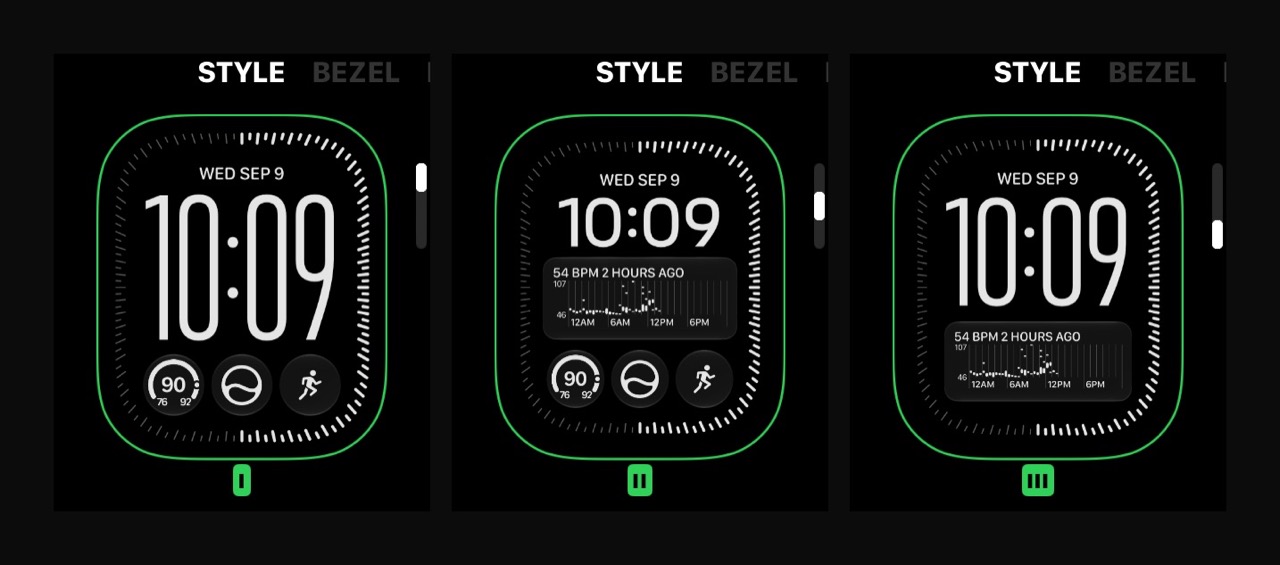

    Something I love about the Siri Modular face is how you can style it. For now, I have a few instances of the Siri Modular face in my rotation using different colors, fonts, layout styles, and complications.

    Give readiness time to work

    Adding a readiness complication is only part of the setup. You also need to collect the data behind the score.

    Apple says to complete your Health Details, set up Activity and overnight vitals, enable Sleep, and wear your Watch while sleeping for at least seven nights. You also need sleep data from the previous night.

    Find a charging window during the day so overnight tracking becomes easier to maintain.

    So far, readiness has been an interesting experiment, but I think it’s still too early to call it useful for me.

    Daytime vitals

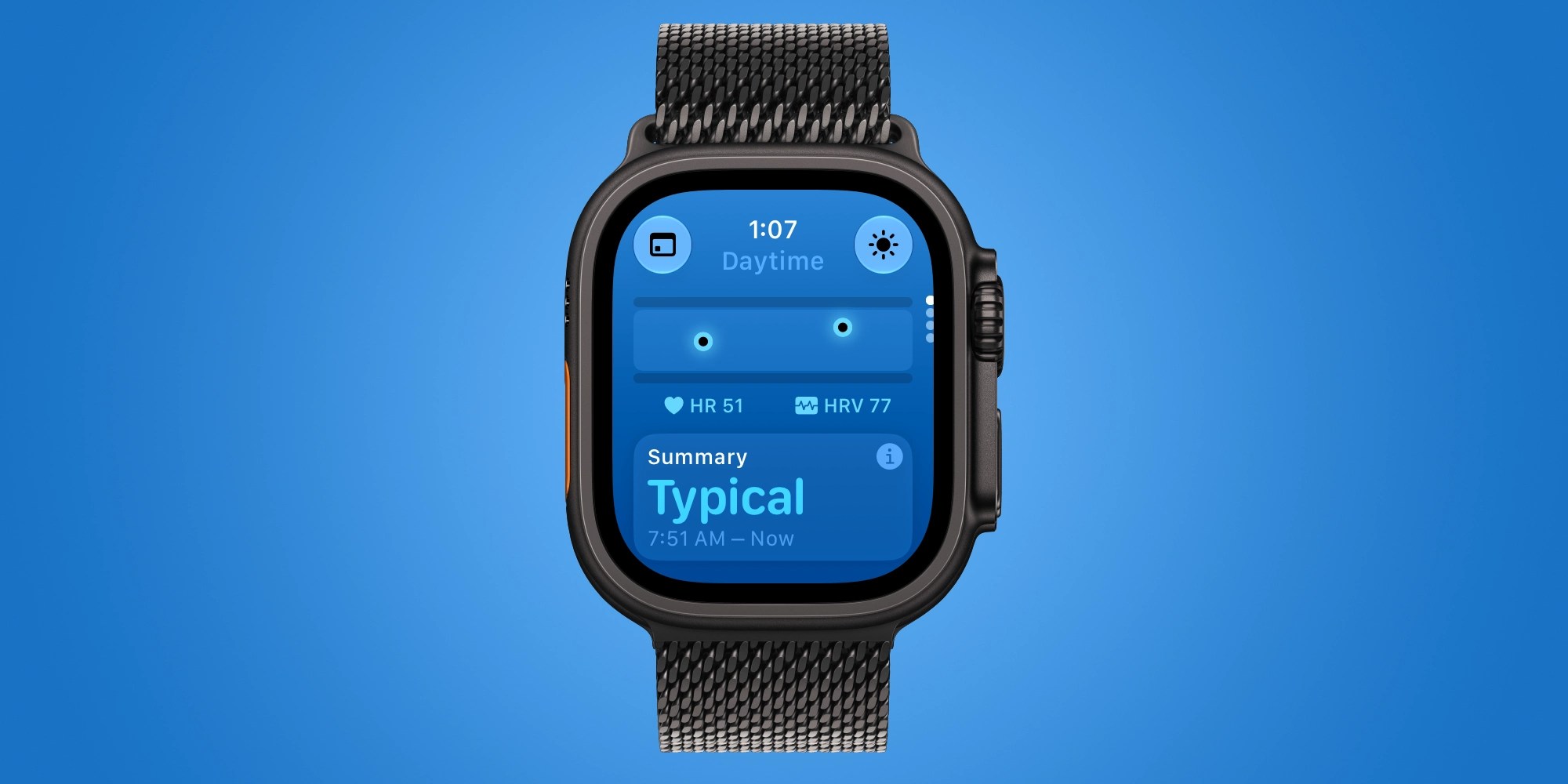
    Lastly, the Vitals app has more insight with Series 12 and Ultra 4 hardware.

    You can see daytime vitals, not just overnight, in the Vitals app. This is based on heart rate and recovery heart rate variability. Overnight vitals also factor respiratory rate and wrist temperature.

    Looking ahead, there’s more to come for Series 12 and Ultra 4 with Siri Recap and Live Rewind on the way.

    What are your favorite ways to get the most out of the new Apple Watch Series 12 and Ultra 4? Share your ideas in the comments.

    Do more with your Apple products

    Apple AirTag 2 | Add Find My tracking to keys, bags, bikes, more

    You’re reading 9to5Mac — experts who break news about Apple and its surrounding ecosystem, day after day. Be sure to check out our homepage for all the latest news, and follow 9to5Mac on Twitter, Facebook, and LinkedIn to stay in the loop. Don’t know where to start? Check out our exclusive stories, reviews, how-tos, and subscribe to our YouTube channel

    Apple News series Upgrade Watch
    Follow on Google News Follow on Flipboard
    Share. Facebook Twitter Pinterest LinkedIn Tumblr Email Copy Link
    myappsplus
    • Website

    Related Posts

    Meta rolling out audio upgrades, turn-by-turn navigation for Ray-Ban smart glasses

    October 5, 2026

    You can unlock a Googlebook’s bootloader, Magisk support in the works

    October 5, 2026

    Apple rolls out the third developer betas of iOS 27.2 and more

    October 5, 2026
    Add A Comment
    Leave A Reply Cancel Reply

    Top Posts

    Can reviews settle disputes that marked first two seasons?

    September 21, 20268 Views

    Experts call for leveraging AI, breaking key tech bottlenecks to propel advanced manufacturing

    September 19, 20266 Views

    What was the PSX? The souped-up PS2 rarely sold outside of Japan

    September 14, 20266 Views
    Latest Reviews

    Orchestration is the new challenge for CX in the age of AI agents

    myappsplusAugust 26, 2026

    iOS 27 reveals Apple TV 4K, HomePod may get powerful new features

    myappsplusAugust 26, 2026

    This Android TV launcher just gave users much more control over their home screen

    myappsplusAugust 26, 2026
    Stay In Touch
    • Facebook
    • YouTube
    • TikTok
    • WhatsApp
    • Twitter
    • Instagram

    Subscribe to Updates

    Get the latest tech news from FooBar about tech, design and biz.

    Most Popular

    This Android TV launcher just gave users much more control over their home screen

    August 26, 20260 Views

    Galaxy S27 leaks reveal a design that Samsung just won’t kill

    August 26, 20260 Views

    Ex-Meta scientists want to bring visual AI to the factory floor

    August 26, 20260 Views
    Our Picks

    Meta rolling out audio upgrades, turn-by-turn navigation for Ray-Ban smart glasses

    October 5, 2026

    You can unlock a Googlebook’s bootloader, Magisk support in the works

    October 5, 2026

    Apple rolls out the third developer betas of iOS 27.2 and more

    October 5, 2026

    Subscribe to Updates

    Subscribe to our newsletter and get the latest tech news, app updates, AI trends, smartphone reviews, and exclusive deals delivered straight to your inbox.

    Facebook X (Twitter) Instagram Pinterest
    • About Us
    • Get In Touch
    • Disclaimer
    • Privacy Policy
    • Terms & Conditions
    © 2026 MyAppsPlus. All Rights Reserved.

    Type above and press Enter to search. Press Esc to cancel.