Close Menu
MyAppsPlus

    Subscribe to Updates

    Get the latest creative news from FooBar about art, design and business.

    What's Hot

    County sees early success with MySantaRosaFL reporting app

    November 25, 2026

    Honor unveils 11.5-inch Android tablet with 8,300mAh battery, 2.5K 120Hz display and fast charging

    November 25, 2026

    We tested 3 of Saatva’s most popular mattress toppers — the Natural Latex is great for softening firm beds, but those with back pain should opt for the Micro-Coil, while the Graphite is ideal for couples

    November 25, 2026
    Facebook X (Twitter) Instagram
    Facebook X (Twitter) Instagram
    MyAppsPlusMyAppsPlus
    Wednesday, November 25
    • Home
    • Breaking Tech
    • Apps & Software
    • AI & Automation
    • Android
    • iPhone & iOS
    • More
      • Reviews
      • How-To Guides
      • Deals & Discounts
      • Shop
    MyAppsPlus
    Home»Breaking Tech»This helpful Apple Watch feature works seamlessly with Apple CarPlay
    Breaking Tech

    This helpful Apple Watch feature works seamlessly with Apple CarPlay

    myappsplusBy myappsplusNovember 25, 2026003 Mins Read
    Share Facebook Twitter Pinterest Copy Link LinkedIn Tumblr Email Telegram WhatsApp
    Follow Us
    Google News Flipboard
    This helpful Apple Watch feature works seamlessly with Apple CarPlay
    Share
    Facebook Twitter LinkedIn Pinterest Email Copy Link

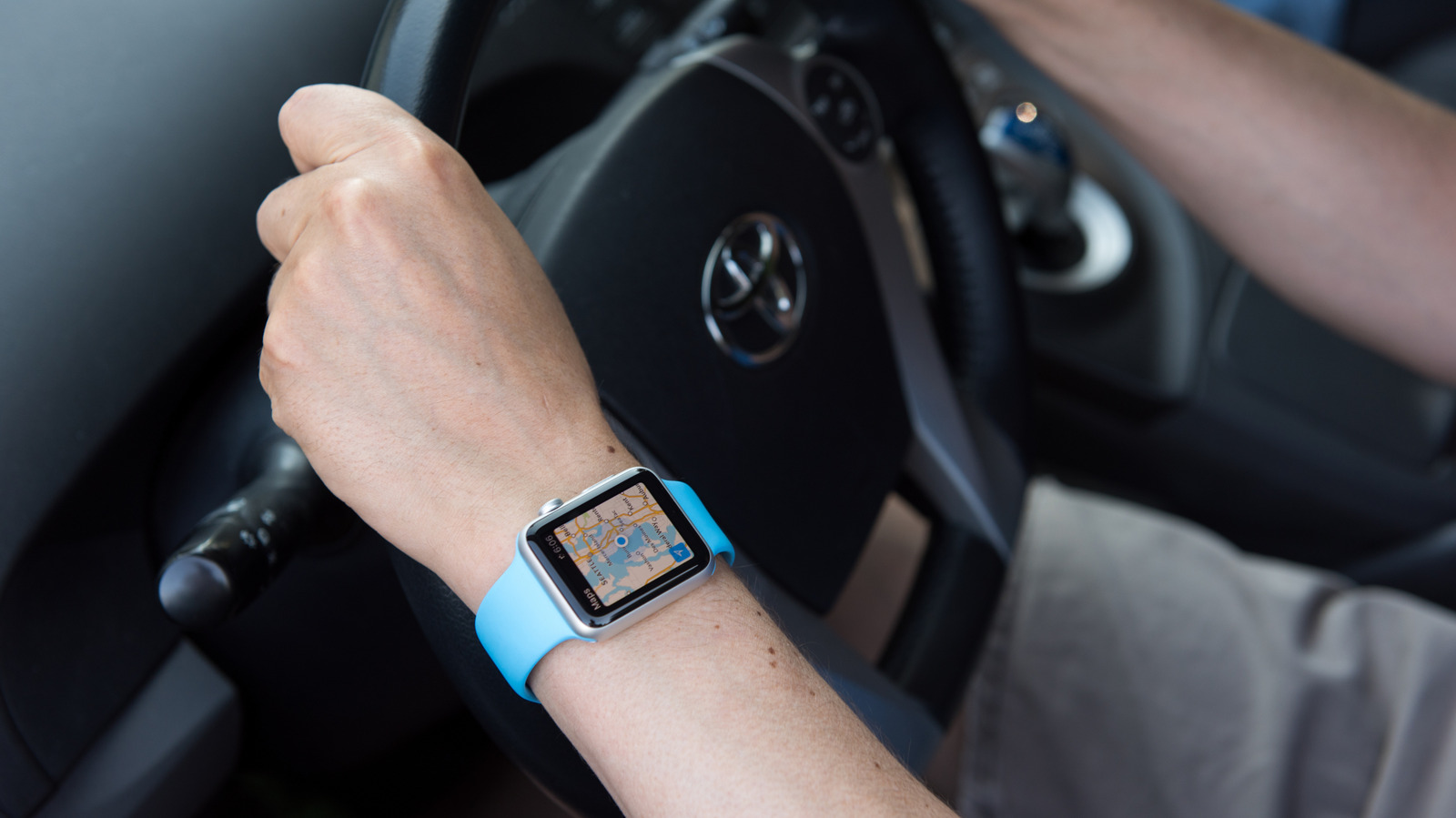
    Some drivers swear by this Apple Watch feature, and it’s probably already switched on.

    We may receive a commission on purchases made from links.

    If you’re deep into the Apple ecosystem, the choice between Apple Maps and Google Maps isn’t as clear-cut as it used to be. The first was initially a disaster, even threatening the lives of Australian drivers due to inaccuracies. Since then, however, Apple has totally overhauled the app, and these days there’s often little to no practical difference — speaking as someone who recently drove cross-country to move to a new city.

    I did prefer Apple Maps for that drive for one big reason: my Apple Watch. I knew that I’d be driving for hours at a time, and it was essential to exploit anything and everything to stay alert. Linked with CarPlay, the Apple Watch offers a distinct advantage in the form of haptic feedback.

    Most likely this option will already be on once you’ve configured your watch. But you can double-check this on your iPhone and turn off the feature if it becomes more of an annoyance than a benefit.

    How your Apple Watch integrates with CarPlay
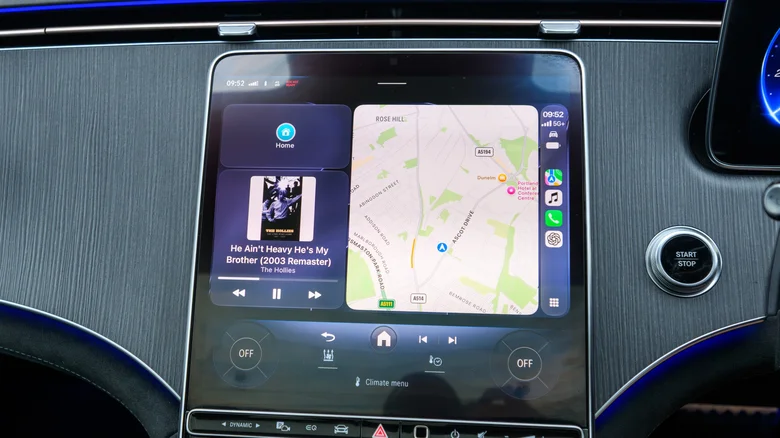
    CarPlay running Apple Maps and Apple Music side-by-side.

    With haptic feedback active, your Apple Watch taps your wrist whenever a turn is imminent. These vibrations coincide with CarPlay’s audio and visual alerts, so it’s always clear what you’re supposed to do. You can even choose different vibration patterns depending on whether you need to turn left or right. This makes it virtually impossible to miss a turnoff; the feature might even be lifesaving if you’re prone to nodding off on long drives.

    As mentioned, these alerts should be on by default. If you want to verify that or disable them, open the Watch app on your iPhone. On the My Watch tab, select Apps, then Maps. If you like, you can toggle alerts for Driving with CarPlay, plus any other driving, walking or cycling.

    Whether or not you disable CarPlay integration, you’ll probably want to leave cycling alerts on. Apple Maps can be handy while riding a bike or a personal electric vehicle such as a scooter or electric unicycle, but it’s sometimes difficult to check your screen and ride at the same time. Audio and haptics may be your only practical cues to make a turn.

    Can you drive with just your Apple Watch?
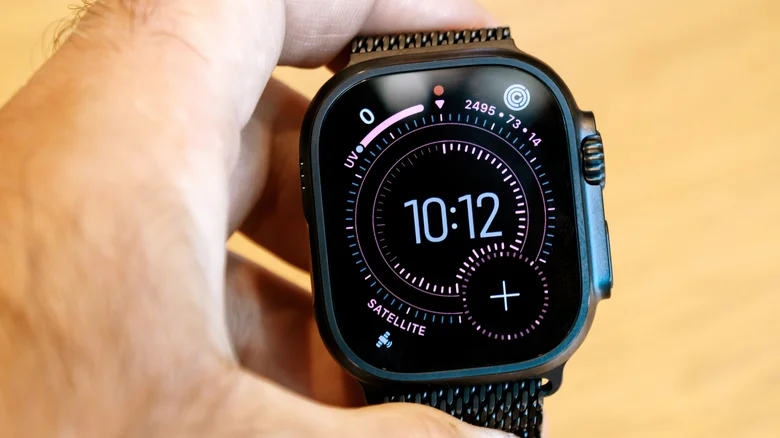
    The Waypoint watchface on an Apple Watch Ultra 3.

    Unfortunately, it’s impossible to run CarPlay exclusively from your Apple Watch. Even the Apple Watch Ultra 4 lacks the necessary horsepower, and CarPlay would be an immense battery drain regardless. Since Apple Watches also lack USB ports, they’d be restricted to wireless CarPlay at best.

    You can get driving directions directly from the watchOS version of Apple Maps. You’ll get the same sort of haptics we’ve been talking about, plus audio and visual guidance. If you don’t have your iPhone, you’ll need to download offline maps or use a watch with an active cellular plan. Many carriers charge extra for smartwatch coverage, even though you’re rarely going to use your watch and phone data at the same time.

    While you can get Google Maps on an Apple Watch, directions won’t work without your iPhone. There’s no watchOS option for offline maps, and Apple Watches are largely restricted to first-party apps while on cellular. These issues may be solved someday, but neither Apple nor Google seems that eager to tackle them.

    Apple feature helpful this Watch
    Follow on Google News Follow on Flipboard
    Share. Facebook Twitter Pinterest LinkedIn Tumblr Email Copy Link
    myappsplus
    • Website

    Related Posts

    I’m an avid Apple TV subscriber — and at half price for Black Friday, I can’t recommend it enough

    November 25, 2026

    Trump reportedly says pardoning Jensen Huang is ‘an option’

    November 25, 2026

    How to watch You Can See Everything online from anywhere – stream Nathan Fielder documentary

    November 25, 2026
    Add A Comment
    Leave A Reply Cancel Reply

    Top Posts

    The pros and cons of using your phone as a mobile hotspot

    November 16, 202648 Views

    UiPath Launches AI Coding Agent, Integrates Claude Code and Codex to Target Development Automation

    November 16, 202646 Views

    Save on your groceries, gas, and holiday shopping with this $15 BJ’s membership (Reg. $60) 

    November 4, 202634 Views
    Latest Reviews

    iPhone price hike ‘better than feared,’ Duo to drive cycle demand

    myappsplusSeptember 11, 2026

    Fairbuds 2 leak gives us an early look at a very different design

    myappsplusSeptember 11, 2026

    Intel says it has already passed a million High-NA EUV wafers – more than the rest of the industry combined

    myappsplusSeptember 11, 2026
    Stay In Touch
    • Facebook
    • YouTube
    • TikTok
    • WhatsApp
    • Twitter
    • Instagram

    Subscribe to Updates

    Get the latest tech news from FooBar about tech, design and biz.

    Most Popular

    Ford CEO hits back at government ‘mistruths’ about China —as its $28K electric truck prepares to take on Slate and Chinese rivals

    September 12, 20260 Views

    Monitoring production agent lifecycle with AWS DevOps Agent and AgentCore Evaluations

    September 12, 20260 Views

    You can still shop these robot vacuums

    September 12, 20260 Views
    Our Picks

    County sees early success with MySantaRosaFL reporting app

    November 25, 2026

    Honor unveils 11.5-inch Android tablet with 8,300mAh battery, 2.5K 120Hz display and fast charging

    November 25, 2026

    We tested 3 of Saatva’s most popular mattress toppers — the Natural Latex is great for softening firm beds, but those with back pain should opt for the Micro-Coil, while the Graphite is ideal for couples

    November 25, 2026

    Subscribe to Updates

    Subscribe to our newsletter and get the latest tech news, app updates, AI trends, smartphone reviews, and exclusive deals delivered straight to your inbox.

    Facebook X (Twitter) Instagram Pinterest
    • About Us
    • Get In Touch
    • Disclaimer
    • Privacy Policy
    • Terms & Conditions
    © 2026 MyAppsPlus. All Rights Reserved.

    Type above and press Enter to search. Press Esc to cancel.