

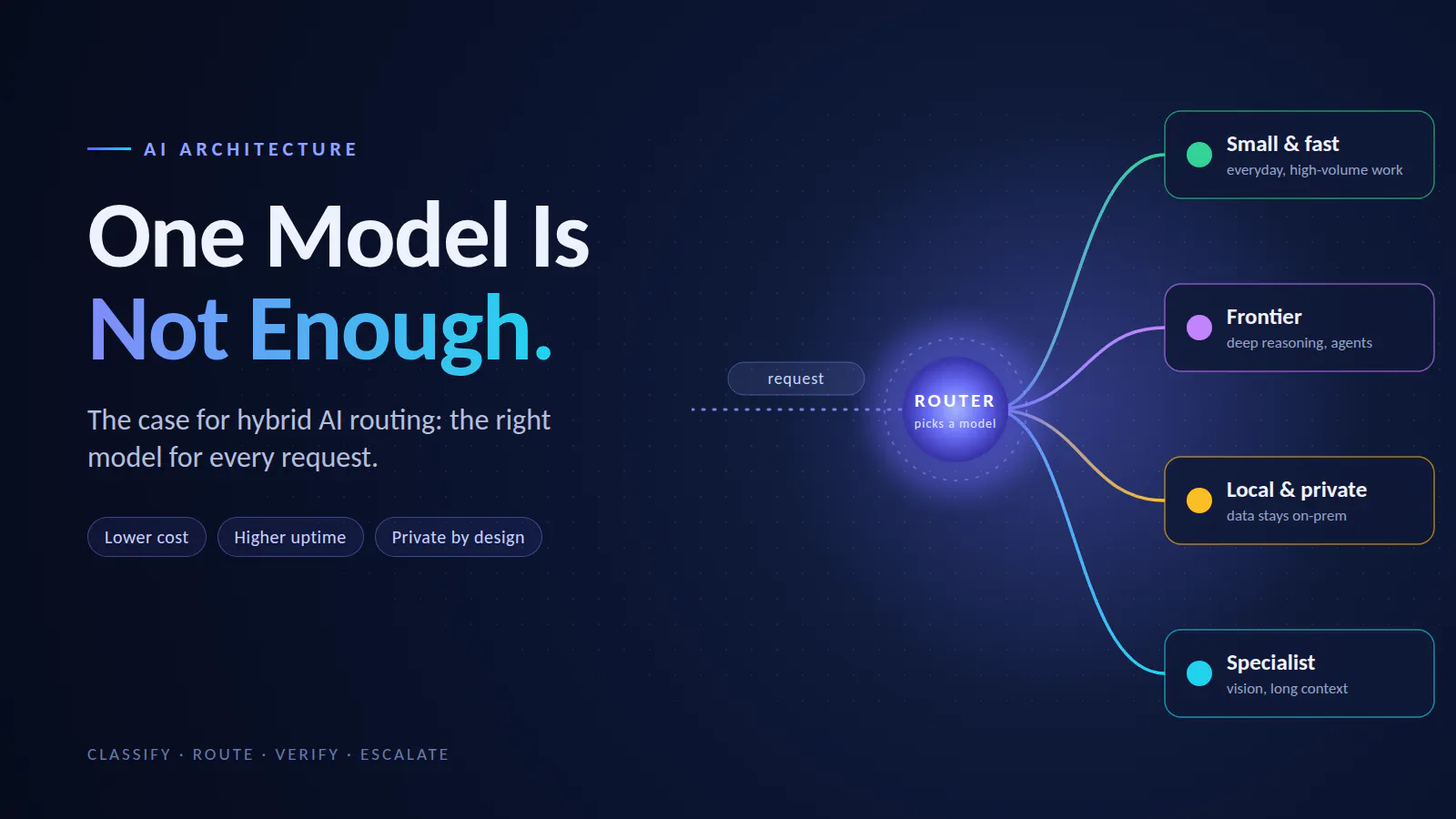
Sending every prompt to one large model is expensive, fragile, and often unnecessary. A hybrid AI router matches each request to the right model: small for simple work, frontier for hard reasoning, local for private data. Here’s how the pattern works, drawn out step by step.
Open the logs of almost any AI product, and you’ll find the same thing. Most requests are routine. Summarize this. Extract that. Classify this ticket. Rewrite this sentence.
Yet many teams route all of it to the most capable, most expensive model they can buy. It works, until the invoice arrives or the provider goes down for an hour.
The fix isn’t a better model. It’s a better system: one that treats models like a team of specialists and assigns each job to the right one.
What is a hybrid AI router?
A hybrid AI router is a decision layer between your application and a pool of language models. For every request, it asks one question: which model should handle this one?
Think of it like a hospital triage desk. Not every patient needs the head surgeon. A nurse handles most cases, specialists see the tricky ones, and the surgeon is reserved for what truly needs one. Everyone gets the right care, and the surgeon isn’t buried in paperwork.
- Complexity: a one-line extraction or a multi-step reasoning task?
- Features: does it need vision, tool calling, or a very long context window?
- Privacy: is this data allowed to leave your network?
- Budget and speed: how much can this request cost, and how fast must it return?
Get those right, and you unlock four benefits at once: lower cost, higher uptime (one provider down doesn’t take you down), better quality (the best model for each task), and no lock-in (new models become a config change, not a rewrite).
The big picture
hybrid router architecture · 4 model pools, 1 escalation loop
Every hybrid router has the same five parts:
- Classifier: reads the request and tags it (task type, difficulty, sensitive data, attachments).
- Model registry: a catalog of every available model, with its strengths, limits, and cost tier.
- Router: combines the tags with the registry and picks a model, or a ranked list of them.
- Model pools: the models themselves, which can come from different providers or run on your own hardware.
- Output check: a quick quality gate. Good answers go to the user. Weak ones escalate to a stronger model.
The registry is the quiet hero. Because models are described in one place, swapping in next quarter’s better model is an edit, not a migration.
How the router decides
The golden rule of routing: hard requirements filter, preferences sort.
routing decision tree · 4 questions, 5 outcomes
The first three questions are non-negotiable. If data is private, no amount of quality justifies sending it to an external API. If there’s an image, a text-only model simply can’t help. If the input is longer than a model’s context window, that model is out.
Only after those filters does the router think about preference. Is this hard enough to justify a frontier model? If not, it lands on the small, fast default. In a well-tuned system, that bottom box is where most of your traffic ends up, and that’s where the savings come from.
In practice, the router returns a ranked list rather than a single model. That small detail makes fallbacks automatic, as we’ll see later.
The model map
If the decision tree feels abstract, flatten it to two questions: how hard is the task? and how sensitive is the data? Every request lands in one of four zones.
model map · complexity × data sensitivity
- The bottom-left zone carries the business. Routine, non-sensitive work is usually the bulk of traffic, so the cheap hosted model should be your default.
- Frontier models earn their price only on the right side. Paying for deep reasoning on a ticket-tagging job is pure waste.
- The top row is a compliance decision, not a cost decision. Regulated or personal data stays on infrastructure you control, whatever it costs.
Where exactly you draw the lines depends on your own evals and your own data policy. The map just keeps the conversation honest.
Teaching the router to read
A router is only as smart as its classifier. Before it can pick a model, it needs to know what kind of request it’s holding. There are three levels of sophistication, and most teams climb them in order.
|
Checks length, attachments, keywords, and patterns like email addresses or ID numbers |
Instant, free, fully predictable |
||
|
A small, cheap model reads the request and returns a label such as “extraction, low difficulty” |
Handles open-ended, messy input |
Adds a little latency and cost per request |
|
|
A lightweight model trained on your own logs predicts whether a request needs a strong model |
Most accurate, tuned to your traffic |
Needs thousands of labeled examples first |
- Combine levels. Rules catch the non-negotiables (sensitive data, images, huge inputs) before anything else runs. The LLM classifier handles the gray areas.
- Never send sensitive data to an external classifier. The privacy check must happen first, on your own infrastructure. A router that leaks data while deciding where to send it has already failed.
Open- a useful shortcut to level 3
Two safety nets: fallbacks and cascades
This is where a hybrid router stops being a cost trick and becomes a reliability upgrade. It has two safety nets, and they solve different problems.
fallback vs cascade · two safety nets
Fallbacks handle infrastructure failures. A provider times out, rate-limits you, or has an outage. The router simply moves to the next model in its ranked list. Your users never notice.
Cascades handle quality failures. The cheap model answered, but the answer looks wrong: it’s empty, it hedges, or it breaks the expected format. The router escalates to a stronger model and tries again.
Cascades come with a warning label. Every escalation costs a second call and adds latency. If your quality check is too strict, everything escalates and your savings vanish. If it’s too loose, bad answers slip through. Start with simple, cheap checks (format, length, refusals) and add a second model as a judge only where you truly need it.
From demo to production
A router that works in a demo can still hurt you in production. These four pillars make it trustworthy.
production pillars · 4 pillars on one gateway
Evals: decide routes with data, not vibes. Build a test set of a few hundred real prompts with known-good answers, and score every model in your registry against it. That’s how you know the small model handles extraction well but stumbles on multi-step math. When a provider ships a new model, re-run the evals and let the results update your routes.
Observability: log every decision. Record the classifier’s tags, the chosen model, latency, cost, and whether it escalated. Tools like Langfuse and Helicone do this out of the box. Those logs later become the training data for a learned router.
Caching: skip the call entirely. Exact-match caching catches repeated prompts. Semantic caching catches near-duplicates like “reset password” and “how do I reset my password?”. The cheapest model call is the one you never make.
Security: govern the gateway. Check for sensitive data before anything leaves your network. Keep API keys in the gateway, not in app code. Set budgets and rate limits per team so one runaway feature can’t drain the account.
Underneath it all sits a single gateway: one interface that speaks to every provider. Open-mean you never write a custom integration per vendor
A rollout plan you can actually follow
Don’t build the whole system on day one. Grow it in phases, and let data decide when to move forward.
rollout roadmap · 5 phases, eval gate between each
The first phase alone pays off. A gateway with two models and automatic fallbacks already protects you from provider outages, even before any smart routing exists. Each later phase adds savings or control, and each one is gated by the same question: do the evals still match the quality of sending everything to one big model?
Conclusion
The “one model to rule them all” era is ending. Models are specializing, prices keep moving, and every provider has bad days. Teams that hardwire a single model into their product pay a premium for fragility.
A hybrid router flips that. It treats models as a ranked, swappable team: cheap where it can be, powerful where it must be, private where it has to be. Every piece can be added one phase at a time, and every phase is measurable.
Start with two models and a fallback. Let your logs and evals show you where to route next. Your users won’t notice the difference. Your finance team will.
