Close Menu
MyAppsPlus

    Subscribe to Updates

    Get the latest creative news from FooBar about art, design and business.

    What's Hot

    How to watch Norway vs Wales: FREE live streams, TV channels & kick-off time for Nations League 2026/27 fixture

    November 14, 2026

    How to use the new remote finding features on the Apple TV 4K (4th gen)

    November 14, 2026

    Give the gift of much more than just audio: These are the best speakers to score this holiday season

    November 14, 2026
    Facebook X (Twitter) Instagram
    Facebook X (Twitter) Instagram
    MyAppsPlusMyAppsPlus
    Saturday, November 14
    • Home
    • Breaking Tech
    • Apps & Software
    • AI & Automation
    • Android
    • iPhone & iOS
    • More
      • Reviews
      • How-To Guides
      • Deals & Discounts
      • Shop
    MyAppsPlus
    Home»Breaking Tech»How to use the new remote finding features on the Apple TV 4K (4th gen)
    Breaking Tech

    How to use the new remote finding features on the Apple TV 4K (4th gen)

    myappsplusBy myappsplusNovember 14, 2026003 Mins Read
    Share Facebook Twitter Pinterest Copy Link LinkedIn Tumblr Email Telegram WhatsApp
    Follow Us
    Google News Flipboard
    How to use the new remote finding features on the Apple TV 4K (4th gen)
    Share
    Facebook Twitter LinkedIn Pinterest Email Copy Link

    few quick steps can help you find your remote before it disappears into the couch cushions.

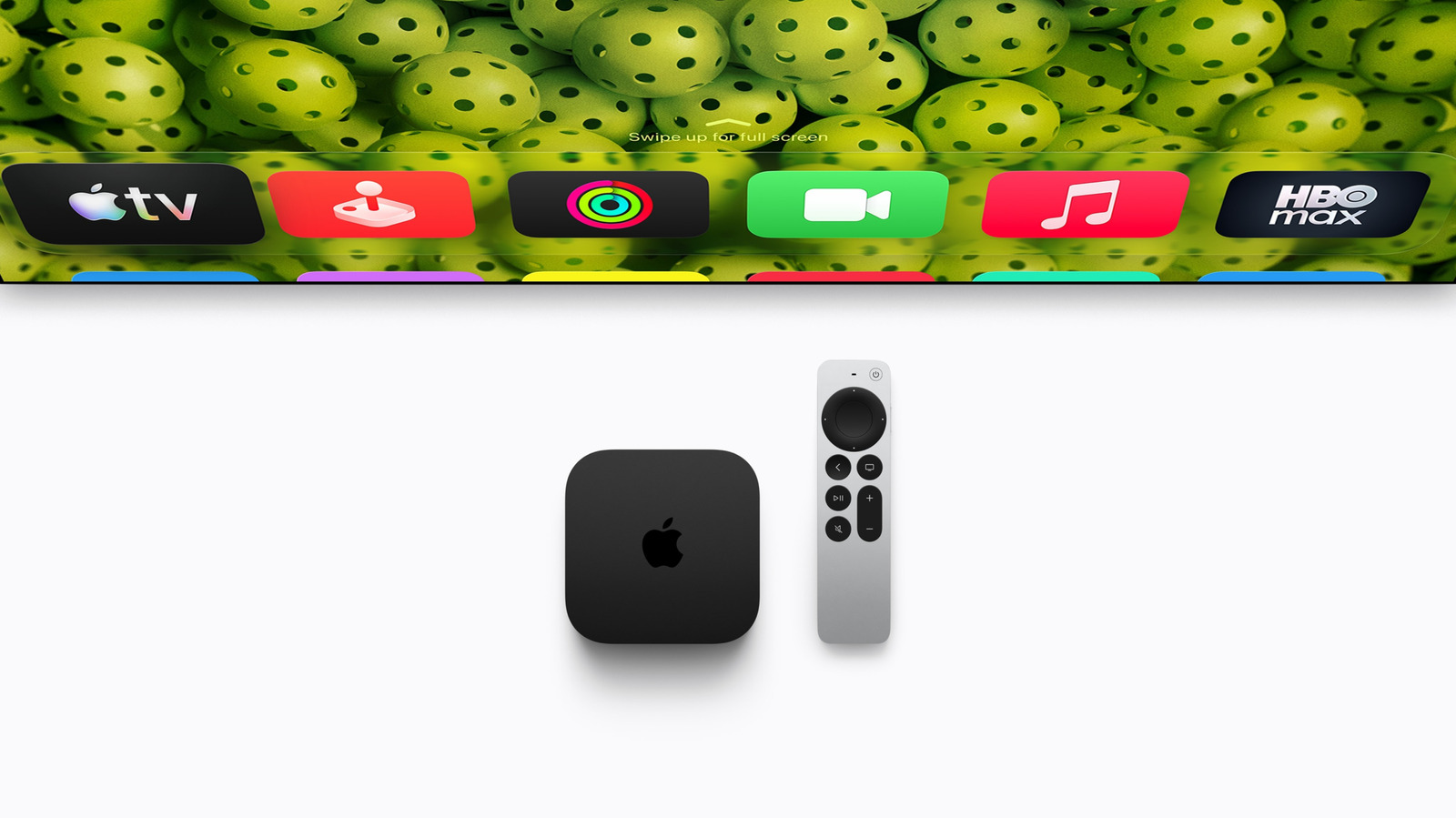
    The tech world is buzzing with anticipation. The new Apple TV 4K (4th generation), released on November 13, 2026, is a premium streaming device that comes with a bevy of new AI and smart home features – and a significantly higher price tag. One of the marquee announcements of Apple’s Welcome Home event, the feature that might have the greatest effect on your day-to-day watching experience comes in the streaming device’s upgraded Siri Remote.

    The biggest selling point of the new remote is its precise Find My feature, which lets viewers pinpoint where the little silver aluminum remote is hiding. Depending on your iPhone model, Precision Finding can point you directly to your lost remote, even if your spouse accidentally leaves it in the bathroom. Like your phone or headphones, the remote can play a sound to help you track it down.

    You can order a new 4th generation Apple TV 4K on Apple’s website for $299, which includes the 4th generation Siri Remote. But if you’re only interested in upgrading your remote, you can do so separately

    The latest Siri Remote, and its Find My feature, is compatible with all four Apple TV 4K streaming boxes, as well as the Apple TV HD. However, Precision Finding requires a compatible iPhone, namely an iPhone Duo, iPhone Air, or iPhone 17 or later. Unfortunately, the economical iPhone 17e is excluded from the list.

    Finding your Apple TV 4K remote
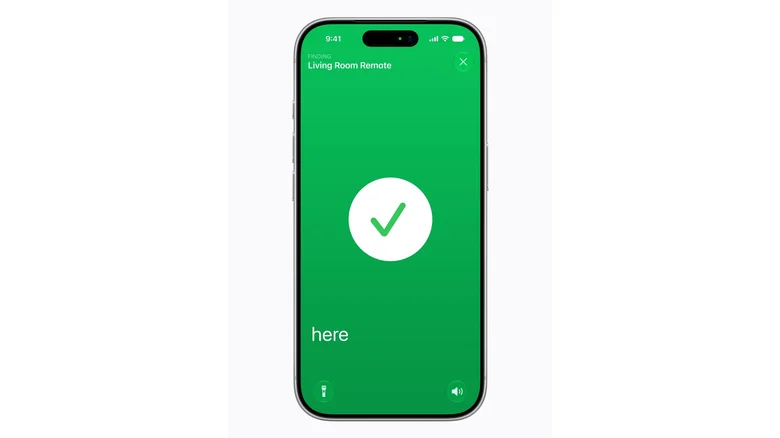
    An iPhone screen shows the bright green Find My app, with a checkmark noting that the user's remote is "here."

    If you have Siri AI turned on for your Apple TV 4K, you can activate your remote’s Find My sound by saying “Where’s my remote?” Apple’s fine print states that the feature “requires the owner of the home in the Home app to have an Apple Intelligence–enabled iPhone or iPad running the latest software version and have Siri AI turned on and set to a supported language.”

    You can also use the Find My app on your iPhone to track down your lost remote. However, you need to update your iPhone to iOS 27.2 or later and be signed in on your Apple TV 4K as either the default profile or a member of a family group connected to it. If Siri AI is turned on for your iPhone, you can say, “Siri, where’s my remote?” to trigger the sound and Precision Finding.

    To use the Find My app on your phone, open the app, then tap Devices > the remote name > Find. If you have trouble finding the remoterent directions to help establish a connection with your lost remote

    As a reminder, the Precision Finding feature is only available on iPhone Air, iPhone Duo or iPhone 17 or later. Earlier iPhones will simply show your remote is either “near,” “far” or “here,” depending on proximity. Once found, simply tap the X.

    Apple Features finding remote
    Follow on Google News Follow on Flipboard
    Share. Facebook Twitter Pinterest LinkedIn Tumblr Email Copy Link
    myappsplus
    • Website

    Related Posts

    5 TVs with deep discounts before Black Friday even started

    November 14, 2026

    Early Black Friday Apple deals: AirPods, AirTag 2, MacBook Air, Apple Pencil, Mac mini, more

    November 14, 2026

    How I freed up 36GB on my Android phone without deleting a single photo

    November 14, 2026
    Add A Comment
    Leave A Reply Cancel Reply

    Top Posts

    Save on your groceries, gas, and holiday shopping with this $15 BJ’s membership (Reg. $60) 

    November 4, 202629 Views

    Google’s new AI shopping cart tracks deals across stores

    October 25, 202625 Views

    Apple is making Creator Studio an even better deal with new AI features and creative tools

    October 28, 202623 Views
    Latest Reviews

    Grab the compact Anker 13-in-1 Nano laptop dock for just $112

    myappsplusSeptember 8, 2026

    How to watch Porto vs Man City: Live Streams & TV Channels for Champions League 2026/27

    myappsplusSeptember 8, 2026

    Logitech Releases the Developer-Focused MX Keypad for AI Automation

    myappsplusSeptember 8, 2026
    Stay In Touch
    • Facebook
    • YouTube
    • TikTok
    • WhatsApp
    • Twitter
    • Instagram

    Subscribe to Updates

    Get the latest tech news from FooBar about tech, design and biz.

    Most Popular

    Eight Microsoft Office apps are yours for just $30 with this lifetime deal (Reg. $220)

    September 8, 20260 Views

    What is Roku’s secret menu and how do you unlock it?

    September 8, 20260 Views

    TrendForce: Apple produced 52 million iPhones in Q2

    September 8, 20260 Views
    Our Picks

    How to watch Norway vs Wales: FREE live streams, TV channels & kick-off time for Nations League 2026/27 fixture

    November 14, 2026

    How to use the new remote finding features on the Apple TV 4K (4th gen)

    November 14, 2026

    Give the gift of much more than just audio: These are the best speakers to score this holiday season

    November 14, 2026

    Subscribe to Updates

    Subscribe to our newsletter and get the latest tech news, app updates, AI trends, smartphone reviews, and exclusive deals delivered straight to your inbox.

    Facebook X (Twitter) Instagram Pinterest
    • About Us
    • Get In Touch
    • Disclaimer
    • Privacy Policy
    • Terms & Conditions
    © 2026 MyAppsPlus. All Rights Reserved.

    Type above and press Enter to search. Press Esc to cancel.