

Turns out, you can rewrite history. Well, a chatbot’s understanding of your personal history, anyway.
Since the summer of 2025, Claude has had the ability to remember past conversations. This feature — which Anthropic, like other AI labs, calls memory — allows the chatbot to personalize its responses and save you the hassle of repeating context for it. By default, memory is enabled for all Claude users, including those with free accounts, and following a recent update allows the chatbot to carry over its memory across both chats and Claude Cowork sessions. In recent weeks, Anthropic has also been rolling out more granular controls that give users the ability to edit the specific topics Claude remembers. Here’s how you can edit what Claude remembers about you.
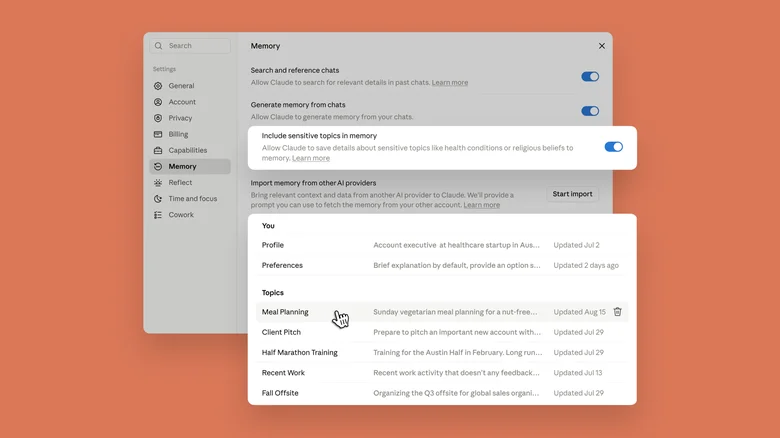
Claude organizes its memory around specific topics. The easiest way to edit those topics is from the chatbot’s web client, accessible
- Select Settings from the profile page menu.
- Click Memory.
- Scroll down and find the Topics section.
- Press the Edit icon to modify a memory, or the Delete icon to remove a topic from Claude’s memory.
- If you’re editing a memory, use the prompt bar to describe what Claude should change.
On mobile, follow these steps instead:
- Tap the profile icon to access the Settings menu.
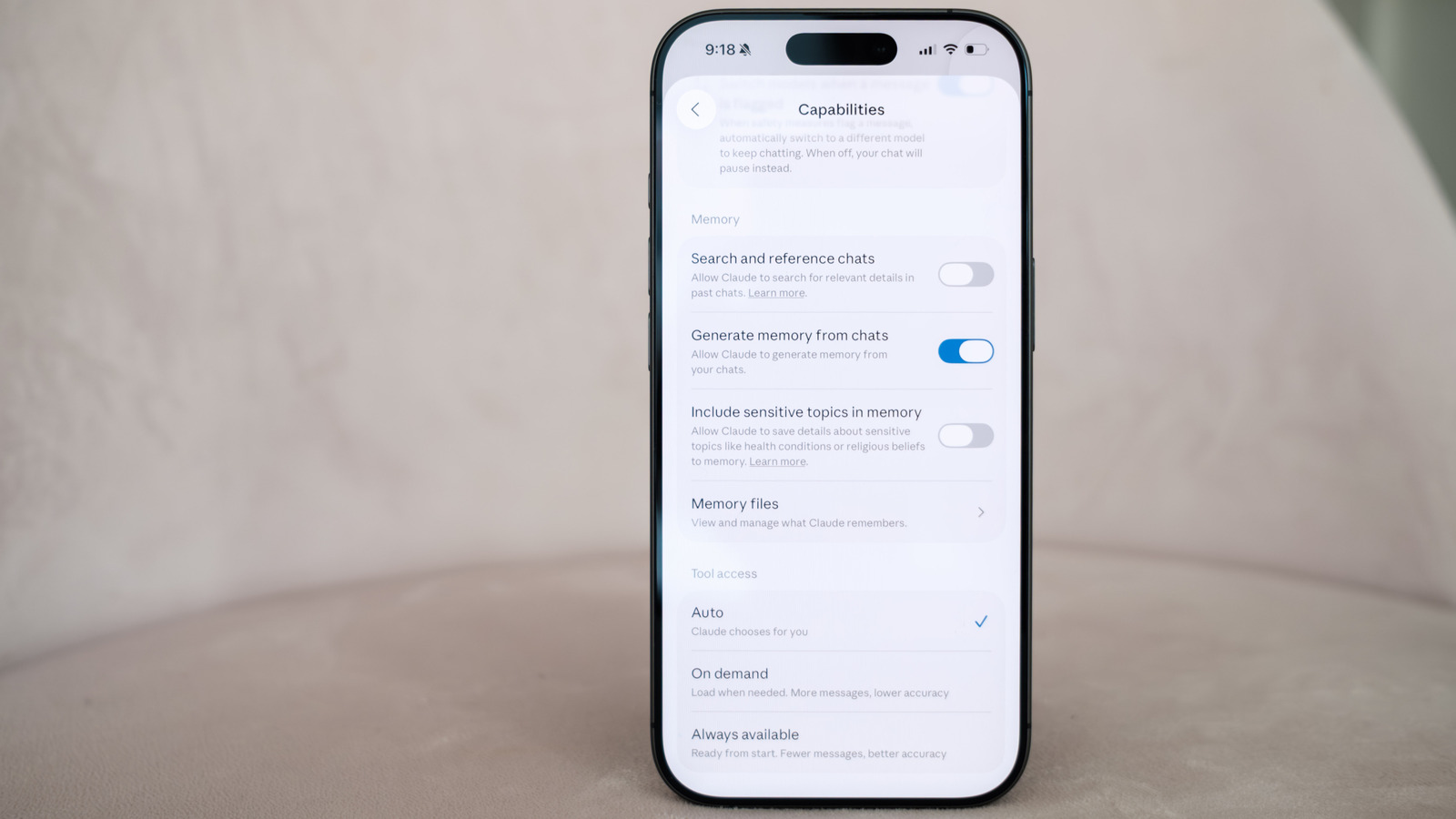
- Under the App section, select Capabilities.
- Scroll down and tap Memory files.
- Select a topic.
- If you want to edit a memory, use the prompt bar to describe what Claude should change. Tap the trash icon to delete a memory instead.
Following Claude’s latest memory update, Anthropic added an option called Include sensitive topics in memory. By default, Claude won’t save memories related to subjects like your health, race, ethnicity, religious beliefs, politics or gender identity. By enabling the new option, it will begin recording more sensitive information. Each time Claude generates a memory related to a sensitive subject, you will see a notice. According to Anthropic, “if you’re using an older version or the mobile app, you will not see this notice, and Claude won’t save the sensitive topic to its memory.”
The chatbot won’t retroactively save past conversations, and some information, such as government ID numbers, Claude will never save, even with Include sensitive topics in memory enabled.
As mentioned above, by default Claude will automatically generate memories for all users. You can disable this feature by toggling off Generate memory from chats. From there, Anthropic gives you two options: Pause memory or Reset memory. The company warns the latter cannot be undone. “Upon re-enabling the feature, you’ll start from scratch, and Claude will not have its previous memory,” Anthropic notes.
How Claude’s memory works in projects
One wrinkle worth noting is that Anthropic silos Claude’s memory in projects so that the chatbot’s context window doesn’t get overwhelmed with information that isn’t relevant to your current task. You can shape Claude’s memory in projects by adding comments, documents and information from GitHub through the right side of the interface. At the end of each day, Claude will generate a summary of the work it’s done for you, which you can edit from the same interface.
If you accidentally prompt Claude outside of a project, click or tap the three dots icon and select Add to project to properly sort the conversation. If you want Claude to remember something specific across every tool you can interact with, including projects, you can add that information to the Profile section of Memory menu.
Some additional tips

If at any point you want to temporarily avoid the possibility of Claude writing something to its memory, you can switch the chatbot to Incognito mode by clicking or tapping the ghost icon on the top right of the interface. “Incognito chats aren’t saved, added to memory, or used to train models,” Anthropic explains.
In March, Anthropic added an import tool to make it easier for people to bring their conversations from other chatbots over to Claude. Engadget has a full guide on how to export your chats to Claude, but here I’ll mention that you can select Start import next to Import memory from other AI providers to get that process started.
