Close Menu
MyAppsPlus

    Subscribe to Updates

    Get the latest creative news from FooBar about art, design and business.

    What's Hot

    NC election results could be delayed an hour after minor tech delays

    November 3, 2026

    Xiaomi 18 Pro Series Is Going Global in November

    November 3, 2026

    ’90s Disney collection, Apocalypse Now, 1917, 20-movie bundles, more

    November 3, 2026
    Facebook X (Twitter) Instagram
    Facebook X (Twitter) Instagram
    MyAppsPlusMyAppsPlus
    Tuesday, November 3
    • Home
    • Breaking Tech
    • Apps & Software
    • AI & Automation
    • Android
    • iPhone & iOS
    • More
      • Reviews
      • How-To Guides
      • Deals & Discounts
      • Shop
    MyAppsPlus
    Home»Android»Gemini app for macOS adding send and read iMessage integration
    Android

    Gemini app for macOS adding send and read iMessage integration

    myappsplusBy myappsplusSeptember 19, 2026012 Mins Read
    Share Facebook Twitter Pinterest Copy Link LinkedIn Tumblr Email Telegram WhatsApp
    Follow Us
    Google News Flipboard
    Gemini app for macOS adding send and read iMessage integration
    Share
    Facebook Twitter LinkedIn Pinterest Email Copy Link

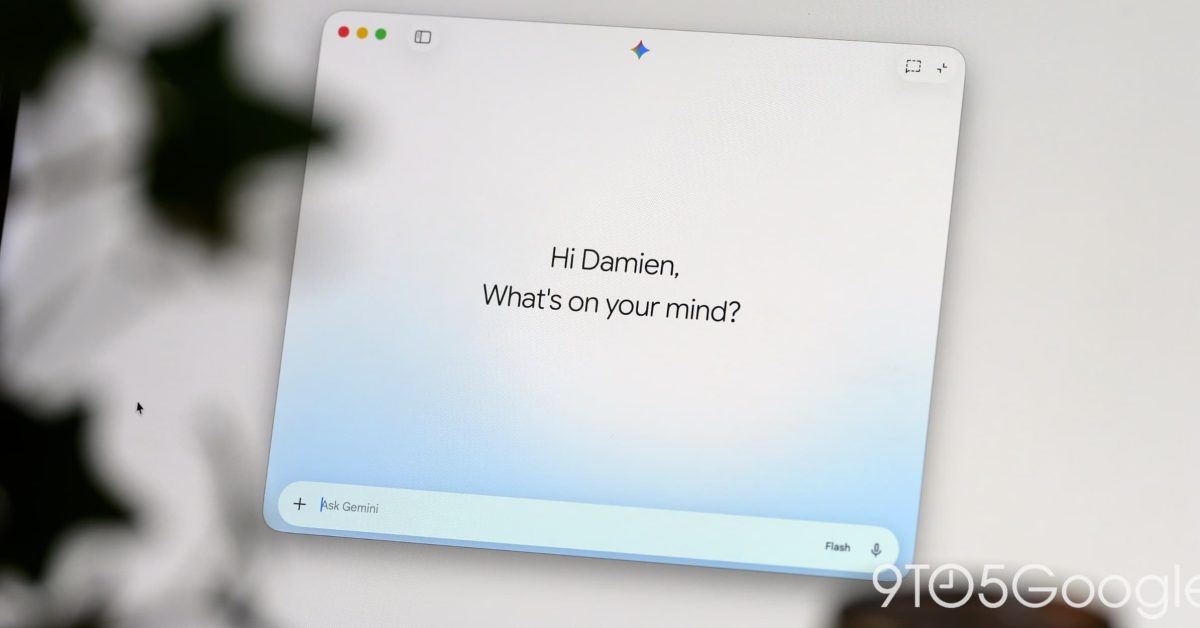
    Google’s latest update to the Gemini app for macOS readies local iMessage integration. This follows the app coming to Windows last week.

    Gemini’s latest Connected App on the Mac is @messages to “Read, search, and send messages in Apple Messages.” Specifically, the integration can:

    • Send messages to contacts or phone numbers
    • Read recent conversations, unread messages, and search message history

    This will aid context by being able to look up information from conversations. Example prompts include:

    • Send a message to John: “Running 5 minutes late!”
    • Show my recent messages from Sarah
    • Search Messages for dinner reservations

     In terms of limitations, Gemini cannot:

    • Manage group participant membership or change group chat photos
    • Schedule messages for future delivery or edit sent messages
    • Send file, photo, or media attachments (plain text messages only)
    • Send tapback reactions (love, like, dislike, laugh, emphasize, question)
    • Generate photos or images within automated task workflows

    This integration appears in Settings > Connected Apps at the very bottom after updating to version 1.116.5.889 of Gemini for macOS. However, as of this afternoon, a server-side component appears to be missing, with @messages not yet recognized in the prompt box.

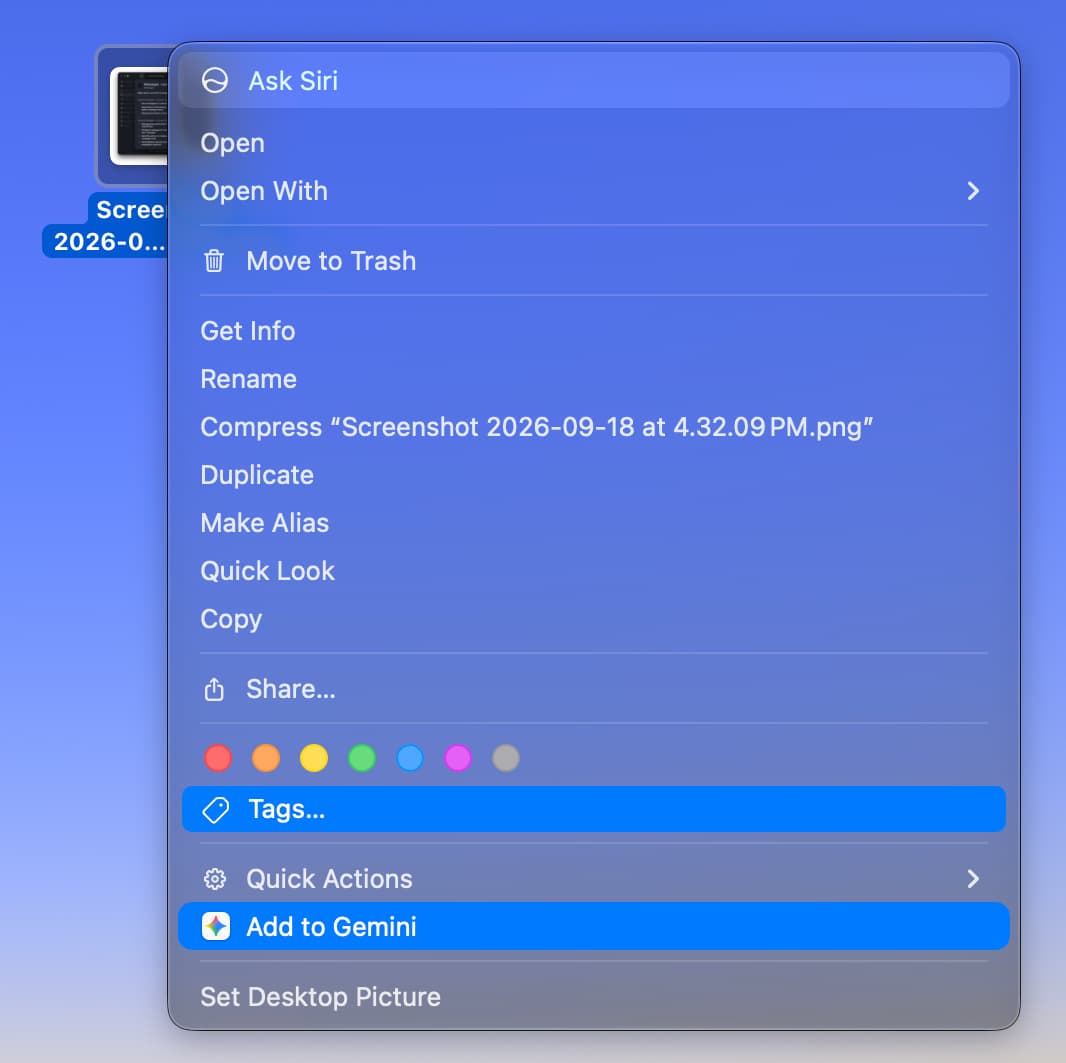
    Recent updates to Gemini for macOS introduced a File Providers extension that shows “Add to Gemini” when you right-click on a file in Finder. This immediately adds the photo or document to the prompt box. It can be enabled in Settings > Extensions. Google also added Images, Videos, and Daily Brief to the side panel.

    More on Gemini app:

    • Gemini 3.8 Live Extended Thinking powers Gemini Live, Gmail, & Keep
    • Gemini app makes Daily Brief free in the US
    • Gemini for macOS rolling out voice control and Gboard Rambler-level transcription

    You’re reading 9to5Google — experts who break news about Google and its surrounding ecosystem, day after day. Be sure to check out our homepage for all the latest news, and follow 9to5Google on Twitter, Facebook, and LinkedIn to stay in the loop. Don’t know where to start? Check out our exclusive stories, reviews, how-tos, and subscribe to our YouTube channel

    adding Gemini macOS News send
    Follow on Google News Follow on Flipboard
    Share. Facebook Twitter Pinterest LinkedIn Tumblr Email Copy Link
    myappsplus
    • Website

    Related Posts

    Save $110 on Baseus Spacemate RD1 Plus 14-in-1 dock with this code

    November 3, 2026

    iPhone 18 will have two upgrades inspired by ‘Pro’ models, per leak

    November 3, 2026

    Google confirms something was draining Pixel Watch batteries, fix rolling out

    November 3, 2026
    Add A Comment
    Leave A Reply Cancel Reply

    Top Posts

    Cathay Pacific tests Google AI that dramatically cuts airplane contrails — tiny altitude shifts slash environmental impact by 40% in early trials

    September 8, 2026137 Views

    Liene PixCut S1 Photo Printer and Sticker Cutter Review

    October 31, 202617 Views

    Apple is making Creator Studio an even better deal with new AI features and creative tools

    October 28, 202617 Views
    Latest Reviews

    OpenAI warns about how good Astra model is at cracking cybersecurity, releases it anyway because it took ‘years of research and big bets’

    myappsplusSeptember 4, 2026

    Hands-on with Baseus’ tiny PicoGo Pro – a sleek 100W smart display charger for your new Dark Cherry iPhone 18 Pro [Deal]

    myappsplusSeptember 4, 2026

    Judge blocks X rival from using Twitter name, but allows ‘Tweet’ for now

    myappsplusSeptember 4, 2026
    Stay In Touch
    • Facebook
    • YouTube
    • TikTok
    • WhatsApp
    • Twitter
    • Instagram

    Subscribe to Updates

    Get the latest tech news from FooBar about tech, design and biz.

    Most Popular

    This week’s Apple deals for Labor Day: AirPods Pro 3, Studio Display, AirTag 2, Mac mini, more from $5.50

    September 4, 20260 Views

    Beatbot’s Labor Day Sale drops 2026 Sora 70 5-in-1 robotic pool cleaner to $1,099 ($400 off), more from $339

    September 4, 20260 Views

    iPhone Ultra, iPhone 18 Pro, and More: Apple’s September 9 Event Preview

    September 4, 20260 Views
    Our Picks

    NC election results could be delayed an hour after minor tech delays

    November 3, 2026

    Xiaomi 18 Pro Series Is Going Global in November

    November 3, 2026

    ’90s Disney collection, Apocalypse Now, 1917, 20-movie bundles, more

    November 3, 2026

    Subscribe to Updates

    Subscribe to our newsletter and get the latest tech news, app updates, AI trends, smartphone reviews, and exclusive deals delivered straight to your inbox.

    Facebook X (Twitter) Instagram Pinterest
    • About Us
    • Get In Touch
    • Disclaimer
    • Privacy Policy
    • Terms & Conditions
    © 2026 MyAppsPlus. All Rights Reserved.

    Type above and press Enter to search. Press Esc to cancel.