Close Menu
MyAppsPlus

    Subscribe to Updates

    Get the latest creative news from FooBar about art, design and business.

    What's Hot

    A new startup wants to fix the military’s working-dog shortage with cloning and gene editing

    October 23, 2026

    7 iPhone Duo Apps That Take Full Advantage of the New Foldable Phone

    October 23, 2026

    Quordle hints and answers for Saturday, October 24 (game #1734)

    October 23, 2026
    Facebook X (Twitter) Instagram
    Facebook X (Twitter) Instagram
    MyAppsPlusMyAppsPlus
    Friday, October 23
    • Home
    • Breaking Tech
    • Apps & Software
    • AI & Automation
    • Android
    • iPhone & iOS
    • More
      • Reviews
      • How-To Guides
      • Deals & Discounts
      • Shop
    MyAppsPlus
    Home»Android»Gemini for Android rolls out side panel and settings redesign
    Android

    Gemini for Android rolls out side panel and settings redesign

    myappsplusBy myappsplusOctober 23, 2026002 Mins Read
    Share Facebook Twitter Pinterest Copy Link LinkedIn Tumblr Email Telegram WhatsApp
    Follow Us
    Google News Flipboard
    Gemini for Android rolls out side panel and settings redesign
    Share
    Facebook Twitter LinkedIn Pinterest Email Copy Link

    Following the Spark-to-Task update, the Gemini app has now rolled out redesigns of the side panel and settings on Android.

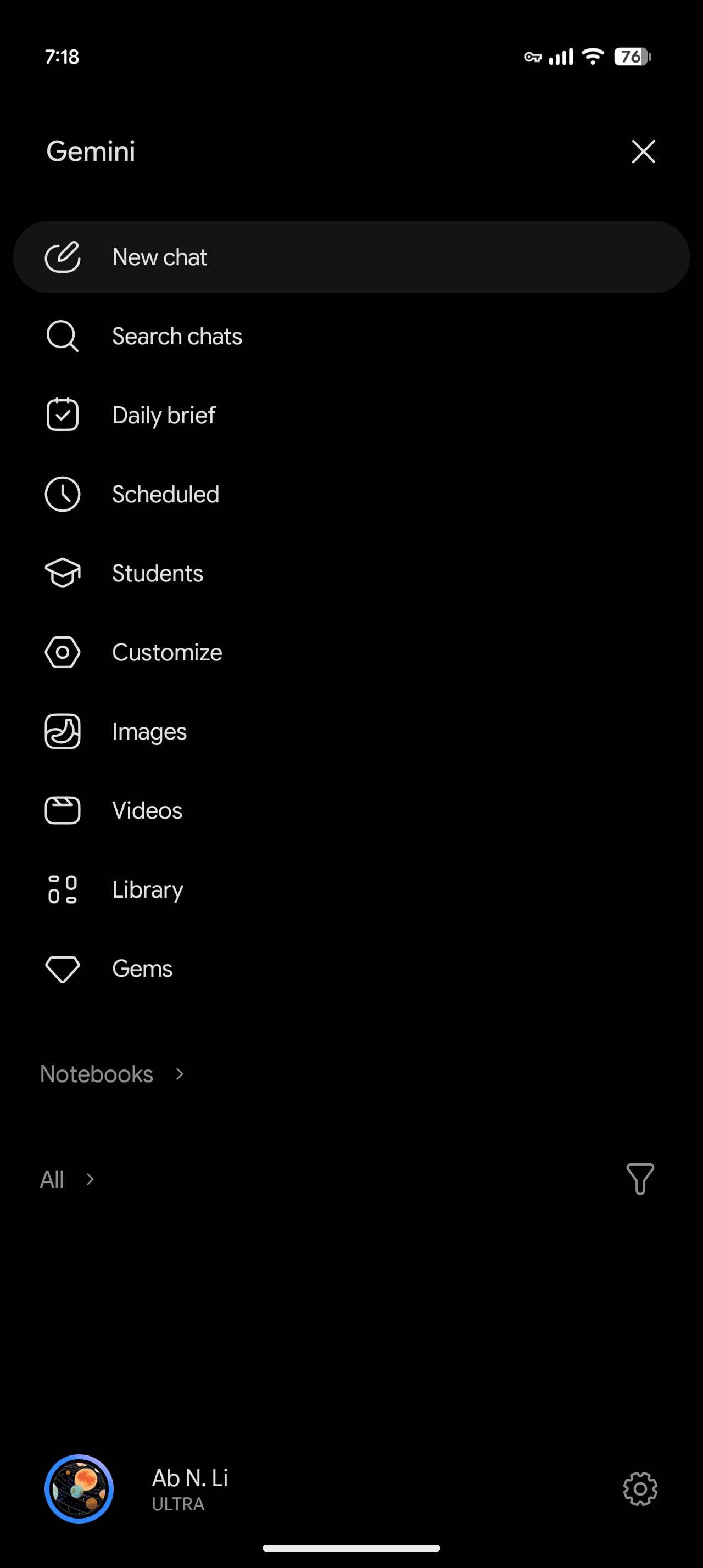
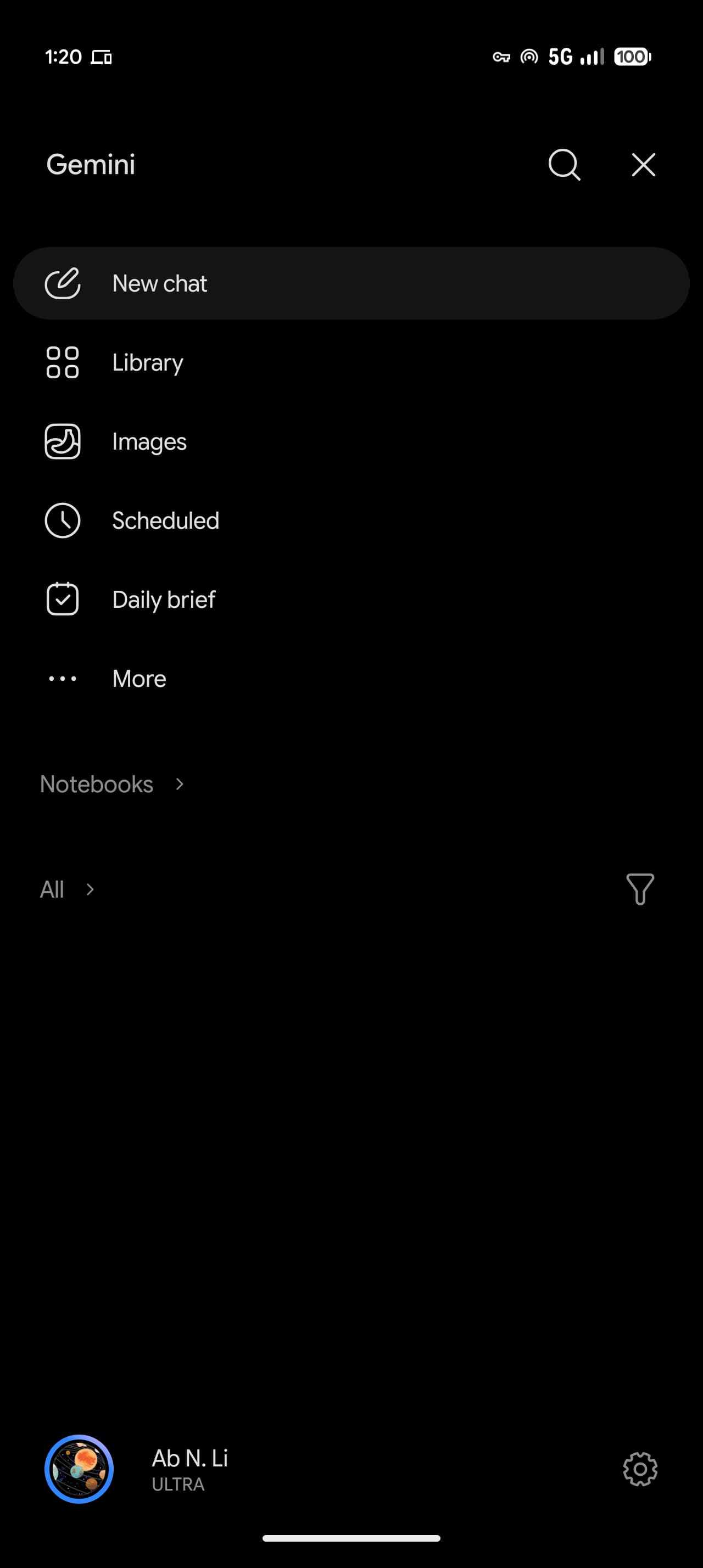
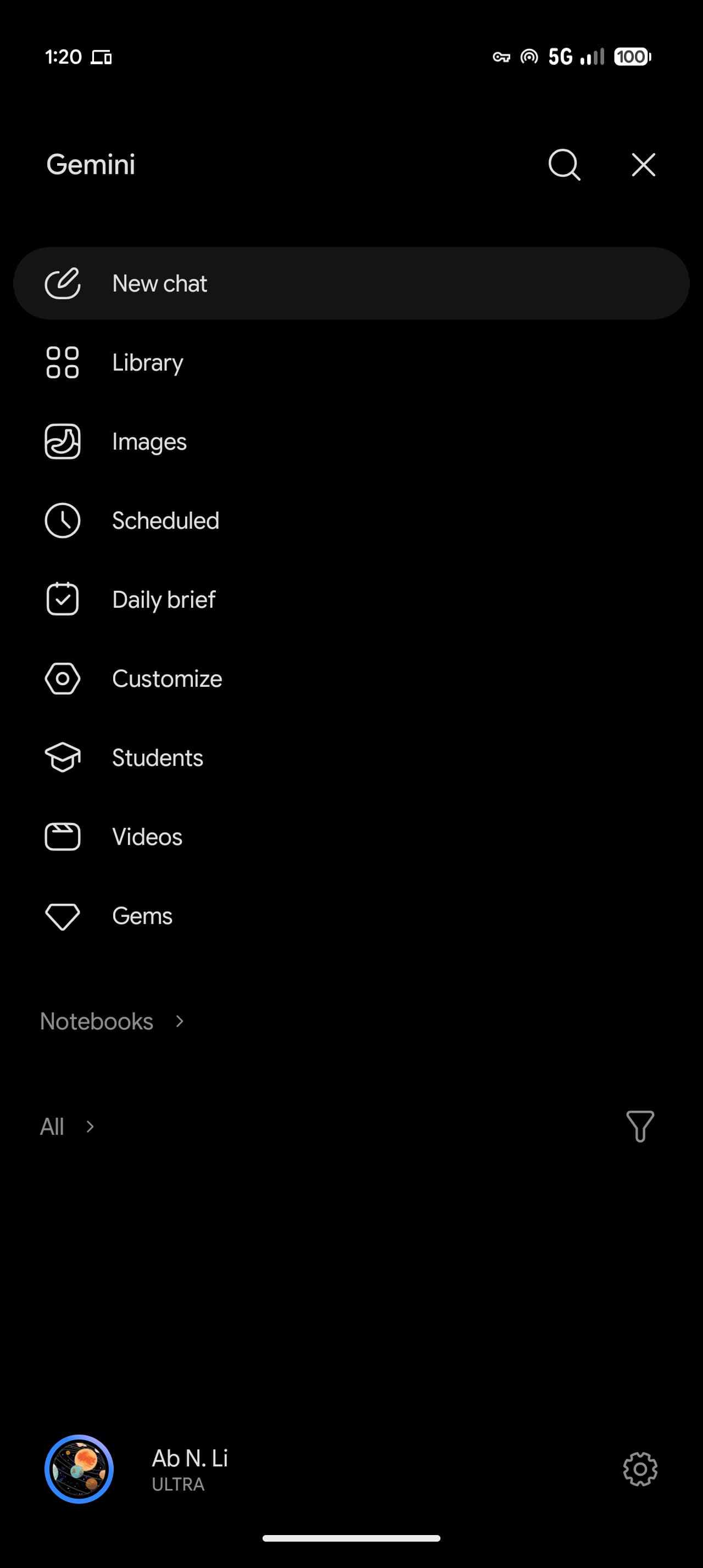
    This revamp starts with Google moving search to the top-right corner. The first item in the list remains New chat, with Library appearing next instead of being located near the bottom. 

    To avoid cluttering the navigation drawer while still allowing you to view recent chats, Gemini displays only five items before making use of “More,” which expands the list upon tapping. With an AI Ultra subscription, the full list is as follows: New chat, Library, Images, Scheduled, Daily brief, Customize, Students, Videos, and Gems.

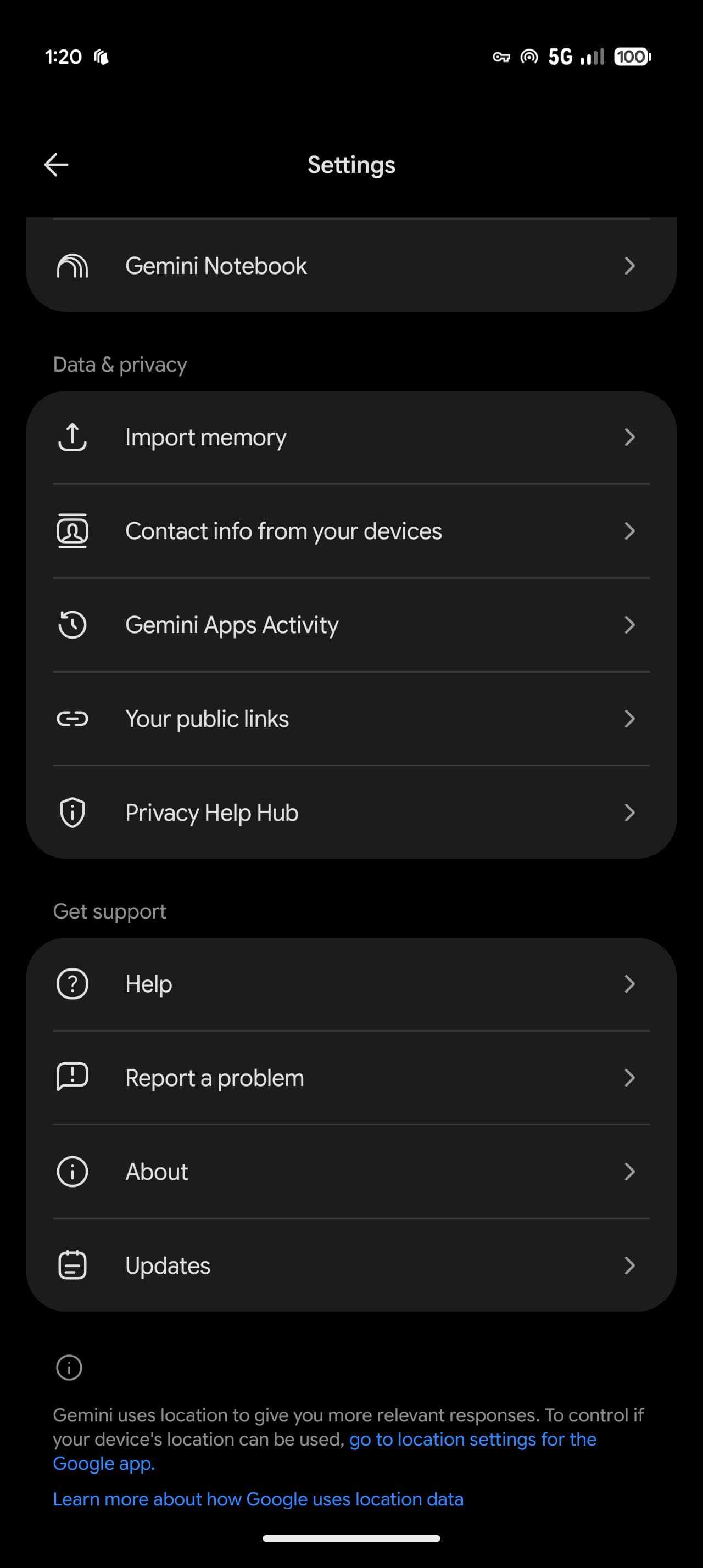
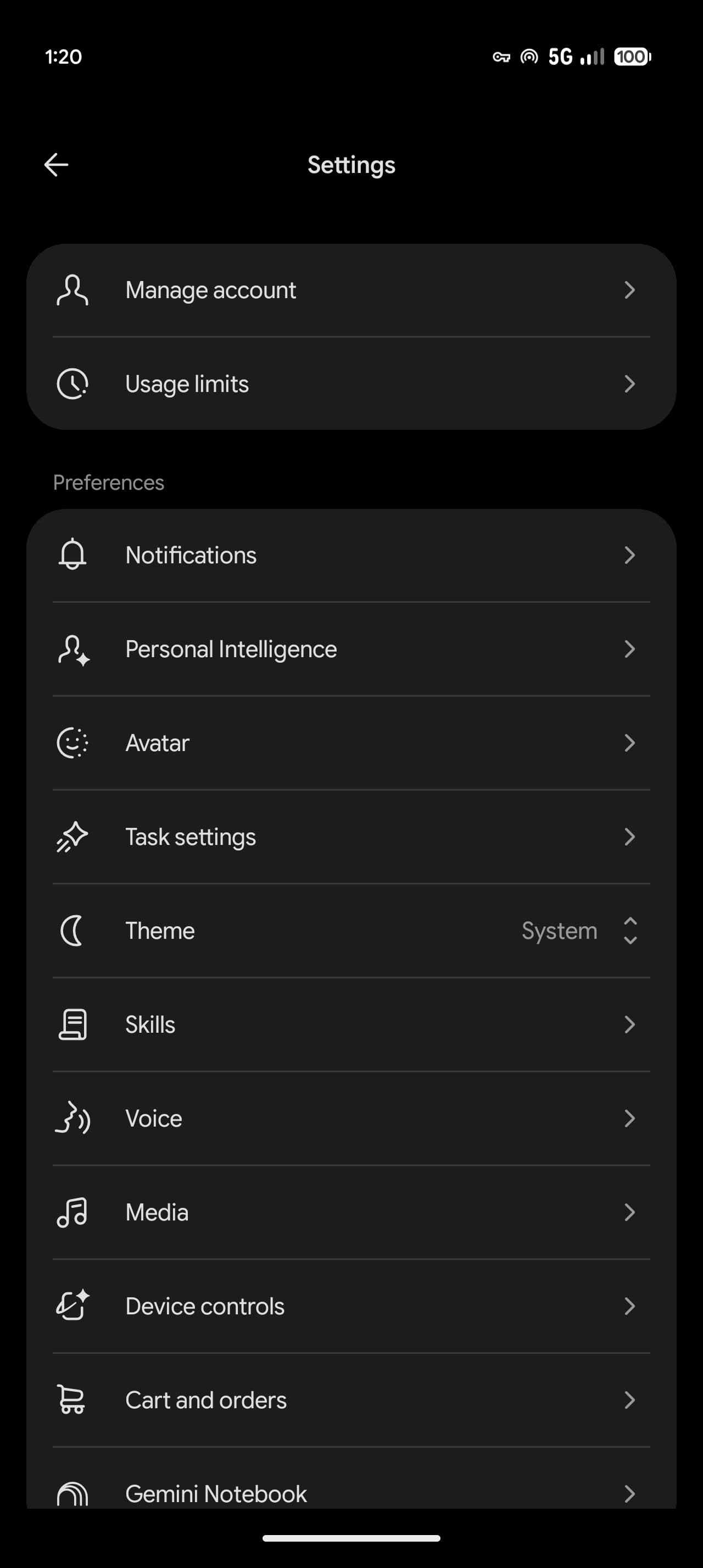
    Meanwhile, the Gemini app is revamping settings. Instead of having preferences split between the account menu and “Gemini Settings,” Google has consolidated everything into one page. The account menu is now just for switching accounts, leaving Feedback, or getting Help.

    The “Settings” page starts with Manage account and Usage limits. Under Preferences, you’ll find Notifications, Personal Intelligence, Avatar, Task settings, Theme (new), Skills, Voice, Media, Device controls, Cart and orders, and Gemini Notebook. There are two other sections:

    • Data & privacy: Import memory, Contact info from your devices, Gemini Apps Activity, Your public links, and Privacy Help Hub.
    • Get support: Help, Report a problem, About, and Updates.

    The updated side panel and settings rolled out to iOS, macOS, and the web app last week with the launch of Gemini 4 Argon. We’re now seeing wide availability on Android following a server-side update.

    More on Gemini app:

    • Gemini Notebook now available as Connected App for deeper integration 
    • Free Gemini users now on ‘Auto’ models as app adds thinking levels
    • Gemini app gains new ‘Map’ tool, replacing ‘/’ with ‘@’

    You’re reading 9to5Google — experts who break news about Google and its surrounding ecosystem, day after day. Be sure to check out our homepage for all the latest news, and follow 9to5Google on Twitter, Facebook, and LinkedIn to stay in the loop. Don’t know where to start? Check out our exclusive stories, reviews, how-tos, and subscribe to our YouTube channel

    Android Gemini News rolls side
    Follow on Google News Follow on Flipboard
    Share. Facebook Twitter Pinterest LinkedIn Tumblr Email Copy Link
    myappsplus
    • Website

    Related Posts

    A new startup wants to fix the military’s working-dog shortage with cloning and gene editing

    October 23, 2026

    This launcher was made for your dual-screen Android handheld

    October 23, 2026

    Epic is throwing $50,000 for vibe-code games. What could possibly go wrong?

    October 23, 2026
    Add A Comment
    Leave A Reply Cancel Reply

    Top Posts

    Cathay Pacific tests Google AI that dramatically cuts airplane contrails — tiny altitude shifts slash environmental impact by 40% in early trials

    September 8, 2026137 Views

    Drone swarm tech valued by both defense and civilian sectors, industry platform says

    September 8, 202615 Views

    Best Gaming TV 2026: High refresh rates and stunning visuals

    September 8, 202614 Views
    Latest Reviews

    iPhone 18 Pro camera upgrades — everything we know about the new sensor

    myappsplusSeptember 1, 2026

    Apple’s top App Store exec, Phil Schiller, follows wave of exits as CEO Tim Cook steps down

    myappsplusSeptember 1, 2026

    Magna increases bet on battery swapping in India with $35M for Yuma

    myappsplusSeptember 1, 2026
    Stay In Touch
    • Facebook
    • YouTube
    • TikTok
    • WhatsApp
    • Twitter
    • Instagram

    Subscribe to Updates

    Get the latest tech news from FooBar about tech, design and biz.

    Most Popular

    Galaxy Tab S10+ and Tab S10 Ultra also get the August 2026 software update

    September 1, 20260 Views

    Score up to 25% off Premier Protein, Orgain, Muscle Milk, more

    September 1, 20260 Views

    You might be using Claude wrong — 5 habits to stop right now

    September 1, 20260 Views
    Our Picks

    A new startup wants to fix the military’s working-dog shortage with cloning and gene editing

    October 23, 2026

    7 iPhone Duo Apps That Take Full Advantage of the New Foldable Phone

    October 23, 2026

    Quordle hints and answers for Saturday, October 24 (game #1734)

    October 23, 2026

    Subscribe to Updates

    Subscribe to our newsletter and get the latest tech news, app updates, AI trends, smartphone reviews, and exclusive deals delivered straight to your inbox.

    Facebook X (Twitter) Instagram Pinterest
    • About Us
    • Get In Touch
    • Disclaimer
    • Privacy Policy
    • Terms & Conditions
    © 2026 MyAppsPlus. All Rights Reserved.

    Type above and press Enter to search. Press Esc to cancel.