Close Menu
MyAppsPlus

    Subscribe to Updates

    Get the latest creative news from FooBar about art, design and business.

    What's Hot

    UFC 334 live stream — how to watch Gane vs Hokit online from anywhere, fight card

    November 14, 2026

    Quote of the day by Slack co-founder Stewart Butterfield: ‘What we are selling is not the software product… it’s organizational transformation”

    November 14, 2026

    Why your SD card won’t let you transfer files bigger than 4GB, and how to fix it

    November 14, 2026
    Facebook X (Twitter) Instagram
    Facebook X (Twitter) Instagram
    MyAppsPlusMyAppsPlus
    Saturday, November 14
    • Home
    • Breaking Tech
    • Apps & Software
    • AI & Automation
    • Android
    • iPhone & iOS
    • More
      • Reviews
      • How-To Guides
      • Deals & Discounts
      • Shop
    MyAppsPlus
    Home»Breaking Tech»Why your SD card won’t let you transfer files bigger than 4GB, and how to fix it
    Breaking Tech

    Why your SD card won’t let you transfer files bigger than 4GB, and how to fix it

    myappsplusBy myappsplusNovember 14, 2026013 Mins Read
    Share Facebook Twitter Pinterest Copy Link LinkedIn Tumblr Email Telegram WhatsApp
    Follow Us
    Google News Flipboard
    Why your SD card won’t let you transfer files bigger than 4GB, and how to fix it
    Share
    Facebook Twitter LinkedIn Pinterest Email Copy Link

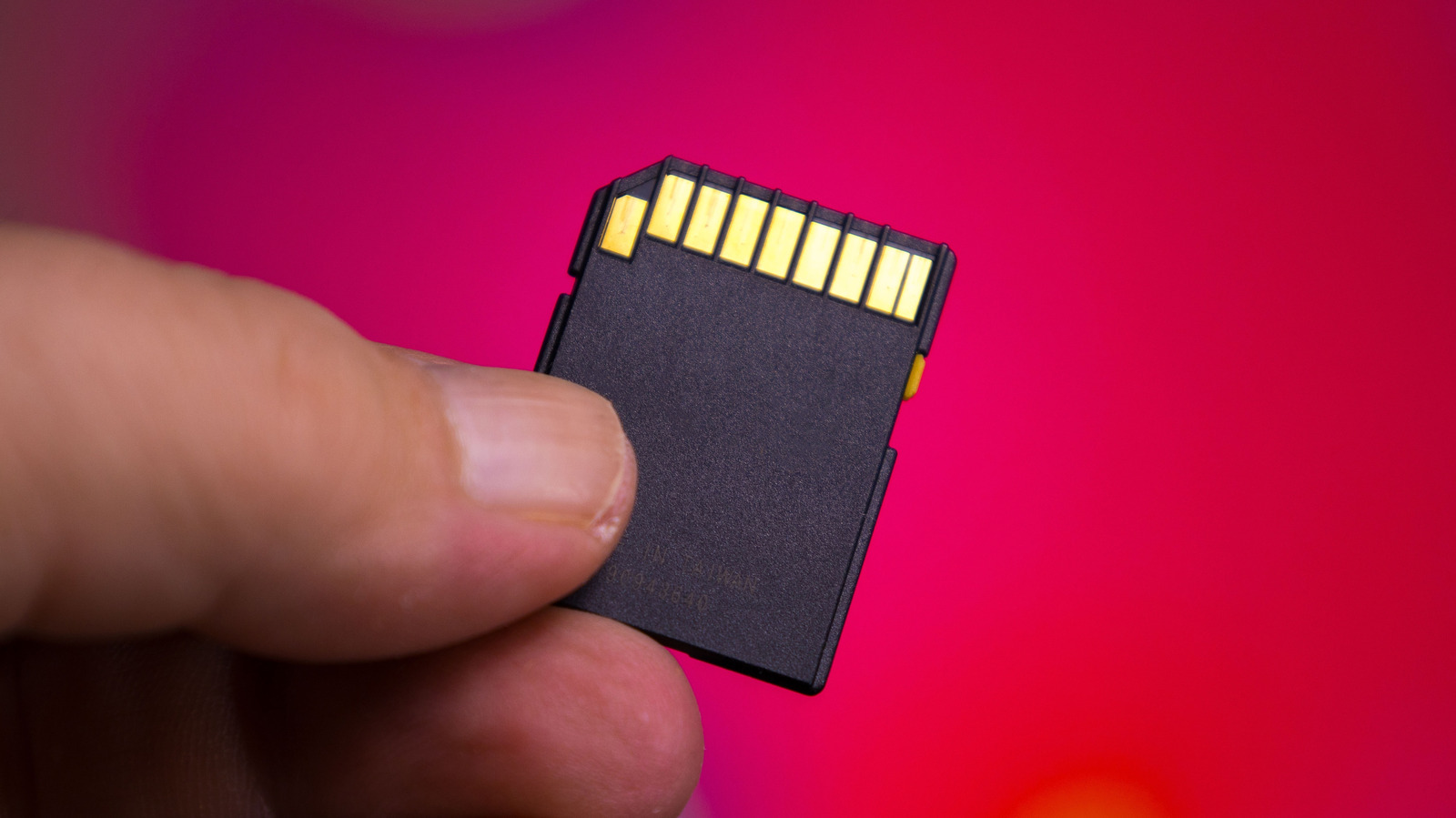
    Your SD card’s file system might be stopping you from transferring large files, but there’s an easy fix for that.

    SD card capacities have grown by leaps and bounds since hitting the market in the early 2000s, and the best microSD cards now come in capacities from 128GB up to a massive 1TB. No matter how capacious your SD card, though, you may run into an unexpected limitation: it won’t accept files larger than 4GB, even when there’s enough space left. 

    While it may seem worrying, the good news is that the SD card itself is almost certainly fine. Instead, the problem lies in the file format it’s currently using. More specifically, it’s FAT32, a file system that dates back to Windows 95 and is still commonly used today. Although it’s widely compatible and can be read by almost any device, it has a major downside: no single file can be larger than 4GB.

    FAT32’s 4GB-per-file limit comes down to how it records file sizes using a 32-bit number. In computing, the largest value that fits within this limit is 4,294,967,295 bytes, or nearly 4GB. The SD card can physically hold files over 4GB, but the file system prevents it. That’s usually fine if you only store documents and photos, but it can quickly become a problem if you want to store 4K videos, for example. In that case, you’ll need to reformat your microSD card to exFAT, another file system designed to overcome FAT32’s limitations — including support for files larger than 4GB.

    How to format your SD card on Windows and macOS
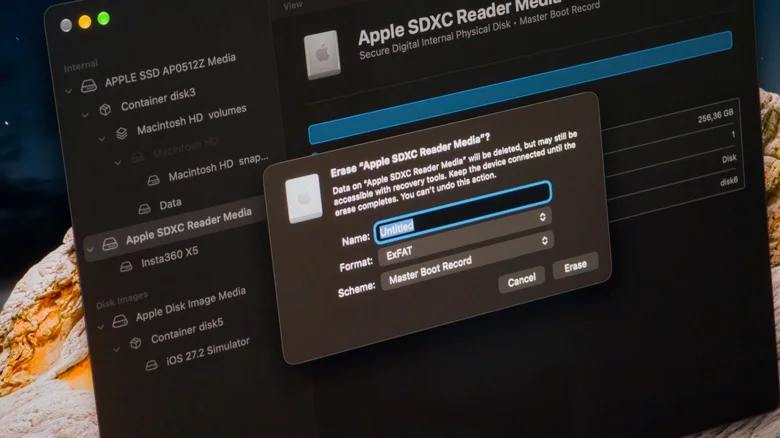
    Formatting an SD card to exFAT in macOS Disk Utility.

    First, back up all the files on your SD card, since this process will erase everything. Also, if you’re using very old tech (like a camera that’s more than a decade old), it may not support exFAT. Microsoft added exFAT support in Windows Vista SP1, while Apple added it with OS X Snow Leopard. If your device predates either OS, it’s probably best to keep your SD card formatted as FAT32.

    On Windows, open File Explorer to format your SD card. Click This PC, then right-click on your SD card. Select Format from the menu that appears and choose exFAT under File System. Here, you can also choose whether to run a Quick Format or rename the volume. The process is the same as formatting a microSD card or a USB drive. On a Mac, use the Disk Utility app instead (you can quickly find it using Spotlight). With the app open, go to the View menu and click Show All Devices. Select your SD card — not the volume listed under it — then click Erase. Set the format to exFAT, name the volume and confirm.

    After formatting the SD card, you can freely copy files larger than 4GB to it. If you want to switch back to FAT32, repeat the steps above and change the file system again. Keep in mind that Windows won’t let you select FAT32 for cards larger than 32GB, and you’ll need to use Terminal or third-party software for that.

    Accessories Card Transfer wont Your
    Follow on Google News Follow on Flipboard
    Share. Facebook Twitter Pinterest LinkedIn Tumblr Email Copy Link
    myappsplus
    • Website

    Related Posts

    Your iPhone Has a Hidden Barometer That Can Tell You How High You Are

    November 14, 2026

    Honor Magic8 Pro vs. Magic9 Pro Max: What’s been upgraded?

    November 14, 2026

    How to get better results from Google Gemini

    November 14, 2026
    Add A Comment
    Leave A Reply Cancel Reply

    Top Posts

    Save on your groceries, gas, and holiday shopping with this $15 BJ’s membership (Reg. $60) 

    November 4, 202629 Views

    Google’s new AI shopping cart tracks deals across stores

    October 25, 202627 Views

    Apple is making Creator Studio an even better deal with new AI features and creative tools

    October 28, 202623 Views
    Latest Reviews

    Grab the compact Anker 13-in-1 Nano laptop dock for just $112

    myappsplusSeptember 8, 2026

    How to watch Porto vs Man City: Live Streams & TV Channels for Champions League 2026/27

    myappsplusSeptember 8, 2026

    Logitech Releases the Developer-Focused MX Keypad for AI Automation

    myappsplusSeptember 8, 2026
    Stay In Touch
    • Facebook
    • YouTube
    • TikTok
    • WhatsApp
    • Twitter
    • Instagram

    Subscribe to Updates

    Get the latest tech news from FooBar about tech, design and biz.

    Most Popular

    Eight Microsoft Office apps are yours for just $30 with this lifetime deal (Reg. $220)

    September 8, 20260 Views

    What is Roku’s secret menu and how do you unlock it?

    September 8, 20260 Views

    TrendForce: Apple produced 52 million iPhones in Q2

    September 8, 20260 Views
    Our Picks

    UFC 334 live stream — how to watch Gane vs Hokit online from anywhere, fight card

    November 14, 2026

    Quote of the day by Slack co-founder Stewart Butterfield: ‘What we are selling is not the software product… it’s organizational transformation”

    November 14, 2026

    Why your SD card won’t let you transfer files bigger than 4GB, and how to fix it

    November 14, 2026

    Subscribe to Updates

    Subscribe to our newsletter and get the latest tech news, app updates, AI trends, smartphone reviews, and exclusive deals delivered straight to your inbox.

    Facebook X (Twitter) Instagram Pinterest
    • About Us
    • Get In Touch
    • Disclaimer
    • Privacy Policy
    • Terms & Conditions
    © 2026 MyAppsPlus. All Rights Reserved.

    Type above and press Enter to search. Press Esc to cancel.