Close Menu
MyAppsPlus

    Subscribe to Updates

    Get the latest creative news from FooBar about art, design and business.

    What's Hot

    Forget crunches — my physical therapist gave me this exercise to work my abs without aggravating my lower back pain

    November 3, 2026

    Big Tech Deals Struggle to Keep Pace with AI Investment Risks

    November 3, 2026

    Ukraine and Russia report cyberattacks on emergency apps

    November 3, 2026
    Facebook X (Twitter) Instagram
    Facebook X (Twitter) Instagram
    MyAppsPlusMyAppsPlus
    Tuesday, November 3
    • Home
    • Breaking Tech
    • Apps & Software
    • AI & Automation
    • Android
    • iPhone & iOS
    • More
      • Reviews
      • How-To Guides
      • Deals & Discounts
      • Shop
    MyAppsPlus
    Home»Breaking Tech»Why it’s important to never plug power strips into each other
    Breaking Tech

    Why it’s important to never plug power strips into each other

    myappsplusBy myappsplusNovember 3, 2026004 Mins Read
    Share Facebook Twitter Pinterest Copy Link LinkedIn Tumblr Email Telegram WhatsApp
    Follow Us
    Google News Flipboard
    Why it’s important to never plug power strips into each other
    Share
    Facebook Twitter LinkedIn Pinterest Email Copy Link

    Your power strip needs a wall outlet and not another power strip.

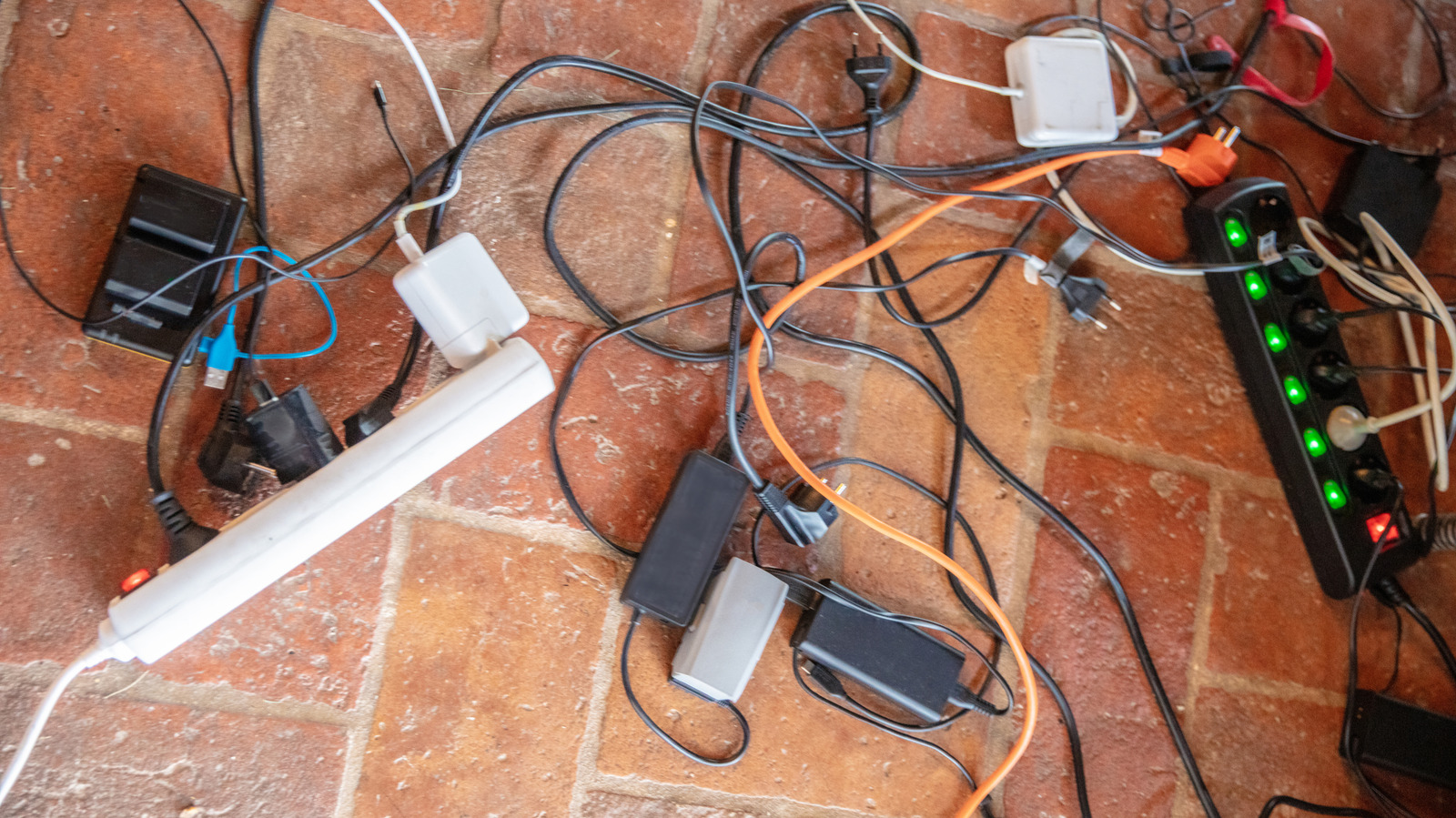
    There are so many work-from-home devices nowadays that running a home office or a gaming area easily turns into a charging and power-consumption nightmare of tangled cords, ports and outlets. The idea of stringing power strips together by plugging one into the other (daisy-chaining) is a convenient, understandable solution. More outlets and ports mean more organization and power for each device. Unfortunately, it’s not the greatest of ideas, especially if tripped breakers and house fires aren’t on your to-do list.

    The first problem is that adding sockets doesn’t increase electrical capacity. Everything connected to the second strip draws electricity through the first strip’s plug and internal components. The first strip is now carrying the combined load of the devices plugged into the second strip. The second problem is each strip’s maximum rating, typically expressed in amps. If a second power strip is plugged into the first and the first is maxed out, the second strip could be the straw that breaks the proverbial camel’s back, drawing too much and overheating the first strip.

    Pushing too much current through the internal wiring and components of the first power strip generates “resistive heating.” Given enough time, it can melt the casing and wire insulation, possibly igniting nearby materials. In the aforementioned home office scenario, flammable materials are abundantly present in most cases.

    What to do when one power strip is no longer enough?

    What to do when one power strip isn’t enough depends on what you need. Do you need more sockets? Ports? More reach or more electrical capacity? Where low-power electronics are concerned, a single power strip that’s more generous with its number of outlets is your best bet. Just make sure that the total load remains within the power strip’s rating. A strip with 8 outlets doesn’t necessarily supply more power than a strip with only 4 outlets. It’s a separate consideration you have to be wary of.

    If distance is the issue, find a strip with a longer cord. Don’t reach for an extension cord as a matter of convenience. NFPA explicitly advises folks to avoid that arrangement, since extension cords have their own ratings and too many devices plugged in at once can exceed those ratings. Of course, you can do the math based on the cord’s rating, the strip and everything plugged into it, but most people aren’t aware of the limitations.

    If a single strip is tripping the breaker, adding a new one and dispersing the devices won’t solve the problem. In fact, treat it as a warning that requires your immediate attention. Never use a strip with damaged casings, scorch marks or loose connections. It’s not something you can wrap in half a roll of electrical tape and call it a day.

    What should you never plug into a power strip?
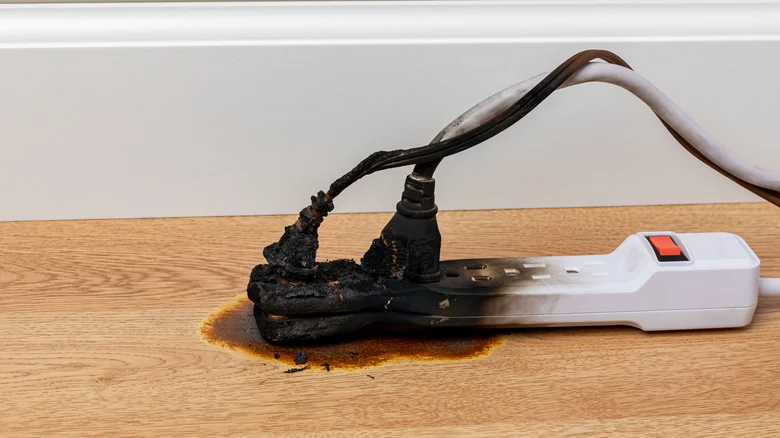
    A small, white power strip with one half extensively scorched.

    As it happens, plugging a power strip into a power strip isn’t the only thing you should avoid. High-power appliances can easily overload a power strip if it’s not rated to handle it. Space heaters are a common one in this regard. They draw a fairly substantial amount of current and should only be plugged into a proper wall outlet. Microwaves and refrigerators are other prime examples.

    For the safest route, use ordinary power strips with ordinary devices like PCs and printers, or to charge your phone. Also, six outlets doesn’t mean it needs six devices plugged into it at once. Check the devices and match them against the power strip’s ratings. They may seem like it, but power strips are not all-purpose devices for whatever needs power at the moment.

    Lastly, a surge protector doesn’t change the dynamics here. Surge protection deals with sudden voltage spikes but, like power strips, it won’t magically conjure more energy capacity. Basic safety guidance for surge protectors also advises against daisy-chaining. The potential consequences warrant a repeat: check the surge protector’s or power strip’s rating and what you’re plugging into it. If it’s not enough, simply use another outlet or purchase a separate power strip and use another wall socket to run it. 

    Important Never News plug Power
    Follow on Google News Follow on Flipboard
    Share. Facebook Twitter Pinterest LinkedIn Tumblr Email Copy Link
    myappsplus
    • Website

    Related Posts

    Don’t want a touchscreen? All premium MacBook Pros could have one soon, reports say

    November 3, 2026

    Tired of slow Android Auto feature rollouts? This new tool lets rooted users skip the wait

    November 3, 2026

    Google just rolled out the Android backup feature we’ve been waiting for all year

    November 3, 2026
    Add A Comment
    Leave A Reply Cancel Reply

    Top Posts

    Cathay Pacific tests Google AI that dramatically cuts airplane contrails — tiny altitude shifts slash environmental impact by 40% in early trials

    September 8, 2026137 Views

    What was the PSX? The souped-up PS2 rarely sold outside of Japan

    September 14, 202617 Views

    Apple is making Creator Studio an even better deal with new AI features and creative tools

    October 28, 202616 Views
    Latest Reviews

    OpenAI warns about how good Astra model is at cracking cybersecurity, releases it anyway because it took ‘years of research and big bets’

    myappsplusSeptember 4, 2026

    Hands-on with Baseus’ tiny PicoGo Pro – a sleek 100W smart display charger for your new Dark Cherry iPhone 18 Pro [Deal]

    myappsplusSeptember 4, 2026

    Judge blocks X rival from using Twitter name, but allows ‘Tweet’ for now

    myappsplusSeptember 4, 2026
    Stay In Touch
    • Facebook
    • YouTube
    • TikTok
    • WhatsApp
    • Twitter
    • Instagram

    Subscribe to Updates

    Get the latest tech news from FooBar about tech, design and biz.

    Most Popular

    This week’s Apple deals for Labor Day: AirPods Pro 3, Studio Display, AirTag 2, Mac mini, more from $5.50

    September 4, 20260 Views

    Beatbot’s Labor Day Sale drops 2026 Sora 70 5-in-1 robotic pool cleaner to $1,099 ($400 off), more from $339

    September 4, 20260 Views

    iPhone Ultra, iPhone 18 Pro, and More: Apple’s September 9 Event Preview

    September 4, 20260 Views
    Our Picks

    Forget crunches — my physical therapist gave me this exercise to work my abs without aggravating my lower back pain

    November 3, 2026

    Big Tech Deals Struggle to Keep Pace with AI Investment Risks

    November 3, 2026

    Ukraine and Russia report cyberattacks on emergency apps

    November 3, 2026

    Subscribe to Updates

    Subscribe to our newsletter and get the latest tech news, app updates, AI trends, smartphone reviews, and exclusive deals delivered straight to your inbox.

    Facebook X (Twitter) Instagram Pinterest
    • About Us
    • Get In Touch
    • Disclaimer
    • Privacy Policy
    • Terms & Conditions
    © 2026 MyAppsPlus. All Rights Reserved.

    Type above and press Enter to search. Press Esc to cancel.