Close Menu
MyAppsPlus

    Subscribe to Updates

    Get the latest creative news from FooBar about art, design and business.

    What's Hot

    9to5Toys Fashion Weekly – Golf pants with phone pocket $20, medium joggers $10, waffle knit hoodie $15, more

    October 17, 2026

    What’s actually eating all the storage space on your Android Phone?

    October 17, 2026

    I tested the Sony Bravia 9 II for weeks. It’s the best mini-LED TV of 2026, and a ‘showcase for what RGB can do’ — and it takes the fight to OLED

    October 17, 2026
    Facebook X (Twitter) Instagram
    Facebook X (Twitter) Instagram
    MyAppsPlusMyAppsPlus
    Saturday, October 17
    • Home
    • Breaking Tech
    • Apps & Software
    • AI & Automation
    • Android
    • iPhone & iOS
    • More
      • Reviews
      • How-To Guides
      • Deals & Discounts
      • Shop
    MyAppsPlus
    Home»Breaking Tech»Why are some locations blurred out on Google Maps?
    Breaking Tech

    Why are some locations blurred out on Google Maps?

    myappsplusBy myappsplusOctober 17, 2026004 Mins Read
    Share Facebook Twitter Pinterest Copy Link LinkedIn Tumblr Email Telegram WhatsApp
    Follow Us
    Google News Flipboard
    Why are some locations blurred out on Google Maps?
    Share
    Facebook Twitter LinkedIn Pinterest Email Copy Link

    Want more privacy? Opt in to blur your home on Googe Maps Street View.

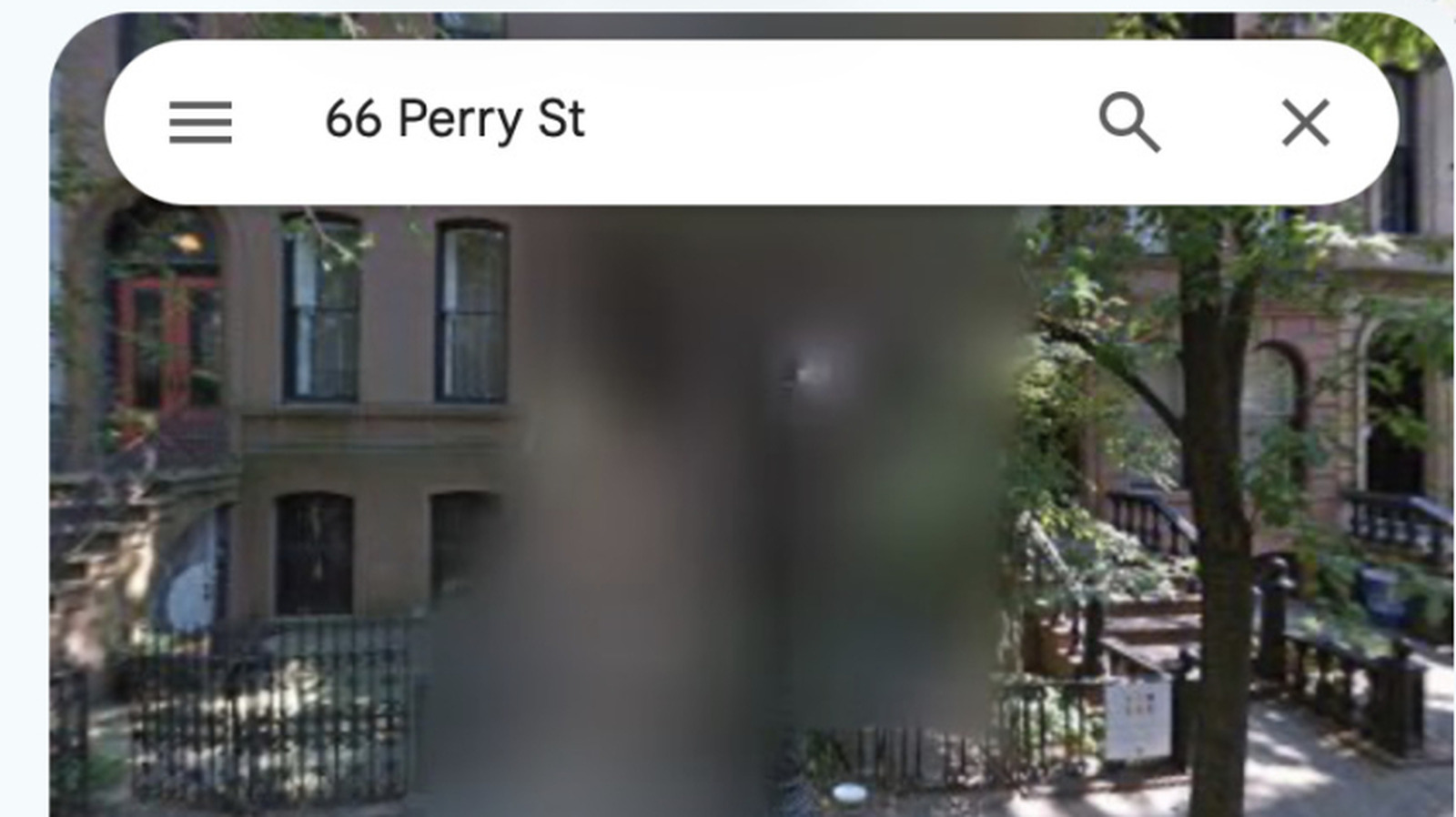
    We live in a world of permanent blur — at least on Street View in Google Maps, where locations once blurred cannot be unblurred. So why are some locations blurred on Google Maps, and what is it for?

    Why is Google Maps Street View blurry?

    Google can mask locations by blurring them on Street View. It does this in response to requests from government entities, digital privacy campaigners, and its own customers. It’s all a matter of protecting the privacy of key people and places. The locations that tend to be blurred include:

    • Military and highly secure government locations. You may also find that such secure locations are blurred or censored on other Google Earth products.
    • The homes of high-net-worth individuals, celebrities, and VIPs.
    • Privacy advocates and others who value digital privacy.
    • Blurs applied in error, such as a mistaken address.

    In some nations, including the Netherlands and Germany, people have a legal right to request that their home is blurred on these services, which is why so many properties there have been given that treatment.

    The issue is that Google Street View provides detailed information on locations that can provide insight into property layout, value, and security protection. Police, criminals, open-ew in their line of work. The blurring of this data on Street View reduces your digital footprint, which may protect you

    How to ask Google to blur your home
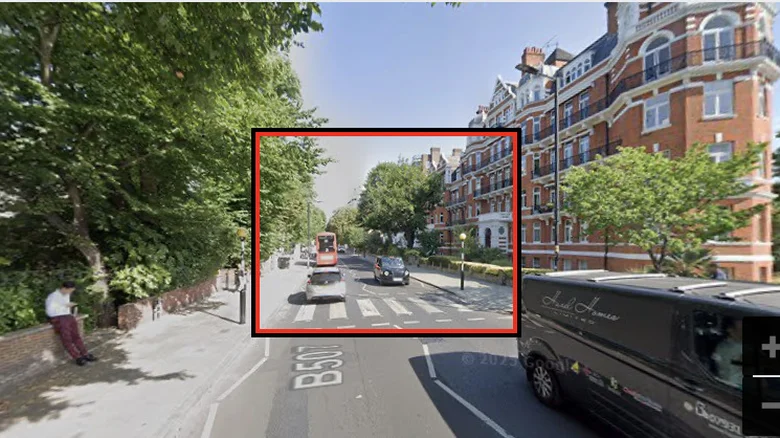
    The red box in Google Street View focused on two cars and a bus at Abbey Road zebra crossing.

    Google’s Street View service already blurs people’s faces and license plates by default using automated tools. If those tools fail to redact something, you can request removal of those items. You can also use the same process to request that your home be blurred.

    1. Open Google Maps and drag the pegman to the location you want to blur.
    2. Find the property in Street View when it opens.
    3. Click or tap the three dots (vertical ellipsis) in the top-left corner or tap the very small “Report a problem” text in the bottom right of the window.
    4. Adjust the view of the image to focus on the home, face or object you want to blur.
    5. Now choose what you want Google to blur.
    6. You’ll be asked for your email address, which will be used to verify your request.
    7. You must complete a reCAPTCHA procedure.
    8. You may be asked to provide proof of tenancy or ownership of the property.

    Can you turn off blurring in Google Maps Street View?
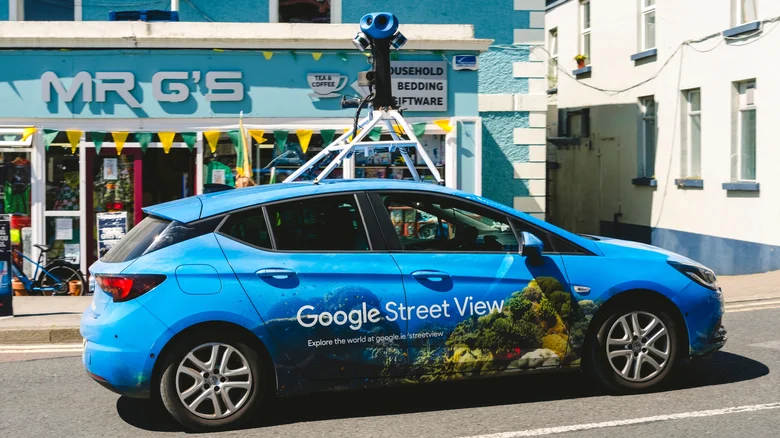
    A blue Google Street View car captures street imagery.

    Google does not offer a way to undo the blurring of a location once it is applied. It’s a permanent measure. That means that while blurring a property may help harden your security, it’s not something you should do without thought. Not only does doing so prevent neighbors from exploring the entire street in Street View, but it also means potential future buyers and owners of the property will be unable to see the building. 

    There is also the counterintuitive argument that burglars studying an area for potential targets may see a blurred property as an attractive target, because that blurring suggests there may be something or someone valuable inside it.

    How to blur locations on other mapping services

    Wherever you stand on the blur or not to blur argument, it is important to recognize that blurring a property on Google Maps Street View does not blur that location on any other mapping services. To blur a property on Apple Maps, you should write to MapsImageCollection@apple.com including your name, address, and request details. Other mapping services, including Baidu Maps, Mapillary, and Karta View, may offer some form of street-level imaging service in your region. These may enable the blurring of specific locations on request. Microsoft removed its Streetside imagery from Bing Maps as part of its transition to Azure Maps.

    blurred Google locations Maps Some
    Follow on Google News Follow on Flipboard
    Share. Facebook Twitter Pinterest LinkedIn Tumblr Email Copy Link
    myappsplus
    • Website

    Related Posts

    What’s actually eating all the storage space on your Android Phone?

    October 17, 2026

    Anbernic’s RG DDS is almost double the price of the original Nintendo 3DS

    October 17, 2026

    What does the yellow light on your Alexa device mean and how do you clear it?

    October 17, 2026
    Add A Comment
    Leave A Reply Cancel Reply

    Top Posts

    Cathay Pacific tests Google AI that dramatically cuts airplane contrails — tiny altitude shifts slash environmental impact by 40% in early trials

    September 8, 202646 Views

    Pricing, Benchmarks vs Claude 5.5

    October 12, 202612 Views

    What was the PSX? The souped-up PS2 rarely sold outside of Japan

    September 14, 202610 Views
    Latest Reviews

    Juul can sell updated e-cigarette with age-verification system, FDA says

    myappsplusAugust 30, 2026

    5 of the biggest changes coming to Instagram, Facebook

    myappsplusAugust 30, 2026

    Here are the killer deals in PUMA’s secret sale, cash in from $9 (Up to 70% off)

    myappsplusAugust 30, 2026
    Stay In Touch
    • Facebook
    • YouTube
    • TikTok
    • WhatsApp
    • Twitter
    • Instagram

    Subscribe to Updates

    Get the latest tech news from FooBar about tech, design and biz.

    Most Popular

    Everything we expect at Apple’s September iPhone launch event

    August 30, 20260 Views

    Dunham-Bush Industries acquires 32 acres at SPD Tech Valley for RM172 mil manufacturing expansion

    August 30, 20260 Views

    Which member of The Beatles are you? Tell us your tech choices in this personality quiz and find out

    August 30, 20260 Views
    Our Picks

    9to5Toys Fashion Weekly – Golf pants with phone pocket $20, medium joggers $10, waffle knit hoodie $15, more

    October 17, 2026

    What’s actually eating all the storage space on your Android Phone?

    October 17, 2026

    I tested the Sony Bravia 9 II for weeks. It’s the best mini-LED TV of 2026, and a ‘showcase for what RGB can do’ — and it takes the fight to OLED

    October 17, 2026

    Subscribe to Updates

    Subscribe to our newsletter and get the latest tech news, app updates, AI trends, smartphone reviews, and exclusive deals delivered straight to your inbox.

    Facebook X (Twitter) Instagram Pinterest
    • About Us
    • Get In Touch
    • Disclaimer
    • Privacy Policy
    • Terms & Conditions
    © 2026 MyAppsPlus. All Rights Reserved.

    Type above and press Enter to search. Press Esc to cancel.