
Close Menu
MyAppsPlus

    Subscribe to Updates

    Get the latest creative news from FooBar about art, design and business.

    What's Hot

    South Africans join Thais and Americans in rejecting data centers as clashes over water and power resources mount

    September 12, 2026

    Shopify overhauls mobile app development, shifts from React Native to fully native apps

    September 12, 2026

    The Google Pixel is fine and all, but still needs a ‘Ryzen moment’ [Video]

    September 12, 2026
    Facebook X (Twitter) Instagram
    Facebook X (Twitter) Instagram
    MyAppsPlusMyAppsPlus
    Saturday, September 12
    • Home
    • Breaking Tech
    • Apps & Software
    • AI & Automation
    • Android
    • iPhone & iOS
    • More
      • Reviews
      • How-To Guides
      • Deals & Discounts
      • Shop
    MyAppsPlus
    Home»Breaking Tech»What You Should Look For In A USB To Bluetooth Adapter For PC
    Breaking Tech

    What You Should Look For In A USB To Bluetooth Adapter For PC

    myappsplusBy myappsplusAugust 30, 2026004 Mins Read
    Share Facebook Twitter Pinterest Copy Link LinkedIn Tumblr Email Telegram WhatsApp
    Follow Us
    Google News Flipboard
    What You Should Look For In A USB To Bluetooth Adapter For PC
    Share
    Facebook Twitter LinkedIn Pinterest Email Copy Link

    The essentials behind a tiny but crucial upgrade.

    We may receive a commission on purchases made from links.

    From keyboards to speakers, more and more parts of the PC experience are being brought to wireless form. Given the many conveniences afforded by wireless components, such as saving time on pulling and plugging wires or the added comfort afforded by that saved space, tech that doesn’t integrate Bluetooth inherently could get left behind. Fortunately, Bluetooth adapters are a simple way to easily bridge this gap — though choosing the right option for the job is less than straightforward.

    When deciding which Bluetooth adapter to invest in, USB options are as good a place to start as any. Not only is installation via a USB port often simpler than a direct implementation into the motherboard, as is the case with PCIe cards, USB ports are also more universal than PCIe slots. However, the best choice here still varies and will depend on what you’re looking for — whether that’s the quality of the connection, the number of devices you want to connect, capability for dual connectivity with both Wi-Fi and Bluetooth, or simply budget.

    How to choose a USB to Bluetooth adapter
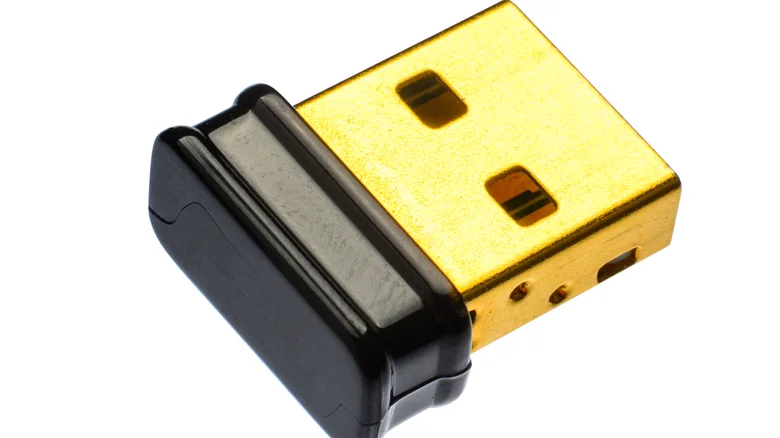
    Image of a Bluetooth USB adapter.

    Those who are simply looking to pair a headset with their PC can find serviceable USB Bluetooth adapters in the $10 range. Solid products at this price include the ASUS USB-BT500 or the TP-Link Nano 2-in-1 AC600. These options offer a quick start-up, and their compact design will save users from dealing with cheap, possibly flimsy antennae. 

    On the other hand, those looking for a more complex setup, with multiple devices or a high-quality connection, will want to dive into specs. When it comes to audio quality, you’ll need to look into Bluetooth codecs — the different ways in which adapters translate sound via Bluetooth. While every Bluetooth device supports the standard SBC codec, options like the Avantree DG80 support AptX Low Latency, which offers a higher bitrate of 352 kbps (meaning higher audio quality overall). However, in terms of general low latency, the DG80 is audio-only. For more multi-purpose adapters, you’ll want to pay attention to the available codecs, the latency stats, and whether the adapter is compatible with devices outside of audio. In this case, the Creative BT-W5 might prove the better option.

    In terms of multi-device support, the Sena UD100-G03 is a solid example. This model supports up to seven simultaneous connections with a 900-foot range, which can be extended out to more than half a mile with upgrades. The capability to increase range, as well as the number of devices supported, are key factors when considering a device for this role.

    What to check before buying any Bluetooth adapter
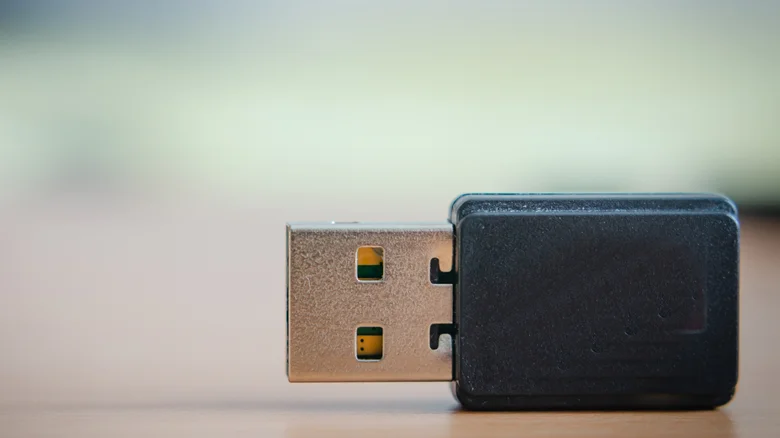
    Image of Bluetooth USB adapter.

    Before committing to any device, there are a few things you’ll want to check first. This includes the different iterations of Bluetooth, with the current generation being 6.3. Fortunately, Bluetooth generations 5.0 and beyond are backwards-compatible with older devices, so you generally don’t need to worry about which generation is which. Still, a quick check couldn’t hurt.

    The big things you’ll want to keep track of include whether the adapter you want works for your device, as options like Noble’s Sceptre are only USB-C, similar to the aforementioned Creative BT-W5. On that same track, you’ll also need to make sure any given adapter works with your brand of PC, as well as whether it has all the capabilities you want (especially if you’re using Bluetooth for more than just audio devices). Of course, it’s wise to check whether your device of choice already has Bluetooth integration before spending any money on external hardware.

    Bluetooth Computing look should What
    Follow on Google News Follow on Flipboard
    Share. Facebook Twitter Pinterest LinkedIn Tumblr Email Copy Link
    myappsplus
    • Website

    Related Posts

    Anthropic CEO outlines plan to ‘pace the frontier’

    September 12, 2026

    How to know it’s time to replace your EV battery

    September 12, 2026

    Revolut confirms customer data breach through fake government requests

    September 12, 2026
    Add A Comment
    Leave A Reply Cancel Reply

    Top Posts

    The 6 AI-free Linux distros I recommend most

    August 19, 20263 Views

    AI, automation, robot dogs ensure on-site nuclear safety

    September 7, 20262 Views

    This tiny AI box could save me from upgrading my perfectly good laptop

    September 6, 20262 Views
    Latest Reviews

    Apple Wallet driver’s licenses are coming to North Carolina, but there’s a catch

    myappsplusAugust 18, 2026

    3 Japanese AI Stocks Turning Automation Spending Into Real Revenue

    myappsplusAugust 18, 2026

    Apple: DOJ’s latest challenge in antitrust case ‘fails at every level’

    myappsplusAugust 18, 2026
    Stay In Touch
    • Facebook
    • YouTube
    • TikTok
    • WhatsApp
    • Twitter
    • Instagram

    Subscribe to Updates

    Get the latest tech news from FooBar about tech, design and biz.

    Most Popular

    Apple Wallet driver’s licenses are coming to North Carolina, but there’s a catch

    August 18, 20260 Views

    3 Japanese AI Stocks Turning Automation Spending Into Real Revenue

    August 18, 20260 Views

    Apple: DOJ’s latest challenge in antitrust case ‘fails at every level’

    August 18, 20260 Views
    Our Picks

    South Africans join Thais and Americans in rejecting data centers as clashes over water and power resources mount

    September 12, 2026

    Shopify overhauls mobile app development, shifts from React Native to fully native apps

    September 12, 2026

    The Google Pixel is fine and all, but still needs a ‘Ryzen moment’ [Video]

    September 12, 2026

    Subscribe to Updates

    Subscribe to our newsletter and get the latest tech news, app updates, AI trends, smartphone reviews, and exclusive deals delivered straight to your inbox.

    Facebook X (Twitter) Instagram Pinterest
    • About Us
    • Get In Touch
    • Disclaimer
    • Privacy Policy
    • Terms & Conditions
    © 2026 MyAppsPlus. All Rights Reserved.

    Type above and press Enter to search. Press Esc to cancel.