

Affiliate links on Android Authority may earn us a commission. Learn more.
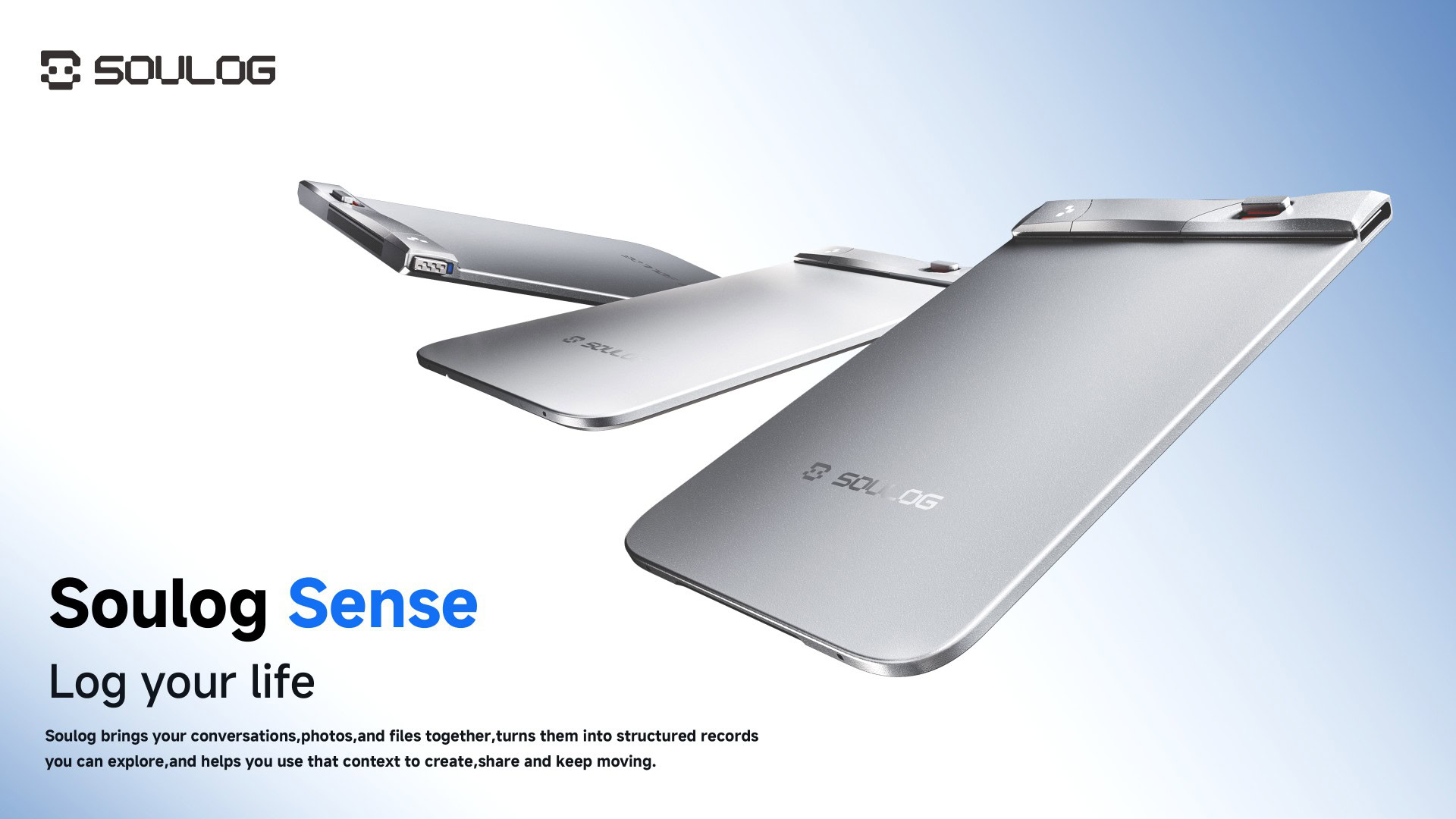
The Soulog Sense is an AI voice recorder with a personal context system that never misses a word
It not only records your conversations, but it also helps you understand and organize them.
Brought to you by SOULOG
•
•
SOULOG
Add Android Authority on Google:
Preferred SourceGoogle Discover
Plenty of important details get said out loud once and never written down: a price quoted on a call, a delivery date mentioned as a meeting wraps up, the name of a tool a colleague recommends in passing. In a week full of calls, meetings, and classes, most of them are gone by the time you need them.
A standard voice recorder certainly helps, but it leaves you with hours of audio and transcripts to dig through, with nothing linking the words to the files, photos, and earlier conversations around them. The Soulog Sense, paired with the Soulog app, not only records and transcribes the conversation but also sorts it by topic and decision and connects it to the surrounding material, so you can search it, revisit it, and build on it later. Here’s what you need to know.
How the Soulog app organizes your recordings
In the Soulog app, a group conversation reads like a back-and-forth between named speakers, since the app recognizes your voice plus up to nine others. Unlimited Auto Transcription turns your meetings, lectures, and interviews into text, and covers more than 120 languages.
Summaries can come out in a different language from the conversation itself, so a call held in Spanish can be summarized in English for a colleague who missed it. Vocabulary management keeps names and specialist terms spelled correctly, whether that’s your team’s internal project codenames or the terminology in an organic chemistry lecture.
From there, you’ll find AI-powered Structured Records to clarify key decisions, action items, owners, and open questions, and you can explore those connections through a Semantic Map or Semantic Timeline. The Map lays out how the ideas relate to each other, and the Timeline ties each one to the moment it came up.
Say a product launch date gets mentioned in a planning call, questioned in a team meeting two weeks later, and locked in at a third session. Not only can you record everything with the Soulog Sense, but you can follow that date from its first mention to the final decision and see what was said at each step. You can easily revisit the original audio to verify details and move forward with clear next steps without first listening through hours of conversation.
Summaries come from templates you can switch between, so an hour-long workshop recording can produce a one-page recap for your team and, with a different template, a short list of your own next steps.
Images, documents, and web pages are generated in the same project as a recording, like a spreadsheet of quarterly figures alongside the budget meeting that went through them, and Soulog AI reads across all of it at once. The Personal Context System organizes everything into project folders and keeps work and personal recordings separate by default. When something is ready to share, you can publish a fixed version of a project with selected files attached, and a record for each version shows what has been opened, so you’ll know whether the other person has looked at the latest one.
Soulog also connects to compatible AI tools through MCP, meaning an assistant you already use can draw on a project’s recordings and notes. A compatible AI agent on your computer can access available Soulog context to draft follow-ups, refine proposals, and prepare next steps. You can review the results, publish a share page in Soulog, and share the link with clients through Slack or other messaging apps.
An AI recorder built to stay attached to your phone
Soulog Sense attaches directly to compatible phones and cases through MagSafe. At just 0.124 inches (3.15 mm) thick, about the same as four stacked credit cards, it barely changes how your phone sits in your hand. Because it stays attached, you won’t have to search for it in a bag or worry about leaving it behind. And since it’s already with the phone you carry every day, you’re one flick of a switch away from recording important information, no setup required.
And if you already have a magnetic card holder attached to the back of your phone, you don’t have to ditch it. The Soulog Sense comes with a dual-sided magnetic design that attaches to your compatible phone on one side and holds your card holder on the other. Your phone, recorder, and cards come together in one everyday setup.
More than 50 hours of continuous recording on a full charge equals more than eight full workdays of audio, so charging it isn’t a daily chore. From your first meeting to your last big idea, the Sense’s long battery life ensures you won’t miss anything. And if you’re short on time, a quick 10-minute recharge workday
Recording runs through dual AI noise-canceling mics, and three physical controls on the Soulog Sense handle everything else. A dedicated power switch turns the device fully on or off, and a separate recording switch starts and stops a session. Sliding it on shows the battery level for a couple of seconds before the recording starts.
A third control, the multifunction button, makes two tasks easy. A single click drops a highlight into the recording at that exact point, with a short vibration confirming it registered, so you can find the important part again without scrubbing through an hour of audio.
Hold the button for two seconds instead, and Live Rewind saves up to 30 minutes of audio from before you pressed it, even if you hadn’t started recording. If you’ve ever had a moment during a meeting or conversation where you’ve wished you could go back and record it, this feature is for you. Keep the conversation going, knowing you have a way to recover the moment.
Of course, this requires the device to be powered on with Rewind enabled beforehand. That helps on, say, a team call where crucial information is discussed before you can turn on the recording. Live Rewind is off by default, so it’s worth turning it on in the Soulog app during setup. It’s a paid plan feature, and the seven-day trial lets you try it before paying.
Most importantly, your recordings and AI notes are secured with encryption and strict access controls. Your data is never sold and never used to train models, and the choice is always yours. You can comfortably access and share your meeting notes, transcripts, and recordings across devices, knowing every conversation stays organized, secure, and always within reach.
Get the Soulog Sense now
The Soulog Sense is designed for anyone whose day revolves around conversations that are easy to lose track of. It stays on your phone, records for days between charges, and files every conversation into a searchable project alongside any documents related to it. If you’re a consultant moving between client calls, you can end the day with a recap of each one. Small-business owners can keep supplier calls filed next to the invoices and price sheets they refer to, and a team lead running weekly check-ins can use the Semantic Timeline to follow a project week to week.
Soulog offers three pricing tiers. The free plan includes unlimited transcription and 200 monthly credits. Pro, at $19.99 a month, raises that to 2,000 credits, makes summaries unlimited, and keeps Live Rewind, multi-voice speaker recognition, and sharing and export as permanent parts of your plan. Max, at $39.99 a month, includes the same feature set while raising the credit limit to 6,000.
Soulog can also connect with compatible AI tools through MCP, bringing selected personal context into the AI workflows you already rely on. Once you configure a compatible connection, supported agents like Claude Code or Codex can use the Soulog context you choose to draft follow-up emails, extract action items, refine proposals, prepare project plans, and produce other working outputs. This extends Soulog beyond capture and organization, turning accumulated context into practical material for the next stage of work.
Every paid plan comes with a complimentary seven-day trial, giving you the chance to explore the premium features before deciding whether to upgrade. The Soulog Sense is available starting today for $139.99 for the hardware.
