

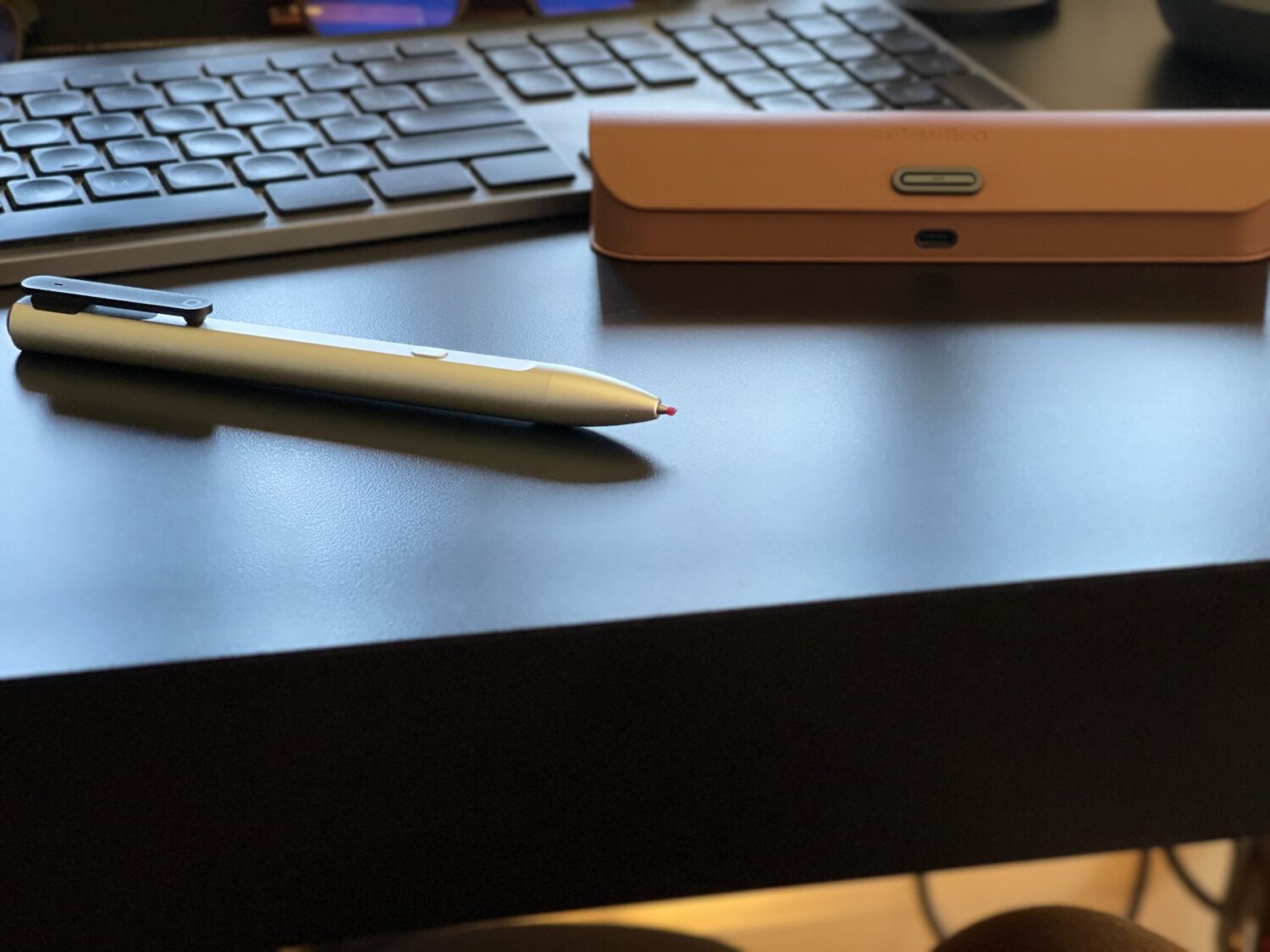
The smartest call Flowtica made with the Scribe was building it as a pen.
When I reviewed the Comu Action Pro, the recorder rode on the back of my phone. That meant my phone came to every meeting and sat on the table to do its job. The Scribe slides into a shirt pocket, and on a conference table it looks like every other pen in the room.
That one design choice did more for me than anything on the spec sheet.
People talk differently when a phone sits face up and recording. A pen doesn’t set that off, so the conversation goes the way it would have anyway. You still owe everyone a heads-up, and several states require consent from every person in the conversation before you record.
Where the Scribe Fits
Flowtica sells one recorder in two kits. The $159 Standard edition comes with the pen, a magnetic charging cable and 20 gel refills. The $209 Complete Set adds a faux leather charging case with Apple Find My, a USB-C cable and three months of Flowtica’s Premium AI plan, and that’s the kit I’ve been using.
Flowtica also sells a $39 Folio notebook built for its photo capture feature. You don’t need it. The pen writes on any paper.
Most of the competition sticks to your phone. The Comu Action Pro and the $189 Plaud Note Pro are slim cards with small screens that snap onto the back of a MagSafe iPhone. The Scribe has no screen at all, so a small light and a buzz in your fingers are your only signs it’s working.
Slip It in a Pocket and Forget It’s There
The Scribe feels like a nice pen first. The aluminum barrel has a really nice feel in the hand, and everything about it feels high quality. Truthfully, it’s just a piece of hardware, but it’s a really nicely made one.
Mine came looking more like a stylus than a pen, with no ink tip showing. Flowtica sells the Scribe as a gel pen, and owners report the tip twists out of the barrel. The refills are short, custom-length units built on the Cross pattern in 0.5mm and 0.7mm, so you’ll swap them more often than you would in a regular pen.
You can’t grab a replacement at the corner drugstore, either.
Snap It Into the Case and It Charges Itself
The case is my favorite part of the kit. It’s wrapped in brown faux leather that’s going for a classic look, and I’m not in love with the color. The stitching, magnets and fit are excellent, though, and it feels more expensive than the price suggests.
Getting the pen in takes one quick move once you know it. Slide the tip end in first, drop the back end down, and a magnet snaps it into place. The contacts on the pen land on the pins inside the case, and charging starts on its own.
Inside the case there’s a small stitched sleeve that had me guessing for a minute. Flowtica built it to hold a spare refill, which makes a lot of sense given how short those refills are. Apple Find My is built into the case too, which helps any time the pen is tucked inside.
The case charges over USB-C, and a button on the front has a small LED that shows what’s going on. Flowtica says the light turns solid green once the case is full. I left mine on charge for a while before noticing I’d pulled the cable out at some point, which explained the missing light show.
How Long the Battery Lasts
Flowtica rates the pen for up to 30 hours of continuous recording and up to 233 days on standby. The case brings the total to about 100 hours, so it holds roughly 70 extra hours. That’s a little more than two full refills of the pen.
So what does that mean? Sit through two hours of meetings a day and the pen alone covers about three work weeks. With the case, you’re looking at around 10 work weeks before you need a wall outlet, though I haven’t drained mine yet, so those are Flowtica’s numbers.
The pen itself doesn’t have a USB-C port. It charges through four magnetic contacts, either from the case or from Flowtica’s magnetic cable in the Standard kit. Only the case takes USB-C, which is one more reason to buy the Complete Set.
Two Buttons, One Job Each
The button on top starts and stops recording with a two-second press. I felt a quick buzz in my fingers the moment a recording started, so I knew it was going without looking down, and it buzzes twice when you stop. A small light near the charging contacts comes on too, so you never have to pull out your phone to check.
The button on the front is called FlowMark. Tap it once and the app timestamps that moment as important. Double-tap to mark a follow-up, or press and hold to highlight a whole stretch of conversation.
Those marks change the summary you get afterward. Flowtica’s AI gives flagged moments priority when it writes up action items, so the decision you tapped on mid-meeting lands near the top of your notes.
Leave It on a Table and It Keeps Listening
The discretion I like in meetings has a darker use.
Press the top button, set the Scribe down on a conference table or a kitchen counter, and walk out. It can keep recording for up to 30 hours, and Flowtica rates the mic for voices up to 16.4 feet away. The only outward sign is a small light near the back of the pen, and the buzz that tells me a recording started only reaches the person holding it.
Most people would never think twice about a pen left behind on a table.
The card recorders from Comu and Plaud at least have screens that show a recording in progress, which makes them easier to spot. The Scribe looks like office supplies. If you spot a pen in a meeting room that nobody claims, check the back end for that light.
Recording a private conversation you’re not part of, with no one’s consent, is almost always illegal under federal and state wiretap laws, and planting a recorder in an office, home or restaurant falls squarely under that. On Flowtica’s side, recordings are encrypted in transit and at rest, and the company says it doesn’t use them to train its AI. That protects the person who owns the pen, though the people being recorded never get a say.
Tell the room you’re recording and the pen does exactly what you bought it for.
Where the AI Comes From
As you might have guessed, the pen doesn’t do any thinking on its own. It records audio to 32GB of memory (about 4,000 hours) and hands it off to the Flowtica app on iOS or Android, which needs a Flowtica account. Everything smart happens on Flowtica’s servers after that.
Transcription comes from Deepgram’s speech engine, and Deepgram says an hour-long Flowtica recording transcribes in under 30 seconds on average. Summaries come from big-name language models, and when Flowtica launched the pen on Kickstarter, it listed GPT-4.1, Claude 3.7 Sonnet and Gemini 2.5 Pro among them.
You don’t get to pick the model or plug in your own ChatGPT account.
What you get back is a transcript that can separate up to 15 speakers, plus a summary you can tune for structure, detail and tone. The app pulls out decisions and action items, and follow-ups can go straight to Apple or Google Calendar. An Ask Flowtica chat lets you search across past meetings, and a feature called Snap It drops photos of your handwritten notes into the transcript at the moment you took them.
iPhone owners get the smoothest version of all this. The Scribe is Apple MFi certified, so recordings transfer in the background with the app closed. On Android, Flowtica says you’ll need to keep the app open for transfers to finish.
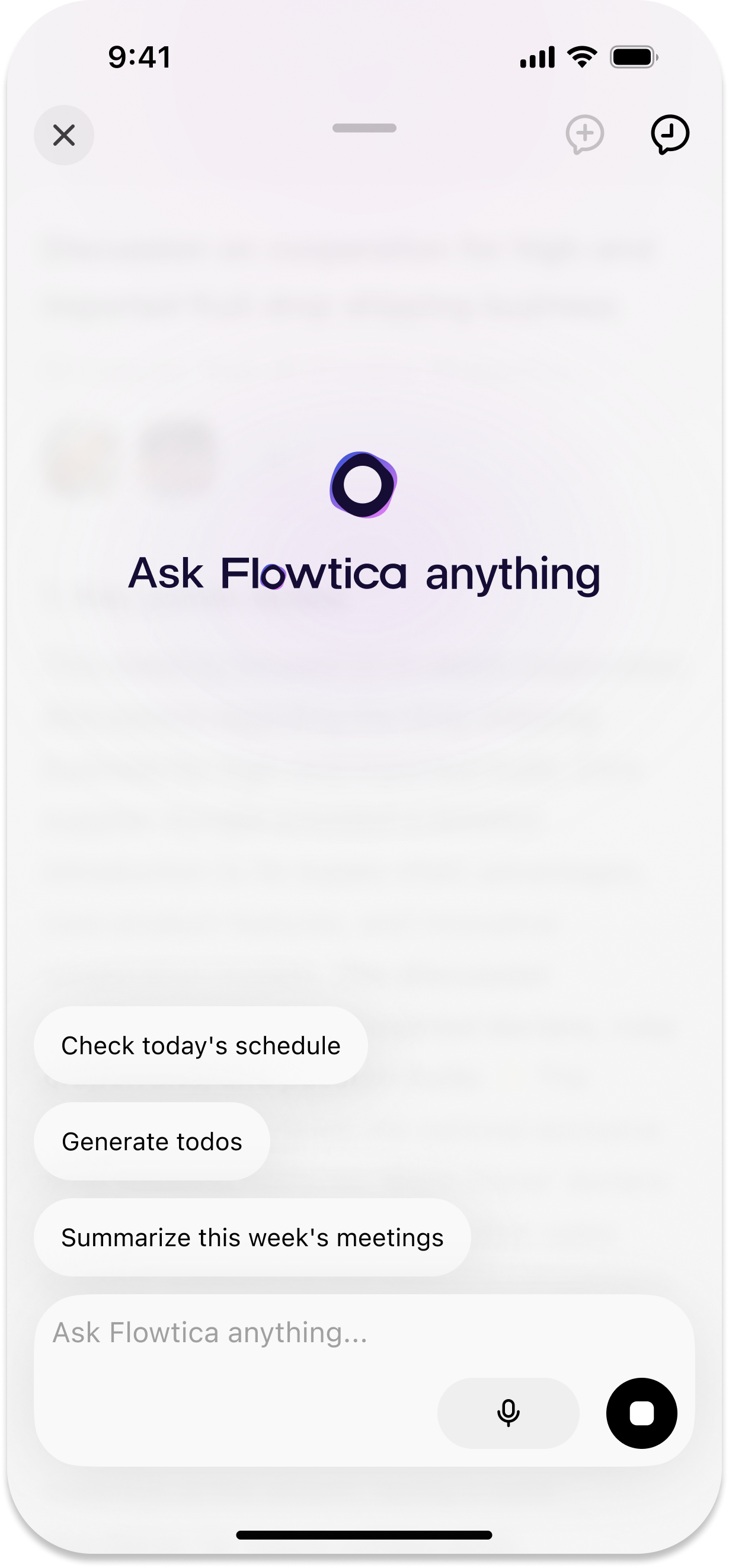
Recording and standard transcripts are free for as long as you own the pen. Speaker labels, AI summaries and Ask Flowtica draw from 300 free AI minutes a month, according to Flowtica’s plan page. That covers about five one-hour meetings, or roughly one a week.
Premium bumps you to 1,500 minutes for about $15 a month, and Unlimited costs about $30 a month. The Complete Set’s three free months of Premium give you time to figure out which camp you’re in.
What Owners and Other Testers Say
I’m still putting the app through real meetings, so the transcription verdict leans on people who’ve had the Scribe longer. Amazon buyers mostly praise what I noticed first: they use it in meetings and the people across the table never notice it. Several also like how much control they get over the summary format.
The transcripts get the best marks. Android Central’s tester used an early Kickstarter unit through a month of product briefings and found the mic had no trouble picking up audio and did a good job telling speakers apart. Having the transcript ready moments after a briefing ended sold him on the pen, and he rarely bothered with the AI summaries.
He rated the writing feel as decent, a step below a Uni-ball Jetstream.
The complaints line up too. Owners mention short refills, slow processing on long recordings and the odd mislabeled line in loud rooms. After a month with the pen, Tom’s Guide found the summaries were often too short and missed details, and the pen sometimes stopped syncing until the reviewer restarted both the pen and the phone.
Read together, the two reviews point the same way: trust the transcript, and treat the summary as a first draft.
One Plaud owner on Reddit declared that nobody wants a pen recorder anymore. I’d counter that a pen is the only recorder you can bring anywhere without explaining it.
How I Tested
I tested the Flowtica Scribe Complete Set, which includes the pen and its charging case, and started and stopped test recordings with the top button. I spent time with the pen in hand, seated it in the case over and over to check the magnetic fit and charging contacts, and charged the case over USB-C while watching the indicator light. I compared the form factor with the Comu Action Pro I reviewed earlier, and I checked the button functions, battery ratings and subscription terms against Flowtica’s own documentation.
