

Any personal information posted on the web remains there for a long time and can reach far-flung corners. That name, email address, and location can be aggregated by people-finder sites (or data brokers) and sold to subscribers.
These data broker sites pose privacy risks, but there’s a way to protect yourself online. You can use platforms like Malwarebytes’ Personal Data Remover to scan sites for your data, then send deletion requests if found. Malwarebytes facilitates the deletion requests, so there isn’t much to worry about.
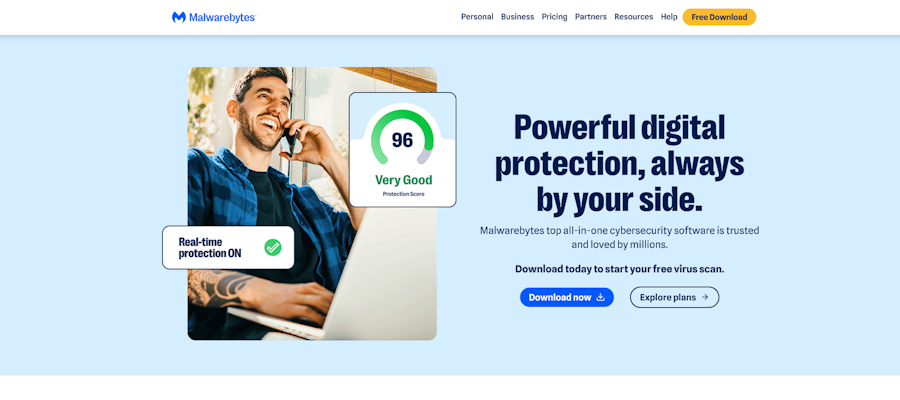
Malwarebytes is an all-in-one cybersecurity software suite and is mostly known for its antivirus app. However, it offers other valuable tools, including the Personal Data Remover (if the name didn’t give it away, it’s a data removal service).
I’m reviewing this tool to help you decide whether it’s worth adopting. Read on to learn about its pros, cons, pricing, support, ease of use, and other essential factors.
Malwarebytes Personal Data Remover: Plans and pricing
Malwarebytes doesn’t offer the Personal Data Remover as a separate tool. Rather, it’s offered as part of the Ultimate plan but you can scan for free by clicking here.
The Ultimate plan costs $280 per year, but it’s discounted 50% to $140 on the first year. It unlocks access to the Personal Data Remover and complete antivirus protection, a VPN, and identity protection for 3 devices.
For $400 per year, discounted to $200 on the first year, the Ultimate bundle can be extended to 10 devices for family use.
There are less costly Malwarebytes bundles (Standard for $60 per year and Plus for $80 per year), but none of them include the Personal Data Remover. It seems that if you want access to the Data Remover, you’ll also need to adopt Malwarebytes’ antivirus and VPN apps, which is a major drawback. I’d prefer if the Data Remover were offered as a standalone tool, which I could use alongside other VPN and antivirus tools.
Malwarebytes offers a 14-day free trial of its Ultimate plan, allowing you to test its features before making a final decision. Who knows, you could choose to adopt Malwarebytes as your all-in-one cybersecurity suite after a free trial. There’s also a 60-day money-back guarantee if you aren’t satisfied after paying.
Malwarebytes Personal Data Remover: Setup
Firstly, I should note that Malwarebytes’ Personal Data Remover is only offered to U.S. residents. Non-U.S. residents can use the free Digital Footprint Scanner, which scans your email address against known data breaches and alerts you if any associated account was compromised. However, this Digital Footprint Scanner can’t scan people-finder sites and send deletion requests like the Personal Data Remover.
Malwarebytes’ setup follows a straightforward pattern. First, you’ll activate your subscription (or free trial) on the website. After this step, sign in to Malwarebytes and head to the Secure Hub page. This page provides an overview of all Malwarebytes services available under your subscription.
On the Secure Hub page, look for Personal Data Remover and click “Activate Now”. Once activated, enter your personal details (first and last name, state, city, etc.) to begin a search. Submit the details, and Malwarebytes will run a deep scan across people-finder sites for this data.
The scan can take anywhere from a few hours to several days, depending on how many people-finder sites your data gets discovered on. Once the scan is complete, you’ll be alerted by email to take further action.
Malwarebytes’ scan covers over 100 popular people-finder sites that aggregate data on U.S. residents. This coverage is lower than I encountered on rival platforms, but quantity isn’t all that matters. Malwarebytes makes it clear that its Personal Data Remover is designed for U.S. residents and doesn’t offer global coverage. It focuses on the sites that host U.S.-centric data.
After the scan, you’ll see a list of all sites found to host your personal data. Then, you can initiate deletion requests right from the dashboard. Malwarebytes sends automated deletion requests, and you can track the progress of each request.
However, it doesn’t support manually drafted requests, which is a disadvantage. For websites where automated requests won’t suffice, it does offer to guide you through the site’s manual opt-out process, but that’s no substitute for sending manual requests directly to a site.
I’ve reviewed various data removal platforms that draft deletion request letters where automated requests aren’t enough, and the lack of this service on Malwarebytes is a major drawback.
I’ll rate Malwarebytes’ Personal Data Remover as a decent service, but there’s a lot that could be improved on. The lack of manual requests and non-U.S. coverage are major drawbacks. Malwarebytes is more of an antivirus and VPN software suite, and the data removal service seems like an add-on.
It’s suitable if you already use Malwarebytes as your cybersecurity suite and don’t want to pay extra for a data removal service, but I wouldn’t pick the data removal platform as a first choice.
Malwarebytes Personal Data Remover: Ease of use
I didn’t encounter issues when navigating Malwarebytes’ Personal Data Remover and other features. The signup process was smooth, and so was inputting my personal data, initiating a scan, and getting alerted about the scan results. After initiating removal requests, I tracked the progress of each request conveniently from my dashboard. Malwarebytes has a user-friendly interface that makes using its tools very convenient.
Malwarebytes Personal Data Remover: Security and privacy
Malwarebytes’ Personal Data Remover doesn’t rank high over various options I’ve tested. Its data removal features are decent, but rival platforms like DeleteMe offer much more.
However, when considering Malwarebytes’ complete cybersecurity suite, it proves invaluable for your online privacy. Under a single subscription, you’ll get a VPN to encrypt your browsing activities and hide info from third parties, an antivirus tool to guard against malware attacks, and a platform for removing your data from U.S.-centric people-finder sites.
Identity protection (with insurance) is also offered under the Ultimate bundle, completing the toolkit needed to stay safe online.
Malwarebytes Personal Data Remover: Support
Paid subscribers get extensive support resources from Malwarebytes, starting with the official cybersecurity help center. This help center features in-depth guides about data removal and all other Malwarebytes features.
It also contains guides on routine cybersecurity topics like password management, identifying deepfakes and phishing attempts, spoofing, and more.
If you need direct help, Malwarebytes offers email and live chat support. During my live chat support experience I first got connected to a chatbot, but after requesting human support, I was quickly connected to a real support agent.
Malwarebytes Personal Data Remover: Competition
Incogni and DeleteMe are two major competitors to Malwarebytes’ Personal Data Remover. They improve on the Malwarebytes limitations I mentioned earlier, offering much broader broker coverage and manual deletion requests. You’ll get more data scrubbed when using Incogni and DeleteMe, particularly as a U.S. resident.
On the other hand, Incogni and DeleteMe don’t offer the various complementary features you’ll find on Malwarebytes. They’re focused primarily on data removal, while Malwarebytes is more of a complete cybersecurity software suite.
Malwarebytes Personal Data Remover: Final verdict
I recommend Malwarebytes more as a complete cybersecurity suite than as a data removal platform. It frankly isn’t my top choice for a data removal service, but considering the other security features accessible through a Malwarebytes subscription, it proves valuable.
