

Even as a tech journalist who spends all day, (almost) every day playing around with gadgets and apps, there’s still plenty that I miss: like, for example, the ability to view how much time you’ve been spending on YouTube from inside the mobile app.
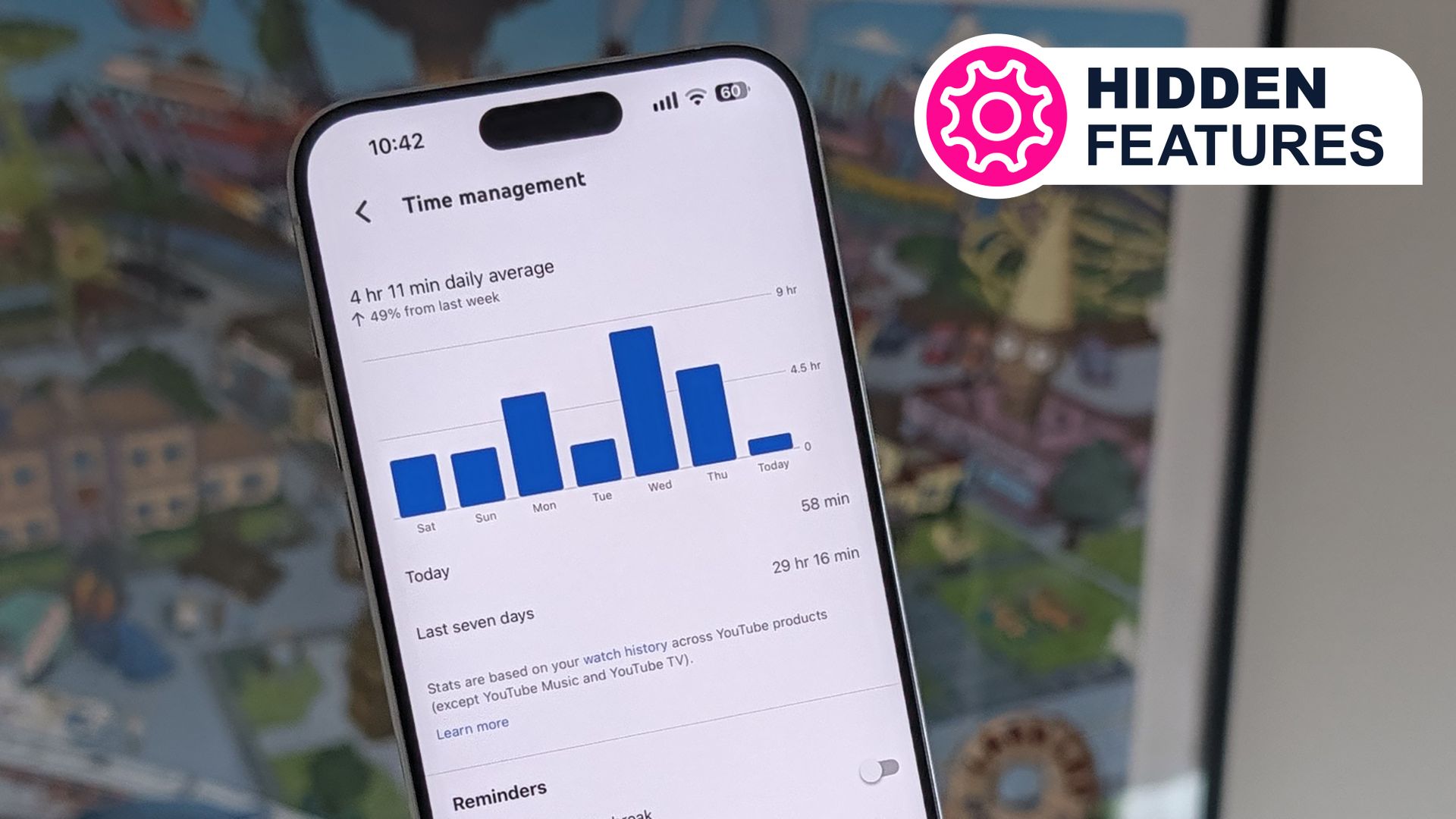
It works like Digital Wellbeing (on <a href="https://myappsplus.com/ghostmap-android-bug-can-force-a-phone-into-a-crash-loop/” title=”GhostMap: Android bug can force a phone into a crash loop”>Android) or Screen Time (on iOS), but specifically for YouTube. You can dig into how much time you’ve spent on YouTube today and over the past week, with an average for the last seven days.
This has actually been around for years, and it’s available whether or not you’re signed up for YouTube Premium — though when I checked up on my stats, I was glad that I’ve been paying the monthly fee, if only to avoid hours and hours of ads.
First step — turning on Watch History
The ‘time watched’ statistics we’re talking about here will only appear if you’ve got YouTube Watch History turned on. You can check this inside the mobile app by tapping your profile picture (bottom right), then the cog icon, then Manage all history (you can find the same settings on the web here).
To see what you’ve watched most recently, you can tap your profile picture then History in the mobile app, or choose History from the left-hand navigation menu on the web. There are tools here for searching through your history, deleting the entire record of everything you’ve ever watched, and putting your Watch History on pause.
It is of course entirely up to you whether or not you enable Watch History. The downsides are Google knows more about you, and it can be hard to get out of recommendation rabbit holes; on the plus side, you will get served videos to watch that might be at least vaguely related to your interests (it’s great for discovering new music, for example).
More of your Watch History can be got at through the comprehensive Google Takeout service, which you can find on the web here. Select the YouTube entry, and Google will gladly give you a CSV file detailing every single video you’ve ever watched on the platform, as long as you’ve always had Watch History turned on.
Note that the ‘time watched’ stats don’t include videos you’ve deleted from your Watch History, or that you’ve watched in incognito mode. However, they do include the YouTube viewing you’ve done across all your devices (as long as you were signed in), except for inside the YouTube Music apps and on the YouTube TV platform.
Finding your own stats
You can find your viewing stats inside the YouTube mobile app for Android or iOS by tapping your profile avatar (bottom right), then tapping on the cog icon (top right), and choosing Time management. You can’t get these stats through YouTube on the web at the moment, which seems a bit of an oversight.
There’s not much in the way of a breakdown of what you’ve been watching, but you can see your running totals and average for the past seven days. There’s also a stat about how your viewing compares to the week prior, so you can see if your spending more or less time on the platform week-to-week.
I was honestly surprised by my stats: almost five hours a day on average at the moment. Okay, I do play a lot of lo-fi music videos while I’m working, but that’s still an awful lot of content compared to hours in the day — and it extends to tech reviews, explainer videos, and of course all the podcasts that have recently shifted to video.
I’ve written before about how essential I find YouTube Premium, and the revelation of how much time I actually spend on the site and in the app has more than justified the monthly outlay for me personally — I can’t imagine the number of ads I’d have had to sit through otherwise. In fact, YouTube Premium tells you how many ad-free videos you’ve watched on this page (570 hours and counting for me).
You’ll see the time management screen also gives you some controls if you want to limit the amount of clips you’re watching day to day. There are toggle switches for setting up reminders around bedtime and taking breaks, and for putting a limit on how much time you spend watching YouTube Shorts each day.
