Close Menu
MyAppsPlus

    Subscribe to Updates

    Get the latest creative news from FooBar about art, design and business.

    What's Hot

    How to know it’s time to replace your EV battery

    September 12, 2026

    How to watch Sabalenka vs Rybakina: US Open 2026 Women’s Final FREE Live Streams, TV Channels

    September 12, 2026

    2,359 piece LEGO excavator goes on sale as the real deal goes to work

    September 12, 2026
    Facebook X (Twitter) Instagram
    Facebook X (Twitter) Instagram
    MyAppsPlusMyAppsPlus
    Saturday, September 12
    • Home
    • Breaking Tech
    • Apps & Software
    • AI & Automation
    • Android
    • iPhone & iOS
    • More
      • Reviews
      • How-To Guides
      • Deals & Discounts
      • Shop
    MyAppsPlus
    Home»iPhone & iOS»How to use the new Siri app in iOS 27
    iPhone & iOS

    How to use the new Siri app in iOS 27

    myappsplusBy myappsplusAugust 30, 2026003 Mins Read
    Share Facebook Twitter Pinterest Copy Link LinkedIn Tumblr Email Telegram WhatsApp
    Follow Us
    Google News Flipboard
    How to use the new Siri app in iOS 27
    Share
    Facebook Twitter LinkedIn Pinterest Email Copy Link

    Assuming your device is new enough to use it.

    Siri has been around since 2011, and for most of that time it’s lagged behind assistants from Google, OpenAI and Anthropic. iOS 27 is Apple’s attempt to close that gap, rebuilding the assistant with new AI capabilities and, for the first time, giving it a standalone app for conversational, chatbot-style use. Getting started with Siri AI on your iPhone is easy, as long as you meet a few requirements. This includes not only updating to iOS 27 first, but also checking to see if your device is compatible with Apple Intelligence.

    Setting up Siri AI on iOS 27
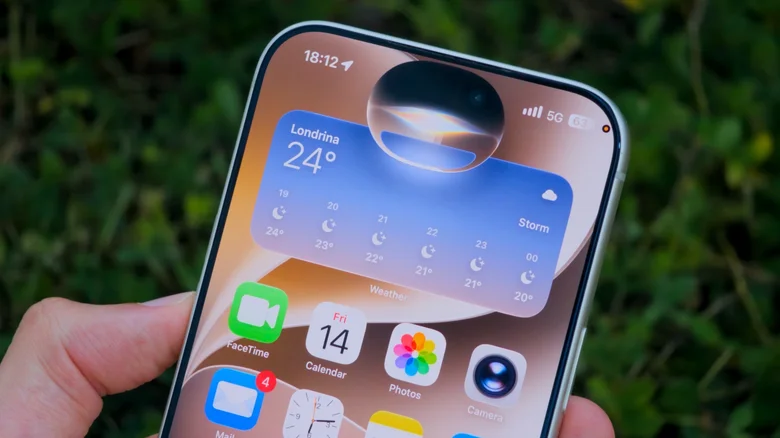
    Siri's new interface in iOS 27.

    Even if you have an iPhone running iOS 27, it may not be compatible with Siri AI. Apple Intelligence and the new Siri features are limited to the iPhone 15 Pro and later. Older iPhones, the base iPhone 15 included, are stuck with classic-and-dumb Siri.

    You may also have some trouble using Siri AI depending on your region and language. For now, it only works in English. Users in the EU or China won’t be able to access it either due to local regulations. Unfortunately, trying to change your iPhone’s settings won’t get around these restrictions.

    After updating your iPhone to iOS 27, you’ll be asked to enable Siri AI. If you chose not to at the time, you can still turn it on later by going to Settings > Siri and tap Turn On Siri. Then Try the new Siri. You may get instant access to Siri AI. However, some people land on a waitlist first. Beta testers have reported wait times anywhere from a few minutes to a few days.

    Three ways to use Siri
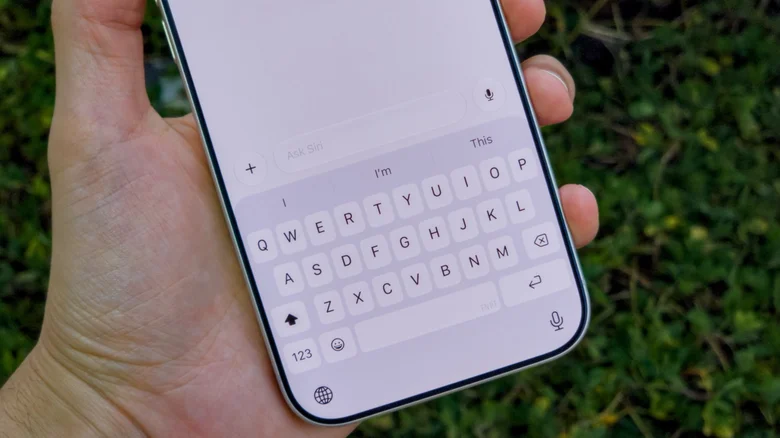
    The chat interface in the new Siri app on iOS 27.

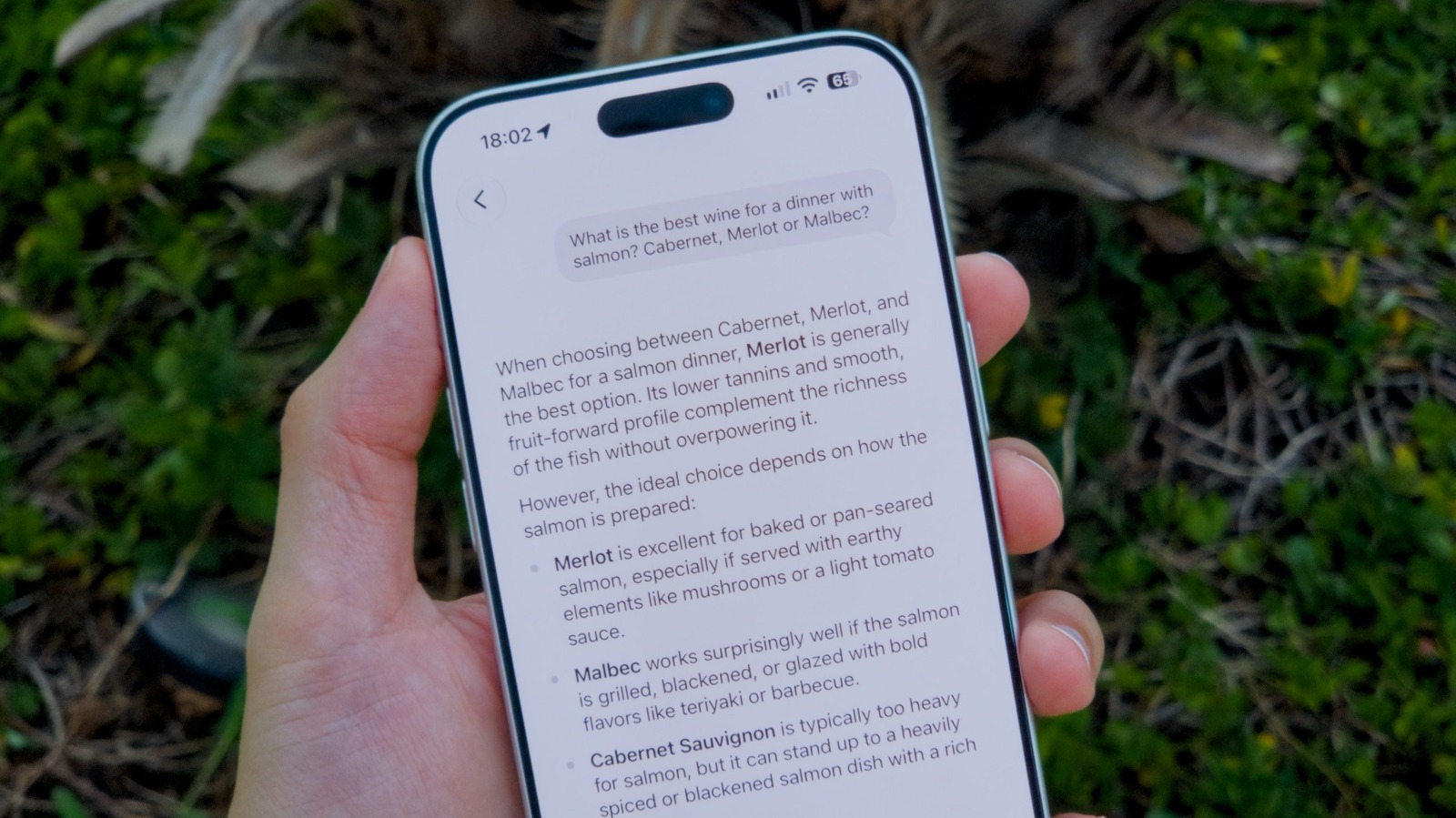
    The redesigned Siri can be reached three different ways. Swipe down from the Dynamic Island and a search box pops up. Holding down the side button still works if that’s what you’re used to. Maybe you want a more conventional chatbot experience like the one you get with ChatGPT? There’s now a dedicated Siri app for that too.

    The Siri app keeps a history of your past conversations syncedes and other media instead of just a simple reply. Want to give it more context? Tap the plus button to drop in an image or document. Or maybe you just want to ask “what’s the weather forecast.” All the classic commands work as usual

    Another great feature of the new Siri experience is how it has access to your personal context. Try asking about things like your messages or emails, and Siri will likely give you the answer you’re expecting instead of just telling you to Google it.

    Managing conversation history
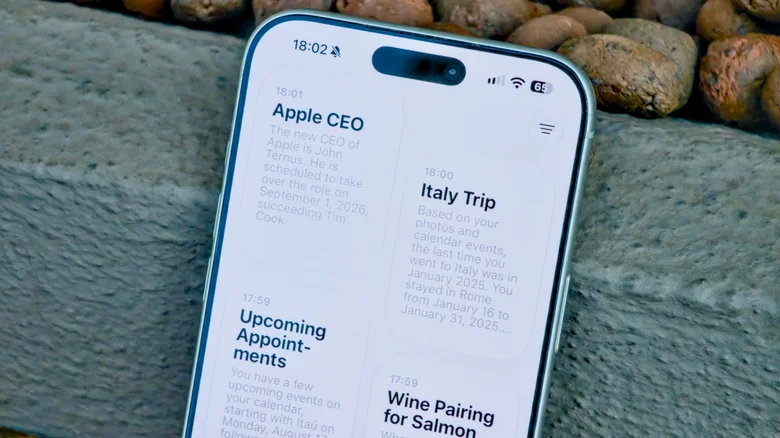
    Card view in the Siri app on iOS 27.

    There’s a search button on the app’s main screen if you’re digging through old conversations. You can also flip between a list view and a card grid — just use the toggle in the upper-right corner. Want to pin one, rename it or get rid of it? Press and hold does the trick.

    For now, iOS 27 is still in public beta, while the update typically releases in the fall. If you don’t want to wait, the Beta Software Program is open to developers and testers. And remember to back up your iPhone, just in case the beta causes your favorite app to become buggy.

    Siri
    Follow on Google News Follow on Flipboard
    Share. Facebook Twitter Pinterest LinkedIn Tumblr Email Copy Link
    myappsplus
    • Website

    Related Posts

    Apple @ Work: The three prongs of software updates in the AI era

    September 12, 2026

    You can now pre-order iPhone 18 Pro and iPhone 18 Pro Max

    September 12, 2026

    Pornhub viewers left in droves to see Apple’s foldable iPhone

    September 12, 2026
    Add A Comment
    Leave A Reply Cancel Reply

    Top Posts

    The 6 AI-free Linux distros I recommend most

    August 19, 20263 Views

    AI, automation, robot dogs ensure on-site nuclear safety

    September 7, 20262 Views

    This tiny AI box could save me from upgrading my perfectly good laptop

    September 6, 20262 Views
    Latest Reviews

    Apple Wallet driver’s licenses are coming to North Carolina, but there’s a catch

    myappsplusAugust 18, 2026

    3 Japanese AI Stocks Turning Automation Spending Into Real Revenue

    myappsplusAugust 18, 2026

    Apple: DOJ’s latest challenge in antitrust case ‘fails at every level’

    myappsplusAugust 18, 2026
    Stay In Touch
    • Facebook
    • YouTube
    • TikTok
    • WhatsApp
    • Twitter
    • Instagram

    Subscribe to Updates

    Get the latest tech news from FooBar about tech, design and biz.

    Most Popular

    Apple Wallet driver’s licenses are coming to North Carolina, but there’s a catch

    August 18, 20260 Views

    3 Japanese AI Stocks Turning Automation Spending Into Real Revenue

    August 18, 20260 Views

    Apple: DOJ’s latest challenge in antitrust case ‘fails at every level’

    August 18, 20260 Views
    Our Picks

    How to know it’s time to replace your EV battery

    September 12, 2026

    How to watch Sabalenka vs Rybakina: US Open 2026 Women’s Final FREE Live Streams, TV Channels

    September 12, 2026

    2,359 piece LEGO excavator goes on sale as the real deal goes to work

    September 12, 2026

    Subscribe to Updates

    Subscribe to our newsletter and get the latest tech news, app updates, AI trends, smartphone reviews, and exclusive deals delivered straight to your inbox.

    Facebook X (Twitter) Instagram Pinterest
    • About Us
    • Get In Touch
    • Disclaimer
    • Privacy Policy
    • Terms & Conditions
    © 2026 MyAppsPlus. All Rights Reserved.

    Type above and press Enter to search. Press Esc to cancel.