

Mobile gamers may find this especially useful.
This summer, the popular games studio Bungie ended development on the long-running, live-service game Destiny 2. As an avid player who had chewed through all the content that game had to offer, I still wanted a Destiny fix, so I turned to the next best thing: the mobile game Destiny: Rising, developed by NetEase. But while I could easily play the game on my phone or tablet, gaming on a handheld screen has never appealed to me. So, I installed the Android version of the game on my PC instead, then kicked back and enjoyed the game’s robust mouse and keyboard support, with far better graphics to boot.
But how did I install an Android game on my Windows PC, and are there any reasons to do so beyond gaming? It’s a lot easier to run Android on your PC than you may think, with multiple popular and powerful tools available for that purpose. Pretty much any computer made in the past decade can run an Android emulator, and as long as you’re at least somewhat familiar with Android, you’ll quickly get the hang of it. And while emulating Android on a PC opens up new possibilities for mobile gamers, it’s also useful for content creators, developers and DIY tinkerers. Here’s what you need to know to get started using Android apps on your PC, and why you might want to.
Easy tools for running Android apps on your Windows PC
There was a time when Microsoft planned to make Android apps compatible with Windows 11 out of the box, using something called the Windows Subsystem for Android. While a subsystem for Linux ended up shipping, Android app support was dropped in 2024 for reasons beyond the scope of this article. The bottom line is that, if you’re looking to run Android apps on your PC in 2026 and beyond, there are two main paths before you: Android emulators and the Google Play Games app.
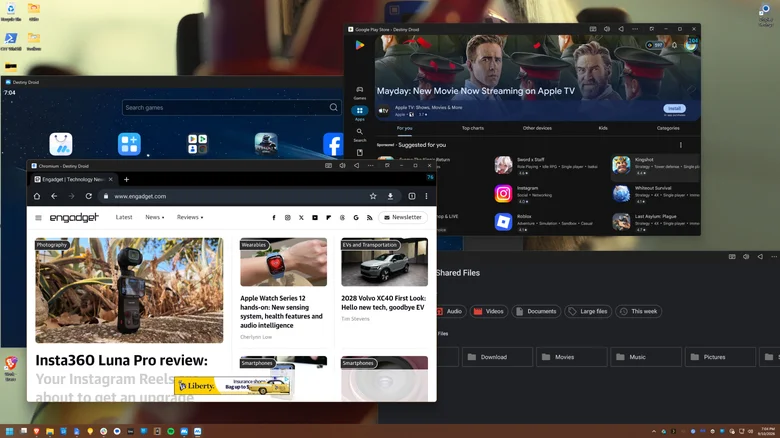
Emulators are the most robust solution. Two of the most popular options are BlueStacks and MuMuPlayer, with the latter being the tool I personally use. Bluestacks is a legitimate app, but it’s chock full of ads that it seems to prioritize over all else, and they clutter up nearly every corner of the interface. MuMuPlayer is free, and though it has more ads than it did a year ago, they only appear on a few loading screens. Because it’s developed by NetEase, the Chinese publisher of the popular PC and console title Marvel Rivals and mobile games including Destiny: Rising, MuMuPlayer is meant as a PC portal for NetEase games and is not as reliant on ads. Nevertheless, it is a full-fat Android emulator and recently got an update to Android 15. You simply create virtual phones and then run apps from the Play Store or elsewhere, just as you would on a handset.
If you only want games, you can instead try Google Play Games for PC, which is a project from Google that translates Android games directly to your PC using a lightweight virtual machine. However, it only works with a select band of titles from developers who have opted in. You’ll find plenty of familiar games, such as Genshin Impact, Clash of Clans and even the mobile adaptation of the critically acclaimed RPG Disco Elysium. Others, such as my beloved Destiny: Rising, are conspicuously absent.
It should be noted that Phone Link on Windows 11 will let you cast your Android phone’s apps or screen to your desktop wirelessly, though they’ll be running on the phone itself rather than directly on your PC.
Why emulate Android apps on PC?
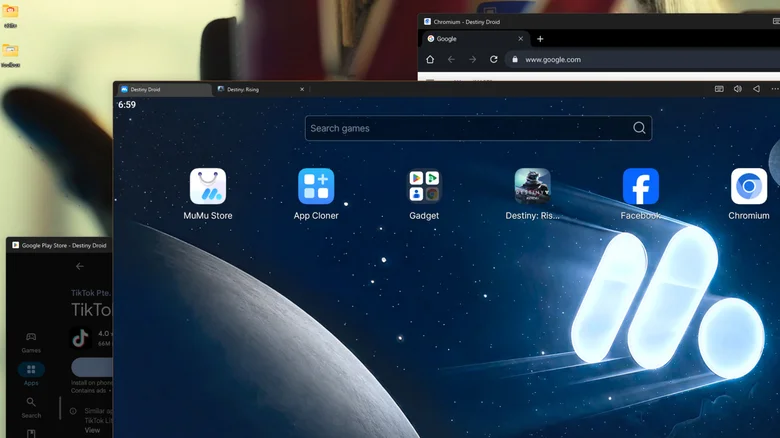
Gaming is an obvious use case for Android emulation on PC. Even on top-tier gaming tablets, you may find restrictions to graphical fidelity and frame rate. That’s the case with Destiny: Rising, which is capped at 60 frames per second on my Samsung Galaxy Tab S10 Ultra tablet when I crank up the graphics (even though I’m fairly sure it could handle both at once, the game has decided for me that it cannot). With PC emulation through MuMuPlayer, I’m able to get far better graphics using the Nvidia RTX 4070 Ti Super on my PC. I could also install Android emulators for old consoles like the PS3 or GameBoy, but given the legally dubious area those use cases can tip into, I have not done so.
If you’re not a gamer, there are still use cases for on-PC Android emulation. Plenty of Android apps lack a dedicated PC edition or have more features in the mobile app than on PC. You can run social media programs like Instagram or TikTok, messaging apps like Snapchat, or that app your landlord made you download to control your smart thermostat and locks which annoyingly does not have a PC version. Of course, Android developers use emulation to test apps. And low-end computers which cannot run pro-grade creative software may be able to run the slimmed-down Android versions of those programs, at least if their more limited functionality is tolerable.
An Android emulator like MuMuPlayer or BlueStacks can also be a great way to silo certain workflows away from your main compute environment (though local emulation still consumes local system resources). Both tools also allow parallel instances — that is, multiple emulated Android devices running at once — an ability some mobile gamers use to farm in-game resources, social media creators use for multi-account management, and others may use to create separation between work and personal accounts.
