Close Menu
MyAppsPlus

    Subscribe to Updates

    Get the latest creative news from FooBar about art, design and business.

    What's Hot

    Your headphones have hidden LE Audio features you’ll want to know about

    October 29, 2026

    IQOO’s new mid-range phone puts last year’s flagships to shame

    October 29, 2026

    ‘This is a training and trust problem, not an AI problem’: Barely any workers are verifying information given to them by AI

    October 29, 2026
    Facebook X (Twitter) Instagram
    Facebook X (Twitter) Instagram
    MyAppsPlusMyAppsPlus
    Thursday, October 29
    • Home
    • Breaking Tech
    • Apps & Software
    • AI & Automation
    • Android
    • iPhone & iOS
    • More
      • Reviews
      • How-To Guides
      • Deals & Discounts
      • Shop
    MyAppsPlus
    Home»iPhone & iOS»How to stop X app videos from playing in background on iPhone
    iPhone & iOS

    How to stop X app videos from playing in background on iPhone

    myappsplusBy myappsplusOctober 29, 2026003 Mins Read
    Share Facebook Twitter Pinterest Copy Link LinkedIn Tumblr Email Telegram WhatsApp
    Follow Us
    Google News Flipboard
    How to stop X app videos from playing in background on iPhone
    Share
    Facebook Twitter LinkedIn Pinterest Email Copy Link

    In this brief tutorial, we show you when the X app (formerly Twitter) starts playing videos in Picture in Picture on your iPhone and how you can stop that from happening.

    When the X app plays video in the background

    Older versions of the X app would keep playing a video in Picture in Picture (PiP) if you swiped out of the app, as long as you had a premium subscription.

    But the recent version of the app no longer does that. Instead, it only continues to play the video in Picture in Picture if you:

    • specifically tap the PiP button under the video, which first makes it play in a tiny horizontal bar at the bottom of the screen;
    • then swipe up to exit the app, which moves the video playback to the standard iOS Picture in Picture window.
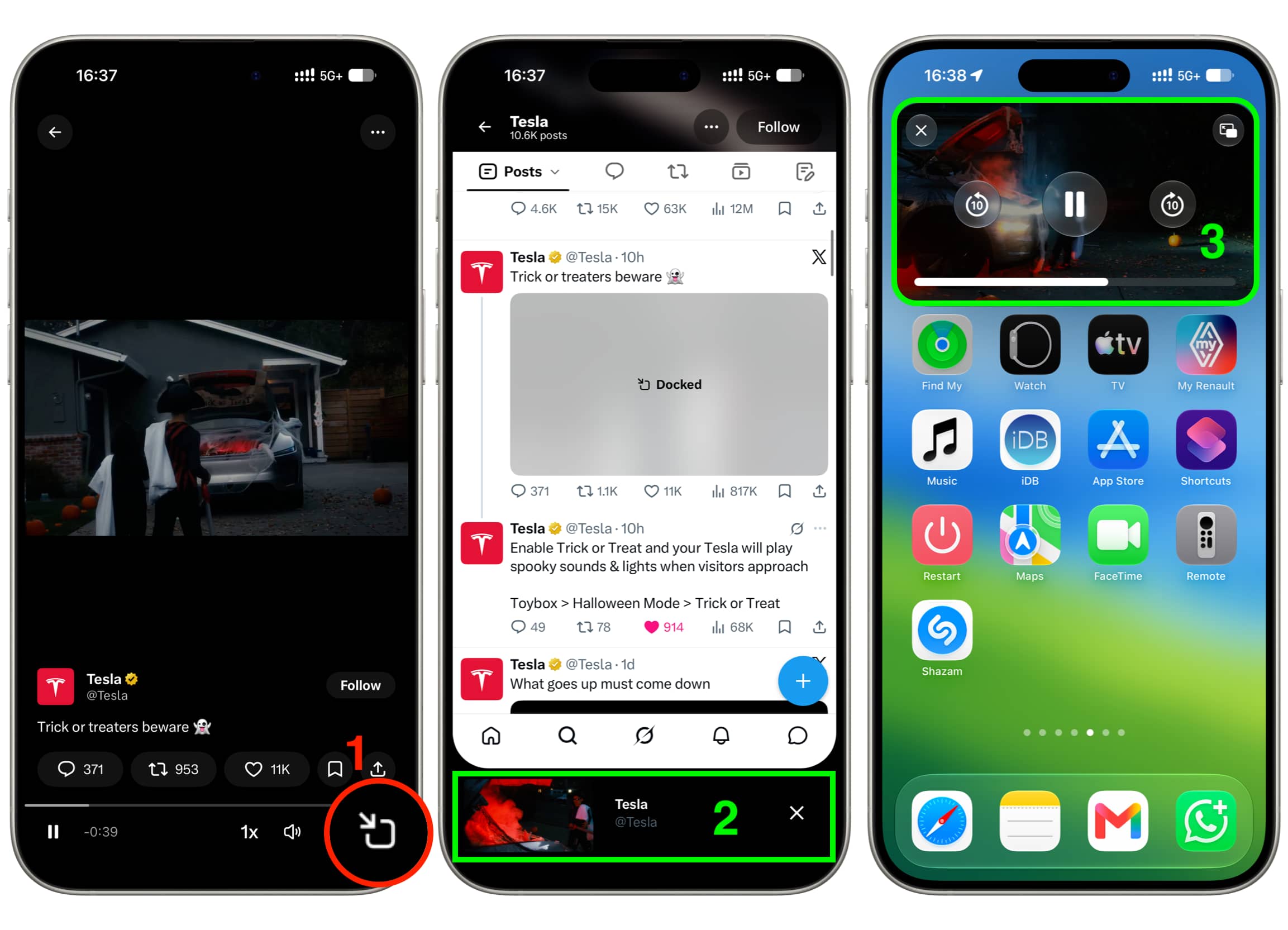
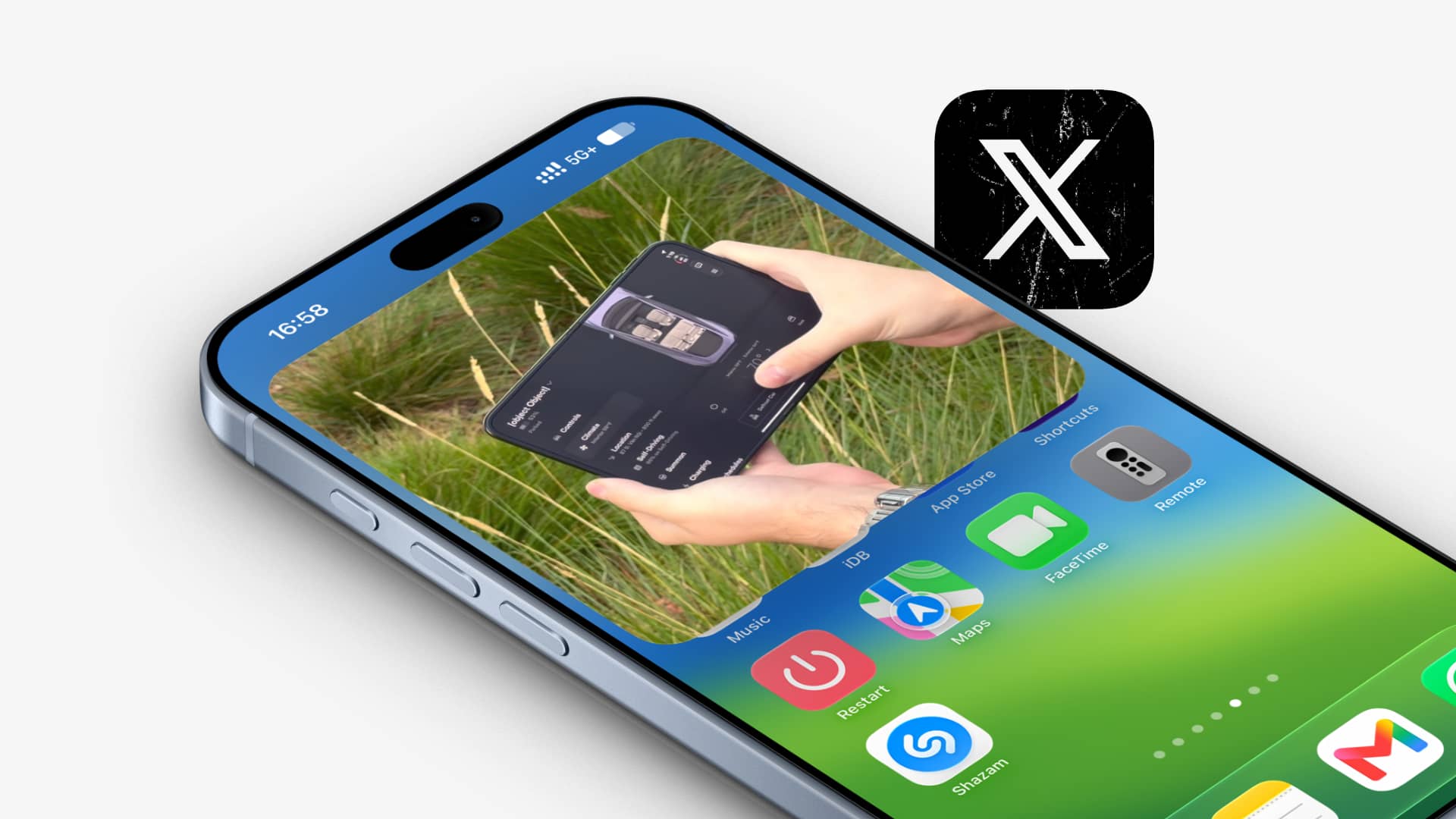
    Playing X app video in Picture in Picture background on iPhone

    Stop background video play from X app

    As evident from my explanation above, if you don’t want the video from X to keep playing even after going out of the app, then simply don’t tap the Picture in Picture icon before leaving the app.

    In case the video is already at the bottom of your X app screen, tap the “X” button to close it, and then you can swipe out of the app; the video won’t play in the background.

    Turn off Picture in Picture for X app videos

    Unlike apps like YouTube, the X app has no in-app controls to manage Picture in Picture on iPhone or iPad. iOS also doesn’t offer a per-app Picture in Picture management option at the system level.

    So, if you want to permanently turn it off, you’ll have to disable Picture in Picture at the OS level by following these steps. Just remember that it will also turn off automatic Picture in Picture for YouTube, Netflix, Prime Video, FaceTime, WhatsApp video calls, and every other app.

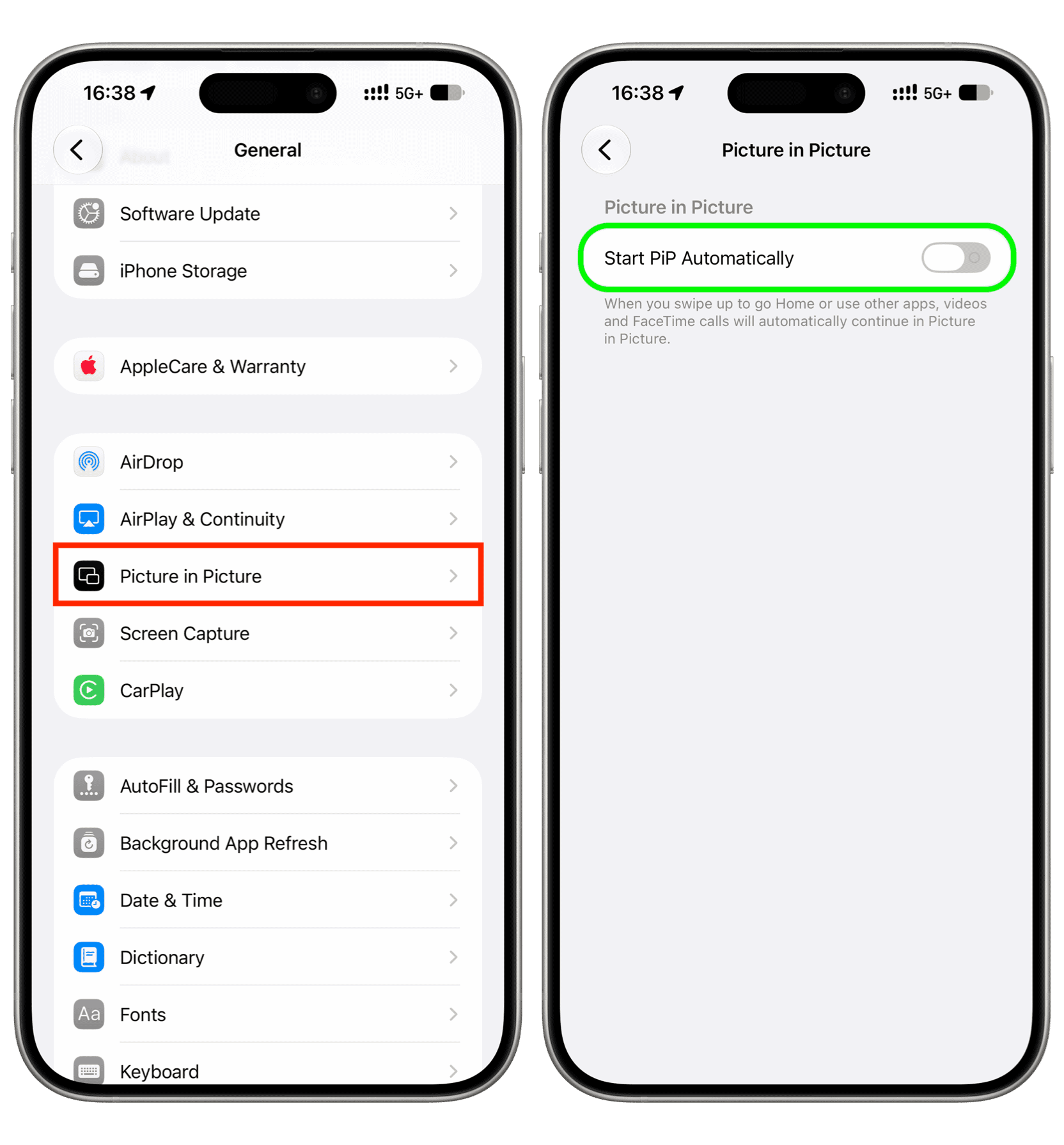
    1. Open the Settings app on your iPhone or iPad.
    2. Tap General.
    3. Tap Picture in Picture.
    4. Turn off Start PiP Automatically.

    Start PiP Automatically turned off in iPhone settings

    Moving forward, when you have a video playing in the bottom bar of the X app and swipe up to exit the app, the playback will no longer continue in Picture in Picture, but you’ll still hear its audio. You can manage audio playback by tapping the controls on the Lock Screen or Dynamic Island.

    • How to stop getting unwanted password reset emails from X
    • How to save GIFs from X to iPhone Photos app
    Featured How to News Picture in Picture Push Tips Tutorial Tutorials Twitter
    Follow on Google News Follow on Flipboard
    Share. Facebook Twitter Pinterest LinkedIn Tumblr Email Copy Link
    myappsplus
    • Website

    Related Posts

    IQOO’s new mid-range phone puts last year’s flagships to shame

    October 29, 2026

    iOS 27.3 release date: Here’s when to expect new iPhone features

    October 29, 2026

    Many of UGREEN’s best NAS units are 10-15% off right now

    October 29, 2026
    Add A Comment
    Leave A Reply Cancel Reply

    Top Posts

    Cathay Pacific tests Google AI that dramatically cuts airplane contrails — tiny altitude shifts slash environmental impact by 40% in early trials

    September 8, 2026137 Views

    Keep running out of mobile data? This new unlimited plan gets you up to 80Mbps 5G speeds for just AU$50/m

    October 8, 202615 Views

    Drone swarm tech valued by both defense and civilian sectors, industry platform says

    September 8, 202615 Views
    Latest Reviews

    Wonderful raises $550M at $5B valuation for its AI automation platform

    myappsplusSeptember 3, 2026

    When is Apple releasing new AirPods?

    myappsplusSeptember 3, 2026

    Beat Apple’s Price Hikes With Woot’s Mac and iPad Sale

    myappsplusSeptember 3, 2026
    Stay In Touch
    • Facebook
    • YouTube
    • TikTok
    • WhatsApp
    • Twitter
    • Instagram

    Subscribe to Updates

    Get the latest tech news from FooBar about tech, design and biz.

    Most Popular

    When is Apple releasing new AirPods?

    September 3, 20260 Views

    Anker just launched a ton of new products at IFA 2026 — including an AI-powered home hub

    September 3, 20260 Views

    Mid-week Apple Books and audiobook deals from $2

    September 3, 20260 Views
    Our Picks

    Your headphones have hidden LE Audio features you’ll want to know about

    October 29, 2026

    IQOO’s new mid-range phone puts last year’s flagships to shame

    October 29, 2026

    ‘This is a training and trust problem, not an AI problem’: Barely any workers are verifying information given to them by AI

    October 29, 2026

    Subscribe to Updates

    Subscribe to our newsletter and get the latest tech news, app updates, AI trends, smartphone reviews, and exclusive deals delivered straight to your inbox.

    Facebook X (Twitter) Instagram Pinterest
    • About Us
    • Get In Touch
    • Disclaimer
    • Privacy Policy
    • Terms & Conditions
    © 2026 MyAppsPlus. All Rights Reserved.

    Type above and press Enter to search. Press Esc to cancel.