
Close Menu
MyAppsPlus

    Subscribe to Updates

    Get the latest creative news from FooBar about art, design and business.

    What's Hot

    The pros and cons of enabling Wi-Fi calling

    October 4, 2026

    Canadian accountants need an AI evidence ledger before automation scales

    October 4, 2026

    Garmin releases new update for popular smartwatches with multiple changes and improvements

    October 4, 2026
    Facebook X (Twitter) Instagram
    Facebook X (Twitter) Instagram
    MyAppsPlusMyAppsPlus
    Sunday, October 4
    • Home
    • Breaking Tech
    • Apps & Software
    • AI & Automation
    • Android
    • iPhone & iOS
    • More
      • Reviews
      • How-To Guides
      • Deals & Discounts
      • Shop
    MyAppsPlus
    Home»Breaking Tech»How getting rid of some USB gadgets can improve your bad Wi-Fi
    Breaking Tech

    How getting rid of some USB gadgets can improve your bad Wi-Fi

    myappsplusBy myappsplusOctober 4, 2026004 Mins Read
    Share Facebook Twitter Pinterest Copy Link LinkedIn Tumblr Email Telegram WhatsApp
    Follow Us
    Google News Flipboard
    How getting rid of some USB gadgets can improve your bad Wi-Fi
    Share
    Facebook Twitter LinkedIn Pinterest Email Copy Link

    Try decluttering a bit before complaining to your internet provider.

    Has your desk become a buzzing hive of wireless dongles, devices and accessories? If you’re experiencing poor Wi-Fi, before you file yet another support ticket with your broadband provider, consider this: your peripherals might be to blame.

    Most wireless devices use the 2.4GHz frequency, a free for all radio space designated in the mid-80’s which microwave ovens also use. Because it’s cheaper and easier for manufacturers to build devices that use this frequency, it has become a crowded house. Add the impact of similar devices in next-door offices and apartments and that’s a whole lot of activity being handled on one tiny wavelength. Signals get in each other’s way, push each other about, and some never make it through the crowd.

    Unless your network exclusively uses 5GHz or 6GHz (Wi-Fi 6E and 7), this is probably impacting your Wi-Fi speeds. While these newer bands are faster and less crowded, they’re limited in other ways particularly around range and distance. That’s why cutting-edge Wi-Fi 7 networks can sometimes feel slower as the signal struggles to get through walls: to get connected, devices default to the congested 2.4GHz band where all those other electricals are crammed together.

    Wireless interference and Wi-Fi: 101
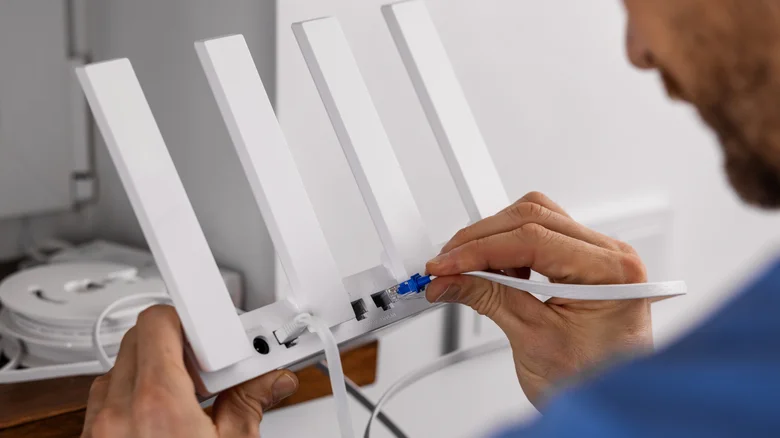
    Service technician working on a Wi-Fi router.

    The standards try to compensate for this by how they are constructed. Take 2.4GHz; while that’s the band, it’s also split up into channels, usually 1 to 11, with some channels left free to reduce friction and create space for other items to connect. All the same, when you have dozens of devices sitting on channels in the 2.4GHz space, even if they’re on different channels, the radio signal will feel it.

    Another dimension to wireless contention is USB 3.0. High-speed data on USB 3.0 creates electromagnetic radiation spanning 2.4 GHz to 2.5 GHz, which — perhaps inevitably — also interferes with wireless networks in those bands. One solution to this can be to use USB Extension Cables to move USB dongles further from ports, which can reduce overall noise.

    That, along with bad router placement, overlapping Wi-Fi channels (particularly in urban environments) and the upload or download of huge files make for a poor network experience. 

    All those signals jamming into each other means your high-speed Wi-Fi network becomes slower than the free Wi-Fi at your local library. And when this happens, it’s not really your network that’s at fault. It’s the demands being made of it.

    What you can do to improve bad Wi-Fi

    What can you do about it? At the risk of sounding obvious, you have to prioritize. Which of those connected dongles and devices can you live without most of the time? Can any of your basic peripherals connect using USB 2.0? Is it possible to move any of them further apart from one another, perhaps by using USB hubs or extension cables to connect them at a distance? Should you really have your cordless phone and microwave oven placed right beside your router? (The answer to that is no, by the way).

    What you’re attempting to do is prune the devices crowding your network while also putting some actual physical space between them, which gives radio waves more space and helps your network manage all this activity more effectively. It also helps your Wi-Fi signals weave their way through the digital detritus in radio space.

    There is one more task before diving into router settings, which is to reboot your router. This clears its cache, forcing it to choose the least noisy channel to use, giving your network a breathing room, in a hopefully less overpopulated space.

    Computing gadgets getting Improve Some
    Follow on Google News Follow on Flipboard
    Share. Facebook Twitter Pinterest LinkedIn Tumblr Email Copy Link
    myappsplus
    • Website

    Related Posts

    The pros and cons of enabling Wi-Fi calling

    October 4, 2026

    Why you shouldn’t sync your phone to a rental car

    October 4, 2026

    What is infill in 3D printing and is it necessary?

    October 4, 2026
    Add A Comment
    Leave A Reply Cancel Reply

    Top Posts

    Can reviews settle disputes that marked first two seasons?

    September 21, 20268 Views

    Experts call for leveraging AI, breaking key tech bottlenecks to propel advanced manufacturing

    September 19, 20266 Views

    What was the PSX? The souped-up PS2 rarely sold outside of Japan

    September 14, 20265 Views
    Latest Reviews

    SpaceX is building a $100 billion ‘Starbase’ launch site in Louisiana

    myappsplusAugust 26, 2026

    ‘If we stuck with the silent protagonist method, we wouldn’t be able to tell this story properly’ — Metro 2039 executive producer says making The Stranger a speaking protagonist ‘goes hand in hand with telling a personal story’

    myappsplusAugust 26, 2026

    Bill Gates says we’ve passed AI’s danger thresholds. Now what?

    myappsplusAugust 26, 2026
    Stay In Touch
    • Facebook
    • YouTube
    • TikTok
    • WhatsApp
    • Twitter
    • Instagram

    Subscribe to Updates

    Get the latest tech news from FooBar about tech, design and biz.

    Most Popular

    ‘If we stuck with the silent protagonist method, we wouldn’t be able to tell this story properly’ — Metro 2039 executive producer says making The Stranger a speaking protagonist ‘goes hand in hand with telling a personal story’

    August 26, 20260 Views

    Bill Gates says we’ve passed AI’s danger thresholds. Now what?

    August 26, 20260 Views

    AI gold rush draws crypto firms away from Bitcoin

    August 26, 20260 Views
    Our Picks

    The pros and cons of enabling Wi-Fi calling

    October 4, 2026

    Canadian accountants need an AI evidence ledger before automation scales

    October 4, 2026

    Garmin releases new update for popular smartwatches with multiple changes and improvements

    October 4, 2026

    Subscribe to Updates

    Subscribe to our newsletter and get the latest tech news, app updates, AI trends, smartphone reviews, and exclusive deals delivered straight to your inbox.

    Facebook X (Twitter) Instagram Pinterest
    • About Us
    • Get In Touch
    • Disclaimer
    • Privacy Policy
    • Terms & Conditions
    © 2026 MyAppsPlus. All Rights Reserved.

    Type above and press Enter to search. Press Esc to cancel.