Close Menu
MyAppsPlus

    Subscribe to Updates

    Get the latest creative news from FooBar about art, design and business.

    What's Hot

    HomeKit Weekly: Onvis releases a Matter over Thread outdoor smart plug with energy monitoring

    October 9, 2026

    Starlink Mobile’s latest move could spell trouble for the big three carriers

    October 9, 2026

    Garmin’s Fenix 9 Pro has GPS problems and app devs are frustrated

    October 9, 2026
    Facebook X (Twitter) Instagram
    Facebook X (Twitter) Instagram
    MyAppsPlusMyAppsPlus
    Friday, October 9
    • Home
    • Breaking Tech
    • Apps & Software
    • AI & Automation
    • Android
    • iPhone & iOS
    • More
      • Reviews
      • How-To Guides
      • Deals & Discounts
      • Shop
    MyAppsPlus
    Home»Android»Googlebook’s hidden ‘Glowbar Disco’ turns your laptop’s lid into a light show
    Android

    Googlebook’s hidden ‘Glowbar Disco’ turns your laptop’s lid into a light show

    myappsplusBy myappsplusOctober 9, 2026002 Mins Read
    Share Facebook Twitter Pinterest Copy Link LinkedIn Tumblr Email Telegram WhatsApp
    Follow Us
    Google News Flipboard
    Googlebook’s hidden ‘Glowbar Disco’ turns your laptop’s lid into a light show
    Share
    Facebook Twitter LinkedIn Pinterest Email Copy Link

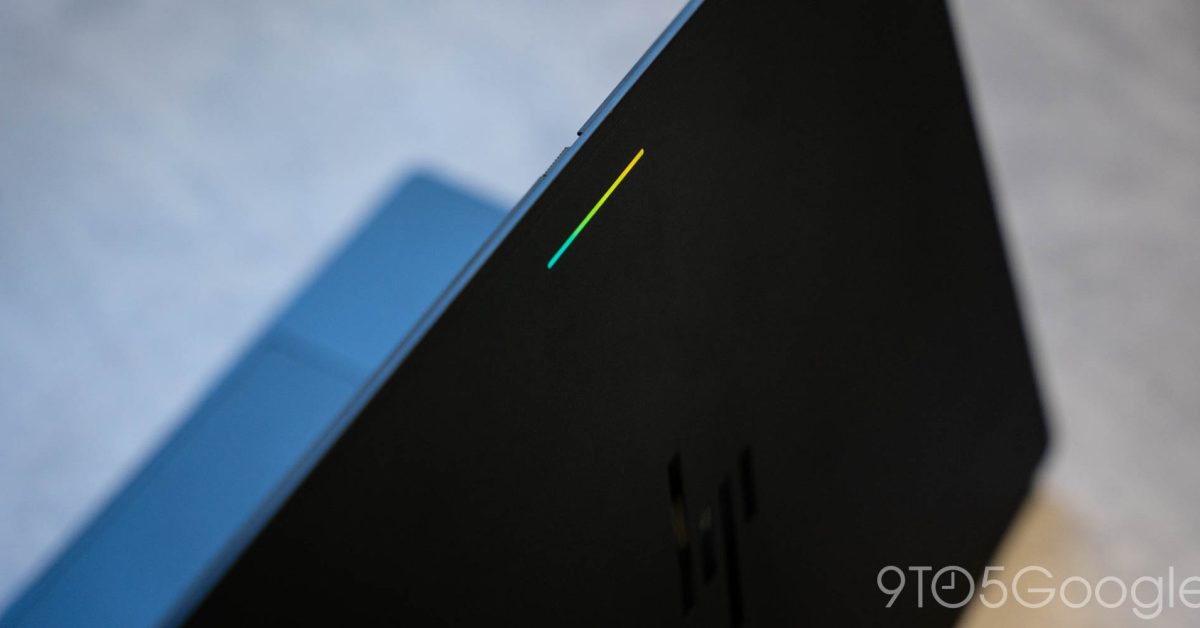
    Buried in the settings of Googlebook is a “Glowbar Disco” app that activates the LEDs on your laptop constantly, instead of leaving it blank.

    The Glowbar on Googlebook is a carryover from the iconic light bar on the original Chromebook Pixel. It doesn’t function quite the same, lacking the fun and useful “knock knock” gesture that Google’s original offered, but it still shows battery on plug-in, and serves as a nice accent too.

    But, hidden behind the scenes is more control over the glowbar.

    The “Glowbar Disco” app is an Easter egg buried deep within the OS, and even Google’s Alexander Kuscher admits it might be “too hard to find.” The app itself lets you set the Glowbar on a Googlebook to show a constant color, a preset animation, a gradient of colors, or even sync with music. It leaves the Glowbar active whenever the machine is turned on and the Disco app is open, and it’s a super fun little addition.
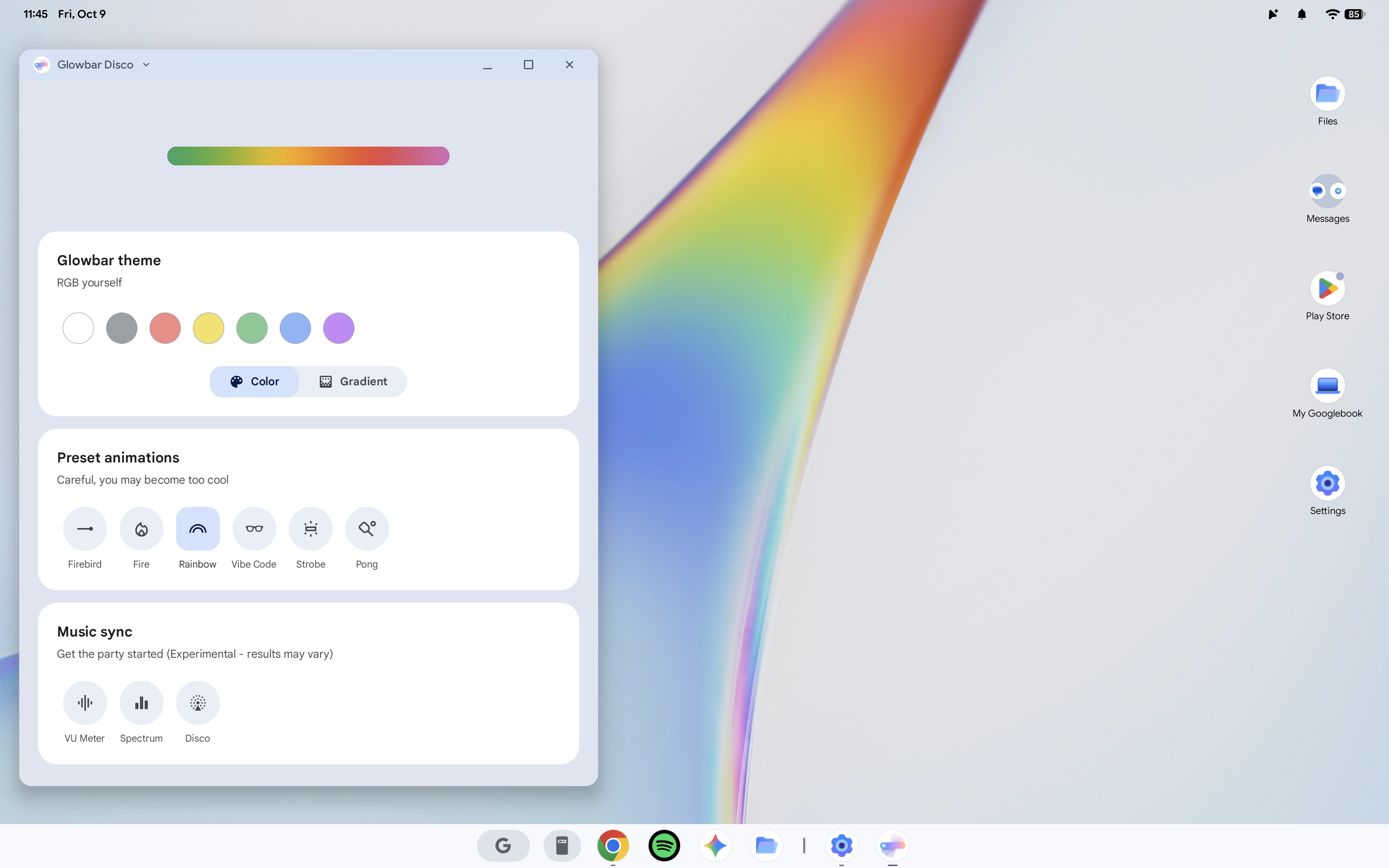

    Finding the app, though, is not exactly an easy task.

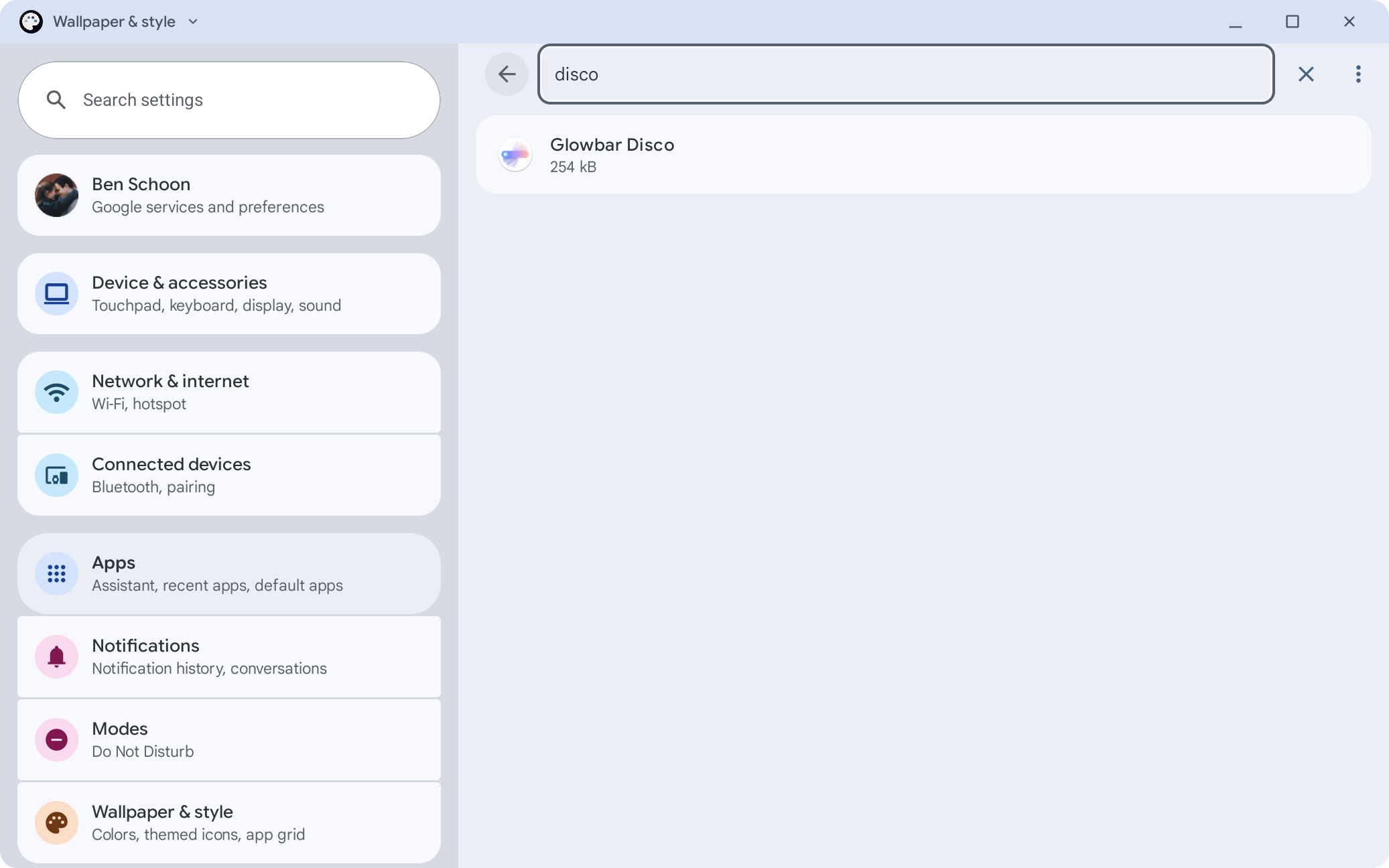
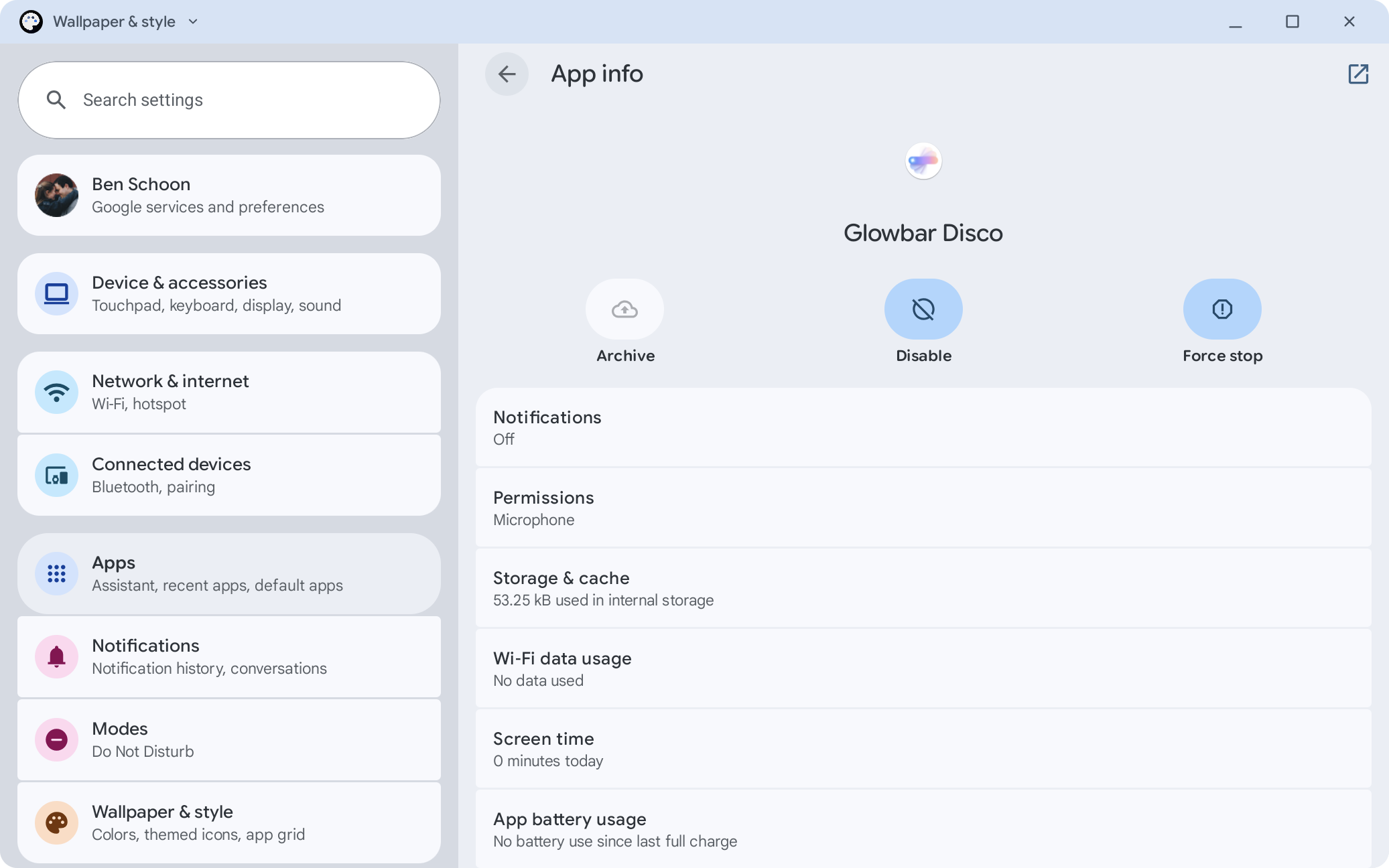
    You’ll have to go to Settings > Apps then allow the search function to show system apps, then search for “Glowbar Disco.” From there you can launch the app, but you’ll need to repeat that process every time you want to access it. And, if you close the app, the effects stop.

    If you ask me, this should be baked into the Settings because it is very fun. Hopefully that’ll change in time — Googlebooks certainly need a lot of updates.

    More on Googlebook:

    • Logitech brings its mouse & keyboard controller to Googlebook, supports Magic Pointer
    • Googlebook Glowbar doesn’t have the ‘knock-knock’ Chromebook Pixel battery gesture
    • Googlebooks don’t have the same web app or Linux app support as Chromebooks

    Follow Ben: Twitter/X, Threads, Bluesky, and Instagram

    You’re reading 9to5Google — experts who break news about Google and its surrounding ecosystem, day after day. Be sure to check out our homepage for all the latest news, and follow 9to5Google on Twitter, Facebook, and LinkedIn to stay in the loop. Don’t know where to start? Check out our exclusive stories, reviews, how-tos, and subscribe to our YouTube channel

    Disco Glowbar Googlebooks hidden News
    Follow on Google News Follow on Flipboard
    Share. Facebook Twitter Pinterest LinkedIn Tumblr Email Copy Link
    myappsplus
    • Website

    Related Posts

    HomeKit Weekly: Onvis releases a Matter over Thread outdoor smart plug with energy monitoring

    October 9, 2026

    Starlink Mobile’s latest move could spell trouble for the big three carriers

    October 9, 2026

    Garmin’s Fenix 9 Pro has GPS problems and app devs are frustrated

    October 9, 2026
    Add A Comment
    Leave A Reply Cancel Reply

    Top Posts

    What was the PSX? The souped-up PS2 rarely sold outside of Japan

    September 14, 20269 Views

    Can reviews settle disputes that marked first two seasons?

    September 21, 20268 Views

    Experts call for leveraging AI, breaking key tech bottlenecks to propel advanced manufacturing

    September 19, 20266 Views
    Latest Reviews

    Google’s new Fitbit Air brings Pokémon Sleep to your wrist

    myappsplusAugust 27, 2026

    Forget Disney’s BDX Droid — the $399 Hugging Face Microduck robot is even more adorable and versatile thanks to Lidar, NFC and, yes, roller skates

    myappsplusAugust 27, 2026

    Decoding cosmic signals with deep learning and Keras- Google Developers Blog

    myappsplusAugust 27, 2026
    Stay In Touch
    • Facebook
    • YouTube
    • TikTok
    • WhatsApp
    • Twitter
    • Instagram

    Subscribe to Updates

    Get the latest tech news from FooBar about tech, design and biz.

    Most Popular

    Forget Disney’s BDX Droid — the $399 Hugging Face Microduck robot is even more adorable and versatile thanks to Lidar, NFC and, yes, roller skates

    August 27, 20260 Views

    Decoding cosmic signals with deep learning and Keras- Google Developers Blog

    August 27, 20260 Views

    Galaxy Z Fold 8 Ultra finally dies in bend test, unlike past models [Video]

    August 27, 20260 Views
    Our Picks

    HomeKit Weekly: Onvis releases a Matter over Thread outdoor smart plug with energy monitoring

    October 9, 2026

    Starlink Mobile’s latest move could spell trouble for the big three carriers

    October 9, 2026

    Garmin’s Fenix 9 Pro has GPS problems and app devs are frustrated

    October 9, 2026

    Subscribe to Updates

    Subscribe to our newsletter and get the latest tech news, app updates, AI trends, smartphone reviews, and exclusive deals delivered straight to your inbox.

    Facebook X (Twitter) Instagram Pinterest
    • About Us
    • Get In Touch
    • Disclaimer
    • Privacy Policy
    • Terms & Conditions
    © 2026 MyAppsPlus. All Rights Reserved.

    Type above and press Enter to search. Press Esc to cancel.