

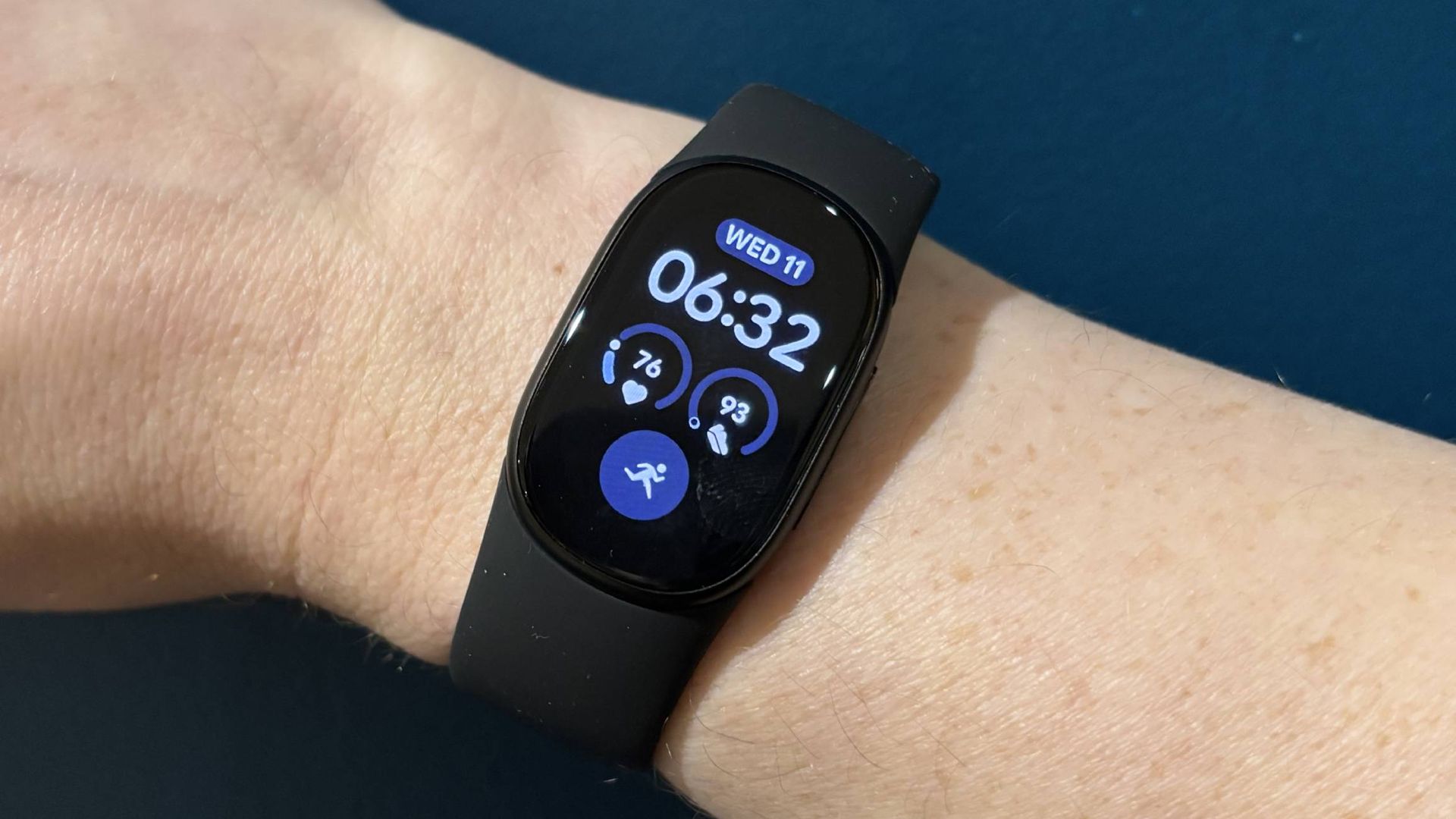
Google Fitbit Edge: Two-minute review
The Google Fitbit Edge occupies a middle tier in Google’s new wearables lineup. On the lowest tier you’ve got the Google Fitbit Air, Google’s cheapest tracker, and a screenless Whoop competitor, which collects information and displays it all in the Google Health app, with no interaction on-wrist.
At the other end of the spectrum you have the all-singing, all-dancing Google Pixel Watch 5, with its bright domed interactive AMOLED display and full Wear OS functionality. It’s the most interactive a Google wearable can get without you duct-taping one of the new Googlebooks onto your wrist.
In the middle, but leaning more towards the Fitbit Air end of the spectrum, is the Google Fitbit Edge. It’s got a touchscreen like the Pixel Watch 5 (though it’s not as bright), GPS (missing on the Air), and a tactile button, enabling interactions such as media control and simple notification viewing, but not nearly as much as the Google Pixel Watch series. You can also swap straps to make it look more jewelry-like or watch-like.
On the other hand, it automatically detects workouts like the Fitbit Air, lasts a week between charges, doesn’t offer watch features like NFC payments or call management, and is very lightweight.
If you’ve used a Fitbit Charge or a Fitbit Luxe in the past, you’ll be familiar with the Google Fitbit Edge’s shtick. The screen enables you to pick and choose your workout starting point, manually pause or stop it, set timers, start an ECG scan, and offers other key functionalities. It inherently makes it more useful, while not being engaging enough to tempt you to tinker with it, or make it feel like a second phone. Meanwhile, it hums away in the background offering Health Guardian features like Blood Pressure Trends, Irregular Rhythm Notification, and Insulin Resistance estimations.
The Edge has a slightly different sensor array to the Air, which is capable of delivering ECG scans and detecting ambient light, so it can brighten or dim the screen as required. The Edge’s heart-rate sensor is very accurate, consistently recording readings within 5bpm of the Garmin Fenix 9 Pro (which sports Garmin’s Elevate V5 sensor, which we’ve thoroughly tested for accuracy across a multitude of different Garmins) during workouts in my testing. Sleep scores were a little more varied, sometimes matching up to the Garmin very closely, and other times being off by 10 points or so.
While sleep stats diverged a little, the Fitbit Edge’s biggest accuracy letdown during my testing was GPS and resulting information, such as pace. I documented my first test run, in which the Edge overestimated the pace and distance I ran compared to the (tested and accurate) Garmin Fenix 9 Pro, and this happened consistently. On every run, the Fitbit assumed I was running faster and further than the Garmin, usually by around 0.5km.
However, for every other performance-based metric, the Edge was great, with automatic activity tracking in particular being very accurate. I was initially confused, as I was expecting an activity to show up on the screen, and it didn’t do so. However, once I checked the Google Health app, the activity was there in full.
The Google Health app is my other big sticking point — I covered it in my Fitbit Air review, but I dislike the AI-forward nature of it. It’s clearly built to be used alongside the premium Google Health Coach chatbot, with precious little functionality, and buried metrics, for free users.
I like the Edge. It’s well-priced, it performs well, it’s unobtrusive and it’s comfortable. Those looking for an old-school Fitbit will feel right at home — until they get to the app.
Google Fitbit Edge: Specifications
|
GPS, Galileo, GLONASS, BeiDou, QZSS |
|
Google Fitbit Edge: Price and availability
- $179.99 / £159.99 / AU$269
- Priced higher than the Google Fitbit Air, around the same as the old Charges
- It goes up against the Garmin Cirqa, Forerunner 70, and Apple Watch SE 3
The Google Fitbit Air costs $179.99 / £159.99 / AU$269, which isn’t a bad price for what you’re getting. That’s similar to what the GPS-equipped Fitbit Charge series used to cost, and considering we’re in a components crisis at the moment, I’m pleased that Google has kept the price fairly low.
However, competition is fierce at this price point, with the Edge going up against the Garmin Cirqa (my pick for this year’s best fitness tracker), the Apple Watch SE 3, the Samsung Galaxy Watch9 and the Garmin Forerunner 70 running watch. All of these devices, I would say, are better performers in some respects than the Fitbit, but not all of them are as sleek or unobtrusive.
Runners should opt for the Forerunner 70, while Apple users will get more out of the SE 3. For those looking for an all-round, simple-to-use fitness tracker, the Google Fitbit Edge might be ideal if you want a screen for media playback control, timers, manual workout settings or simply checking your step count.
Google Fitbit Edge: Scorecard
|
Well priced in the same bracket as its predecessors. |
||
|
Thoughtful and sleek, with great band options. |
||
|
A bit limited in both hardware and software, but GPS and ECG are good to see. |
||
|
Some accuracy issues when it comes to sleep and GPS, but not enough to stop me recommending it to exercisers who are more concerned with general trends than in-depth metrics. |
Google Fitbit Edge: Should I buy?
Buy it if…
You want a ‘set and forget’ tracker
Automatic activity detection is excellent.
Don’t buy it if…
The GPS inaccuracy throws off pacing a bit, which means a dedicated running watch is a better choice.
The Google Health app is built around Google’s premium chatbot service, and limited at the free tier.
Google Fitbit Edge: Also consider
The best cheap fitness tracker.
Read our fullSamsung Galaxy Fit 3 reviewView Deal
The best screenless fitness tracker, at a similar price to the Edge.
Read our fullGarmin Cirqa reviewView Deal
Google Fitbit Edge: How I tested
I wore the Fitbit Edge for a week on my right wrist, with the Garmin Fenix 9 Pro on my left. Using the Garmin as a benchmark, I compared sleep scores, workout metrics, heart-rate readings, step counts and more. I also drained the battery on the Fitbit Edge to check that performance was as claimed.
