Close Menu
MyAppsPlus

    Subscribe to Updates

    Get the latest creative news from FooBar about art, design and business.

    What's Hot

    Don’t like Google Health’s AI Coach? Here’s how to turn it off

    November 9, 2026

    OnePlus ColorOS 17 update schedule: When will OnePlus 12, OnePlus Open, OnePlus Nord 6 and more receive new software?

    November 9, 2026

    Standard Cybernetics’ Jewkes Says the 99.95% AI Automation Beats PhDs at Scale — and Judgment Is the Undervalued Asset

    November 9, 2026
    Facebook X (Twitter) Instagram
    Facebook X (Twitter) Instagram
    MyAppsPlusMyAppsPlus
    Monday, November 9
    • Home
    • Breaking Tech
    • Apps & Software
    • AI & Automation
    • Android
    • iPhone & iOS
    • More
      • Reviews
      • How-To Guides
      • Deals & Discounts
      • Shop
    MyAppsPlus
    Home»Breaking Tech»Don’t like Google Health’s AI Coach? Here’s how to turn it off
    Breaking Tech

    Don’t like Google Health’s AI Coach? Here’s how to turn it off

    myappsplusBy myappsplusNovember 9, 2026004 Mins Read
    Share Facebook Twitter Pinterest Copy Link LinkedIn Tumblr Email Telegram WhatsApp
    Follow Us
    Google News Flipboard
    Don’t like Google Health’s AI Coach? Here’s how to turn it off
    Share
    Facebook Twitter LinkedIn Pinterest Email Copy Link

    It’s pretty easy to opt out of this feature.

    If you don’t like Google Health’s AI Coach or need a break from its constant advice, the easiest way to get rid of it is to cancel your Google Health Premium subscription, since AI Coach does not come with the free Google Health tier. But what if you just want to hide it for a bit and continue to enjoy the other benefits of Google Health Premium? These include personalized sleep summaries, advanced sleep tracking algorithms, Sleep Score, Health Guardian that tracks noticeable changes in health and wellness, cycle predictions, nutrition tracking and more. 

    Don’t worry, because there is a way to keep Google Health Premium but temporarily (or permanently) set aside the Gemini-powered AI Coach in the app settings thanks to an update released in August 2026. It’s a simple matter of going to your privacy controls and toggling the feature off. And you can turn it back on again any time you want.

    How to turn off AI Coach
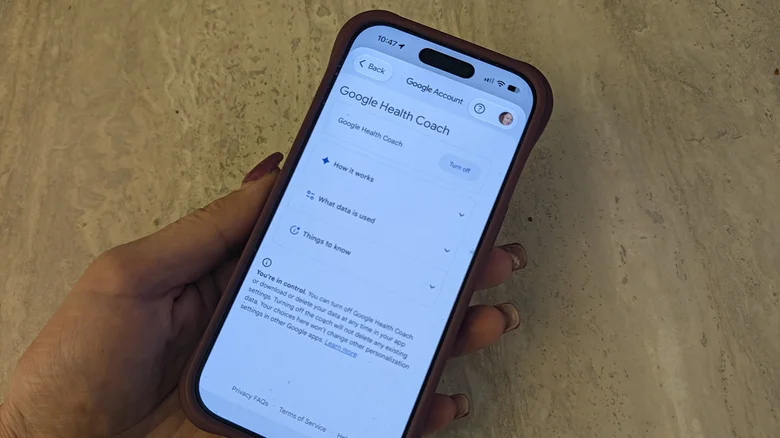
    A hand holding a phone with the turn off option for Google Health Coach in the app.

    Christine Persaud for Engadget

    In the Google Health app while subscribed to Google Health Premium, tap your profile photo in the top right corner. Select Your datain Google Health then scroll down to Feature privacy controls and select Manage feature privacy controls. Select Google Health Coach and the Turn off button. That’s it! You can also go to your profile photo> Google Health settings > Coaching, and turn off Health Coach from there. Another option is to change Coach messages on Today from Standard to No Coach insights, which will only show basic updates and no messages.

    Without this feature, you won’t get personalized guidance, recommendations, or summaries, which is one of the key features of Premium when used alongside a tracker like the new Fitbit Edge (see our Fitbit Edge review). You also won’t be able to tap the Ask Coach button to ask questions and chat with the coach about your health and wellness. This also means you won’t be able to use this function to log your meals, though you can do that through manual logging.

    None of your previous data will be deleted, and as mentioned, you can turn AI Coach back on at any time. However, to do so, you can’t return to the same menu. You need to tap the still visible Ask Coach button on the bottom, right and select Unlock Coach to begin the restoration process.

    If you find that notifications are the issue, go to your profile photo, Google Health settings, Push notifications, and turn Coaching off so you aren’t pinged whenever there’s coaching advice. You might prefer starting with this step before turning it off altogether.

    Why keep AI Coach

    Whether it’s for privacy reasons, you find it too intrusive or repetitive, or you want to take a break from personalized insights because you’re dealing with illness, injury or just in a personal funk, there are many reasons to put a pause on AI Coach. But for some people’s needs, it’s one of the most valuable aspects of Google Health Premium. So, if you plan to turn it off for any significant length of time, you might be better off cancelling Premium and sticking with the base-level free Google Health app if you can live without the other upgrades, too.

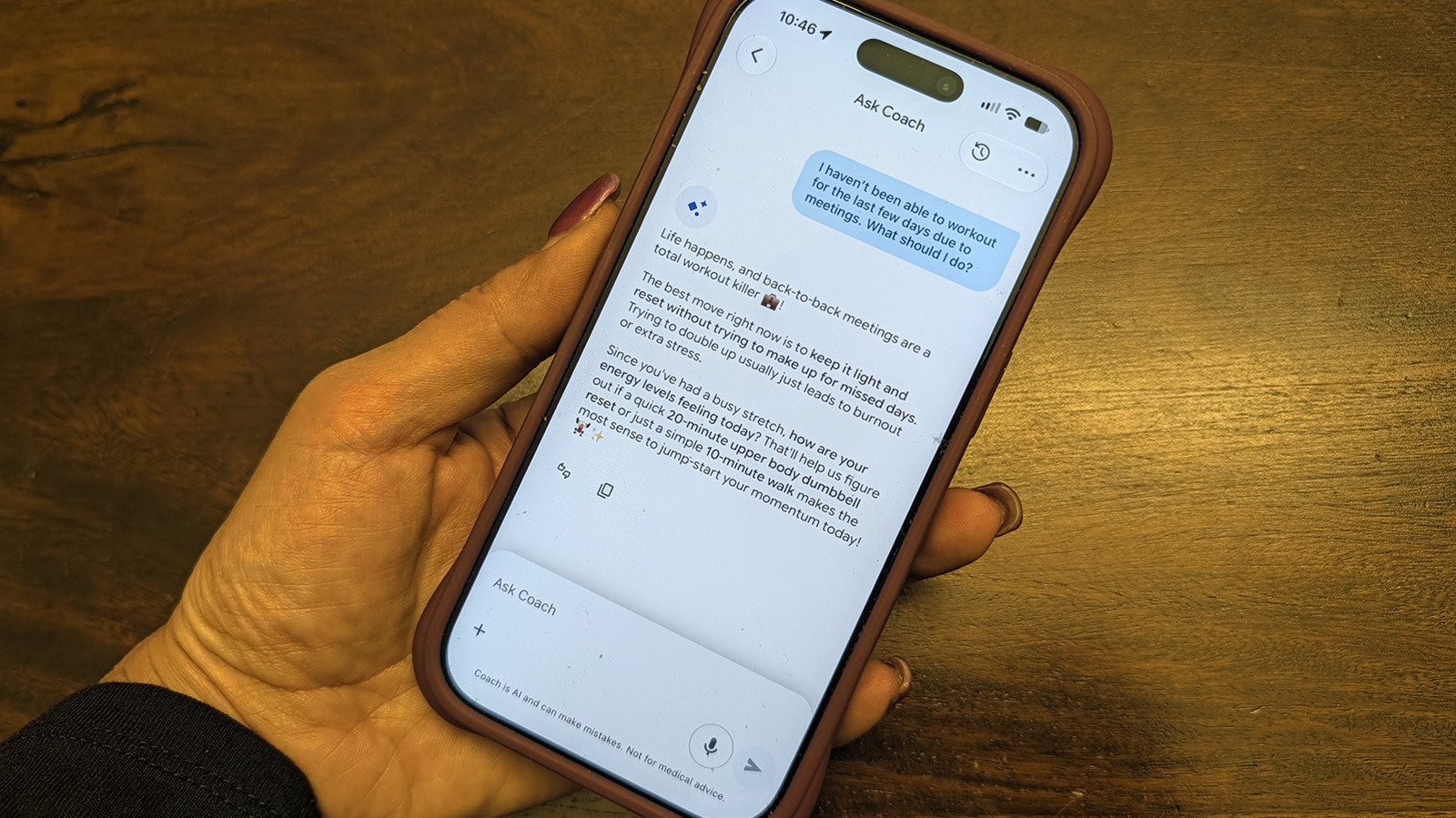
    Google Health AI Coach can be useful if you adjust settings to ensure it notifies you only when and how you want. I have used it, for example, to log the exact weights I lifted during a strength training session and to walk me through adjusting my workouts around a shoulder injury. (AI Coach does not provide medical advice.) I also use it as a simple way to snap a photo of my meals to log protein, carbs and fat intake. The more you interact, the more it learns about unique aspects of your lifestyle.

    Admittedly, though, it can be annoying with repetitive advice to do the same thing every day that I’m already doing, like a 30-minute strength session and a light walk. You may eventually realize you ignore the insights more than you read them. If you do need a breather, it’s easy to quiet the noise.

    Coach Dont Google Healths like
    Follow on Google News Follow on Flipboard
    Share. Facebook Twitter Pinterest LinkedIn Tumblr Email Copy Link
    myappsplus
    • Website

    Related Posts

    NVIDIA is investigating reports that CEO Jensen Huang was the target of Chinese spy efforts

    November 9, 2026

    Samsung One UI removed the all apps button, but you can easily get it back

    November 9, 2026

    The one Starlink perk that gives it an edge over traditional internet

    November 9, 2026
    Add A Comment
    Leave A Reply Cancel Reply

    Top Posts

    Cathay Pacific tests Google AI that dramatically cuts airplane contrails — tiny altitude shifts slash environmental impact by 40% in early trials

    September 8, 2026138 Views

    Save on your groceries, gas, and holiday shopping with this $15 BJ’s membership (Reg. $60) 

    November 4, 202627 Views

    Apple is making Creator Studio an even better deal with new AI features and creative tools

    October 28, 202620 Views
    Latest Reviews

    OpenAI says it reached its goal of creating an automated research intern

    myappsplusSeptember 6, 2026

    Will the iPhone Ultra really be ‘Ultra’? 5 features the foldable could surprisingly ditch, from Face ID to MagSafe

    myappsplusSeptember 6, 2026

    Best TVs of 2026: Expert Tested, Compared and Reviewed

    myappsplusSeptember 6, 2026
    Stay In Touch
    • Facebook
    • YouTube
    • TikTok
    • WhatsApp
    • Twitter
    • Instagram

    Subscribe to Updates

    Get the latest tech news from FooBar about tech, design and biz.

    Most Popular

    Microsoft is ending Windows 11’s web app slop era, and AI now writes native apps in 30 minutes

    September 6, 20260 Views

    Is it safe to buy a refurbished iPhone from Walmart?

    September 7, 20260 Views

    Amazon cargo plane crashes at Miami International Airport, kills 5: Here’s the latest update shared by the company

    September 7, 20260 Views
    Our Picks

    Don’t like Google Health’s AI Coach? Here’s how to turn it off

    November 9, 2026

    OnePlus ColorOS 17 update schedule: When will OnePlus 12, OnePlus Open, OnePlus Nord 6 and more receive new software?

    November 9, 2026

    Standard Cybernetics’ Jewkes Says the 99.95% AI Automation Beats PhDs at Scale — and Judgment Is the Undervalued Asset

    November 9, 2026

    Subscribe to Updates

    Subscribe to our newsletter and get the latest tech news, app updates, AI trends, smartphone reviews, and exclusive deals delivered straight to your inbox.

    Facebook X (Twitter) Instagram Pinterest
    • About Us
    • Get In Touch
    • Disclaimer
    • Privacy Policy
    • Terms & Conditions
    © 2026 MyAppsPlus. All Rights Reserved.

    Type above and press Enter to search. Press Esc to cancel.