

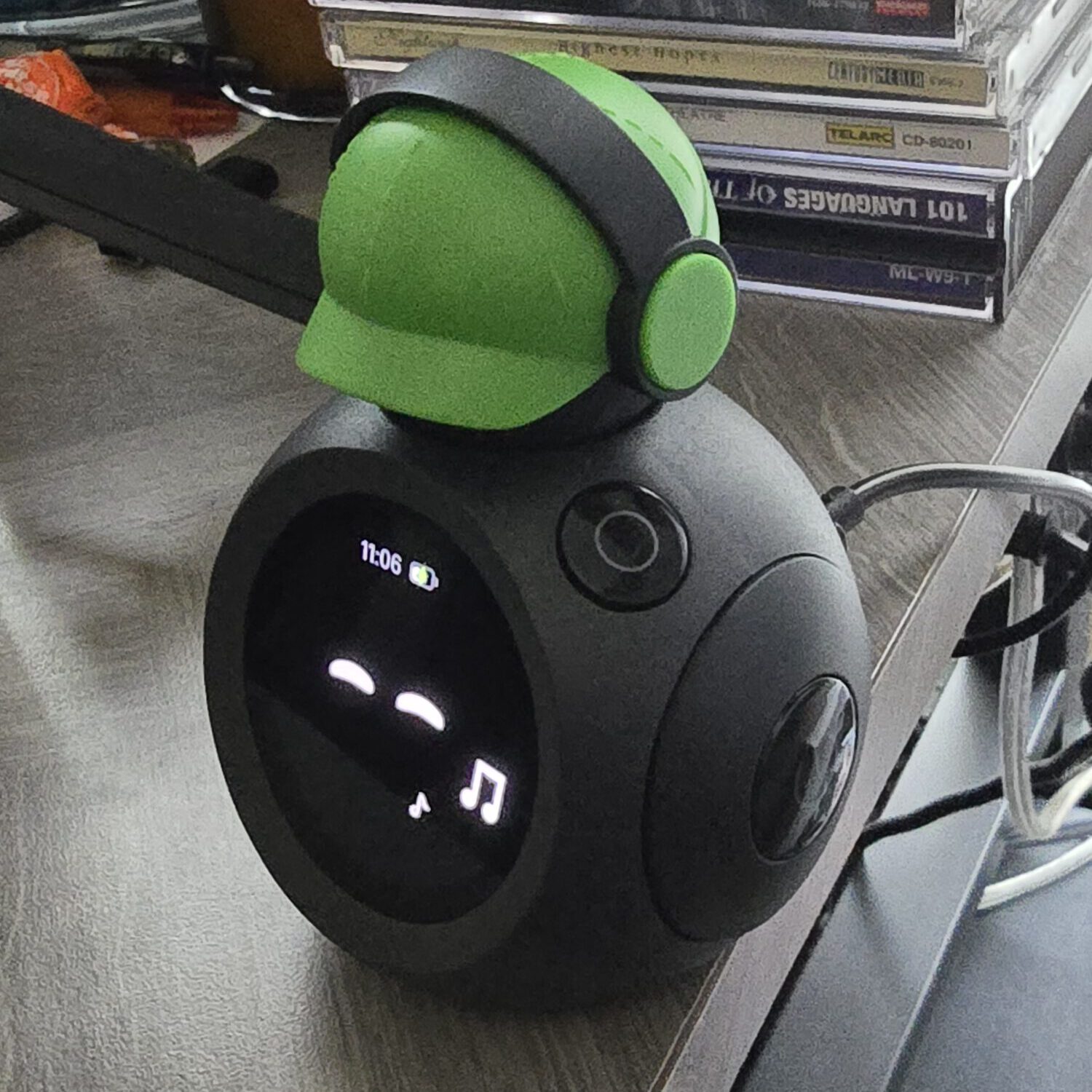
The BodyPark ATOM gives back what you put in. Point it at the right spot and move on purpose, and it counts your reps, watches your form and corrects you out loud.
It’s a pocket-sized camera that costs about $219. It includes rep counting, form feedback, workout replays, workout data tracking and insights, and AI-generated workout plans through the lifetime Plus membership that comes with the device—no monthly subscription required.
AI workout planning is packed into your Plus membership (which you get free, forever, just for buying an ATOM device), but Pro membership will give you deeper analysis (like range and VBT analysis).
Camera coaching before this usually came bolted to something much bigger, like the Tonal 2 (which costs $4,300 before a required $60-a-month membership). The ATOM does its thing from a little stand that takes up about as much room as a coffee cup, which means it works with the home gym gear you already own.
Setup is four small boxes and one app
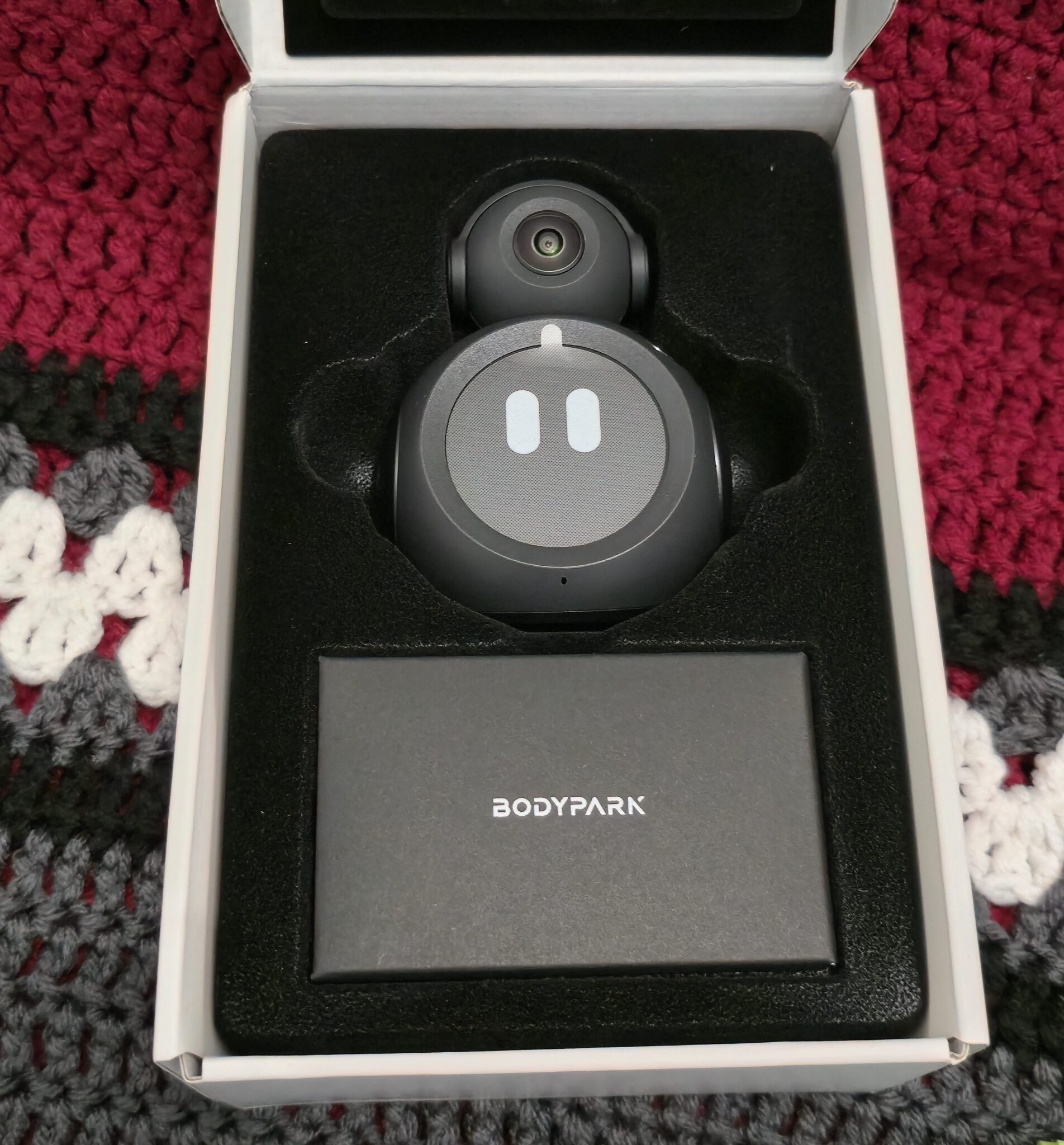
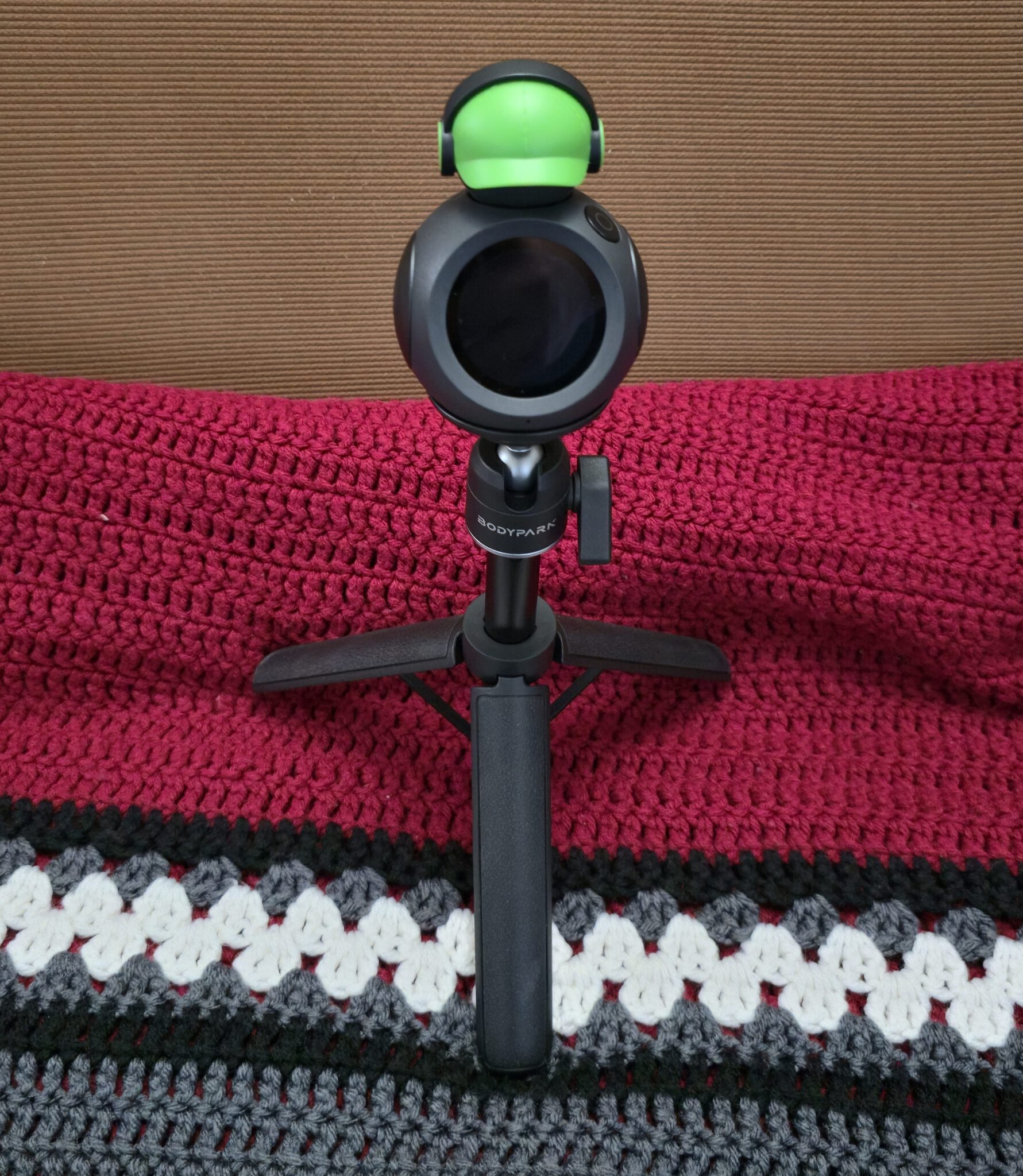
I tested the Performance Kit (which costs a little bit more, $299), which included the ATOM, a tripod dock, the tripod, a resistance band, and a small cap-styled accessory. The extras are handy, though none of them changed how the ATOM itself performed, and BodyPark also sells it alone. The styling cap replaces the privacy cover over the camera with a little more flair, and the hardest mechanical step is screwing the mount onto the tripod.
The ATOM has two buttons, and one of them is plainly the power button. You turn it on, download the app, accept the update, connect the ATOM to your home Wi-Fi and switch on your phone’s Bluetooth, which is about 90% of the job. It needs that Wi-Fi connection to work properly, so set it up where your signal is strong. You can also connect it to a mobile hotspot, so if you’re using it away from home, you can use your phone to stay connected.
Prompt a Perfect Routine
The ATOM’s app can write your workout with AI through a simple chat interface. You tell it what you want and it builds the plan. Ask for something light, ask for intensity, ask for shoulders and biceps or a day for your back, and the ATOM lines up the exercises.
A short request got me a workable routine, though it included moves for equipment I don’t have. So I wrote longer prompts. I gave the ATOM my equipment, my time limit, my height and build, my experience level and what I didn’t want to see, because it gives back what you put in. If you’ve never prompted an AI, start with something like this:
Build me a 30-minute upper-body workout. I have two 20-pound dumbbells and a bench. I’m [HEIGHT] and [WEIGHT] pounds with [EXPERIENCE LEVEL]. Leave out exercises that use [EQUIPMENT YOU DON’T HAVE].
From there, you might need to do a bit of back and forth, but if you get more specific about your needs, equipment and injuries, you’ll get more specific routines.
When I was getting started with a new workout, I was checking my phone to see what came next, but, because ATOM’s built-in screen displays each exercise, over time I got familiar with the exercises and the tracking and started just following along on the ATOM itself.
Move Like You Mean It
The ATOM’s body tracking was good in my sessions.
It followed me through each exercise and logged my reps as I went. In my limited testing, the hiccups traced back to my own careless movement, since the camera watches for a specific motion at a specific height. The warmup stretches were probably what made me most aware of the fact I needed to be deliberate, and the cooldown stretches were really neat because the ATOM was actively pushing me to actually stretch further.
If you move with purpose, the ATOM will give you good rep counts and form cues. TechRadar’s tester found the ATOM counted every rep correctly. Mine worked in my cramped office with poor overhead lighting, so if you’re in a small apartment and you can clear up a space of about five feet by five feet you can use it, which I was exceptionally pleased with since I don’t really have a lot of room to get a workout in.
I also used the voice form correction during sets and the replay afterward, so feedback arrived in the moment and again on video. That replay breaks each set down rep by rep and marks your range of motion on the video.
Put It Where You Need It
Where you stand the ATOM decides what it sees.
I kept mine at hip height on the tripod, which worked well for most standing exercises. For floor exercises, though, I had to move the ATOM onto the ground so I could keep my movements in the camera’s view. The ATOM uses its own exercise recognition rules, so you’ll want to keep the camera in the best possible place for whatever it is you’re doing, so it’s always worth it to take a moment to reposition the ATOM so your workout stays smooth.
Excellent Battery Life
I never drained the ATOM, because I’m not going to exercise for hours straight.
I started a 30-minute routine at 70% and it never warned me about a low battery. The ATOM also pauses the session and its monitoring when you stop exercising or walk away for too long, so it isn’t left tracking an empty room. BodyPark rates it for up to 7 hours of continuous training, and it charges over USB-C, which means a power bank will cover you if you plan to live at the gym for a full day.
Who Is This For?
I’d hand the ATOM to a beginner first. It writes you a plan, even with a simple prompt, and the device itself shows each move, counts your reps and corrects your form. All you have to do is…do it. It’s just as good if you want to mix up your routine without the mental load, and you can really get into form insights if you decide to spring for Pro. I flipped through some of them and was overall impressed, even if it was deeper than I’d normally dig for a workout. I’m barely better than a beginner, so I just like to know I’m doing something right.
It’s a neat device.
Set the tripod down where it can see all of you, tell the ATOM exactly what you want, and it pays you back in counted reps and corrected form.
