


The best monitor for you depends on how you use it, and a few common slip-ups can leave you with the wrong one.
We’re very familiar with the exciting feeling of shopping for a new monitor. You look through all the specs, watch countless YouTube videos, read endless guides, and picture how perfect it’ll look on your desk. But emotions alone shouldn’t make the call. It’s worth sitting down to figure out what you really require to avoid mistakes when buying a new monitor.
The best monitor for you depends on what you want to use it for. For example, a gamer shopping for a new monitor should prioritize features like a high refresh rate, but for someone who just needs a new monitor for office work, a standard 60Hz display is more than enough. Unfortunately, people make all kinds of mistakes when shopping for a new monitor, so they end up with ones that don’t fit their needs. Some of the most common mistakes people make include treating a monitor like they would a TV, neglecting other hardware and port selection, picking the wrong panel type, ignoring ergonomics, and falling for marketing hype. Thankfully, this guide will help you avoid making the same mistakes.
Shopping for a new monitor the same way you’d buy a TV
TVs and monitors seem alike, but they are two different devices with different use cases. So shopping for a new monitor like it’s a TV can come back to bite you. Unlike a TV, which usually sits across the living room, your monitor sits much closer to your eyes. A screen that’s too big (or even too small) will end up straining your eyes and make work much harder.
A good rule of thumb is to match the screen size to how far back you sit. If your eyes sit around 24 to 36 inches from your current monitor, a 27-inch monitor is ideal. At roughly 28 to 42 inches, a 32-inch monitor works well. For comparison, the recommended distance for a 32-inch TV is 52 inches, so TV logic doesn’t work on your desk. The difference in distance is also one of the reasons why curved TVs failed but curved gaming monitors thrived. It’s also one of the cons of using a TV as a monitor because a TV’s lower pixel density makes text look blurry up close.
Not checking whether your PC and ports support the monitor

Your monitor is one thing, and your other hardware, like your PC, is another. Before you buy that new 6K HDR10+ monitor, don’t forget to consider your other devices and see if they’re compatible with such astounding specs, especially if they’re relatively old. For example, not every laptop can push out 4K at 60Hz through every port, so a 4K monitor could be limited on your current setup.
Older HDMI ports, like HDMI 1.4, top out at 4K 30Hz, while HDMI 2.0 and DisplayPort 1.2 support 4K at 60Hz. So if your PC only has an older HDMI port, you could be stuck at 30Hz on a 4K monitor. Even everyone’s favorite, USB-C, can’t always support video because the port needs to either support DisplayPort or be a Thunderbolt port to do so.
But hardware limits aside, not everyone needs a 5K monitor over a 4K one, or even a 4K one at all. Photo and video editors who need to see every detail benefit from the extra pixels, but for writing, browsing, looking at spreadsheets, and other office work, a 1080p screen is usually enough.
So before you swipe your card on that specced-out gaming monitor, make sure your other hardware supports the features on it. The same applies to ports. Ensure your monitor has the right port selection and that each port supports what you want to use it for.
Not checking the monitor panel type before you buy
Monitors don’t just come in different sizes; they also come in different panel technologies. Each has its own pros and cons, and the ones you’re likely to come across are IPS, TN, VA, and OLED. The first three are all LCD panels, while OLED is a separate technology.
TN panels are great for gaming because they are fast and more affordable than the others, but they have poor viewing angles. This means colors and contrast may start to shift when you look at them from an angle. VA panels are great for movies and other media consumption thanks to their deep blacks and strong contrast, but their slower pixel response makes them more susceptible to ghosting. Then there’s IPS, the safe middle ground. IPS offers accurate colors, wide viewing angles, and good pixel response, but its contrast is weaker than VA’s and some units show backlight bleed. Finally, there’s OLED. It beats all three on contrast, colors, viewing angles, and motion, but it carries the risk of burn-in after prolonged use and costs more. The key is to match the panel type to your needs so you get the best out of it.
Ignoring ergonomics and desk space when buying a monitor
Buying a cool new monitor is nice, but being comfortable while using it is also important. That’s where ergonomics comes in. When shopping for a new monitor, look for one with tilt, swivel, height, and pivot adjustment (pivot lets you rotate the monitor to portrait), or one with VESA mount support. VESA mounting is an industry-standard mounting pattern of holes on the back of a monitor that lets you add an arm later on.
This will enable you to easily adjust the position of your monitor to fit what’s comfortable for you and your workspace whenever you want. Also, consider the size of your desk. A big monitor on a small desk won’t leave much room for adjustment. Ignore ergonomics, and you run the risk of buying a shiny new monitor that you can’t position comfortably, or one that won’t fit your mount.
Paying for marketing gimmicks and features you don’t need
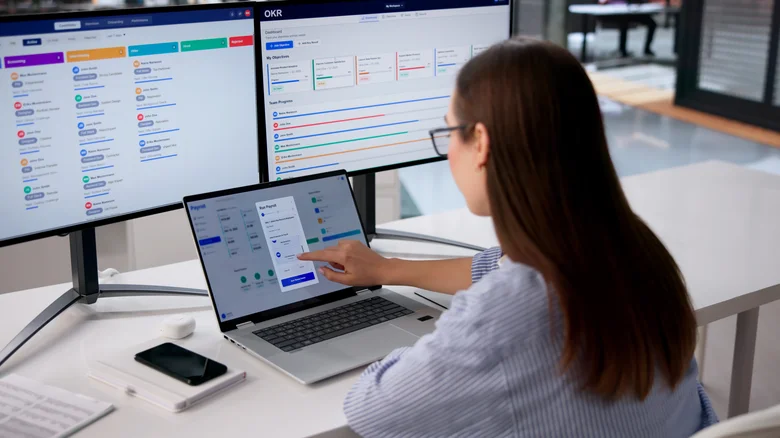
There’s a lot of hype around different monitor features, and if you aren’t careful, you could easily overpay for ones you don’t need.
One popular feature that falls into this category is HDR. A monitor can technically support HDR but still lacks the brightness to deliver it, and manufacturers will still slap the HDR label on it. Labels like “HDR input supported” or “HDR10” may only mean the monitor accepts an HDR signal, not that the visuals will actually look better. If you want a true HDR monitor, look for a VESA DisplayHDR rating and check independent reviews. Another culprit is contrast ratio. Brands measure it in different ways, so the numbers on one spec sheet can’t be fairly compared with another’s.
Before you pull the trigger, research every unclear feature and how exactly it works. Most importantly, figure out whether it’s something you need. Don’t get lost in the spec sheet or swept up by the hype, because not every entry on it matters to you or is worth paying for.
