

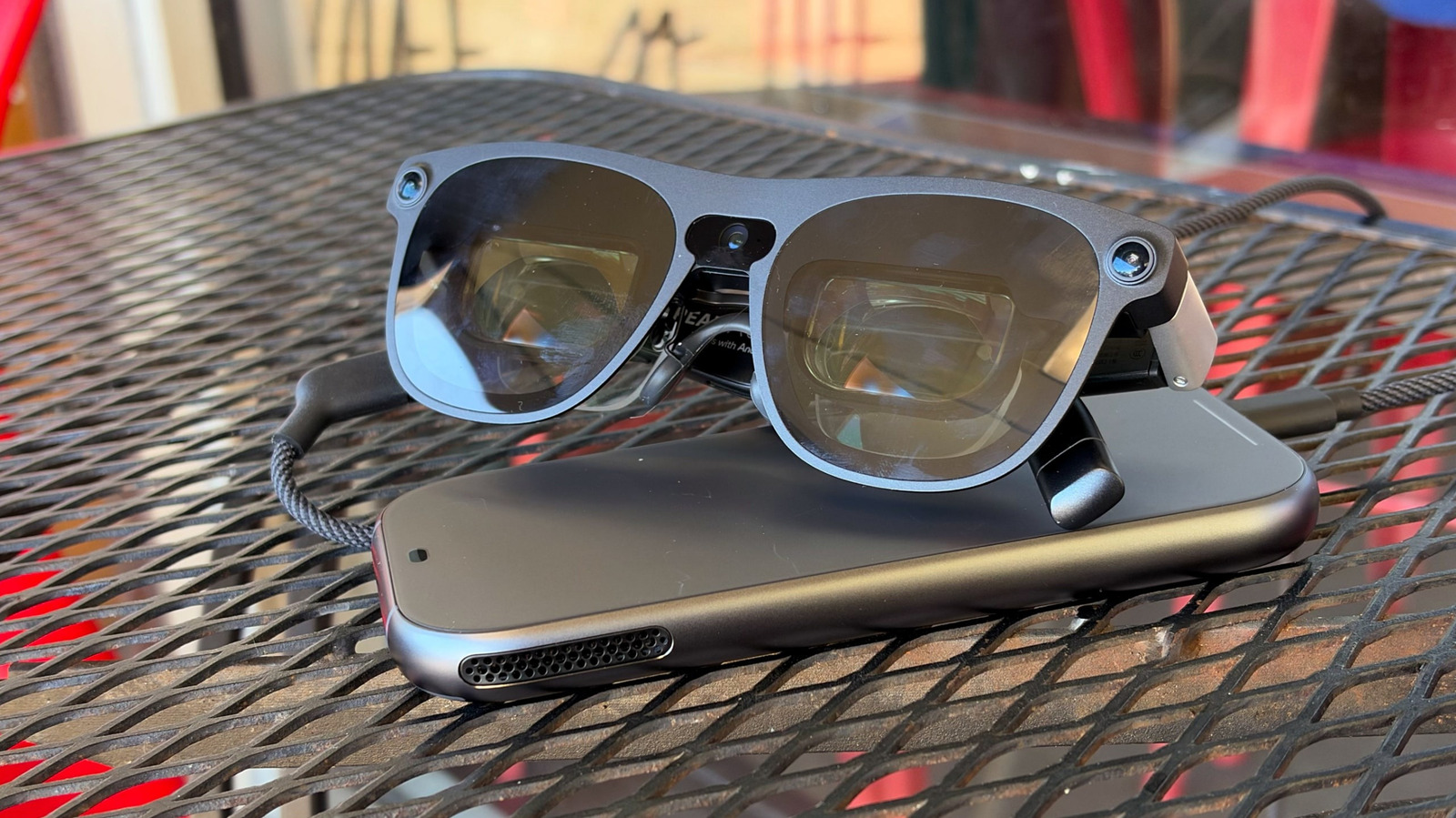
For $1,099, we should expect more.
Two years after Google announced Android XR, and a year after Samsung’s flagship $1,800 Galaxy XR headset landed with a fizzle, Google’s latest stab at mixed reality is finally starting to seem… real. We’ve taken a look at the first batch of Android XR smart glasses, which are landing this fall and take aim at Meta’s popular Ray-Ban smart frames. Now Xreal is launching its Aura XR headset, which is the most intriguing Android XR device we’ve seen yet. It builds on Xreal’s impressive history of virtual display glasses, adding just enough smarts to make it a viable, and far cheaper, alternative to Apple‘s Vision Pro. But with a starting price of $1,279 (on sale for $1,099 through December), it’s still mainly targeted at VR developers.
Much like the baffling launch of Googlebooks, though, I’m not yet convinced that solid hardware will be able to save an ecosystem that Google isn’t truly committed to. It’s taken the company several years to actually deliver Android XR devices most people can actually afford, and there still aren’t many notable apps that truly show off what the platform can do. Making Google Maps more immersive isn’t enough.
Still, the Xreal Aura is a sign that Android XR hardware is more than just vaporware, and it’s significantly cheaper than last year’s Galaxy XR. It’s also a glimpse of what we’ll see with the upcoming Meta VR Glasses, and perhaps a sign of how Apple could actually follow up on the promise of the Vision Pro.
What’s notable about the Xreal Aura?
Devindra Hardawar for Engadget
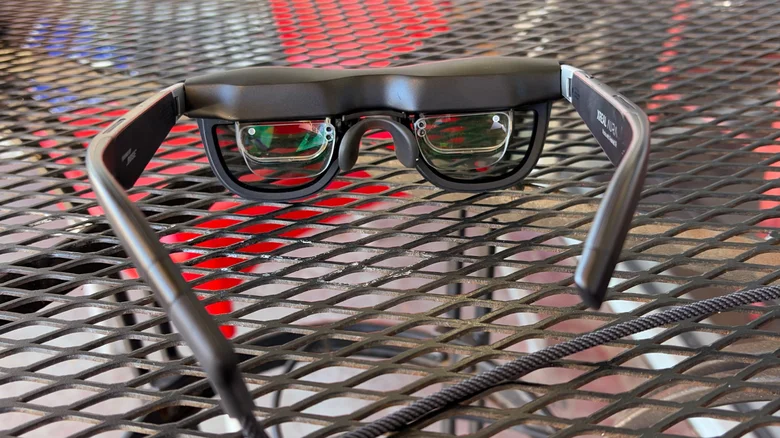
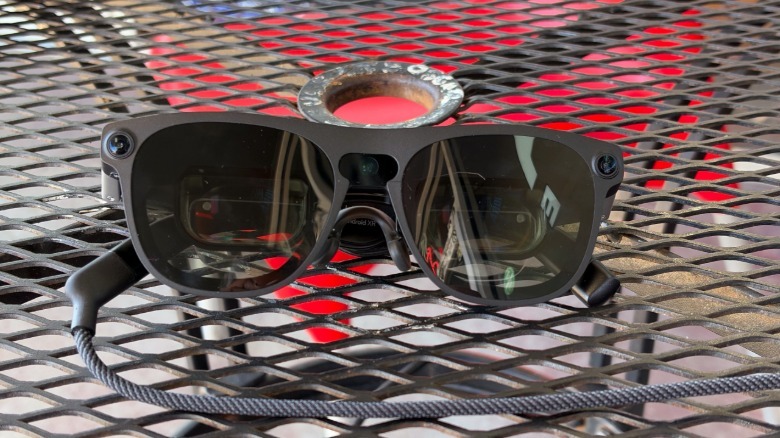
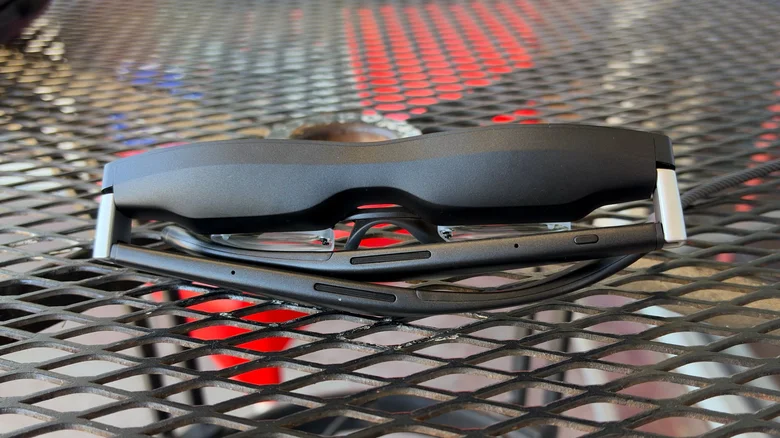
The Xreal Aura is essentially a souped-up version of the company’s already excellent display glasses, except it’s connected to a wired Compute Puck that houses all of the hardware necessary to run Android XR. The Aura’s sunglasses-like frames look almost the same as the Xreal One Pro, except it also features cameras for spatial sensing, finger tracking and capturing photos and video. Xreal’s transparent frames let you easily see the world around you, without the need for complicated camera pass-through functionality like the Galaxy XR and Apple Vision Pro use. You can also darken the screen to completely black out the world, similar to what you’d see on a typical VR headset.
Like Xreal’s previous display glasses, the Aura relies on tiny micro-OLED screens with a resolution slightly beyond 1080p (1,920 by 1,200). They can reach up to 1,058 nits of brightness, which is slightly less than the 1,200 nits on the new Xreal One Pro+, and they support up to a 120Hz resolution with external devices. (The Android XR interface only runs at 72Hz.) The Aura’s 70-degree field of view (FOV) is the best we’ve seen from Xreal, but it’s also well below what we’ve seen on dedicated VR headsets, which use larger screens to completely fill your vision. The Apple Vision Pro reaches a FOV of around 100 degrees, while the Meta Quest 3 and many other headsets reach up to 110 degrees.
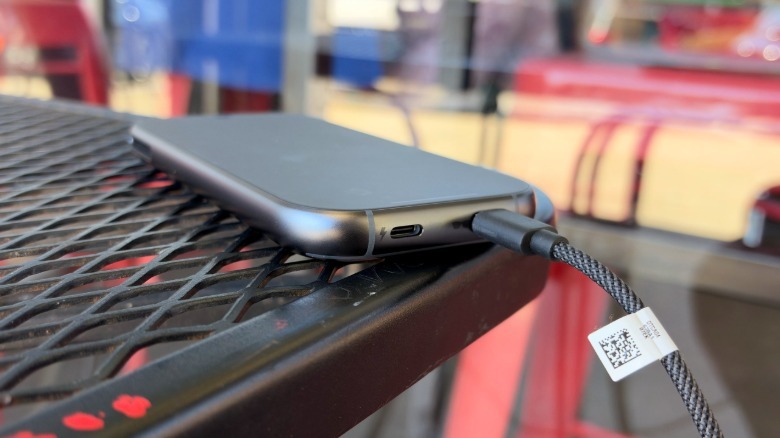
For processing power, the Compute Puck houses a Qualcomm Snapdragon Reality Elite system-on-a-chip, and either 12GB or 16GB of RAM (alongside either 256GB or 512GB of storage). It also features Xreal’s custom X1S spatial processor, a slightly improved version of the X1 chip on earlier frames, and it looks similar to the Vision Pro’s battery pack. It has two USB-C ports, one for connecting to the Aura’s frames and the other for either charging or connecting to a separate device. The top portion of the Compute Puck also serves as a trackpad, which is helpful for navigating Android XR without holding your hand up.
When you plug in another device into the Compute Puck, its video output shows up in a single Android XR window, which you can resize at will (and also position alongside other Android XR apps). You can also plug the Aura’s frames directly into computers and other devices, where it functions exactly like the company’s previous display glasses. That could be useful when you just need a big virtual screen, and you don’t want to deal with the hassle of juggling the Compute Puck.
In-use: A solid start for Android XR
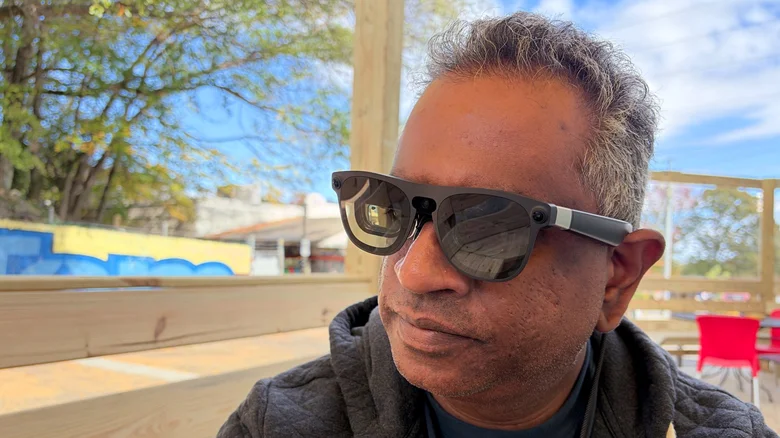
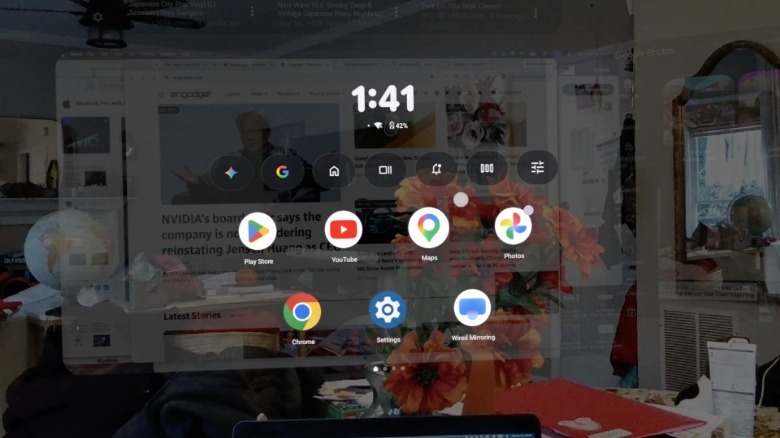
The Xreal Aura is exceptionally comfortable to wear; the frames weigh just 95 grams (0.2 pounds) on their own, compared to the 1.6-pound Vision Pro. The Aura is also fantastic for watching movies on a gigantic virtual display and it’s incredibly useful if you need a large virtual monitor. But it’s also crystal clear that Android XR is still in its infancy, as there aren’t many notable apps to show off the platform. Using Android XR also doesn’t feel very different than using any other Android device — as if Google made very little effort to reshape its OS around mixed reality. (There are definitely shades of the same laziness that annoyed me with Googlebooks.)
It doesn’t help that apps crash often in Android XR, or that its core hand recognition interface feels lackluster. The Xreal Aura is often slow to respond to where my finger is pointing, or recognize when I’m pinching my fingers to select something. That’s annoying enough when simply navigating Chrome or YouTube, but it’s infuriating when trying to play an XR game like Cubism, which relies on placing 3D blocks in very specific places. Pointing at everything just to navigate Android XR also gets tiring over time — there’s no eye-tracking like on the Vision Pro, which makes selecting on-screen elements a cinch. I quickly grew to prefer navigating Android XR with the Compute Puck’s trackpad instead of pointing at everything.
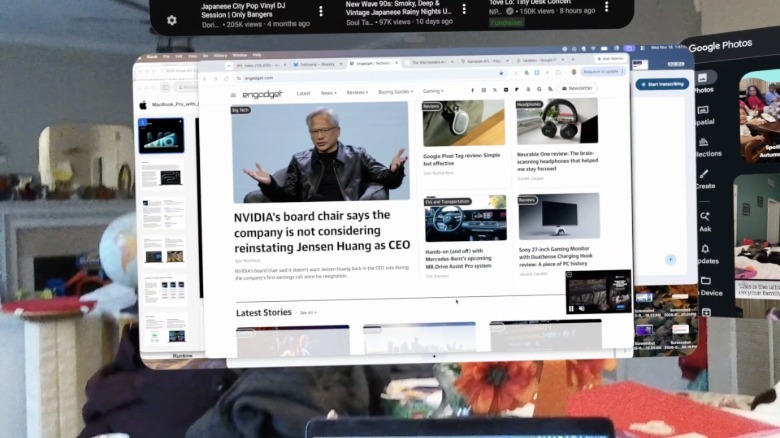
I was able to sit back and actually enjoy the Xreal Aura while watching the opening of Casino Royale on Prime Video, as well as a few episodes of the new Ghost in the Shell series. Xreal’s micro-OLED displays deliver vibrant and colorful video, and its speakers built into the Aura’s thick frames sound great. The Aura is also an excellent companion for laptops: I was able to have a giant screen mirroring my MacBook Air while playing the YouTube app right beside it.
Still, I wish there was more to actually do in Android XR. Zooming around the world in Google Maps’ immersive view is fun, and I appreciated revisiting VR experiences like Cosmos Unseen: Black Holes, but they’re not as enthralling as they are in traditional VR headsets. Being able to see the outside world easily is both a blessing and a curse on the Xreal Aura. You can also see spatial versions of pictures in the Google Photos app, which is cool at first, but quickly starts to feel gimmicky. Similarly, I didn’t see much point to Android XR’s Spatial Mode, which converts everything you see into pseudo-3D. It just gave me a headache while browsing the web.
Third-party support is clearly lackluster, especially when it comes to entertainment apps. All I saw was HBO Max and Prime Video, no Disney+ or Netflix (which isn’t on visionOS, to be fair). You’ll have to watch all of your other streaming services through Chrome, which isn’t exactly a premium experience. It’s also a particularly bad look when Meta just recently launched 3D movie support (including within the Disney+ app) on the Quest 3, 3S and its upcoming VR Glasses. That’s something Google could eventually bring to Android XR, but who knows when that will happen.
Even the first-party YouTube app is a disappointment. There’s a specific section for immersive videos, but it’s filled with the same blurry 360-degree content we’ve been seeing for years. There’s no big push for higher-resolution 180-degree 3D video like we’ve seen on the Vision Pro, or that Meta has announced for its VR Glasses.
Android XR is such a barren landscape, I sometimes found it more useful to just directly connect the Xreal Aura to my laptop or phone. At that point, it acts purely as a virtual display, but I found it helpful when I just wanted to stream a TV show in a crowded or tight space. The downside here is that connecting another device to the Compute Puck involves juggling a second USB-C cable, which can easily become frustrating. The Vision Pro can wirelessly connect to Macs, so it manages to avoid this issue.
Without the baggage of Android XR, the Xreal Aura was also able to deliver a brighter and sharper virtual view of my MacBook Air’s desktop. There’s a slight blurriness to external devices when using the Compute Puck, which makes text difficult to read. That’s not a problem when you’re directly connected to the glasses. But if that’s the case, why not just get some of Xreal’s existing display glasses? (More on this below.)
Battery life is another potentially worrying variable. The Aura’s battery drained from full to 40 percent after just 90 minutes of watching Prime Video content, browsing the web and messing around with Google Map’s immersive view. It lasted for another 95 minutes before it completely drained down as I caught up on Ghost in the Shell.
The Compute Puck’s heat output was also very noticeable. Its tiny fan often felt like it was working hard to cool down the device, and I was worried about stuffing it into my pocket like I do with the Vision Pro’s battery pack. Xreal recommends avoiding pockets and other enclosed spaces while the Aura is doing serious work or fast charging. That’s likely why the company bundles a lanyard and belt holster in the Aura’s box.
Since the Xreal Aura also features prominent cameras, I hesitated about using it in public spaces, where people might mistake it for Meta’s Ray-Ban “pervert glasses.” That’s an issue the company’s cheaper display glasses avoid completely as they’re camera-free (unless you add an additional accessory). I could just point to those specs and tell any worried coffee shop neighbor they don’t have a camera.
Should you buy the Xreal Aura?
Unless you’re a VR developer keen to get a leg up on Android XR, there’s no reason to buy the Xreal Aura. At its $1,099 sale price (or the eventual $1,279 standard price), it comes in far cheaper than the $1,800 Galaxy XR or $3,699 Vision Pro, but the handful of games and immersive apps for Android XR still don’t justify its cost.
It’s a particularly bad investment since we don’t know how long Google will actually stick with Android XR. Don’t forget that its earlier attempts at VR, like Google Cardboard and Daydream, all died after a few years of lackluster support. Given that Android XR also encompasses simpler smart glasses, and that Meta is working hard to dominate this market, I’d hope Google would give it a few years to find some footing.
And if the simple idea of having a virtual screen on your face sounds intriguing, then consider Xreal’s existing display glasses. I loved the Xreal One last year, and the company just recently launched a brighter One+ model for $600. Even the $299 Xreal XBX a01+ specs were bright and fun to use, even though they don’t support any spatial features.
Wrap-up
Xreal has delivered yet another light, bright and comfortable pair of AR specs with the Aura, but it’s clearly hampered by a half-baked Android XR platform. Even worse, Android XR is a major reason why it costs twice as much as the company’s previous hardware. At this point, the Xreal Aura serves as proof of life for Android XR, and nothing more.
