Close Menu
MyAppsPlus

    Subscribe to Updates

    Get the latest creative news from FooBar about art, design and business.

    What's Hot

    HomeView missing some podcast feeds? Here’s why

    November 16, 2026

    A-I now predicting heart attack recovery

    November 16, 2026

    Stanley’s 40-oz. Quencher is great gift, especially at $22.50 (Now 50% off)

    November 16, 2026
    Facebook X (Twitter) Instagram
    Facebook X (Twitter) Instagram
    MyAppsPlusMyAppsPlus
    Monday, November 16
    • Home
    • Breaking Tech
    • Apps & Software
    • AI & Automation
    • Android
    • iPhone & iOS
    • More
      • Reviews
      • How-To Guides
      • Deals & Discounts
      • Shop
    MyAppsPlus
    Home»Breaking Tech»Where should you place your Wi-Fi router for the best internet?
    Breaking Tech

    Where should you place your Wi-Fi router for the best internet?

    myappsplusBy myappsplusNovember 16, 2026014 Mins Read
    Share Facebook Twitter Pinterest Copy Link LinkedIn Tumblr Email Telegram WhatsApp
    Follow Us
    Google News Flipboard
    Where should you place your Wi-Fi router for the best internet?
    Share
    Facebook Twitter LinkedIn Pinterest Email Copy Link

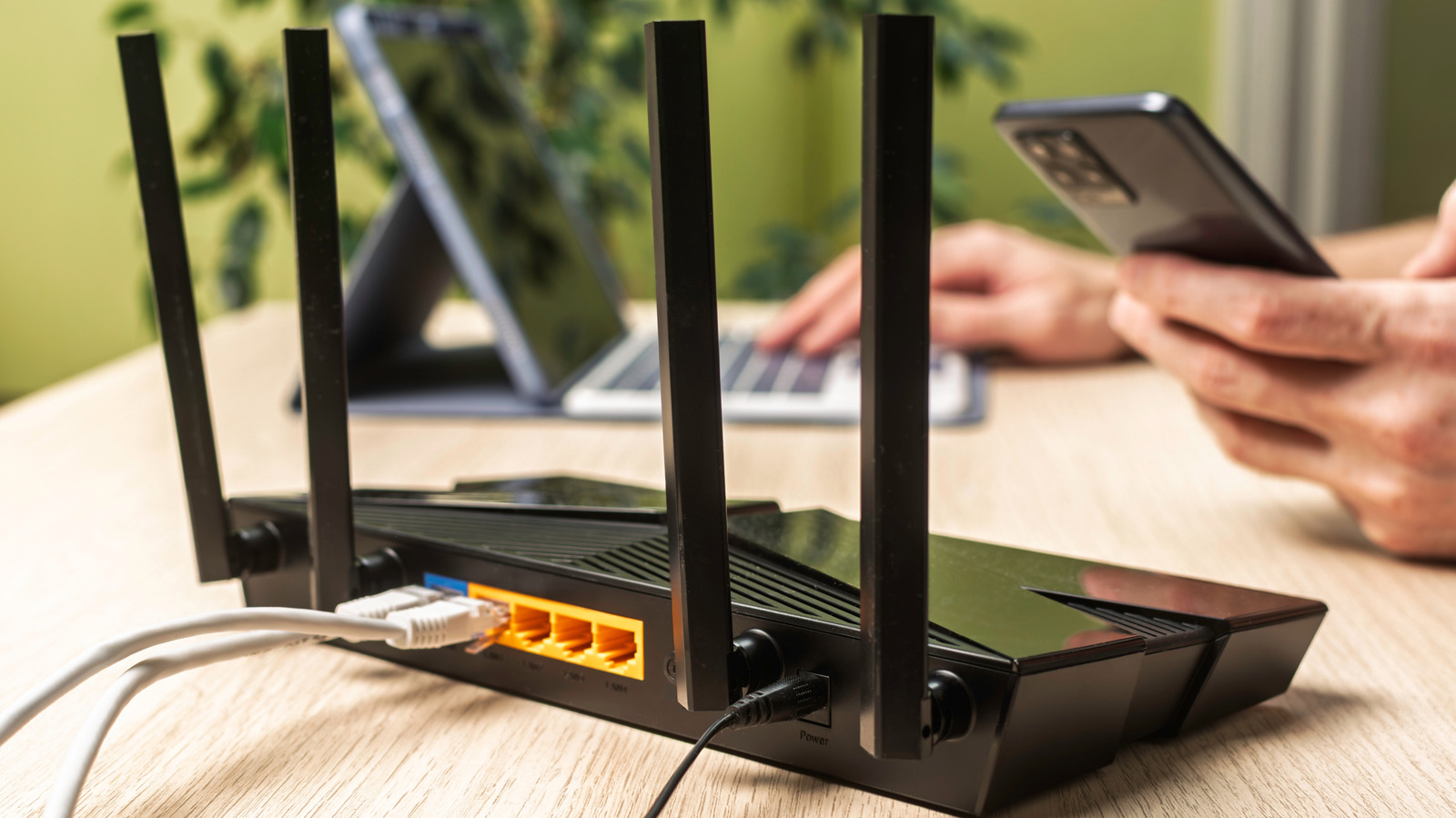
    Don’t reduce your router’s capabilities by stuffing it into a cabinet in the corner of the room.

    A weak Wi-Fi signal isn’t always a sign of your router going bad or ISP issues. More often than not, it’s an indication of a placement problem. Wi-Fi routers broadcast signals in all directions, but the signal weakens over distance, so where you place your router affects the signal quality that reaches your devices. A router stuffed into a corner will likely send much of its signal outside the house where no one needs it. There’s also the fact that other electronics can interfere, degrading signal quality simply by being too close.

    The best spot for your Wi-Fi router differs depending on your building and where you want it to cover. For example, if you’re covering an apartment, the best place for your Wi-Fi router will likely be somewhere that’s central and away from electronics that weaken signals.

    Where to place your Wi-Fi router for the strongest signal

    First, find a central and elevated spot in your home, away from sources of interference, so the router can evenly distribute signal across your space. This could be a side table, desk or even the top of a cabinet. If need be, consider making or buying a stand for the router. Next, keep the router in the open and away from corners, so the signal doesn’t wastefully broadcast outside or get blocked.

    If your house has two stories, you should move the router closer to the ceiling if it’s on the ground floor, or closer to the floor if it’s on the second level. Your router’s antenna positioning matters too. For single floors or apartments, vertical antenna placement is best. For buildings with multiple floors, angle at least one antenna to about 30 degrees, then keep the others vertical.

    Before you settle for a position, you’ll need to run speed tests to make sure you’ve picked the best spot. Run the first test before you start adjusting your router to get an idea of its current performance. Next, run tests while you’re adjusting the router’s position so you can get a clear read on how each position affects your signal quality and internet speed.

    To get the most out of your router, you’ll need to minimize interference. Keep your router away from item that interfere with Wi-Fi signals, including metal objects, thick walls (especially metal and concrete), Bluetooth devices and microwaves, which interfere with your router’s 2.4GHz band. 

    Keep in mind that the 2.4GHz band has a longer signal range but slower speeds, while the 5GHz band has a shorter range with faster speeds. So connect devices where speed and stability matter most, like desktop PCs and gaming consoles, to the 5GHz band. Then keep devices that are far away, move a lot or don’t need a ton of speed on the 2.4GHz band.

    When to use a Wi-Fi booster or mesh system
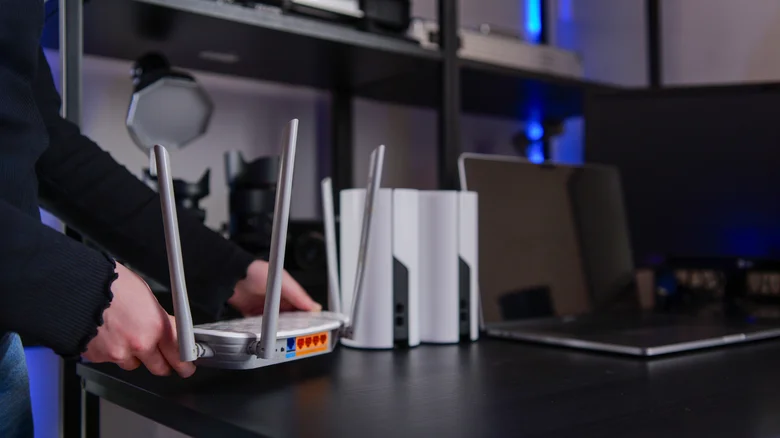
    A person placing a white Wi-Fi router on a desk with two mesh nodes and and an open laptop in the background.

    Sometimes, no matter how well you position the router, it still won’t cover dead zones. This is especially true for large buildings, or those with three or more floors. In that case, you’ll need a Wi-Fi booster (often called a Wi-Fi extender or repeater) or a mesh network.

    The best Wi-Fi extenders boost your router’s signal coverage by capturing said signal and repeating it to nearby spaces. But this usually comes at the cost of halving your bandwidth, and getting the right Wi-Fi extender placement can be tricky in large spaces. It’s a good solution if you want something that’s cheap and easy to set up, and don’t have a large space to cover. But extenders are often a pain. 

    Top mesh systems solve the same problem and offer superior performance compared to extenders, but are more expensive. Unlike extenders, mesh systems use nodes that you place in dead zones to extend coverage while keeping everything on a single network. And tri-band systems avoid the pitfall of halving your bandwidth. Mesh systems are a better choice for larger buildings, multi-story homes, and spaces with several dead zones where a single extender isn’t enough.

    Computing place should where Your
    Follow on Google News Follow on Flipboard
    Share. Facebook Twitter Pinterest LinkedIn Tumblr Email Copy Link
    myappsplus
    • Website

    Related Posts

    Making a typo when trying to access AI could land you on a malware site

    November 16, 2026

    US tightens AI chip export controls to deter Chinese companies from accessing compute remotely

    November 16, 2026

    Microsoft is hiking cloud prices in India — but dropping costs in China and other markets

    November 16, 2026
    Add A Comment
    Leave A Reply Cancel Reply

    Top Posts

    Save on your groceries, gas, and holiday shopping with this $15 BJ’s membership (Reg. $60) 

    November 4, 202629 Views

    Google’s new AI shopping cart tracks deals across stores

    October 25, 202629 Views

    Get Up to 38% Off Acer, Alienware, HP and More During Woot’s Laptop Sale

    October 23, 202627 Views
    Latest Reviews

    iPhone Ultra is coming, here’s what the final rumors say

    myappsplusSeptember 9, 2026

    LG Smart TVs Caught Recording Audio in Standby and Scanning Your Network

    myappsplusSeptember 9, 2026

    Vikings & Legends Global Announce U.S. Bank Stadium Enhancements for 2026

    myappsplusSeptember 9, 2026
    Stay In Touch
    • Facebook
    • YouTube
    • TikTok
    • WhatsApp
    • Twitter
    • Instagram

    Subscribe to Updates

    Get the latest tech news from FooBar about tech, design and biz.

    Most Popular

    Vikings & Legends Global Announce U.S. Bank Stadium Enhancements for 2026

    September 9, 20260 Views

    IKEA just launched a Matter-enabled driver that makes your integrated cabinet lights part of your smart home

    September 9, 20260 Views

    Latest Dell Technologies Research Reveals that AI Ambition Outpaces Readiness Across Singapore

    September 9, 20260 Views
    Our Picks

    HomeView missing some podcast feeds? Here’s why

    November 16, 2026

    A-I now predicting heart attack recovery

    November 16, 2026

    Stanley’s 40-oz. Quencher is great gift, especially at $22.50 (Now 50% off)

    November 16, 2026

    Subscribe to Updates

    Subscribe to our newsletter and get the latest tech news, app updates, AI trends, smartphone reviews, and exclusive deals delivered straight to your inbox.

    Facebook X (Twitter) Instagram Pinterest
    • About Us
    • Get In Touch
    • Disclaimer
    • Privacy Policy
    • Terms & Conditions
    © 2026 MyAppsPlus. All Rights Reserved.

    Type above and press Enter to search. Press Esc to cancel.