Close Menu
MyAppsPlus

    Subscribe to Updates

    Get the latest creative news from FooBar about art, design and business.

    What's Hot

    Research exposes TikTok’s dark side that lures young girls into the world of adult content

    November 7, 2026

    Phone app alerts did not increase bystander CPR rates in study of 2 major population areas

    November 7, 2026

    Best Buy early Black Friday deals 2026: Save on Apple, Dyson, and Bose

    November 7, 2026
    Facebook X (Twitter) Instagram
    Facebook X (Twitter) Instagram
    MyAppsPlusMyAppsPlus
    Saturday, November 7
    • Home
    • Breaking Tech
    • Apps & Software
    • AI & Automation
    • Android
    • iPhone & iOS
    • More
      • Reviews
      • How-To Guides
      • Deals & Discounts
      • Shop
    MyAppsPlus
    Home»iPhone & iOS»‘Backglow’ Lets You Customize New MacBook Pro’s Glowing Apple Logo
    iPhone & iOS

    ‘Backglow’ Lets You Customize New MacBook Pro’s Glowing Apple Logo

    myappsplusBy myappsplusNovember 7, 2026002 Mins Read
    Share Facebook Twitter Pinterest Copy Link LinkedIn Tumblr Email Telegram WhatsApp
    Follow Us
    Google News Flipboard
    ‘Backglow’ Lets You Customize New MacBook Pro’s Glowing Apple Logo
    Share
    Facebook Twitter LinkedIn Pinterest Email Copy Link

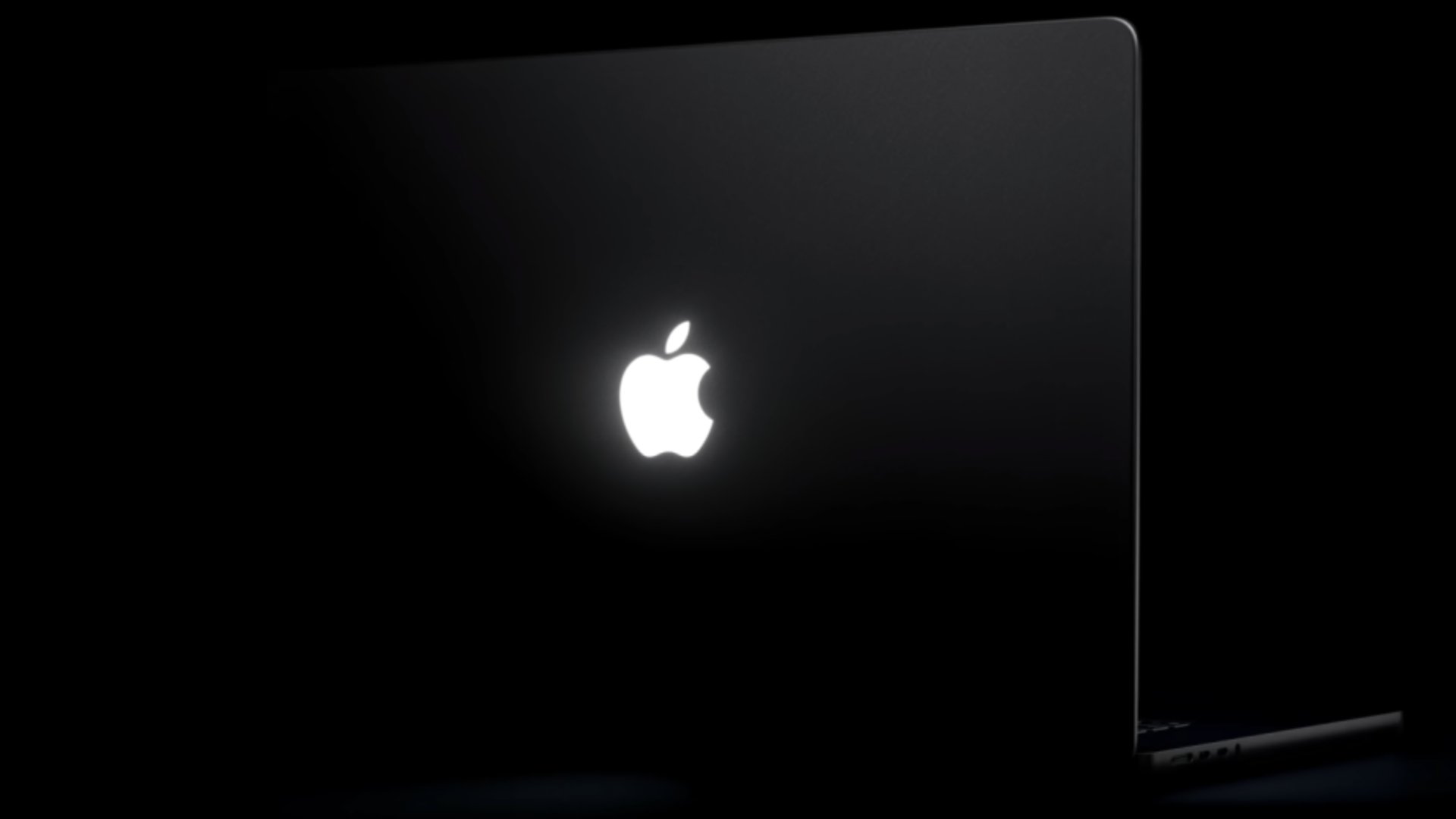
    A new “Backglow” app created by designer Juan Buis lets you customize the illuminated Apple logo on the lid of the new MacBook Pro models.

    The free version of the app allows you to manually adjust the brightness level of the Apple logo, independent of the MacBook Pro’s display brightness level. You can also turn it off entirely with a single click, rather than having to use Terminal.

    Another free option is a “Breathe” mode that makes the logo’s light gently pulse similarly to the sleep indicator light on older MacBooks.

    A one-time payment unlocks the Pro version of the app: $9 for a limited time or $15 later. This gives you two additional modes: “Music” mode makes the logo’s light move to the beat of the music you play on your Mac, while “Agents” mode makes the light pulse while Claude Code is working and blinks when your attention is needed.

    https://x.com/juanbuis/status/2118825042922332283

    Apple began phasing out the glowing logo on MacBooks in 2015, but it brought back the feature with the new 14-inch and 16-inch MacBook Pro models with PROLED XDR displays released on Friday. On older MacBooks, the logo was illuminated by the display’s backlight, but OLED displays do not have a backlight, so a new method was required.

    Daring Fireball’s John Gruber was told that Apple engineered a “custom lightny additional thickness to the lid.” Why? “Because it’s awesome,” he heard an Apple representative say

    Buis said the logo is lit by a white LED that does not change colors.Related Roundup: MacBook Pro
    Buyer’s Guide: MacBook Pro (Buy Now)
    Related Forum: MacBook Pro
    This article, “‘Backglow’ Lets You Customize New MacBook Pro’s Glowing Apple Logo” first appeared on MacRumors.com

    Discuss this article in our forums

    Backglow customize Featured lets MacBook Pro
    Follow on Google News Follow on Flipboard
    Share. Facebook Twitter Pinterest LinkedIn Tumblr Email Copy Link
    myappsplus
    • Website

    Related Posts

    Indie App Spotlight: ‘CueFlip’ automatically turns the page for your sheet music

    November 7, 2026

    Apple Pulls Video Playback From CarPlay in iOS 27.2, Stranding Users Who Updated

    November 7, 2026

    Hands-on: Anker’s 10K MagGo 2 Pro offers fast 25W MagSafe charging with a kickstand

    November 7, 2026
    Add A Comment
    Leave A Reply Cancel Reply

    Top Posts

    Cathay Pacific tests Google AI that dramatically cuts airplane contrails — tiny altitude shifts slash environmental impact by 40% in early trials

    September 8, 2026138 Views

    Save on your groceries, gas, and holiday shopping with this $15 BJ’s membership (Reg. $60) 

    November 4, 202627 Views

    Apple is making Creator Studio an even better deal with new AI features and creative tools

    October 28, 202619 Views
    Latest Reviews

    iPhone Duo?

    myappsplusSeptember 5, 2026

    From eating the elderly to selling kids, Afterworld gives you the freedom to do terrible things in the post-apocalypse — ‘We shouldn’t judge the player’ says director

    myappsplusSeptember 5, 2026

    This Dell 16 laptop is ideal for university, especially at the lowest price we’ve seen

    myappsplusSeptember 5, 2026
    Stay In Touch
    • Facebook
    • YouTube
    • TikTok
    • WhatsApp
    • Twitter
    • Instagram

    Subscribe to Updates

    Get the latest tech news from FooBar about tech, design and biz.

    Most Popular

    iPhone Duo?

    September 5, 20260 Views

    From eating the elderly to selling kids, Afterworld gives you the freedom to do terrible things in the post-apocalypse — ‘We shouldn’t judge the player’ says director

    September 5, 20260 Views

    I just went hands-on with the Odyss N1 — a sleek AI necklace that automatically tracks everything you eat

    September 5, 20260 Views
    Our Picks

    Research exposes TikTok’s dark side that lures young girls into the world of adult content

    November 7, 2026

    Phone app alerts did not increase bystander CPR rates in study of 2 major population areas

    November 7, 2026

    Best Buy early Black Friday deals 2026: Save on Apple, Dyson, and Bose

    November 7, 2026

    Subscribe to Updates

    Subscribe to our newsletter and get the latest tech news, app updates, AI trends, smartphone reviews, and exclusive deals delivered straight to your inbox.

    Facebook X (Twitter) Instagram Pinterest
    • About Us
    • Get In Touch
    • Disclaimer
    • Privacy Policy
    • Terms & Conditions
    © 2026 MyAppsPlus. All Rights Reserved.

    Type above and press Enter to search. Press Esc to cancel.