

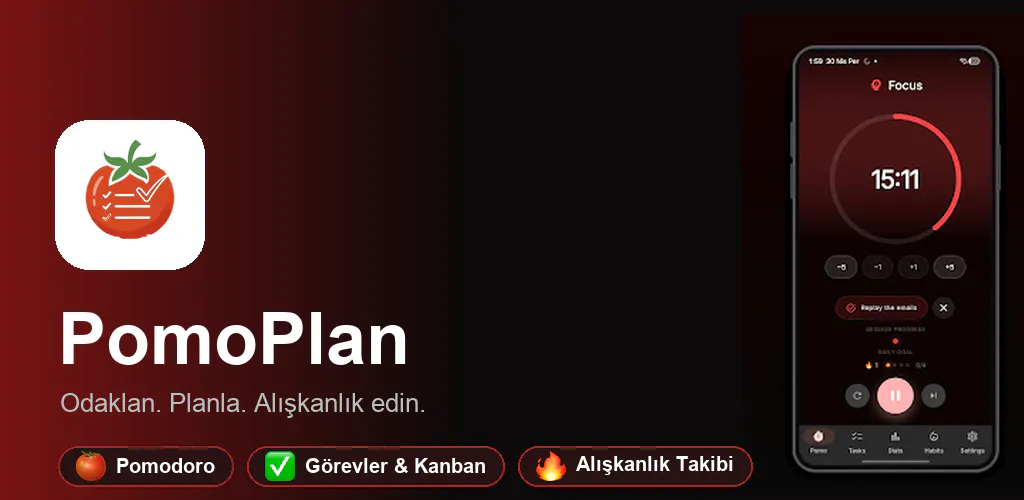
If you look at the productivity section of the Google Play Store or App Store, you’ll notice a frustrating pattern: app fragmentation.
To have an effective daily focus workflow, you usually have to juggle at least three different tools:
- A Pomodoro timer (like Forest or Focus To-Do).
- A task manager (like Todoist or TickTick).
- A habit tracker (like Loop).
None of them talk to each other. Even worse, many of them require a mandatory cloud account just to count down 25 minutes, and lock basic features like custom interval sounds or tags behind a $40–$60/year subscription.
Frustrated by this, I spent the last year building PomoPlan as a solo developer using Flutter. In this post, I want to share the architectural decisions, native Android platform hurdles, and lessons learned building a heavy, production-ready local-first app.
1. Why We Chose Hive Over SQLite for Local-First Storage
A productivity app lives and dies by its latency. If a user unlocks their phone to check off a task or pause a timer, they shouldn’t stare at a splash spinner or wait for a cloud sync handshake.
We chose Hive (a lightweight, blazing-fast key-value database written in pure Dart) instead of SQLite or Room for several reasons:
- Zero Native Overhead: Hive reads and writes directly to binary boxes on disk without SQLite bridge serialization delays.
- Instant Startup: Loading the entire day’s tasks, active timer state, and habit streaks takes under 15 milliseconds on a cold start.
- Custom TypeAdapters: We designed 6 core TypeAdapters:
Task(typeId: 0)Session(typeId: 1)SubTask(typeId: 2)Tag(typeId: 3)TaskList(typeId: 4)Habit(typeId: 5)
Here is a simplified example of our reactive repository pattern with Riverpod:
@riverpod
class TasksNotifier extends _$TasksNotifier {
  late final Box<Task> _tasksBox;

  @override
  List<Task> build() {
    _tasksBox = Hive.box<Task>(AppConstants.tasksBox);
    _tasksBox.listenable().addListener(_onBoxChanged);
    return _tasksBox.values.toList();
  }

  void _onBoxChanged() {
    state = _tasksBox.values.toList();
  }

  Future<void> toggleTask(String id) async {
    final task = _tasksBox.get(id);
    if (task != null) {
      task.isCompleted = !task.isCompleted;
      task.completedAt = task.isCompleted ? DateTime.now() : null;
      await task.save();
    }
  }
}
Enter fullscreen mode Exit fullscreen mode
2. Solving Android Picture-in-Picture (PiP) and Floating Window
One of the biggest flaws with existing mobile Pomodoro apps is that they lock you into their screen. If you’re reading a PDF, taking notes in Notion, or browsing code on your phone/tablet, you can’t see how much focus time remains.
On Android, we implemented a dual approach:
- Picture-in-Picture (PiP Mode): When the user presses the home button during an active focus session, the Flutter Activity transitions into a native Android PiP window showing the radial countdown.
- Floating Pill Overlay (
SystemAlertWindow): A draggable, compact floating timer bubble that sits on top of any app.
Here is the Kotlin hook in our MainActivity.kt:
private fun updatePictureInPictureParams(timeLeftFormatted: String, isRunning: Boolean) {
    if (Build.VERSION.SDK_INT >= Build.VERSION_CODES.O) {
        val aspectRatio = Rational(1, 1)
        val params = PictureInPictureParams.Builder()
            .setAspectRatio(aspectRatio)
            .build()
        setPictureInPictureParams(params)
    }
}
This single feature completely transformed user retention — users no longer have to constantly switch back to the timer app to check their remaining focus time.
3. The 3:00 AM Day Boundary (For Night Owls)
Most productivity apps reset daily streaks, “Today” smart lists, and habit trackers strictly at 00:00 midnight.
If you’ve ever studied for an exam or coded until 1:30 AM, you know how demoralizing this is: your timer resets, your daily task list empties out, and your streak registers as broken before you’ve even gone to sleep.
To fix this, we created a custom PomoDateExtension:
extension PomoDateExtension on DateTime {
  DateTime get effectiveDate {
    return subtract(const Duration(hours: 3));
  }

  DateTime get effectiveStartOfDay {
    final d = effectiveDate;
    return DateTime(d.year, d.month, d.day, 3, 0, 0);
  }
}
Every streak calculation, daily goal check, and habit counter uses effectiveDate rather than DateTime.now().
4. Scaling Localization to 87 Languages
We wanted PomoPlan to be truly global. Instead of relying on heavy third-party translation cloud services at runtime, we implemented a static JSON-based localization asset pipeline:
- 87 language files stored under
assets/translations/(en-US.json,tr-TR.json,de-DE.json, etc.). - Dynamic fallback system: if a newly added key is missing in a minor dialect, it transparently falls back to
en-USwithout crashing or showing blank labels. - A custom benchmark test checks all 87 translation files in under 30 milliseconds before every release build.
5. Summary & Key Takeaways
Building a local-first mobile app in 2026 has been an incredible journey:
- Privacy is a competitive advantage: Users are tired of creating an account just to use basic utilities. By keeping all data strictly on the device (with optional encrypted Google Drive backup), trust is built instantly.
- Offline-first means 60 FPS: Because there are no HTTP waterfalls or network loaders on the main screens, animations and transitions remain buttery smooth even on low-end hardware.
- Solve real workflows, not isolated gimmicks: Unifying Pomodoro with Kanban, Eisenhower Priority Matrix, and habit streaks solves the “app sprawl” problem that millions of students and professionals struggle with.
📲 Check It Out:
I’d love to hear your thoughts on local-first Flutter architecture, Hive vs. Isar/Drift, or native platform overlays. Feel free to leave a comment or ask questions below!
