

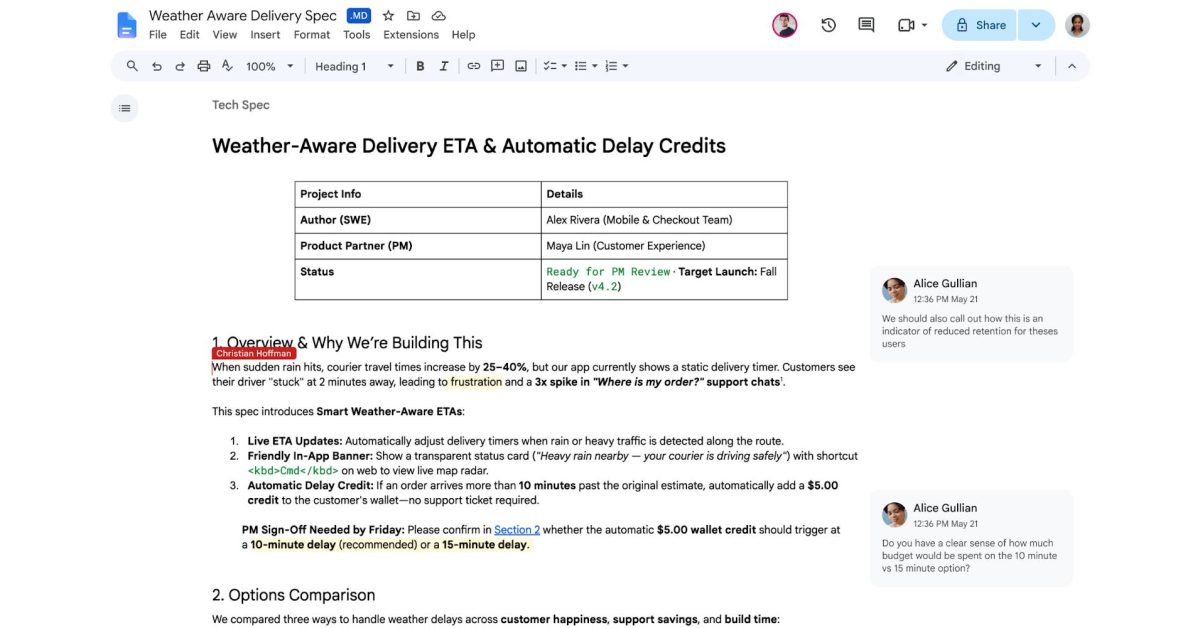
Spurred by the use of markdown files in the AI age, Google Drive and Google Docs are adding full, native support for markdown (.md) files.
Google has been building out markdown support in Drive for years now, but prior steps largely included converting markdown into a format that Docs could use.
Now, Google Drive and its suite of apps can open, edit, and fully use markdown files throughout Docs and other apps. This includes real-time editing and comments with full rendering of the formatting of markdown documents. Google also points out that this benefits AI use cases such as having AI agents collaborate on documents and even syncing with Gemini Notebook.
Now that users can handle markdown files natively in Google Docs, they can open, edit, and collaborate on markdown files without changing the file type. Editing Markdown files in Docs also enables both users and agents to collaborate without forcing anyone to write raw syntax, handle manual file conversions, or give up Docs’ real-time editing and commenting tools.
Drive also now supports rendered markdown, so you can view fully formatted, beautiful documents with clickable links and structured tables right in Drive.
Google’s Chandu Thota calls out that markdown “has become the common language between humans and AI agents.”
Markdown support in Google Drive and Docs is rolling out starting today but may take up to 15 days to show up for everyone. It’s enabled by default, even on admin-controlled accounts.
More on Google Workspace:
- Google upgrades all Gemini side panels in Workspace to have the same features
- Google rolling out Gmail Live, Docs Live, and Keep Live
- Android rolls out local ‘Documents’ backup that syncs to Google Drive
Follow Ben: Twitter/X, Threads, Bluesky, and Instagram
You’re reading 9to5Google — experts who break news about Google and its surrounding ecosystem, day after day. Be sure to check out our homepage for all the latest news, and follow 9to5Google on Twitter, Facebook, and LinkedIn to stay in the loop. Don’t know where to start? Check out our exclusive stories, reviews, how-tos, and subscribe to our YouTube channel
