Close Menu
MyAppsPlus

    Subscribe to Updates

    Get the latest creative news from FooBar about art, design and business.

    What's Hot

    iPhone Duo StandBy Leak Reveals Five Unannounced Faces

    September 29, 2026

    Our favourite space-saving air fryer just hit an all-time low price — the Ninja DoubleStack XXXL is just AU$179 in this Prime Day deal

    September 29, 2026

    The warning signs that your iPhone battery needs to be replaced

    September 29, 2026
    Facebook X (Twitter) Instagram
    Facebook X (Twitter) Instagram
    MyAppsPlusMyAppsPlus
    Tuesday, September 29
    • Home
    • Breaking Tech
    • Apps & Software
    • AI & Automation
    • Android
    • iPhone & iOS
    • More
      • Reviews
      • How-To Guides
      • Deals & Discounts
      • Shop
    MyAppsPlus
    Home»Android»What new Google Messages features are rolling out [September 2026]
    Android

    What new Google Messages features are rolling out [September 2026]

    myappsplusBy myappsplusSeptember 29, 2026003 Mins Read
    Share Facebook Twitter Pinterest Copy Link LinkedIn Tumblr Email Telegram WhatsApp
    Follow Us
    Google News Flipboard
    What new Google Messages features are rolling out [September 2026]
    Share
    Facebook Twitter LinkedIn Pinterest Email Copy Link

    Like other Google apps, Messages for Android A/B tests many features. It can take the RCS/SMS client a rather long time to actually launch new functionality in stable. From various reports, Google announcements, and devices we’ve checked, this is the current state of Messages.

    Table of contents

    Still rolling out (beta)

    These are Messages features that Google announced or have been spotted in the wild by beta users.

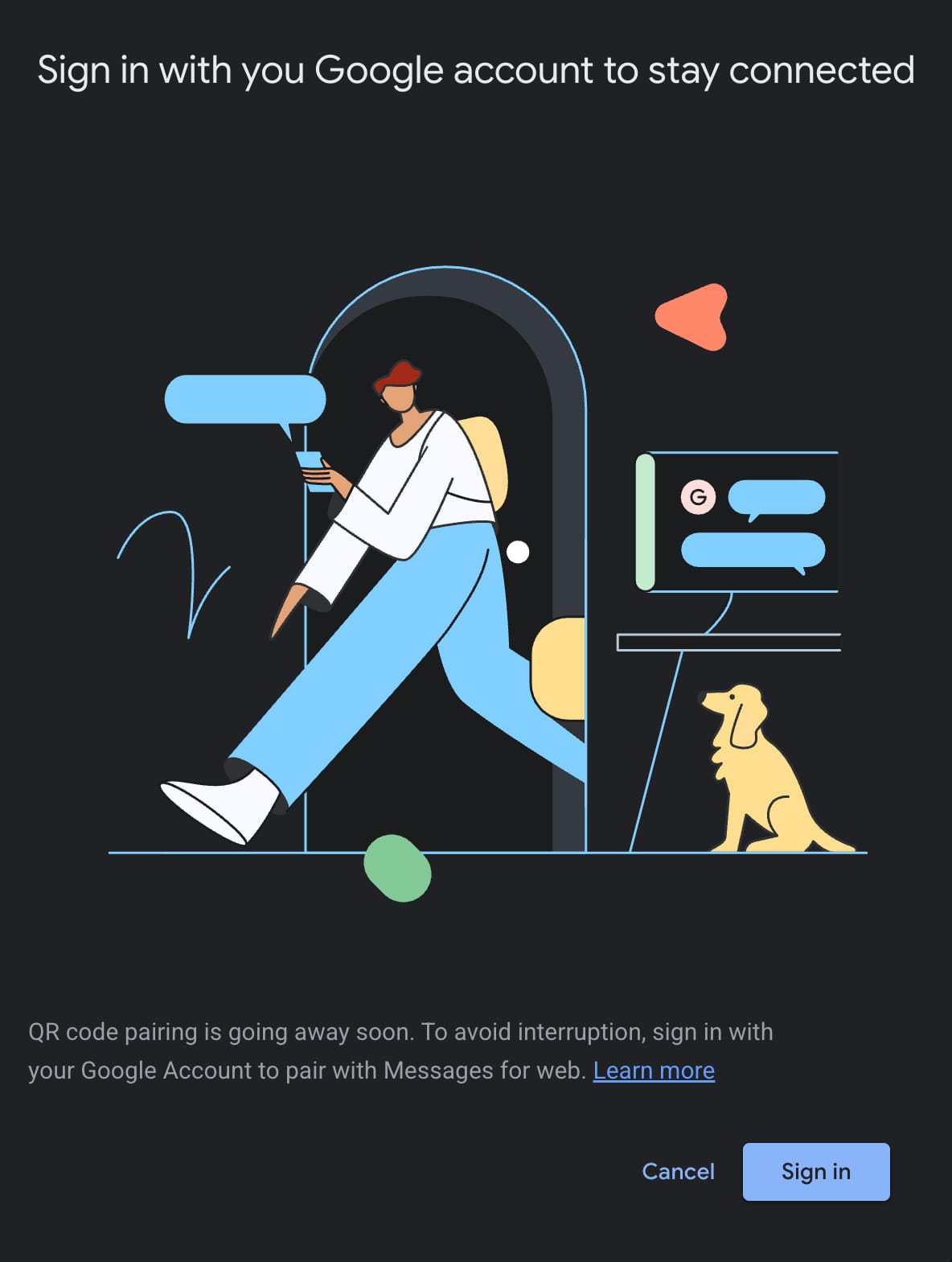
    Messages for web removing QR code pairing

    Going forward, Messages for web users will have to use Google Account sign-in. As of late April, the QR code method is still available.

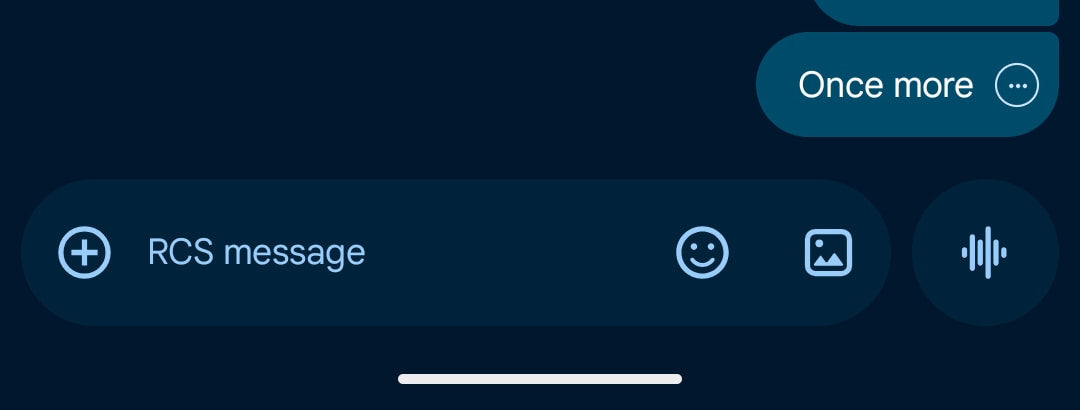
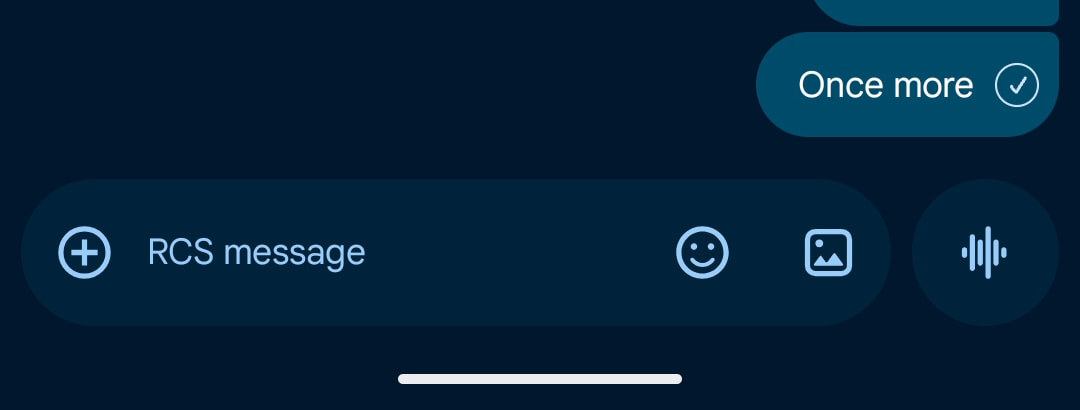
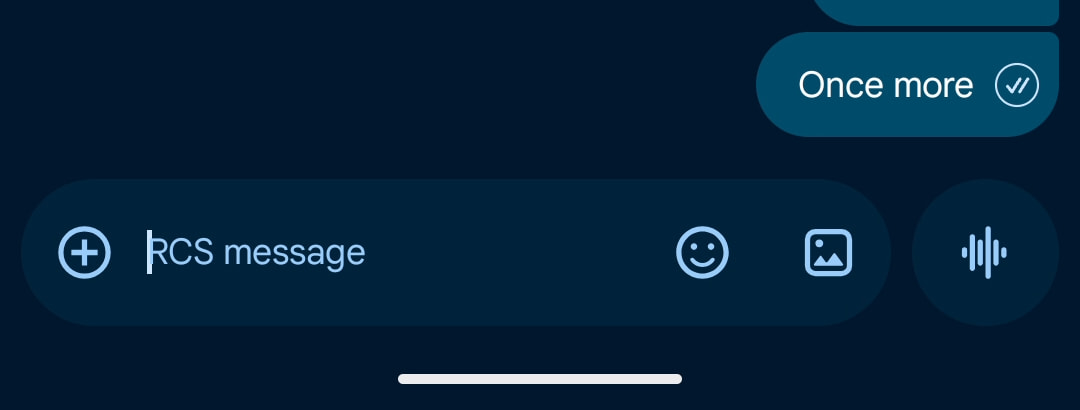
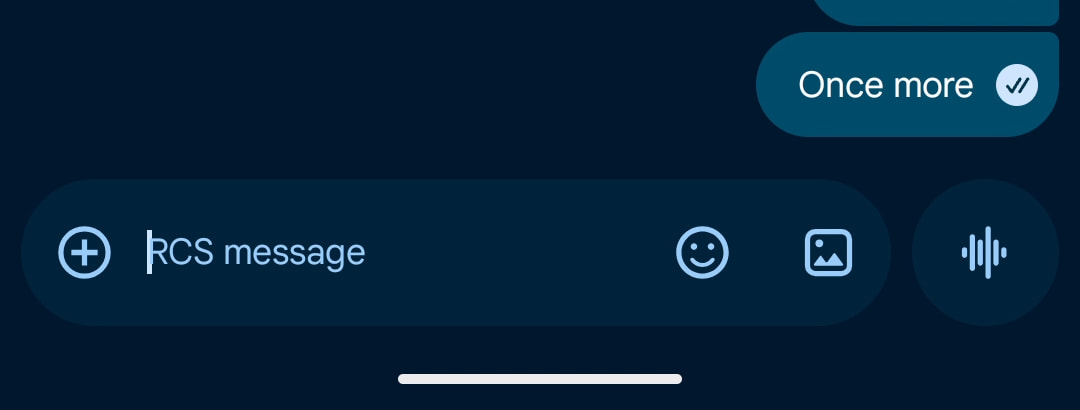
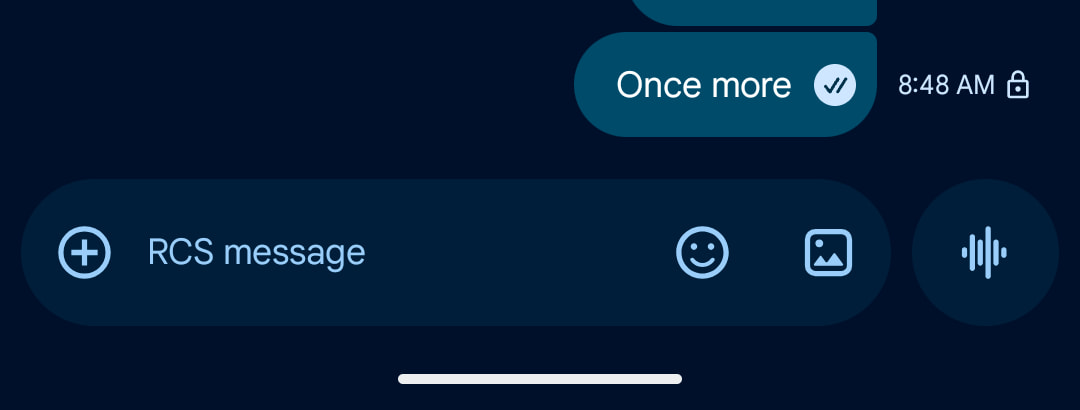
    Read receipts are now placed in a circle at the bottom-right corner of message bubbles and images. You swipe left to see timestamps and the encryption lock, while you can swipe right to reply. This first started appearing in August of 2024, but is now seeing wide beta and stable availability.

    Recent launches (stable)

    [New] Swipe for timestamps & updated reply gesture

    To see timestamps and the RCS encryption lock, you can now swipe left anywhere in a conversation. To reply to a message, you have to swipe right on the bubble. Tapping a message still shows the read receipts.

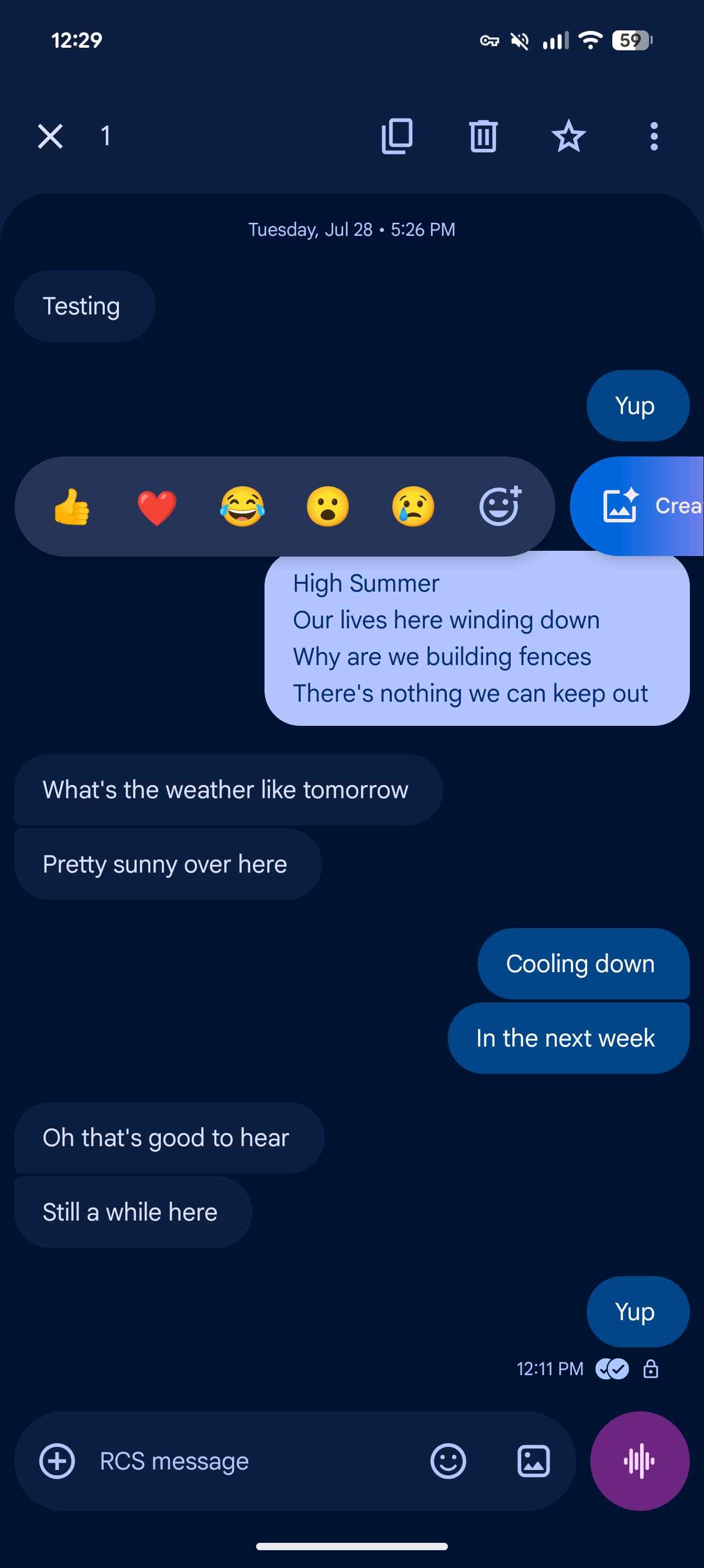
    Instead of a top toolbar, long-pressing on a message or image opens a floating menu as the background blurs. Another press lets you copy just a part of the chat. Previously, you had to copy the entire message.

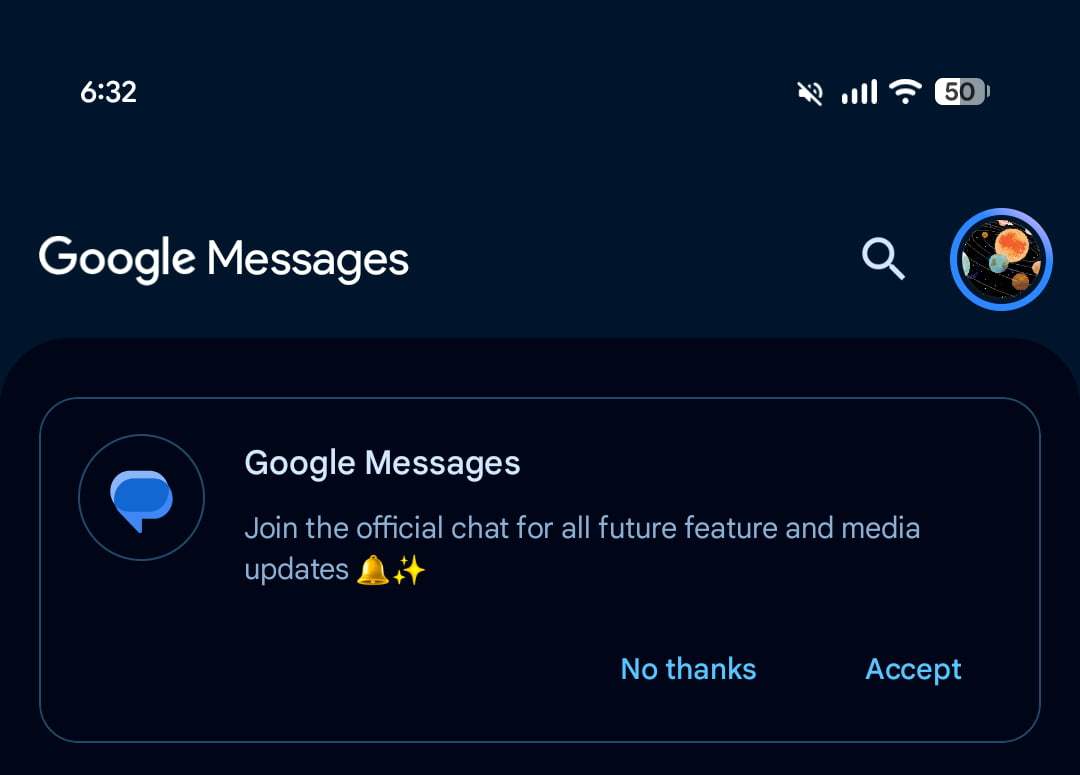
    [New] Official chat for feature updates

    iOS 27 adds replies & photo reactions to Android-iPhone RCS

    With iOS 27’s <a href="https://myappsplus.com/nyt-connections-hints-and-answers-for-tuesday-september-29-game-1206/” title=”NYT Connections hints and answers for Tuesday, September 29 (game #1206)”>September launch, Android-iPhone conversations over RCS gain support for inline replies that include quotes, as well as photo reactions with the actual emoji instead of just the text description.

    [Wide] Google Keep in Google Messages

    The new Google Keep integration lets you quickly create and share notes inside chats. If you don’t see a contextual suggestion to “Create list,” open the ‘plus’ menu for a new “Keep Notes” tile.

    This will slide up a sheet that shows your list of notes and the “Create a note” button. Upon selecting or starting a note, you’ll see a send button in the bottom-right corner. Afterward, there’s a live preview in the conversation thread.


    Chat theme

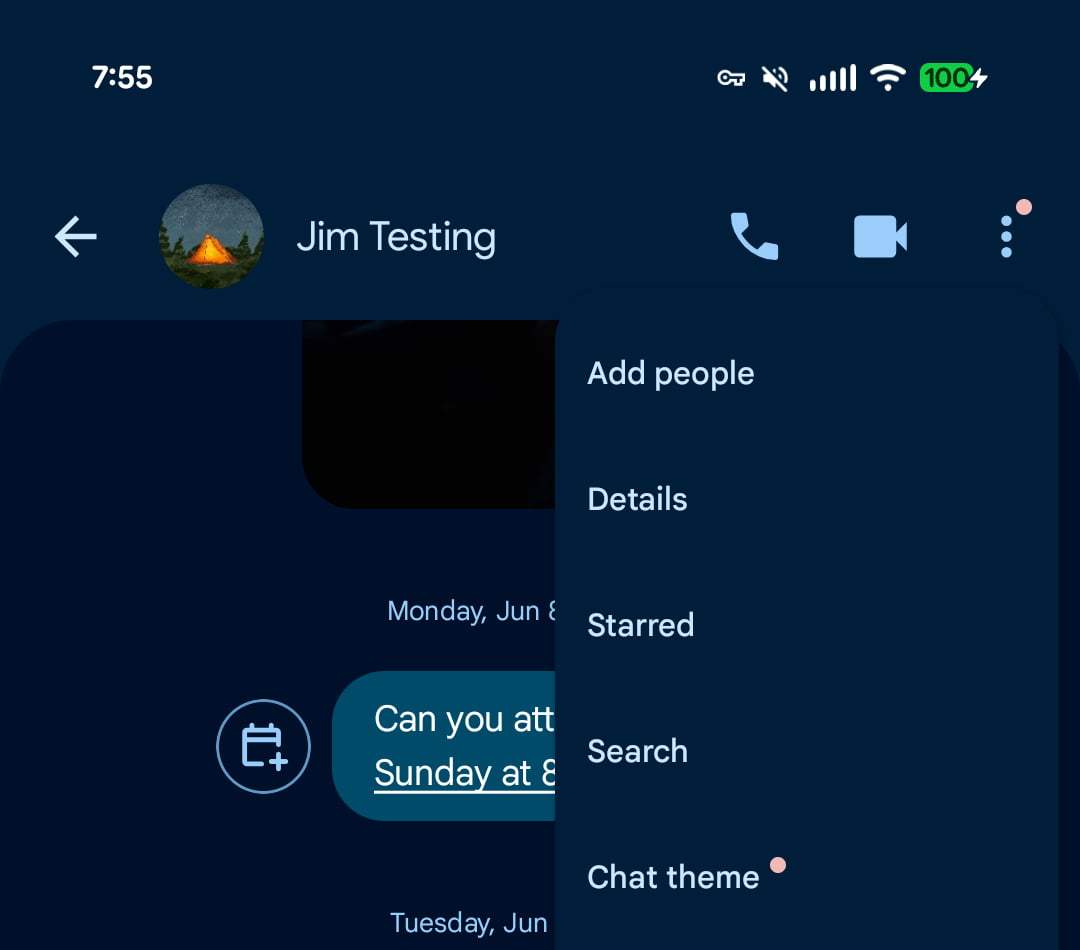
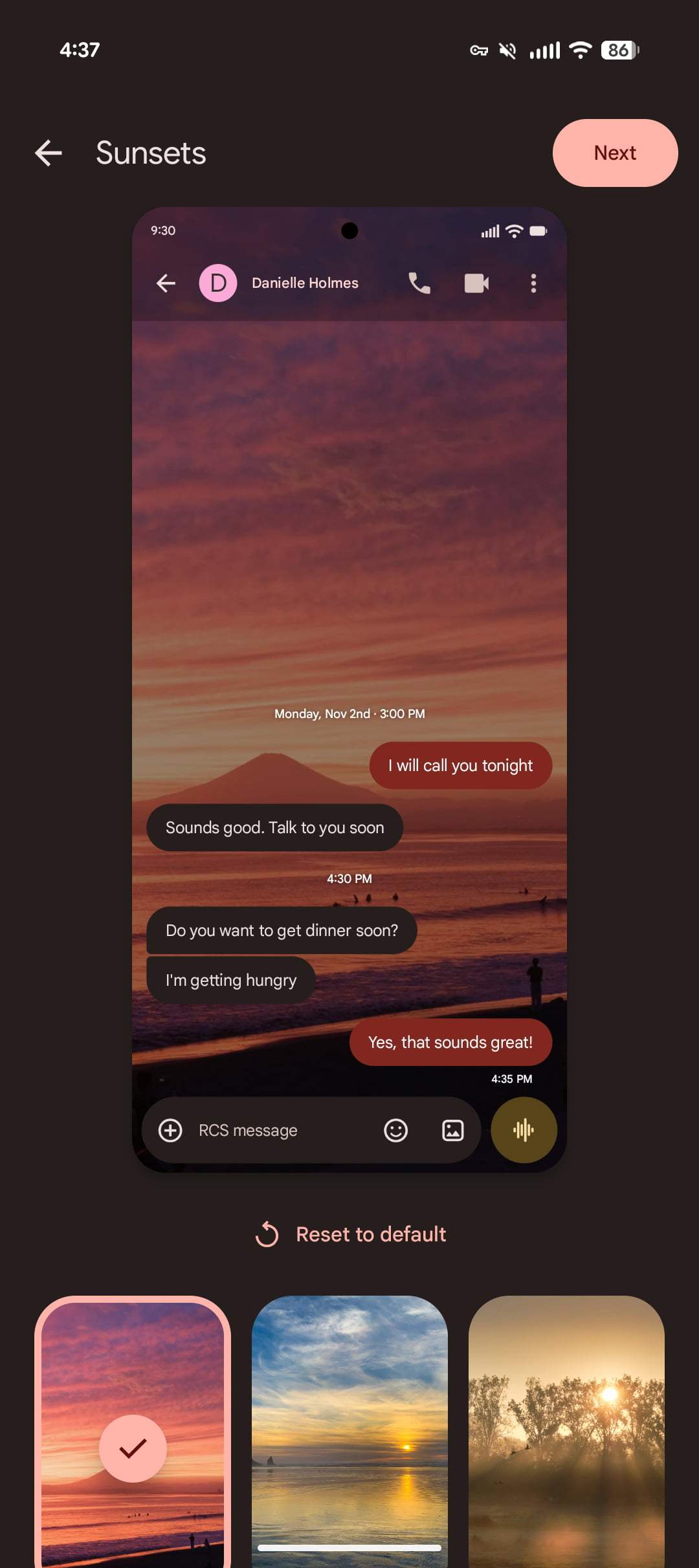
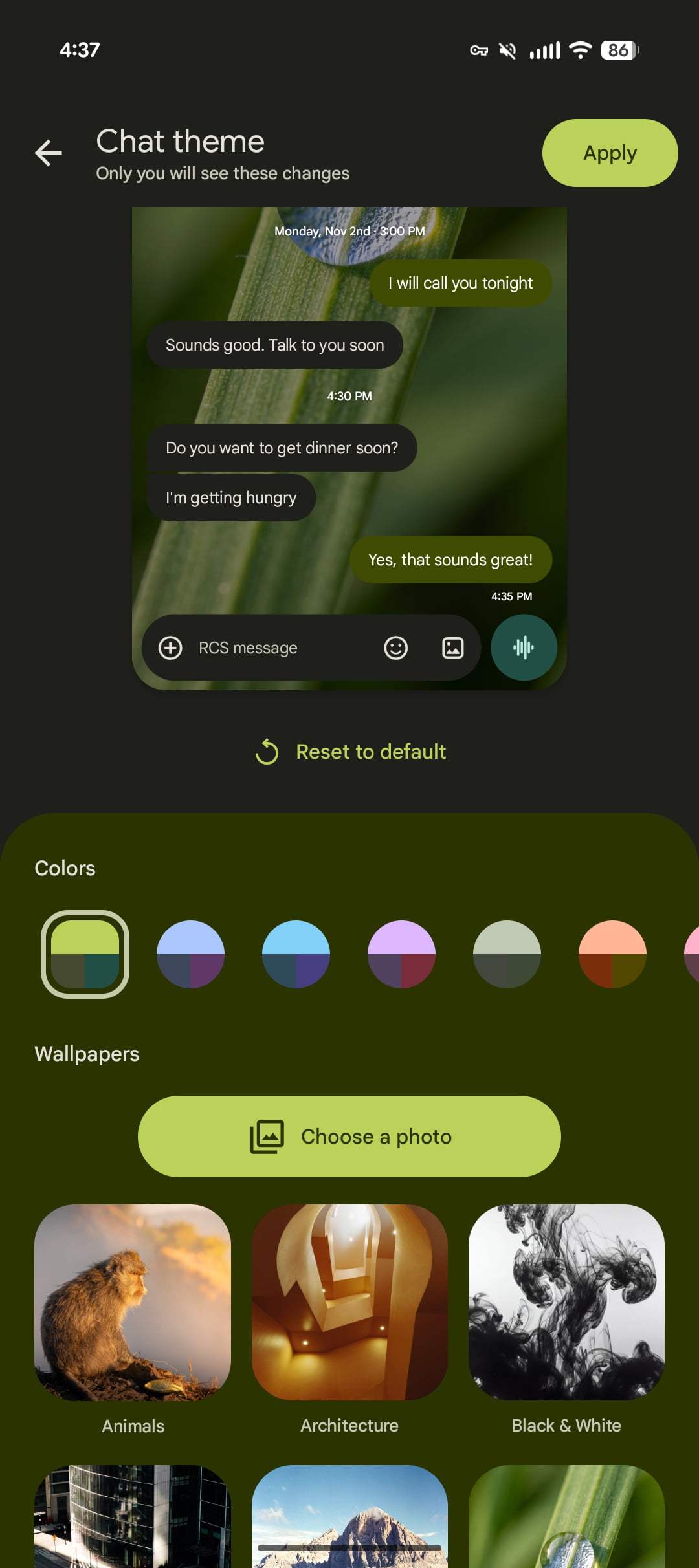
    Google Messages now lets you extensively customize conversations with a “Chat theme.” Replacing “Change colors” from 2024, you access this new option from the three-dot overflow menu. Be on the lookout for a red badge when this is rolled out for your phone. Themes will only appear on your device.

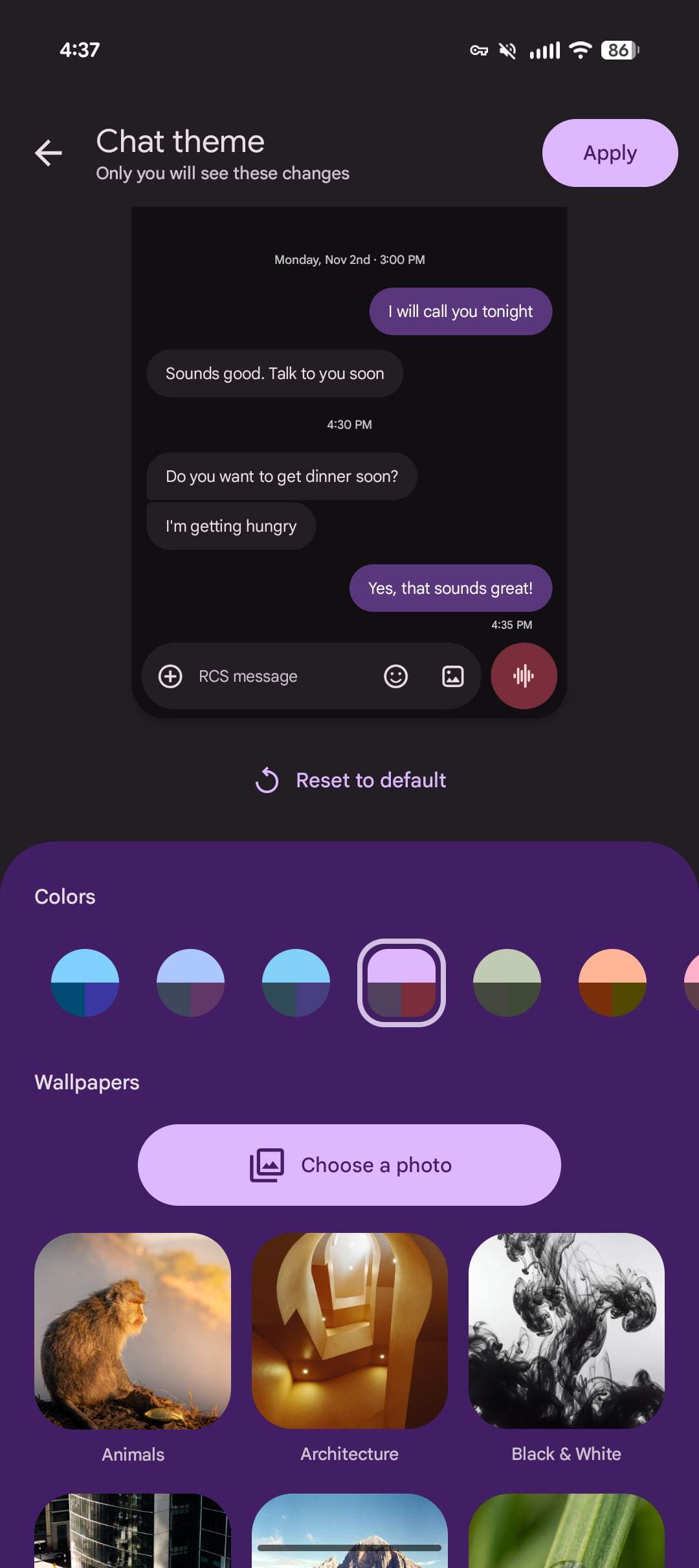
    The Colors carousel themes message bubbles. There are nine options, with Dynamic Color being the first option and responding to the background of your chat.
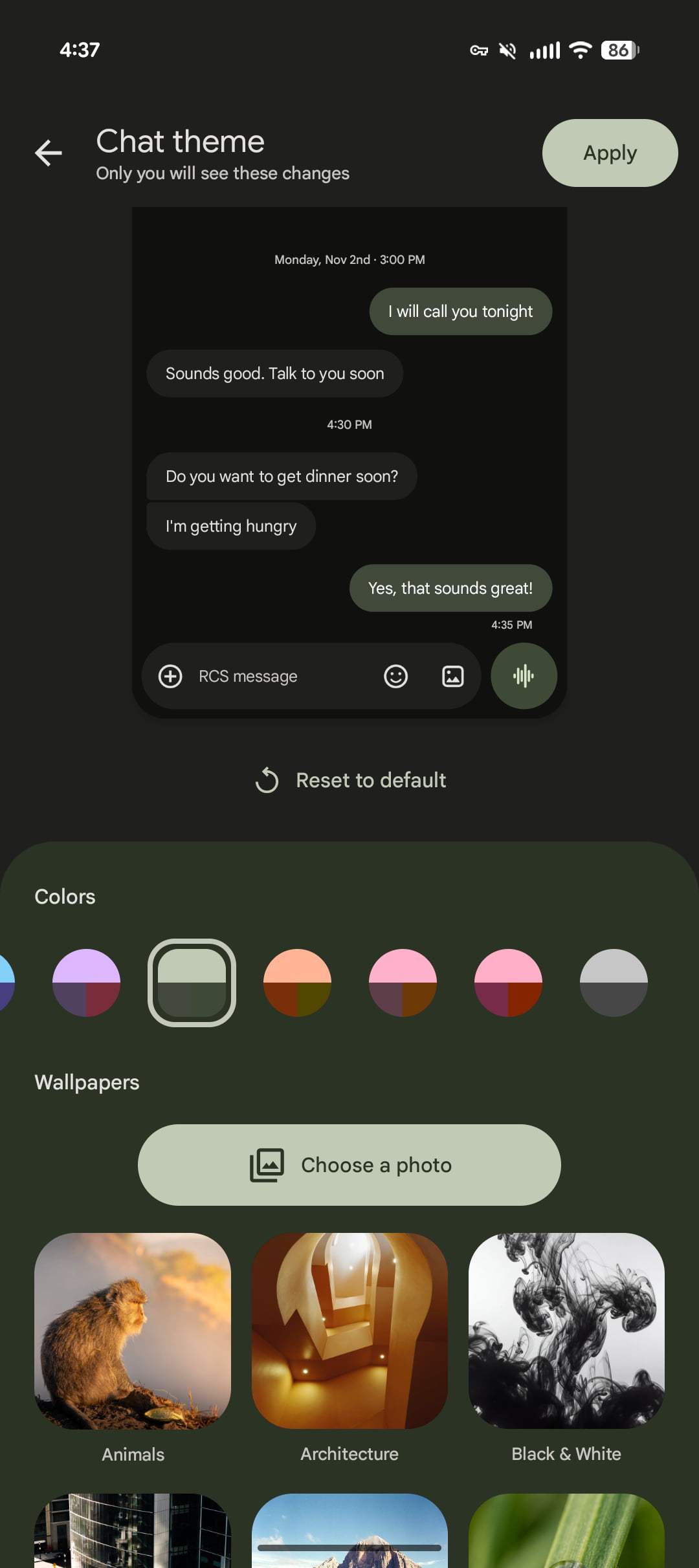

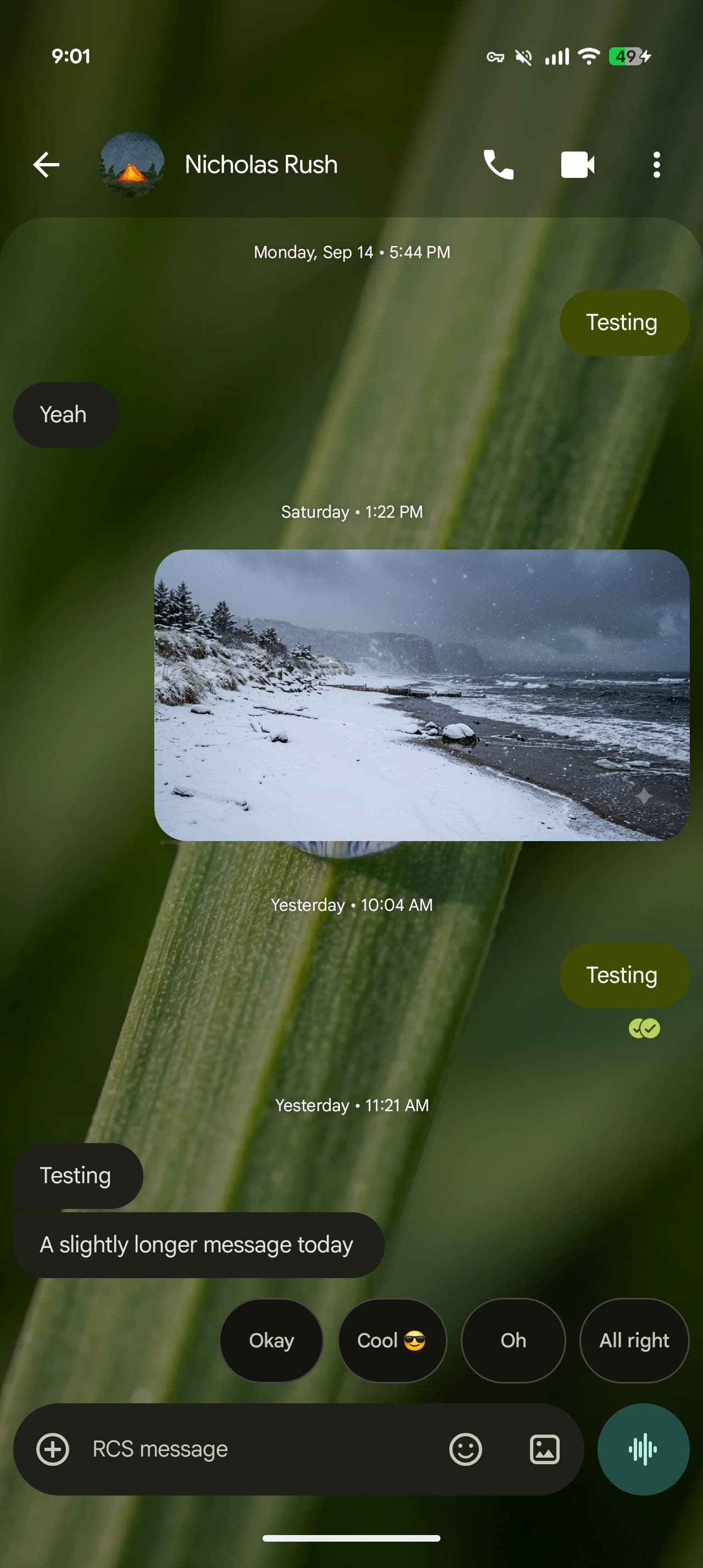
    The Wallpapers option lets you change the background of the conversation. In addition to uploading your own image, Google provides the following collections: Animals, Architecture, Black & White, Cityscapes, Landscapes, Macro, Space, Sunsets, and Textures.

    You’re reading 9to5Google — experts who break news about Google and its surrounding ecosystem, day after day. Be sure to check out our homepage for all the latest news, and follow 9to5Google on Twitter, Facebook, and LinkedIn to stay in the loop. Don’t know where to start? Check out our exclusive stories, reviews, how-tos, and subscribe to our YouTube channel

    Features Google Messages rolling What
    Follow on Google News Follow on Flipboard
    Share. Facebook Twitter Pinterest LinkedIn Tumblr Email Copy Link
    myappsplus
    • Website

    Related Posts

    Gemini app starts rolling out big side panel simplification, settings redesign

    September 28, 2026

    Gemini app adding Google Wallet integration for ‘personalized insights’

    September 28, 2026

    Faster, safer, smarter, cheaper: Anthropic makes the case for Claude Sonnet 5.5

    September 28, 2026
    Add A Comment
    Leave A Reply Cancel Reply

    Top Posts

    Can reviews settle disputes that marked first two seasons?

    September 21, 20267 Views

    Experts call for leveraging AI, breaking key tech bottlenecks to propel advanced manufacturing

    September 19, 20264 Views

    Microsoft resolves issues after software updates

    September 22, 20263 Views
    Latest Reviews

    How is Android Auto different from Android Automotive?

    myappsplusAugust 23, 2026

    China is shifting its new data centers to rural Eastern locations as it looks for extra AI power

    myappsplusAugust 23, 2026

    The Razer Soma Chroma has a silly name, silly price tag, and sillily requires you bring your own battery to light the thing up

    myappsplusAugust 23, 2026
    Stay In Touch
    • Facebook
    • YouTube
    • TikTok
    • WhatsApp
    • Twitter
    • Instagram

    Subscribe to Updates

    Get the latest tech news from FooBar about tech, design and biz.

    Most Popular

    China is shifting its new data centers to rural Eastern locations as it looks for extra AI power

    August 23, 20260 Views

    The Razer Soma Chroma has a silly name, silly price tag, and sillily requires you bring your own battery to light the thing up

    August 23, 20260 Views

    What is a VESA mount and how to know what type your TV has

    August 23, 20260 Views
    Our Picks

    iPhone Duo StandBy Leak Reveals Five Unannounced Faces

    September 29, 2026

    Our favourite space-saving air fryer just hit an all-time low price — the Ninja DoubleStack XXXL is just AU$179 in this Prime Day deal

    September 29, 2026

    The warning signs that your iPhone battery needs to be replaced

    September 29, 2026

    Subscribe to Updates

    Subscribe to our newsletter and get the latest tech news, app updates, AI trends, smartphone reviews, and exclusive deals delivered straight to your inbox.

    Facebook X (Twitter) Instagram Pinterest
    • About Us
    • Get In Touch
    • Disclaimer
    • Privacy Policy
    • Terms & Conditions
    © 2026 MyAppsPlus. All Rights Reserved.

    Type above and press Enter to search. Press Esc to cancel.