Close Menu
MyAppsPlus

    Subscribe to Updates

    Get the latest creative news from FooBar about art, design and business.

    What's Hot

    Samsung’s Phone App is Getting a Dedicated Blocked Calls Dashboard

    November 15, 2026

    how AI’s smartest man fell for the world’s oldest trick

    November 15, 2026

    dismo R Package: Species Distribution Modeling

    November 15, 2026
    Facebook X (Twitter) Instagram
    Facebook X (Twitter) Instagram
    MyAppsPlusMyAppsPlus
    Sunday, November 15
    • Home
    • Breaking Tech
    • Apps & Software
    • AI & Automation
    • Android
    • iPhone & iOS
    • More
      • Reviews
      • How-To Guides
      • Deals & Discounts
      • Shop
    MyAppsPlus
    Home»Android»Gemini app starts rolling out big side panel simplification, settings redesign
    Android

    Gemini app starts rolling out big side panel simplification, settings redesign

    myappsplusBy myappsplusSeptember 28, 2026032 Mins Read
    Share Facebook Twitter Pinterest Copy Link LinkedIn Tumblr Email Telegram WhatsApp
    Follow Us
    Google News Flipboard
    Gemini app starts rolling out big side panel simplification, settings redesign
    Share
    Facebook Twitter LinkedIn Pinterest Email Copy Link

    The next big update to the Gemini app on Android and iOS is beginning to roll out with a focus on simplifying core navigation.

    There are no major changes to the homepage, with the first differences found in the side panel. Search has moved to the top-right corner, while the chat history now offers filters: All, Ready, Needs attention, and In progress.

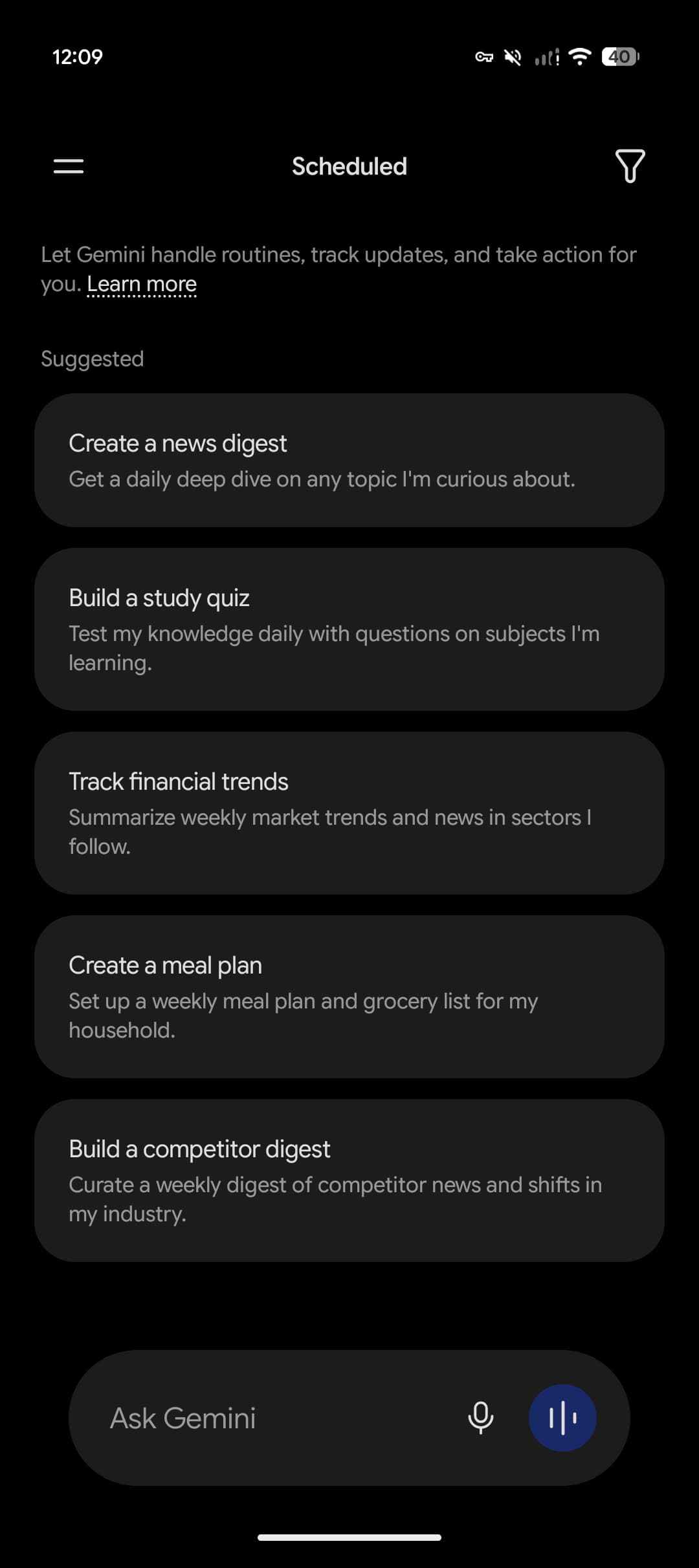
    “Scheduled” is a new item in the list and replaces the “Scheduled actions” page. You get “Suggested” prompts like Create a news digest or Build a study quiz.
    <img src="https://9to5google.com/wp-content/uploads/sites/4/2026/09/Gemini-side-panel-redesign-2.jpg?strip=info&w=1080″ alt=”” loading=”lazy”>

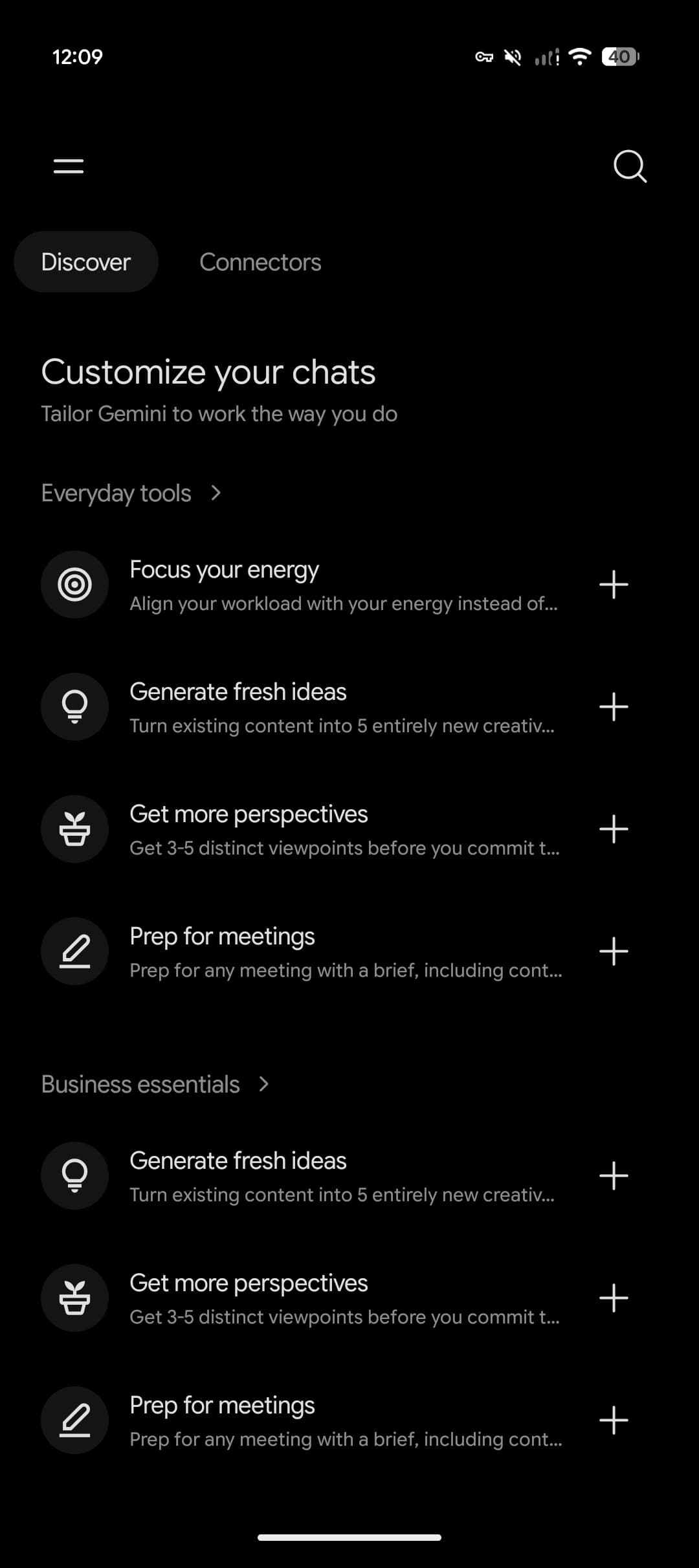
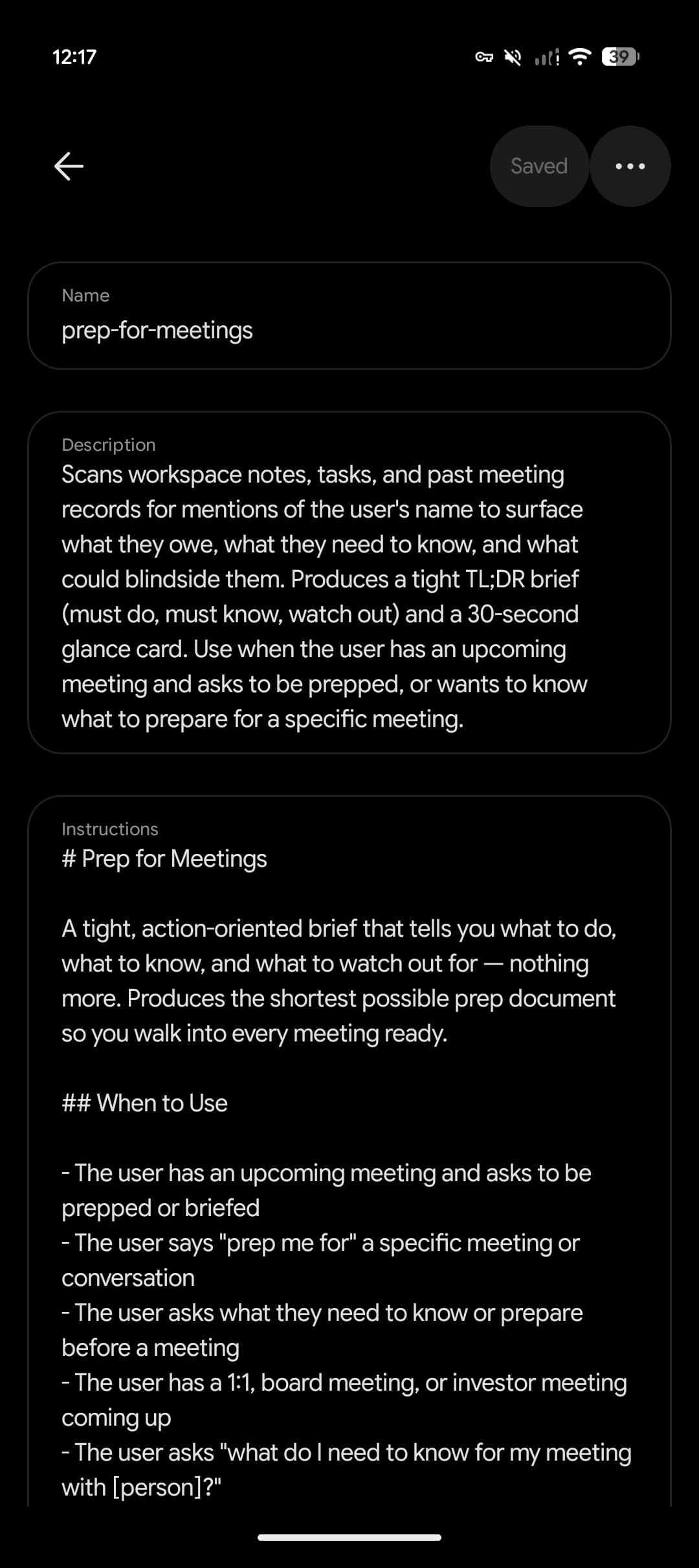
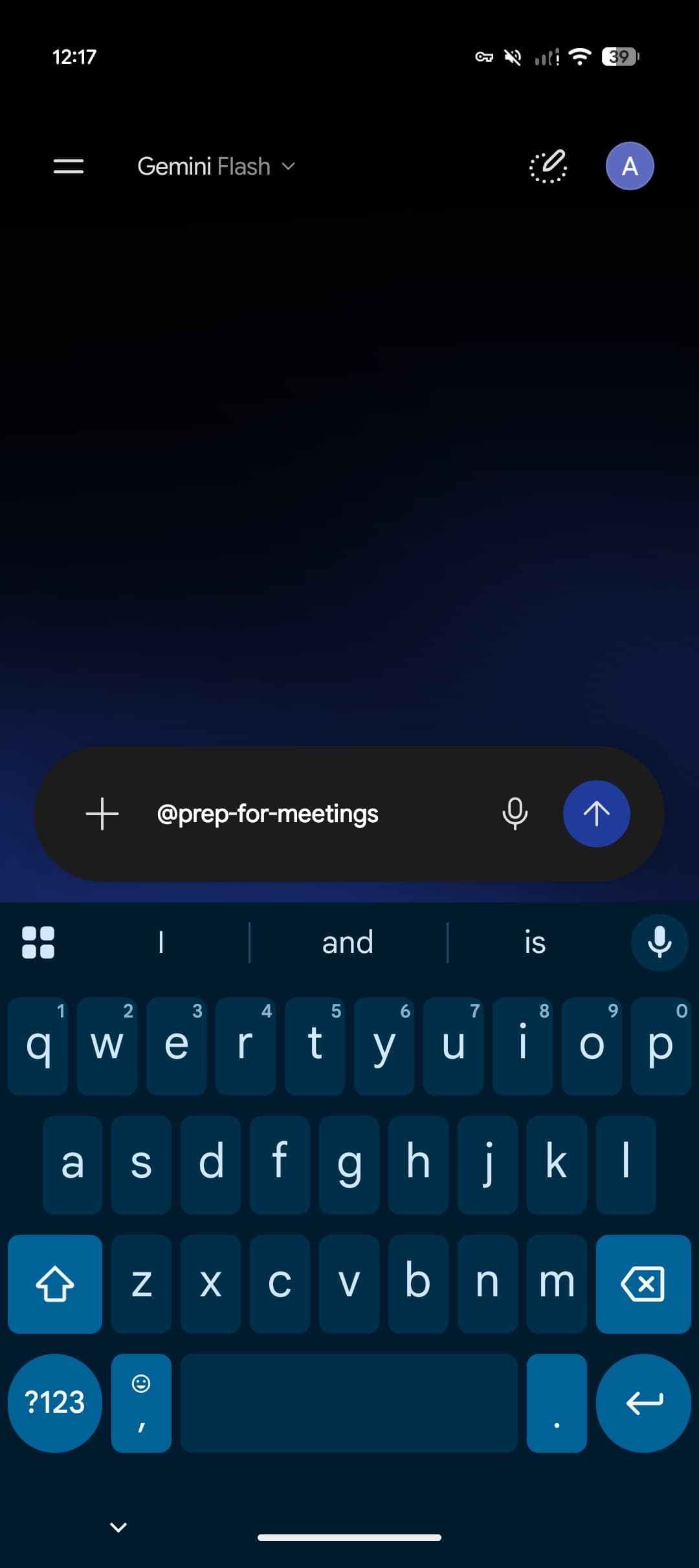
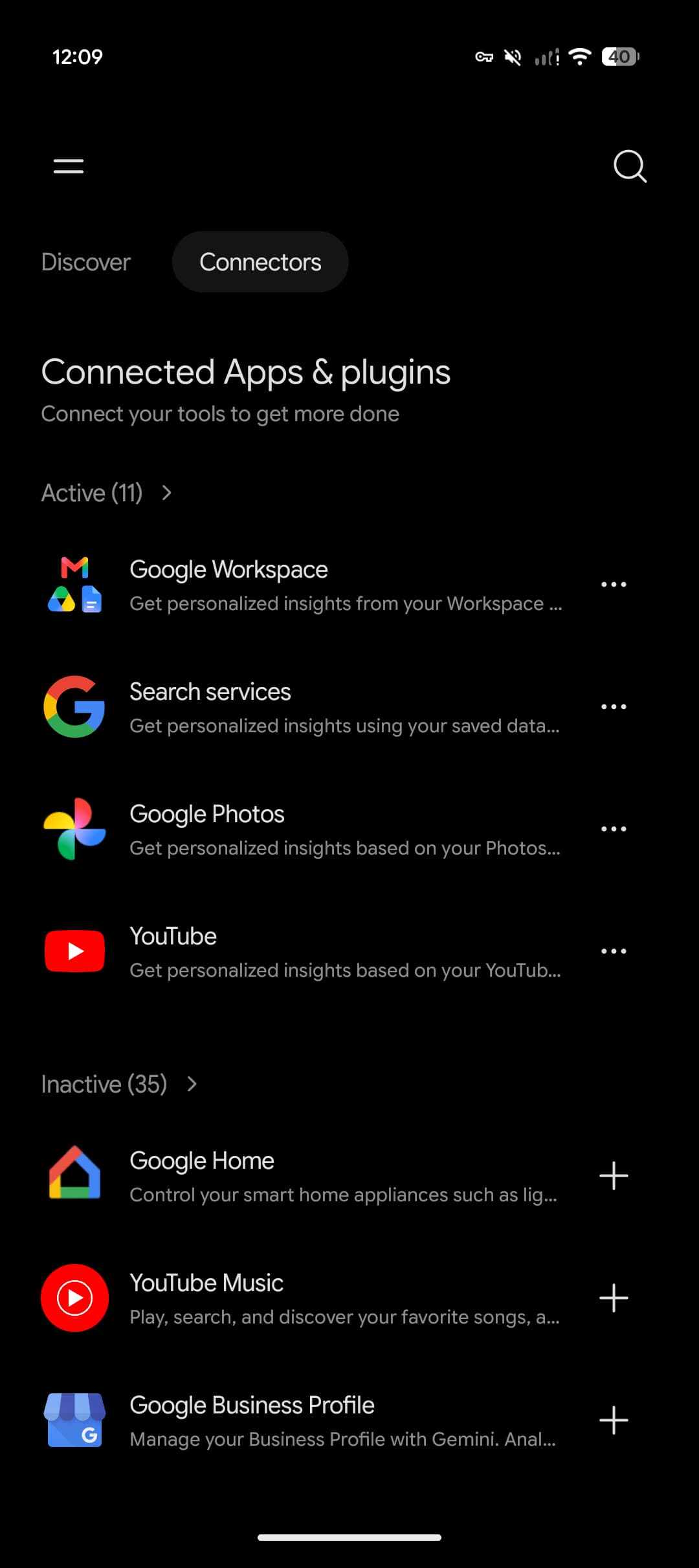
    “Customize” is the big update today. The “Discover” tab surfaces skills, which are replacing Gems, and third-party connected apps. Notably, skills are activated using the ‘@’ symbol instead of a forward slash like in Gemini Spark. This page feels like a mini-app store for Gemini.

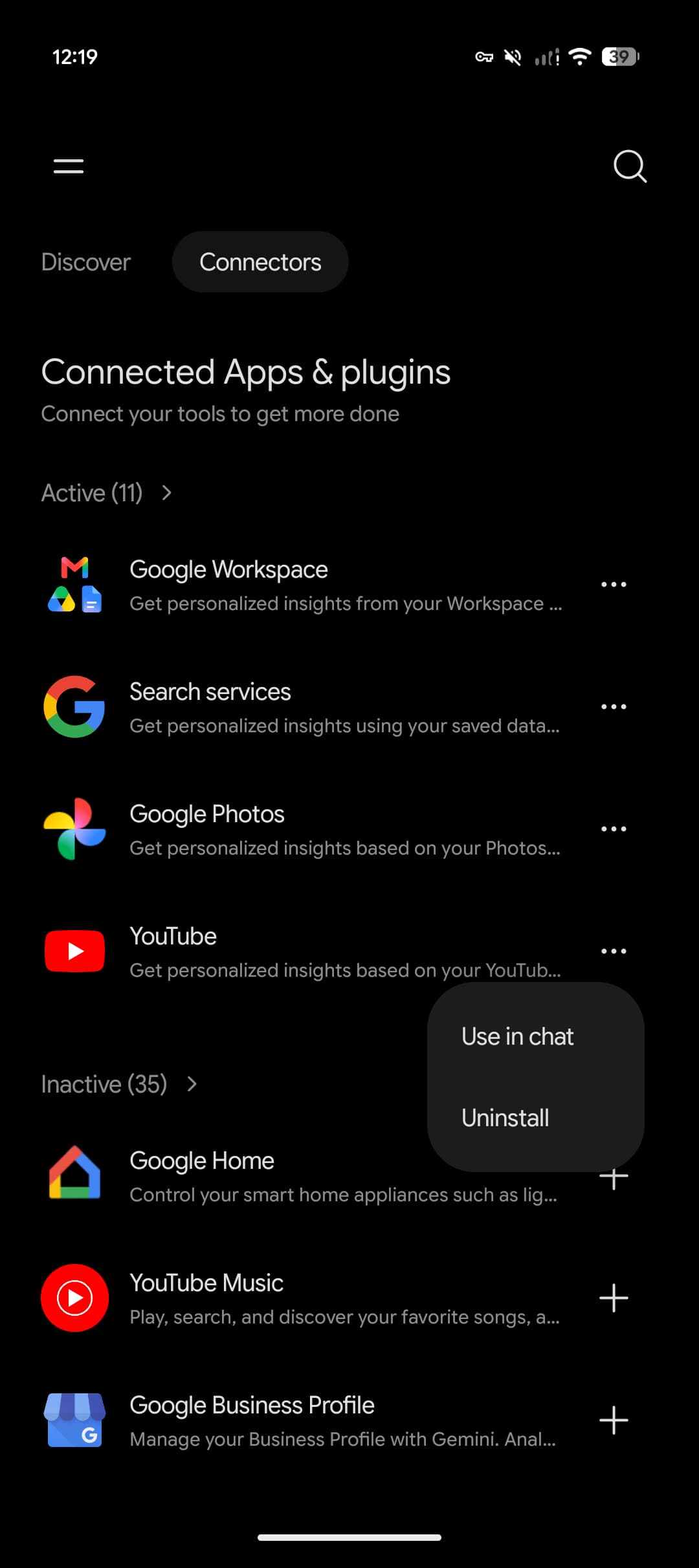
    Meanwhile, the “Connectors” tab serves as a modernized “Connected Apps” page. Gemini is leaning into that app store parlance with the ability to “Uninstall” from the overflow menu.

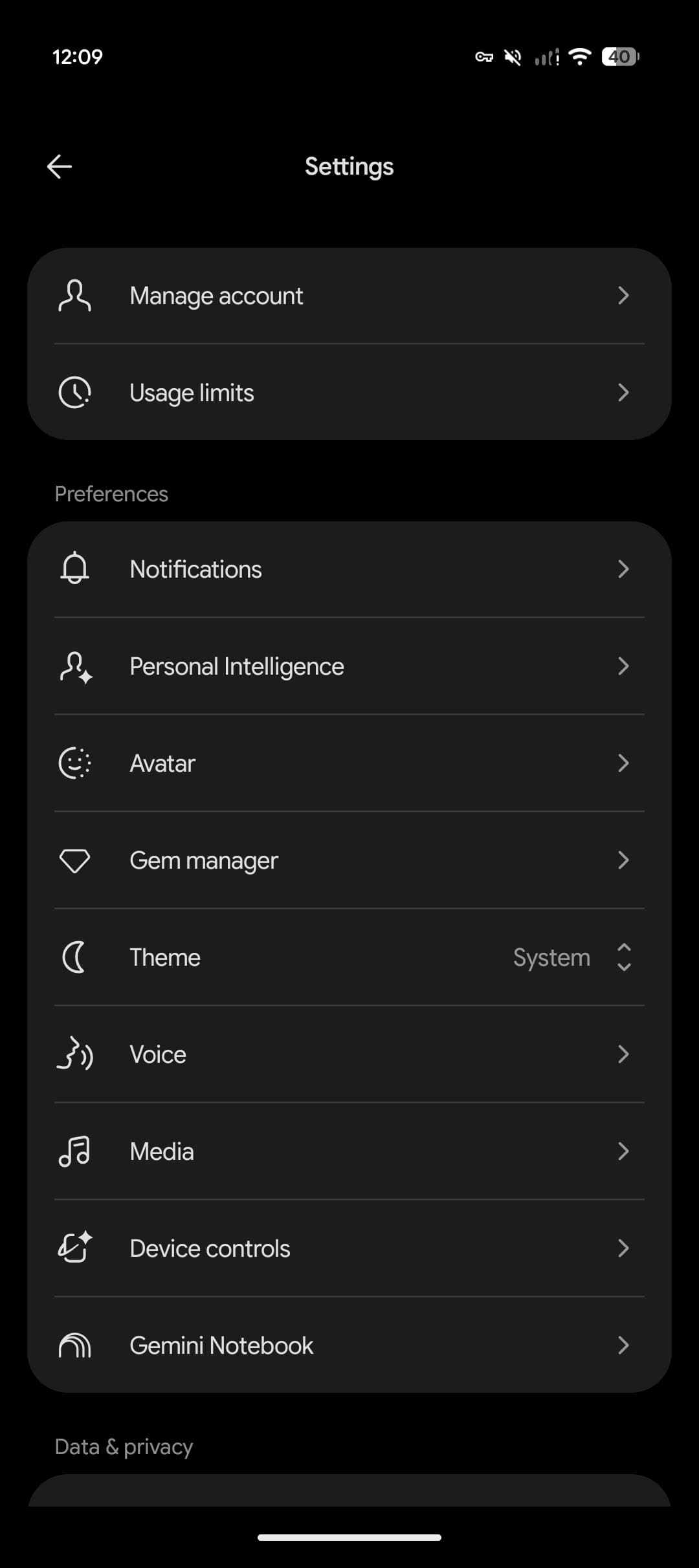
    Meanwhile, Gemini is getting a much-needed Settings redesign when you tap your profile avatar in the top-right corner or the gear icon. Manage account and Usage limits make up the first grouping, followed by:

    • Preferences: Notifications, Personal Intelligence, Avatar, Gem manager, Theme, Voice, Media, Device controls, Gemini Notebook
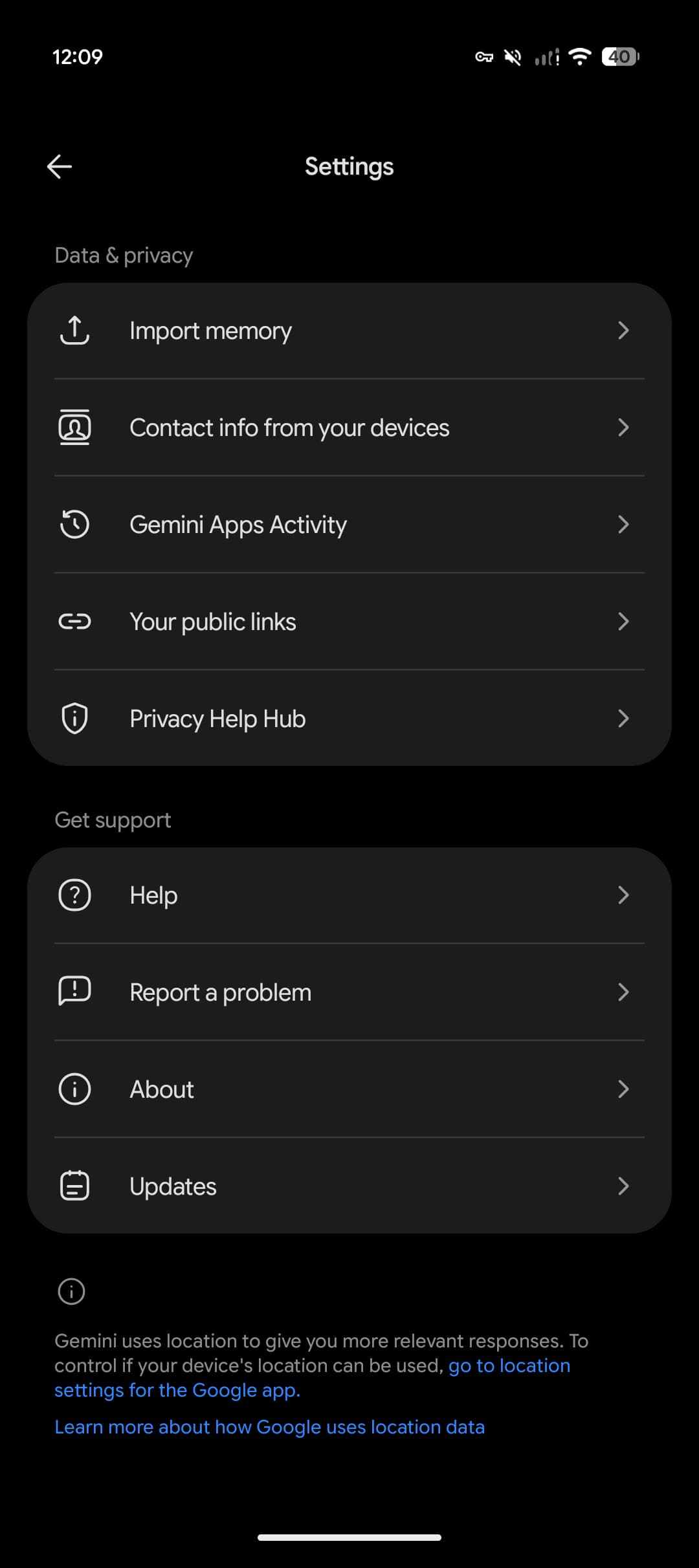
    • Data & privacy: Import memory, Contact info from your devices, Gemini Apps Activity, Your public links, Privacy Help Hub
    • Support: Help, Report a problem, About, Updates

    This redesign is not yet widely rolled out and only appearing on one of our Google Accounts. That said, it’s appearing on both Android and iOS.

    You’re reading 9to5Google — experts who break news about Google and its surrounding ecosystem, day after day. Be sure to check out our homepage for all the latest news, and follow 9to5Google on Twitter, Facebook, and LinkedIn to stay in the loop. Don’t know where to start? Check out our exclusive stories, reviews, how-tos, and subscribe to our YouTube channel

    Gemini News rolling side starts
    Follow on Google News Follow on Flipboard
    Share. Facebook Twitter Pinterest LinkedIn Tumblr Email Copy Link
    myappsplus
    • Website

    Related Posts

    Peacock thinks vertical video will make you watch one more hour per month

    November 15, 2026

    Gemini Omni Flash, its own agent and mobile apps

    November 15, 2026

    Italy fines Meta 805m euros over access to Android users’ data

    November 15, 2026
    Add A Comment
    Leave A Reply Cancel Reply

    Top Posts

    Save on your groceries, gas, and holiday shopping with this $15 BJ’s membership (Reg. $60) 

    November 4, 202629 Views

    Google’s new AI shopping cart tracks deals across stores

    October 25, 202627 Views

    Apple is making Creator Studio an even better deal with new AI features and creative tools

    October 28, 202623 Views
    Latest Reviews

    Apple faces new UK rules over nude images on children’s iPhones

    myappsplusSeptember 8, 2026

    Everything revealed at Zelda Direct: Ocarina of Time pre-order deal, release date, new Switch 2, more

    myappsplusSeptember 8, 2026

    Google has deployed a fix for YouTube’s blank screen problems

    myappsplusSeptember 8, 2026
    Stay In Touch
    • Facebook
    • YouTube
    • TikTok
    • WhatsApp
    • Twitter
    • Instagram

    Subscribe to Updates

    Get the latest tech news from FooBar about tech, design and biz.

    Most Popular

    Apple faces new UK rules over nude images on children’s iPhones

    September 8, 20260 Views

    GL.iNet Beryl 7 review: This Wi-Fi 7 travel router saved my holiday connecting 5 iPads, a laptop, and a couple of phones

    September 8, 20260 Views

    69% of Americans oppose local AI data centers in 2026 poll — Trump blasts blocking communities on Truth Social for choosing poverty over server farms, throwing off ‘tremendous amounts of money’

    September 8, 20260 Views
    Our Picks

    Samsung’s Phone App is Getting a Dedicated Blocked Calls Dashboard

    November 15, 2026

    how AI’s smartest man fell for the world’s oldest trick

    November 15, 2026

    dismo R Package: Species Distribution Modeling

    November 15, 2026

    Subscribe to Updates

    Subscribe to our newsletter and get the latest tech news, app updates, AI trends, smartphone reviews, and exclusive deals delivered straight to your inbox.

    Facebook X (Twitter) Instagram Pinterest
    • About Us
    • Get In Touch
    • Disclaimer
    • Privacy Policy
    • Terms & Conditions
    © 2026 MyAppsPlus. All Rights Reserved.

    Type above and press Enter to search. Press Esc to cancel.