Close Menu
MyAppsPlus

    Subscribe to Updates

    Get the latest creative news from FooBar about art, design and business.

    What's Hot

    Score Keychron mechanical keyboards from just $20 in Woot’s latest sale with deals at up to 63% off

    November 5, 2026

    Amazon teams with Uber Eats for new Prime perks

    November 5, 2026

    This phone spoke to me like no other

    November 5, 2026
    Facebook X (Twitter) Instagram
    Facebook X (Twitter) Instagram
    MyAppsPlusMyAppsPlus
    Thursday, November 5
    • Home
    • Breaking Tech
    • Apps & Software
    • AI & Automation
    • Android
    • iPhone & iOS
    • More
      • Reviews
      • How-To Guides
      • Deals & Discounts
      • Shop
    MyAppsPlus
    Home»iPhone & iOS»How to join a FaceTime call with your Android phone or Windows PC
    iPhone & iOS

    How to join a FaceTime call with your Android phone or Windows PC

    myappsplusBy myappsplusSeptember 21, 2026023 Mins Read
    Share Facebook Twitter Pinterest Copy Link LinkedIn Tumblr Email Telegram WhatsApp
    Follow Us
    Google News Flipboard
    How to join a FaceTime call with your Android phone or Windows PC
    Share
    Facebook Twitter LinkedIn Pinterest Email Copy Link

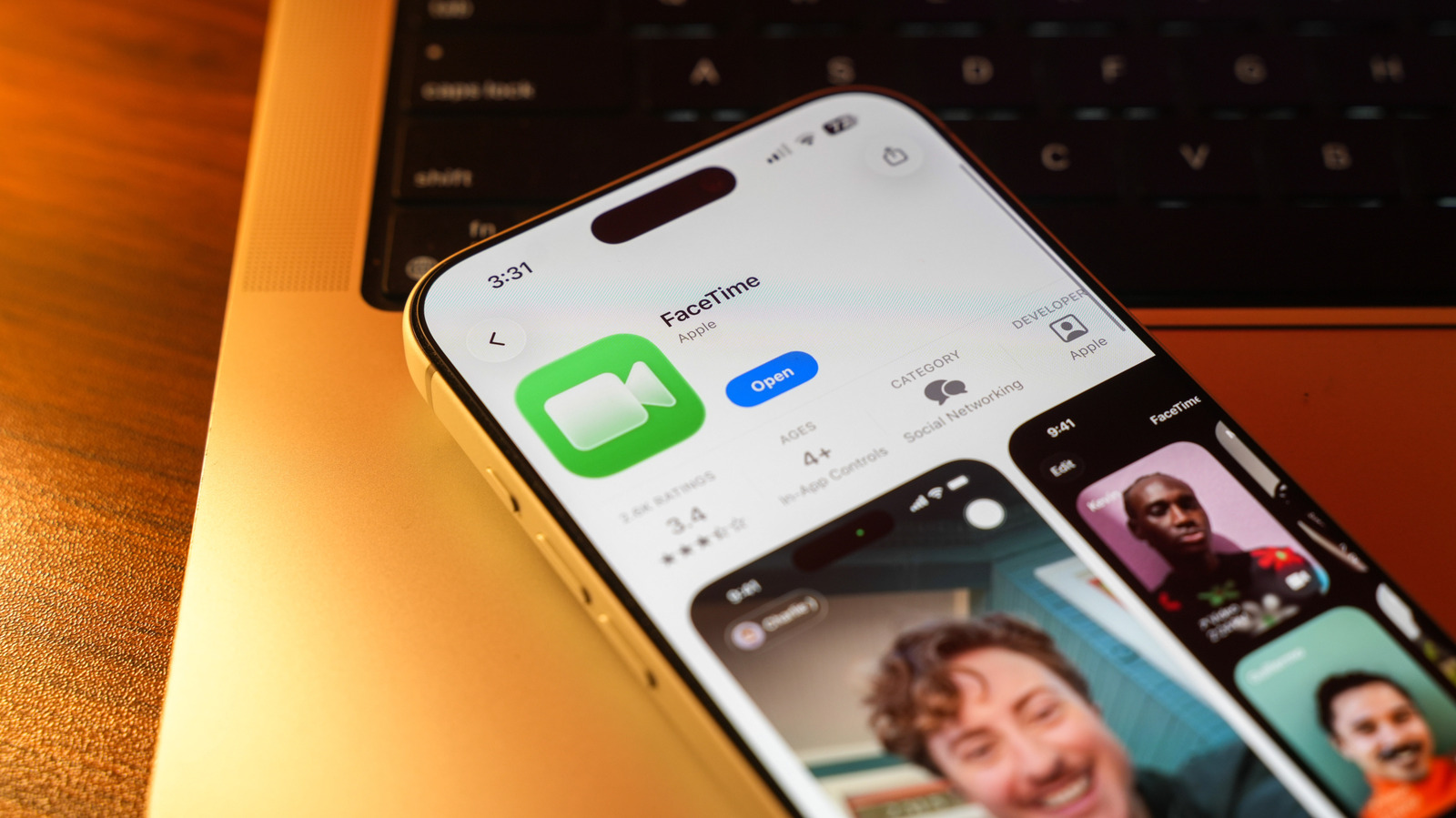
    No <a href="https://myappsplus.com/burgundy-iphone-18-pro-wallpaper-pack/” title=”Burgundy iPhone 18 Pro wallpaper pack”>iPhone? No problem. You can still join FaceTime calls on Android or Windows.

    You might assume that FaceTime is something you can only use if you have an Apple device. For years, that was the case — just like with iMessage. But it turns out you can actually use FaceTime on an Android phone or a Windows PC. It doesn’t work quite as seamlessly, and you still need someone who has an Apple device. But you don’t have to feel left out of your friends’ chats if they all have iPhones and you don’t. All you need is a device connected to the internet and an updated web browser.

    The ability to use FaceTime across platforms isn’t new. In fact, it arrived back in 2021 with iOS 15 and macOS Monterey, but not everyone knows it’s an option. Of course, there are plenty of other cross-platform options for video calls. WhatsApp, Telegram, Zoom, Google Meet — the list goes on. But FaceTime is usually the first option that comes to mind for an iPhone user, since the app is pre-installed on every Apple device.

    Joining a FaceTime call from Android or Windows
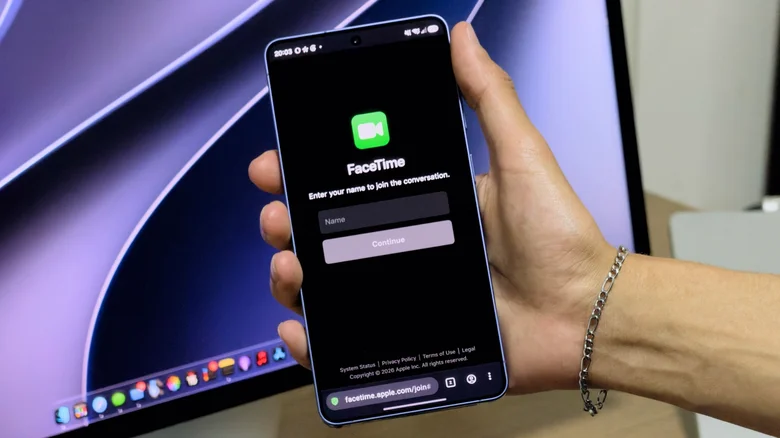
    Joining a FaceTime call from an Android phone.

    The bad news is that you can’t start a FaceTime call from an Android phone or Windows PC. But an iPhone (or iPad or Mac) user can invite you to a FaceTime call using a link. To join it, just open the link and enter your name — your browser may ask for permission to use your camera and microphone. Grant the permissions and tap Join. Apple’s only recommendations are to have a strong internet signal to keep the call stable and to use the latest version of Chrome or Edge. There’s no need for you to have an Apple Account. 

    After that, you’ll be on a FaceTime call through your web browser on a non-Apple device. It’s not perfect, but it works (and supports both FaceTime audio and video calls). You’ll have access to standard FaceTime call options when using this method, such as switching to full-screen video, muting your microphone and flipping the camera to show what’s in front of you. 

    However, you can’t use FaceTime’s screen sharing on a non-Apple device. The SharePlay feature, which lets you enjoy music, movies, games and other content together on a call, won’t work either.

    How to invite other people to your FaceTime call
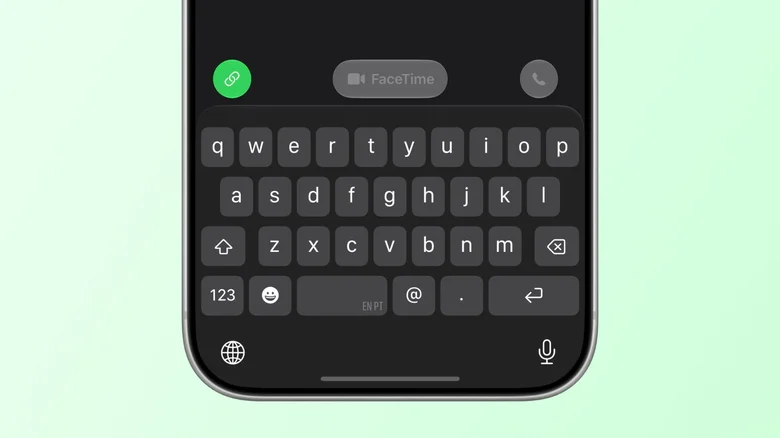
    Button to share a FaceTime call link in the iPhone app.

    On the iPhone side, inviting someone to a FaceTime call is easy. Open the FaceTime app and tap New Call. You’ll see a green link button in the lower-left corner of the screen. Tap it to send the call link to the person (or group) you want to invite, then choose an option to send it through, such as Messages or WhatsApp. With this link, the other person can join your FaceTime call through a browser.

    If you really want everyone to feel included, try using a cross-platform app for your calls. Most of them are easy to set up, and the experience of using a native app is usually better than relying on a web browser. But if FaceTime is your only option, at least now you know it’s not limited to Apple devices.

    Android Call FaceTime Join Your
    Follow on Google News Follow on Flipboard
    Share. Facebook Twitter Pinterest LinkedIn Tumblr Email Copy Link
    myappsplus
    • Website

    Related Posts

    HomeView Code Suggests Future Support for AI Chatbot Apps, Anti-Spoofing Protection

    November 5, 2026

    Got an iPhone Duo on Launch Day? Tomorrow Could Be Your Last Chance to Return It

    November 5, 2026

    Android Auto’s endless calling loop is driving Pixel and Galaxy owners crazy

    November 5, 2026
    Add A Comment
    Leave A Reply Cancel Reply

    Top Posts

    Cathay Pacific tests Google AI that dramatically cuts airplane contrails — tiny altitude shifts slash environmental impact by 40% in early trials

    September 8, 2026138 Views

    Apple is making Creator Studio an even better deal with new AI features and creative tools

    October 28, 202618 Views

    Liene PixCut S1 Photo Printer and Sticker Cutter Review

    October 31, 202617 Views
    Latest Reviews

    Plug-in solar shone at IFA 2026 —here are the 5 best products we saw, from Anker to DJI and EcoFlow

    myappsplusSeptember 5, 2026

    I rode in a self-driving powered wheelchair that avoids obstacles and people, and can be summoned when you need it — it’s like Tesla’s Autopilot for personal mobility

    myappsplusSeptember 5, 2026

    What is the release date for The Paper season 2 on Peacock?

    myappsplusSeptember 5, 2026
    Stay In Touch
    • Facebook
    • YouTube
    • TikTok
    • WhatsApp
    • Twitter
    • Instagram

    Subscribe to Updates

    Get the latest tech news from FooBar about tech, design and biz.

    Most Popular

    Plug-in solar shone at IFA 2026 —here are the 5 best products we saw, from Anker to DJI and EcoFlow

    September 5, 20260 Views

    What is the release date for The Paper season 2 on Peacock?

    September 5, 20260 Views

    I just tried Ecovacs’ robot vacuum of the future — and as a pet owner, I’m beyond floored

    September 5, 20260 Views
    Our Picks

    Score Keychron mechanical keyboards from just $20 in Woot’s latest sale with deals at up to 63% off

    November 5, 2026

    Amazon teams with Uber Eats for new Prime perks

    November 5, 2026

    This phone spoke to me like no other

    November 5, 2026

    Subscribe to Updates

    Subscribe to our newsletter and get the latest tech news, app updates, AI trends, smartphone reviews, and exclusive deals delivered straight to your inbox.

    Facebook X (Twitter) Instagram Pinterest
    • About Us
    • Get In Touch
    • Disclaimer
    • Privacy Policy
    • Terms & Conditions
    © 2026 MyAppsPlus. All Rights Reserved.

    Type above and press Enter to search. Press Esc to cancel.