Close Menu
MyAppsPlus

    Subscribe to Updates

    Get the latest creative news from FooBar about art, design and business.

    What's Hot

    Google reveals how its new 3D emoji were designed, and which Android brands are getting them

    September 17, 2026

    New iPhone 18 Pro Models Will Have Day One Update

    September 17, 2026

    Palladyne AI and FANUC America Partner to Expand the Reach of Intelligent Robotic Automation

    September 17, 2026
    Facebook X (Twitter) Instagram
    Facebook X (Twitter) Instagram
    MyAppsPlusMyAppsPlus
    Thursday, September 17
    • Home
    • Breaking Tech
    • Apps & Software
    • AI & Automation
    • Android
    • iPhone & iOS
    • More
      • Reviews
      • How-To Guides
      • Deals & Discounts
      • Shop
    MyAppsPlus
    Home»iPhone & iOS»Here are 100+ things Siri AI can do on your iPhone
    iPhone & iOS

    Here are 100+ things Siri AI can do on your iPhone

    myappsplusBy myappsplusSeptember 17, 2026003 Mins Read
    Share Facebook Twitter Pinterest Copy Link LinkedIn Tumblr Email Telegram WhatsApp
    Follow Us
    Google News Flipboard
    Here are 100+ things Siri AI can do on your iPhone
    Share
    Facebook Twitter LinkedIn Pinterest Email Copy Link

    iOS 27 launched this week with the all-new Siri AI. David Pogue put the new Siri to the test by trying 125 requests, here’s how it went.

    iOS 27’s new Siri AI impresses David Pogue following 125 tests
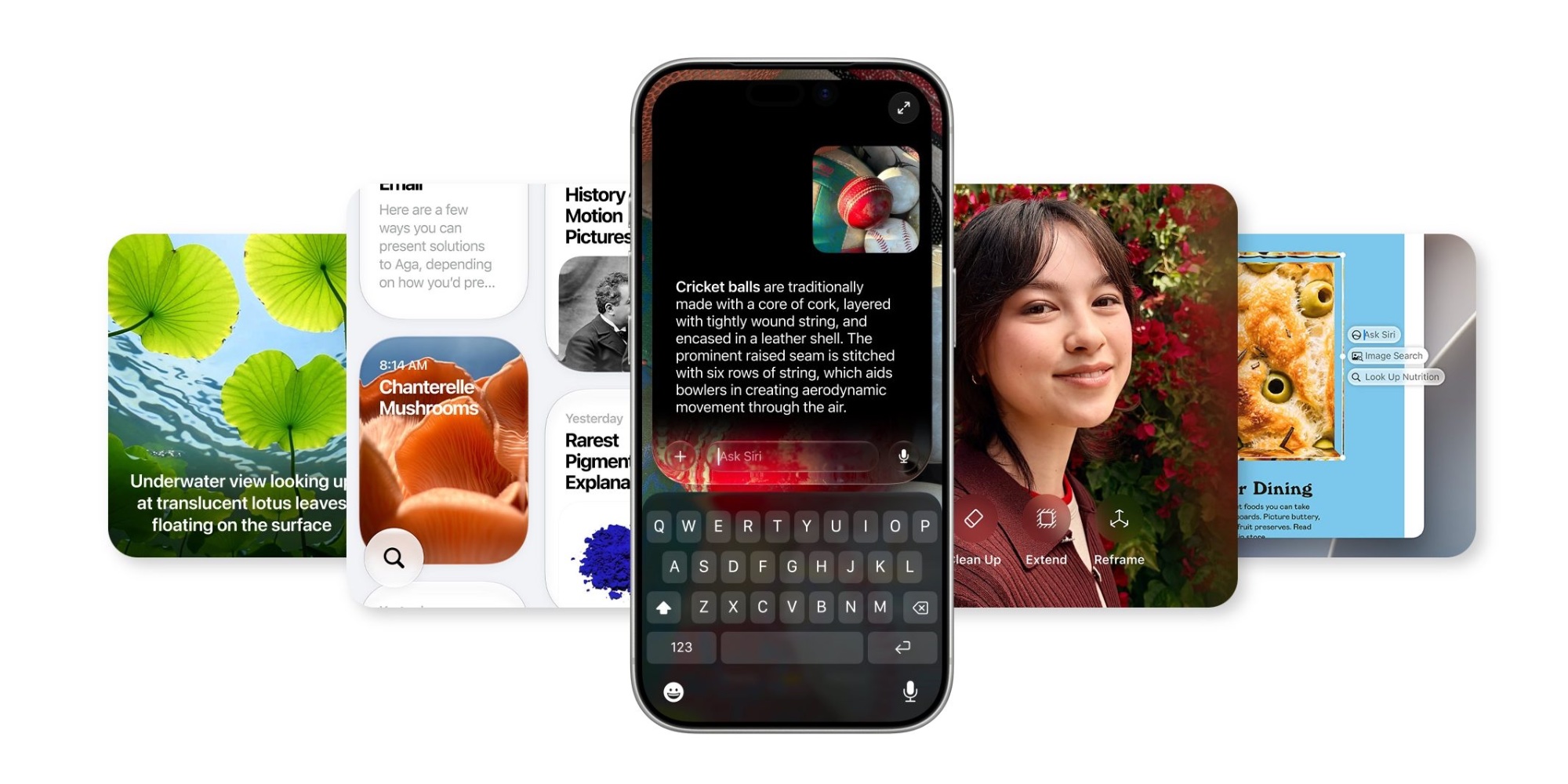

    Siri has been baked into the iPhone for nearly 15 years. But during that time, many Apple users have grown accustomed to only depending on Siri for certain supported tasks.

    For example, I’ve long relied on Siri to create reminders, start timers, play Apple Music, and when driving I’ll use it to send messages. Outside of those few limited tasks though, Siri’s shortcomings have trained me to not rely on it.

    But iOS 27’s new Siri AI is a huge upgrade that can do so much more than ever before. It might just take some time to adjust to it being your go-to, though.

    That’s why I found David Pogue’s new Substack post so helpful. Titled “125 Tests of the New AI Siri,” Pogue lists out over 100 prompts he’s tried with Siri AI and details how the assistant did.

    Here are a few examples that stood out to me:

    28. What are people waiting on me for? (Generates list from Mail, Messages, and Reminders. Incredible. Everything I did for this column was supposed to be for testing purposes only, but this one actually found stuff I’d forgotten I was supposed to do!) […]

    30. (Running late to a party:) What’s the apartment number!? (“The apartment number for the Bynum party tonight is 10-F.” Note: I never said what party or what day!) […]

    46. Delete all my alarms. (“Do you want to delete 38 alarms in Clock?” Tap to confirm.)

    With almost every one of the 125 tests, Siri succeeded. And among the few failures, such as sending a Venmo payment, Siri AI will likely perform better after third parties update their apps for iOS 27 and Siri AI compatibility.

    You can read the full list of 125 Siri AI examples here on Pogue’s Substack.

    How has Siri been running for you in iOS 27? Let us know in the comments.

    Best iPhone accessories

    You’re reading 9to5Mac — experts who break news about Apple and its surrounding ecosystem, day after day. Be sure to check out our homepage for all the latest news, and follow 9to5Mac on Twitter, Facebook, and LinkedIn to stay in the loop. Don’t know where to start? Check out our exclusive stories, reviews, how-tos, and subscribe to our YouTube channel

    here News Siri Things Your
    Follow on Google News Follow on Flipboard
    Share. Facebook Twitter Pinterest LinkedIn Tumblr Email Copy Link
    myappsplus
    • Website

    Related Posts

    Google reveals how its new 3D emoji were designed, and which Android brands are getting them

    September 17, 2026

    New iPhone 18 Pro Models Will Have Day One Update

    September 17, 2026

    macOS 27: Siri AI top features – Apple’s assistant finally comes to life [Video]

    September 17, 2026
    Add A Comment
    Leave A Reply Cancel Reply

    Top Posts

    Top 10 Best React Native App Development Companies in 2026

    September 12, 20262 Views

    AI, automation, robot dogs ensure on-site nuclear safety

    September 7, 20262 Views

    This tiny AI box could save me from upgrading my perfectly good laptop

    September 6, 20262 Views
    Latest Reviews

    Fall is only a month away, grab some fitted sweaters from $14 (Reg. $30)

    myappsplusAugust 19, 2026

    Flock is testing a new AI tool that tracks and identifies people based on their driving habits

    myappsplusAugust 19, 2026

    Keep your car looking as good as new with Fanttik’s Nano detailing brush, now $46 (Save 30%)

    myappsplusAugust 19, 2026
    Stay In Touch
    • Facebook
    • YouTube
    • TikTok
    • WhatsApp
    • Twitter
    • Instagram

    Subscribe to Updates

    Get the latest tech news from FooBar about tech, design and biz.

    Most Popular

    Fall is only a month away, grab some fitted sweaters from $14 (Reg. $30)

    August 19, 20260 Views

    Flock is testing a new AI tool that tracks and identifies people based on their driving habits

    August 19, 20260 Views

    Keep your car looking as good as new with Fanttik’s Nano detailing brush, now $46 (Save 30%)

    August 19, 20260 Views
    Our Picks

    Google reveals how its new 3D emoji were designed, and which Android brands are getting them

    September 17, 2026

    New iPhone 18 Pro Models Will Have Day One Update

    September 17, 2026

    Palladyne AI and FANUC America Partner to Expand the Reach of Intelligent Robotic Automation

    September 17, 2026

    Subscribe to Updates

    Subscribe to our newsletter and get the latest tech news, app updates, AI trends, smartphone reviews, and exclusive deals delivered straight to your inbox.

    Facebook X (Twitter) Instagram Pinterest
    • About Us
    • Get In Touch
    • Disclaimer
    • Privacy Policy
    • Terms & Conditions
    © 2026 MyAppsPlus. All Rights Reserved.

    Type above and press Enter to search. Press Esc to cancel.