

Avoid these habits to get the most out of your phone’s battery.
Your phone’s battery is lithium-ion, which means it wears out over time. According to Apple, the speed at which your battery ages depends on how you charge your phone and on the temperature the phone is exposed to.
The good news is that phones these days handle a lot of the charging side on their own. iPhones have Optimized Battery Charging, Pixel phones have Adaptive Charging and Samsung Galaxy phones have built-in battery protection.
Things like overnight charging are no longer as much of a problem as they used to be. But these features do not fix heat or bad cables, and on some Galaxy phones, you still have to switch the battery protection setting yourself. There are some habits to avoid if you want to slow down the wear and tear of your battery.
Charging to 100 percent and leaving it there
A battery wears faster when it sits at 100 percent for long stretches of time. That’s why smartphone makers built battery optimization settings to limit how long your phone stays at 100 percent charge.
On iPhone 15 and later: Go to Settings > Battery > Charging, and pick a limit from 80 to 100 percent. On older iPhones go to Optimized Battery Charging under Settings > Battery > Battery Health & Charging. On Pixel phones: Settings > Battery > Battery health > Charging optimization, then Adaptive Charging or Limit to 80 percent (Limit to 80 percent is on Pixel 6a and later). And finally on Galaxy phones (One UI 6.1 or later): Settings > Battery > Battery protection, where Maximum stops at 80 percent.
There is a catch: keeping the phone from fully charging means up to a fifth less battery available for the rest of the day, so turn it off on long days.
Running it down to zero
You don’t need to run a modern battery down to 0 percent before charging to help extend its life. You can charge your phone whenever you like. A charging cycle is not about draining a battery completely; it is about using the equivalent of 100 percent of the battery even if it’s spread over a couple of days. So it’s completely fine to top the battery up twice a day.
However, a battery left completely drained for an extended period of time can stop holding charge altogether. So if your phone is going into a drawer for a long time, charge it to about 50 percent, switch it off and top it back up to around 50 percent after six months.
Charging somewhere too warm
Heat is actually bad for a lithium-ion battery. Apple says iPhones are designed to function in temperatures ranging between 0-35 degrees C (32 to 95 degrees F), and very hot conditions can contribute to shortening the battery’s life. Pay attention to common heat traps like leaving your phone in a parked car on a hot day or leaving your phone to charge under a pillow or a blanket.
Modern phones have measures to prevent damage from over-heating, like slowing or completely pausing charging if the temperature gets too high. Pixel phones limit charging to about 70 to 80 percent after hours of charging in high heat. Keep in mind that these measures only react to heat and the real fix is to prevent that heat in the first place. Charge on a hard, flat, shaded surface and even take off the case if the phone tends to get hot while it is charging.
Using the phone while it charges
Phones tend to get hotter under heavy use, but they also get hotter while charging, so doing both at the same time could lead to reduced battery lifespan. Samsung recommends not using your phone at all while charging, and Apple lists games and video streaming as things that warm an iPhone. So driving around on a hot day with the phone connected to a charger while it’s streaming a video might be a little too much for your phone’s battery.
When it comes to energy demanding apps like video games and YouTube, it’s best to charge first, then use the phone. And if the phone gets too hot, unplug it, close the apps, and let it cool. Fast chargers and wireless chargers can add warmth too. If your iPhone shows a temperature warning message, switch the phone off and move it to a cooler place.
Charging with the wrong setup
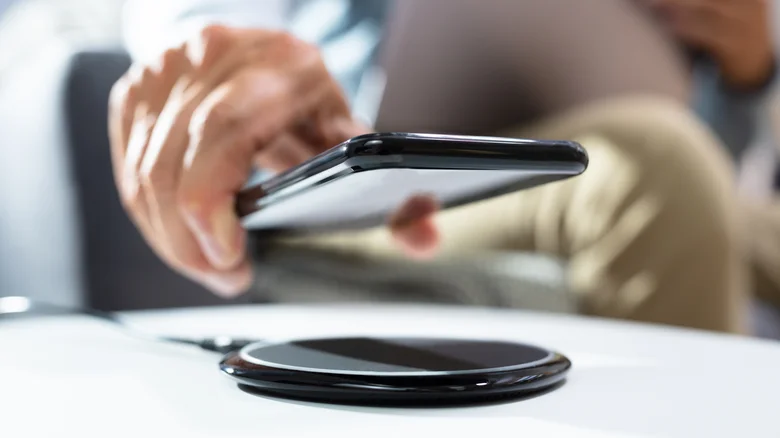
Wireless charging creates its own heat and there are two things that can make it worse. One is a thick or metal case. According to Google, these kinds of cases can slow charging down, or even stop it completely. Another thing is something sitting between the phone and the charger, like a credit card or a key.
If your wireless charging stops unexpectedly, the phone may have paused charging because it got too warm and it is waiting to cool off before resuming charging. The fix is to charge your phone outside of its case, or at least in a slimmer one, making sure the phone is centered. Also make sure that your charger is certified.
It’s not just wireless charging — bad cables or chargers can also cause heat. Samsung says an incompatible or damaged cable or charger can heat up the phone. A bad cable can even heat up the charging port itself. Make sure to use only original or certified chargers and cables that meet your phone’s listed ratings.
If your cable or charger have been damaged, do not keep using them. Find the correct charger and cable and replace them.
