Close Menu
MyAppsPlus

    Subscribe to Updates

    Get the latest creative news from FooBar about art, design and business.

    What's Hot

    Best Casino Apps Real Money in Netherlands: Your 2026 Guide to Top Mobile Gaming

    September 27, 2026

    Gemini app replacing Gems with skills in November

    September 27, 2026

    Blue Glacier iPhone 18 Pro wallpaper pack

    September 27, 2026
    Facebook X (Twitter) Instagram
    Facebook X (Twitter) Instagram
    MyAppsPlusMyAppsPlus
    Sunday, September 27
    • Home
    • Breaking Tech
    • Apps & Software
    • AI & Automation
    • Android
    • iPhone & iOS
    • More
      • Reviews
      • How-To Guides
      • Deals & Discounts
      • Shop
    MyAppsPlus
    Home»Breaking Tech»Why you should avoid holding down your PC’s power button
    Breaking Tech

    Why you should avoid holding down your PC’s power button

    myappsplusBy myappsplusSeptember 27, 2026003 Mins Read
    Share Facebook Twitter Pinterest Copy Link LinkedIn Tumblr Email Telegram WhatsApp
    Follow Us
    Google News Flipboard
    Why you should avoid holding down your PC’s power button
    Share
    Facebook Twitter LinkedIn Pinterest Email Copy Link

    It’s always best to perform a shutdown, unless you can’t.

    If you’ve ever experienced a completely frozen computer, or even just had to abruptly rush away from it and wanted to shut it down before leaving, you’ve probably held down your PC’s power button. Of course, manually shutting down or restarting your PC occasionally can be beneficial, but only when donet down, you risk permanently damaging it

    Sometimes, cutting power to your PC is an occurrence that can’t be helped, like in the instance of a power outage — though in that case, damage can still be mitigated — or an incurable freeze up. Outside of that, it’s good practise to avoid a forced shutdown whenever possible for a number of important reasons.

    You risk losing your files

    The problem with abruptly cutting your PC’s power is that it means your machine can’t perform the usual shutdown safeguards ahead of turning off. Both computer programs and the operating system itself are constantly working in the background, doing things like indexing files, checking for updates, syncing to the cloud and autosaving. If the computer is shut down suddenly instead of closing these processes on its own terms, some of these tasks may only be partially complete, leading to issues like corrupted files and lost data.

    The absolute worst time to force shutdown your PC is during an update, when large-scale changes are being made to your computer. Often updates involve deleting key old files and replacing them with new ones; if power is cut in the middle of this, these files might wind up gone forever. If that’s the case, your computer may be unable to start at all, leading you down a troubleshooting rabbit hole.

    How to customize your power button

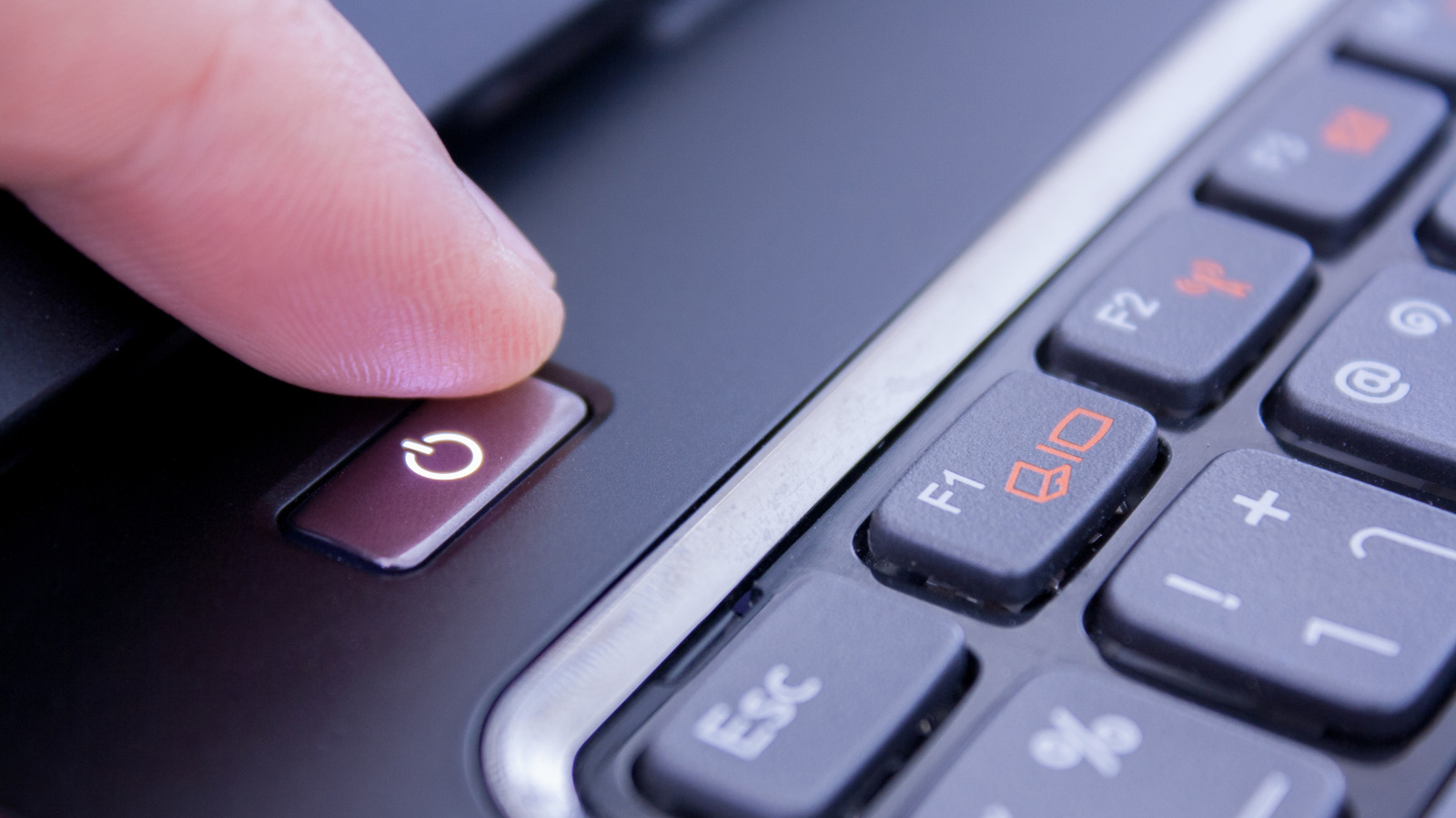
    A hand pressing a large, illuminated, purple power button on an otherwise blank surface.

    Though a long-press on the power button can be a source of strife, the button itself has more customizable utility than you might be aware of. In the Windows 11 settings, you can actually adjust what happens when you press it. You can choose to have your PC shut down, go to sleep, hibernate (which is like powering down, but will resume where you left off when turned back on), turn off the display or do nothing — an ideal option for a laptop power button that keeps getting accidentally pressed.

    To change what pressing the power button does, you can follow these steps:

    1. Open Settings by pressing Windows Key+I.

    2. Select System in the righthand column.

    3. Select Power & battery.

    4. On laptop, select Lid, power & sleep button controls; on PC, select Power button controls.

    5. Select the option you want from the pulldown menu next to Pressing the power button will make my PC.

    avoid Computing holding Microsoft should
    Follow on Google News Follow on Flipboard
    Share. Facebook Twitter Pinterest LinkedIn Tumblr Email Copy Link
    myappsplus
    • Website

    Related Posts

    Should you ditch your tablet for a foldable phone?

    September 27, 2026

    How to use Spotify’s Running Mode on iOS and Android

    September 27, 2026

    Why the iPhone Duo could be beneficial for Samsung’s Galaxy Z Fold 8

    September 27, 2026
    Add A Comment
    Leave A Reply Cancel Reply

    Top Posts

    Can reviews settle disputes that marked first two seasons?

    September 21, 20266 Views

    Microsoft resolves issues after software updates

    September 22, 20263 Views

    Experts call for leveraging AI, breaking key tech bottlenecks to propel advanced manufacturing

    September 19, 20263 Views
    Latest Reviews

    The reasons Siri may not work on CarPlay

    myappsplusAugust 23, 2026

    Augury’s first appearance in Gartner’s APM Market Guide signals that plant AI is moving toward agent-led automation

    myappsplusAugust 23, 2026

    I took the Volvo EX60 and BMW iX3 on 400-mile road trips — and range anxiety is officially dead

    myappsplusAugust 23, 2026
    Stay In Touch
    • Facebook
    • YouTube
    • TikTok
    • WhatsApp
    • Twitter
    • Instagram

    Subscribe to Updates

    Get the latest tech news from FooBar about tech, design and biz.

    Most Popular

    The reasons Siri may not work on CarPlay

    August 23, 20260 Views

    Augury’s first appearance in Gartner’s APM Market Guide signals that plant AI is moving toward agent-led automation

    August 23, 20260 Views

    I took the Volvo EX60 and BMW iX3 on 400-mile road trips — and range anxiety is officially dead

    August 23, 20260 Views
    Our Picks

    Best Casino Apps Real Money in Netherlands: Your 2026 Guide to Top Mobile Gaming

    September 27, 2026

    Gemini app replacing Gems with skills in November

    September 27, 2026

    Blue Glacier iPhone 18 Pro wallpaper pack

    September 27, 2026

    Subscribe to Updates

    Subscribe to our newsletter and get the latest tech news, app updates, AI trends, smartphone reviews, and exclusive deals delivered straight to your inbox.

    Facebook X (Twitter) Instagram Pinterest
    • About Us
    • Get In Touch
    • Disclaimer
    • Privacy Policy
    • Terms & Conditions
    © 2026 MyAppsPlus. All Rights Reserved.

    Type above and press Enter to search. Press Esc to cancel.