Close Menu
MyAppsPlus

    Subscribe to Updates

    Get the latest creative news from FooBar about art, design and business.

    What's Hot

    ‘The underlying approach was to shift people’s jobs toward the tasks that AI can’t yet accomplish’: Anthropic says leaders pushing AI can make workers feel watched

    November 28, 2026

    These settings can adjust your Samsung phone’s display to your liking

    November 28, 2026

    Why updating your iPhone can improve your CarPlay experience

    November 28, 2026
    Facebook X (Twitter) Instagram
    Facebook X (Twitter) Instagram
    MyAppsPlusMyAppsPlus
    Saturday, November 28
    • Home
    • Breaking Tech
    • Apps & Software
    • AI & Automation
    • Android
    • iPhone & iOS
    • More
      • Reviews
      • How-To Guides
      • Deals & Discounts
      • Shop
    MyAppsPlus
    Home»iPhone & iOS»Why updating your iPhone can improve your CarPlay experience
    iPhone & iOS

    Why updating your iPhone can improve your CarPlay experience

    myappsplusBy myappsplusNovember 28, 2026003 Mins Read
    Share Facebook Twitter Pinterest Copy Link LinkedIn Tumblr Email Telegram WhatsApp
    Follow Us
    Google News Flipboard
    Why updating your iPhone can improve your CarPlay experience
    Share
    Facebook Twitter LinkedIn Pinterest Email Copy Link

    Skipping iPhone updates can cost you new CarPlay features. Here’s what you could be missing.

    CarPlay is a great way to get all of your music, contacts and addresses on your car’s infotainment system. But CarPlay isn’t an app installed on your car. It runs straight from your iPhone, so the car usually doesn’t have an “update CarPlay” option of its own. To update CarPlay, you need to update iOS.

    CarPlay keeps working even if you don’t update your phone, but you’ll miss out on the new features, bug fixes and compatibility improvements. iOS 27, released September 14, added an audio mini-player, plus route sharing and video apps on supported cars. Apple says it also improves wireless CarPlay reliability and GPS accuracy. Here’s how updating your iPhone can improve your CarPlay experience.

    CarPlay updates come through your iPhone
    Closeup up of the Apple logo and progress bar on an iPhone.

    To update your iPhone, go to Settings > General > Software Update and check your iOS version. If a newer one is available, it will be waiting for you there. The latest version at the time of writing is iOS 27.2.1 (November 9). Phones still on iOS 26 will see a small iOS 26 update and the larger iOS 27 upgrade as separate options.

    iOS 27 (September 14) added several new CarPlay features, including an audio mini-player, a progress bar in Now Playing, route sharing with the car’s own screens, and apps for watching videos while the car is parked. The video apps and the route sharing option only work on cars where the automaker added support. Apple says iOS 27 also improves wireless CarPlay reliability and the accuracy of navigation heading and GPS.

    iOS 27.2 (October 26) added even more options, including a Podcasts Home tab with New Episodes and Continue Playing in place of Up Next. Siri also got an upgrade and can now recall past conversations. Keep in mind that Siri needs an iPhone 15 Pro or later, so not every phone gets it.

    What happens if you skip updates
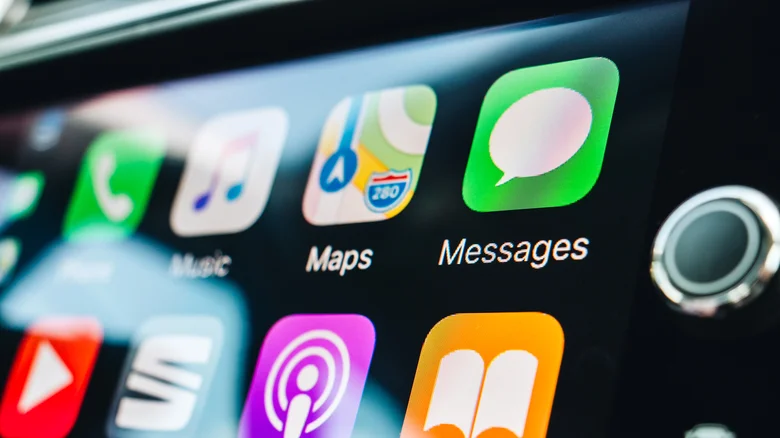
    Details of App and icons on the the Apple CarPlay main screen in modern car dashboard.

    If you skip every update Apple offers you, CarPlay will keep working as usual, with the features it already has. iOS 27 needs an iPhone 11 or later (or the second-generation iPhone SE), but Apple lists CarPlay as compatible with much older iPhones. Those phones still work but never get the new iOS 27 features.

    If CarPlay is acting up, try updating your phone first. If that doesn’t work, restart your phone and your car, then go to Settings > General > CarPlay, select your car, tap Forget This Car and set it up again. If that still doesn’t work, try updating your car’s stereo firmware. Apple lists this as the last troubleshooting step and points to the car’s manual for more information.

    CarPlay Improve iPhone updating Your
    Follow on Google News Follow on Flipboard
    Share. Facebook Twitter Pinterest LinkedIn Tumblr Email Copy Link
    myappsplus
    • Website

    Related Posts

    Why your tablet speakers sound muffled (and how to fix them)

    November 28, 2026

    CardPointers updated for iOS 27 with Siri AI, automatic offer syncing, more [Save 50%]

    November 28, 2026

    Have power at your fingertips with these top power station deals this Black Friday weekend — I’ve tested some impressive battery systems, here are my top picks from Bluetti, Jackery and more

    November 28, 2026
    Add A Comment
    Leave A Reply Cancel Reply

    Top Posts

    The pros and cons of using your phone as a mobile hotspot

    November 16, 202651 Views

    UiPath Launches AI Coding Agent, Integrates Claude Code and Codex to Target Development Automation

    November 16, 202646 Views

    Announcing Artificial Analysis Intelligence Index v5

    October 28, 202639 Views
    Latest Reviews

    I’ve seen 2027’s new robot vacuums — here are 3 major trends set to level-up their cleaning, from drop-down suction boosters to… steam?

    myappsplusSeptember 13, 2026

    Rest your new AirPods 5 with wireless charging case on this sleek charger for $18 (Reg. $25)

    myappsplusSeptember 13, 2026

    69% K8s Spend Cut [2026]

    myappsplusSeptember 13, 2026
    Stay In Touch
    • Facebook
    • YouTube
    • TikTok
    • WhatsApp
    • Twitter
    • Instagram

    Subscribe to Updates

    Get the latest tech news from FooBar about tech, design and biz.

    Most Popular

    How to watch Great North Run 2026: Live stream online from anywhere for FREE

    September 13, 20260 Views

    The first images of Meta’s Project Phoenix mixed reality headset have leaked — and there’s a reason it’s so thin and light

    September 13, 20260 Views

    Why your Roku keeps randomly turning off (and how to fix it)

    September 13, 20260 Views
    Our Picks

    ‘The underlying approach was to shift people’s jobs toward the tasks that AI can’t yet accomplish’: Anthropic says leaders pushing AI can make workers feel watched

    November 28, 2026

    These settings can adjust your Samsung phone’s display to your liking

    November 28, 2026

    Why updating your iPhone can improve your CarPlay experience

    November 28, 2026

    Subscribe to Updates

    Subscribe to our newsletter and get the latest tech news, app updates, AI trends, smartphone reviews, and exclusive deals delivered straight to your inbox.

    Facebook X (Twitter) Instagram Pinterest
    • About Us
    • Get In Touch
    • Disclaimer
    • Privacy Policy
    • Terms & Conditions
    © 2026 MyAppsPlus. All Rights Reserved.

    Type above and press Enter to search. Press Esc to cancel.